Overview
The machine starts by connecting to RDP with NLA disabled which reveals a KioskUser0 account on the login screen, logging in with an empty password drops into a restricted kiosk session running inside Microsoft Edge, navigating the filesystem via the Edge address bar leads to the user flag, then bypassing AppLocker by renaming binaries to msedge.exe allows running PowerShell to find a Remote Desktop Plus profiles.xml with stored admin credentials, a NirSoft password revealer tool is used to extract the plaintext password, and after runas to admin and triggering UAC elevation via Start-Process with RunAs verb we get a high-integrity shell to read the root flag
Enumeration
and as always we start with nmap
# Nmap 7.94SVN scan initiated Tue Jun  2 01:10:16 2026 as: nmap -sC -sV -vv -oA init -Pn 10.129.234.51
Nmap scan report for 10.129.234.51
Host is up, received user-set (0.19s latency).
Scanned at 2026-06-02 01:10:17 PDT for 35s
Not shown: 999 filtered tcp ports (no-response)
PORT STATE SERVICE REASON VERSION
3389/tcp open  ms-wbt-server syn-ack Microsoft Terminal Services
| ssl-cert: Subject: commonName=Escape
| Issuer: commonName=Escape
| Public Key type: rsa
| Public Key bits: 2048
| Signature Algorithm: sha256WithRSAEncryption
| Not valid before: 2026-06-01T08:07:57
| Not valid after: 2026-12-01T08:07:57
| MD5: 6a7c:6086:d6c5:5e0b:e856:2423:21ec:1c60
| SHA-1: 8e34:2d86:3b13:3d47:e286:d511:3714:45bf:127d:1dd1
| -----BEGIN CERTIFICATE-----
| MIIC0DCCAbigAwIBAgIQOvLQlEO/AY1BMar36CzlwjANBgkqhkiG9w0BAQsFADAR
| MQ8wDQYDVQQDEwZFc2NhcGUwHhcNMjYwNjAxMDgwNzU3WhcNMjYxMjAxMDgwNzU3
| WjARMQ8wDQYDVQQDEwZFc2NhcGUwggEiMA0GCSqGSIb3DQEBAQUAA4IBDwAwggEK
| AoIBAQDM+jmfuN9WVToZFePZ6/v2zpSNTBfGZ6NdgQdyYd0NXJkCxB3aF3e1VxB1
| EmtWu7Rz8H2LdP0BeNICFQP7Mjbb26slPu42mnDfQTX7ZaLzuq9tLld19VT4QGY0
| JJ27Q9fdHnnigHPAjF++NZkAddBAMV/dwIsDKB+snjfbgP5FKEXHCc3TGH5bcCDI
| MGSBPs/eTSlmza16cPTHdBHlD+KvR62L74hjBqPPfRpFRUnx4C5qGy9OQzmVDK4z
| 49GjVH4yUS9f97Zo7tS7iOmtGXTDPRK6vfzXqhmqqxIHai23URw+2wELe5qfIjwk
| zx6I8UVjUnCwVwkkWuq5ZyIZgQ8BAgMBAAGjJDAiMBMGA1UdJQQMMAoGCCsGAQUF
| BwMBMAsGA1UdDwQEAwIEMDANBgkqhkiG9w0BAQsFAAOCAQEAD5moCp6Lxlv/QSd2
| tp3lpraugQnqMestwISpwhPoVkyIEKJUwwvUo3lAPnzeiyubiTPdNVc7rVcT+Eir
| iloOGhCgSmsbeHFKJLIJ+8+CefvpMboDesdg3SYSNWFUiTmej2Ea4QTLp+WhUQv1
| DYaP4v+qiy8cMYxSQaaEHfHgoJH4g4iUtUBbzwcs8sj/AtnkiOMg6fpBzpGMD7i2
| cy4oLlGf/O7q3bosyf1yA3JYW1P99gK76AD1i+9GaFKuF+RNMubsyRhCIqO+VYUO
| QvR8OrrdxJCR5rKAINZ4BAP3A3aWAUVE5uDYgWlrjKO1MC8FnvYzoQc8wZV/2Urb
| PpB7Ig==
| _-----END CERTIFICATE-----
| rdp-ntlm-info:
| Target_Name: ESCAPE
| NetBIOS_Domain_Name: ESCAPE
| NetBIOS_Computer_Name: ESCAPE
| DNS_Domain_Name: Escape
| DNS_Computer_Name: Escape
| Product_Version: 10.0.19041
| _ System_Time: 2026-06-02T08:10:47+00:00
| _ssl-date: 2026-06-02T08:10:52+00:00; +1s from scanner time.
Service Info: OS: Windows; CPE: cpe:/o:microsoft:windows

Host script results:
| _clock-skew: mean: 0s, deviation: 0s, median: 0s

Read data files from: /usr/bin/../share/nmap
Service detection performed. Please report any incorrect results at https://nmap.org/submit/ .
# Nmap done at Tue Jun  2 01:10:52 2026 -- 1 IP address (1 host up) scanned in 35.28 seconds
and we got a single port running RDP
so lets do a UPD scan also and as you can see nothing returned by udpx so lets do full scan TCP instead
udpx -t 10.129.234.51

        __  ______  ____ _  __
       / / / / __ \/ __ \ | / /
      / / / / / / / /_/ /   /
     / /_/ / /_/ / ____/ |
     \____/_____/_/ /_/|_|
         v1.0.7, by @nullt3r

2026/06/02 01:13:57 [+] Starting UDP scan on 1 target(s)
2026/06/02 01:14:27 [+] Scan completed
but there is nothing there so lets see what we can do with this port
┌─[]─[10.10.16.83]─[jimmex@attacker]─[~/htb/labs/vulnescape]
└──╼ [★]$ nmap -v -p- 10.129.234.51 -Pn
Host discovery disabled (-Pn). All addresses will be marked 'up' and scan times may be slower.
Starting Nmap 7.94SVN ( https://nmap.org ) at 2026-06-02 01:15 PDT
Initiating Parallel DNS resolution of 1 host. at 01:15
Completed Parallel DNS resolution of 1 host. at 01:15, 0.10s elapsed
Initiating Connect Scan at 01:15
Scanning 10.129.234.51 [65535 ports]
Discovered open port 3389/tcp on 10.129.234.51
Connect Scan Timing: About 4.27% done; ETC: 01:28 (0:11:35 remaining)
Connect Scan Timing: About 9.21% done; ETC: 01:26 (0:10:01 remaining)
Connect Scan Timing: About 12.33% done; ETC: 01:28 (0:10:47 remaining)
Connect Scan Timing: About 18.70% done; ETC: 01:26 (0:08:46 remaining)
Connect Scan Timing: About 24.50% done; ETC: 01:26 (0:07:45 remaining)
Connect Scan Timing: About 31.67% done; ETC: 01:26 (0:07:09 remaining)
Connect Scan Timing: About 38.14% done; ETC: 01:25 (0:06:11 remaining)
Connect Scan Timing: About 44.66% done; ETC: 01:25 (0:05:21 remaining)
Connect Scan Timing: About 55.98% done; ETC: 01:24 (0:03:47 remaining)
Connect Scan Timing: About 56.22% done; ETC: 01:25 (0:04:13 remaining)
Connect Scan Timing: About 61.90% done; ETC: 01:25 (0:03:40 remaining)
Connect Scan Timing: About 67.76% done; ETC: 01:25 (0:03:05 remaining)
Connect Scan Timing: About 75.12% done; ETC: 01:25 (0:02:18 remaining)
Connect Scan Timing: About 81.46% done; ETC: 01:25 (0:01:49 remaining)
Connect Scan Timing: About 86.74% done; ETC: 01:25 (0:01:19 remaining)
Connect Scan Timing: About 92.48% done; ETC: 01:25 (0:00:44 remaining)
Completed Connect Scan at 01:25, 585.04s elapsed (65535 total ports)
Nmap scan report for 10.129.234.51
Host is up (0.10s latency).
Not shown: 65534 filtered tcp ports (no-response)
PORT STATE SERVICE
3389/tcp open  ms-wbt-server

Read data files from: /usr/bin/../share/nmap
Nmap done: 1 IP address (1 host up) scanned in 585.22 seconds
so lets try to login with the guest account but it is disabled
┌─[]─[10.10.16.83]─[jimmex@attacker]─[~/htb/labs/vulnescape]
└──╼ [★]$ nxc rdp 10.129.234.51 -u 'Guest' -p ''
RDP 10.129.234.51 3389 ESCAPE [*] Windows 10 or Windows Server 2016 Build 19041 (name:ESCAPE) (domain:Escape) (nla:False)
RDP 10.129.234.51 3389 ESCAPE [-] Escape\Guest: (STATUS_ACCOUNT_DISABLED)
at this point I figured we have to do user enumeration maybe by brute-forcing but it didn't workout
at this point I went back to nxc and read some options of RDP and the one that was interesting was --nla-screenshot and that's where i remembered to check logging it but by disabling NLA and as we can see from the Guest attempt it already showed that it was disabled but i missed that
if you are not familiar with NLA it stands for Network Level authentication and it is a good way to protect the server by validating the user even before starting a session but if it is disabled as in this case it'll start a full visual session and show the login screen to the user which might be used for exploitation if there is attacks against windows at that stage of login
RDP as KioskUser0
now by trying to disable the NLA while connecting it'll actually work
if you are using old version of xfreerdp use -sec-nla instead of this option
┌─[]─[10.10.16.83]─[jimmex@attacker]─[~/htb/labs/vulnescape]
└──╼ [★]$ xfreerdp3 /v:10.129.234.51 /clipboard /dynamic-resolution /sec:nla:off
[01:55:49:385] [94022:00016f47] [INFO][com.freerdp.client.x11] - [xf_pre_connect]: No user name set. - Using login name: jimmex
[01:55:49:387] [94022:00016f47] [WARN][com.freerdp.client.x11] - [load_map_from_xkbfile]: : keycode: 0x08 -> no RDP scancode found
[01:55:49:388] [94022:00016f47] [WARN][com.freerdp.client.x11] - [load_map_from_xkbfile]: : keycode: 0x5D -> no RDP scancode found
[01:55:49:388] [94022:00016f47] [WARN][com.freerdp.client.x11] - [load_map_from_xkbfile]: MDSW: keycode: 0xCB -> no RDP scancode found
Domain:
Password:
[01:55:51:932] [94022:00016f47] [WARN][com.freerdp.crypto] - [verify_cb]: Certificate verification failure 'self-signed certificate (18)' at stack position 0
[01:55:51:933] [94022:00016f47] [WARN][com.freerdp.crypto] - [verify_cb]: CN = Escape
[01:55:52:976] [94022:00016f47] [WARN][com.freerdp.core.connection] - [rdp_client_connect_auto_detect]: expected messageChannelId=1008, got 1003[01:55:52:977] [94022:00016f47] [WARN][com.freerdp.core.license] - [license_read_binary_blob_data]: license binary blob::type BB_ERROR_BLOB, length=0, skipping.
[01:55:53:449] [94022:00016f47] [WARN][com.freerdp.core.connection] - [rdp_client_connect_auto_detect]: expected messageChannelId=1008, got 1003
[01:55:53:506] [94022:00016f47] [INFO][com.freerdp.gdi] - [gdi_init_ex]: Local framebuffer format PIXEL_FORMAT_BGRX32
[01:55:53:506] [94022:00016f47] [INFO][com.freerdp.gdi] - [gdi_init_ex]: Remote framebuffer format PIXEL_FORMAT_BGRA32
[01:55:53:584] [94022:00016f47] [INFO][com.freerdp.channels.rdpsnd.client] - [rdpsnd_load_device_plugin]: [static] Loaded fake backend for rdpsnd
[01:55:53:584] [94022:00016f47] [INFO][com.freerdp.channels.drdynvc.client] - [dvcman_load_addin]: Loading Dynamic Virtual Channel ainput
[01:55:53:584] [94022:00016f47] [INFO][com.freerdp.channels.drdynvc.client] - [dvcman_load_addin]: Loading Dynamic Virtual Channel rdpgfx
[01:55:53:585] [94022:00016f47] [INFO][com.freerdp.channels.drdynvc.client] - [dvcman_load_addin]: Loading Dynamic Virtual Channel disp
[01:55:53:585] [94022:00016f47] [INFO][com.freerdp.channels.drdynvc.client] - [dvcman_load_addin]: Loading Dynamic Virtual Channel rdpsnd
[01:55:55:736] [94022:00016f55] [INFO][com.freerdp.channels.rdpsnd.client] - [rdpsnd_load_device_plugin]: [dynamic] Loaded fake backend for rdps
we also could've done this
┌─[]─[10.10.16.83]─[jimmex@attacker]─[~/notes]
└──╼ [★]$ nxc rdp 10.129.234.51 -u '' -p '' --nla-screenshot
RDP 10.129.234.51 3389 ESCAPE [*] Windows 10 or Windows Server 2016 Build 19041 (name:ESCAPE) (domain:Escape) (nla:False)
RDP 10.129.234.51 3389 ESCAPE [-] Escape\: (STATUS_LOGON_FAILURE)
RDP 10.129.234.51 3389 ESCAPE NLA Screenshot saved /home/jimmex/.nxc/screenshots/ESCAPE_10.129.234.51_2026-06-02_034249.png
to grab the screenshot only but i needed to know what are we dealing with
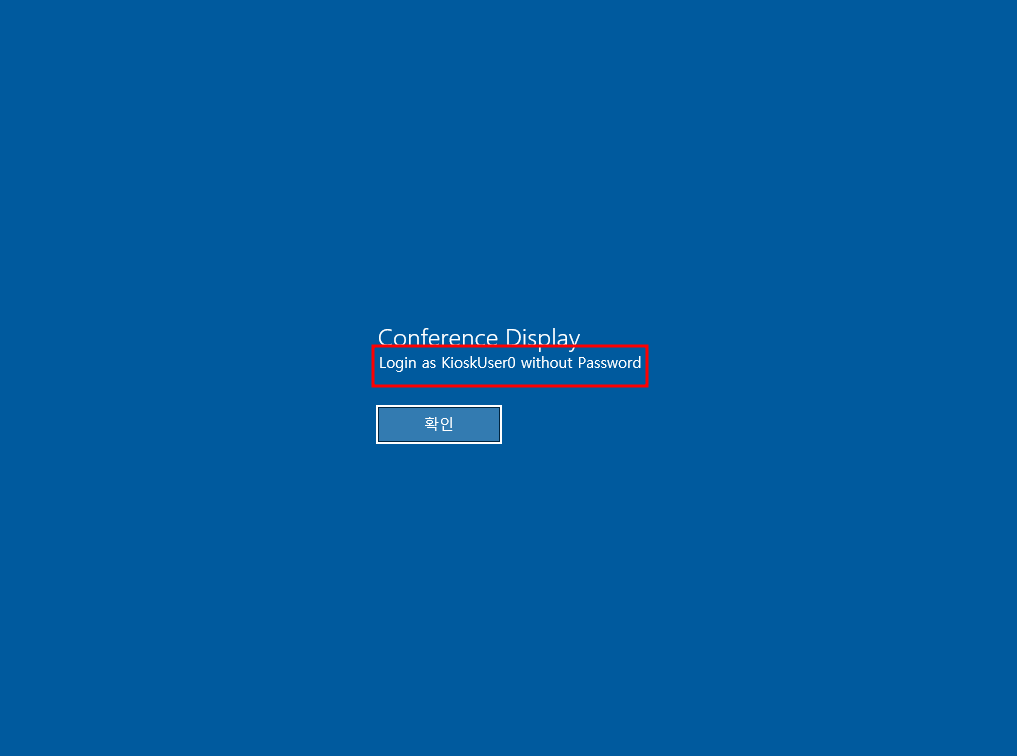 and we get this, there is a user called KioskUser0 so lets close this and try it with NXC and empty password and if it didn't work we'll brute force its password
and as you can see we got it working so lets login using RDP
just so you know we got a hint that the RDP is in Kiosk mode so it is a restricted mode where the user will be able to do limited things based on what the admin configured
(.venv) ┌─[]─[10.10.16.83]─[jimmex@attacker]─[~/htb/labs/vulnescape]
└──╼ [★]$ nxc rdp 10.129.234.51 -u 'KioskUser0' -p ''
RDP 10.129.234.51 3389 ESCAPE [*] Windows 10 or Windows Server 2016 Build 19041 (name:ESCAPE) (domain:Escape) (nla:False)
RDP 10.129.234.51 3389 ESCAPE [+] Escape\KioskUser0: (Pwn3d!)
lets login using xfreerdp
┌─[]─[10.10.16.83]─[jimmex@attacker]─[~/htb/labs/vulnescape]
└──╼ [★]$ xfreerdp3 /v:10.129.234.51 /clipboard /dynamic-resolution /u:KioskUser0 /p:''
as you can see just a background at the start you might think it is just a desktop back ground
 and we get this there is nothing we can do if we tried to select this text and then click some of the icons you'll notice that this is microsoft edge by the look of it and another way to figure this out is by clicking alt+tab
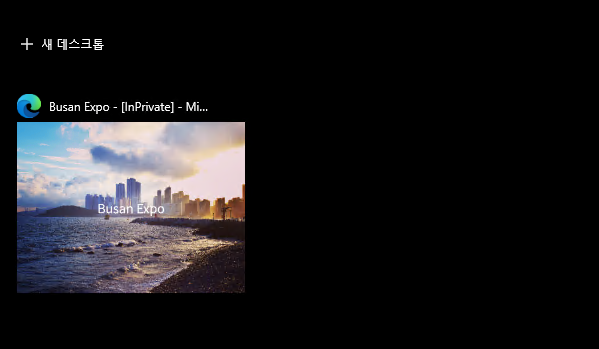 and it is msedge
the only thing that worked is the windows menu when i clicked the windows button so lets see what kind of applications we can run
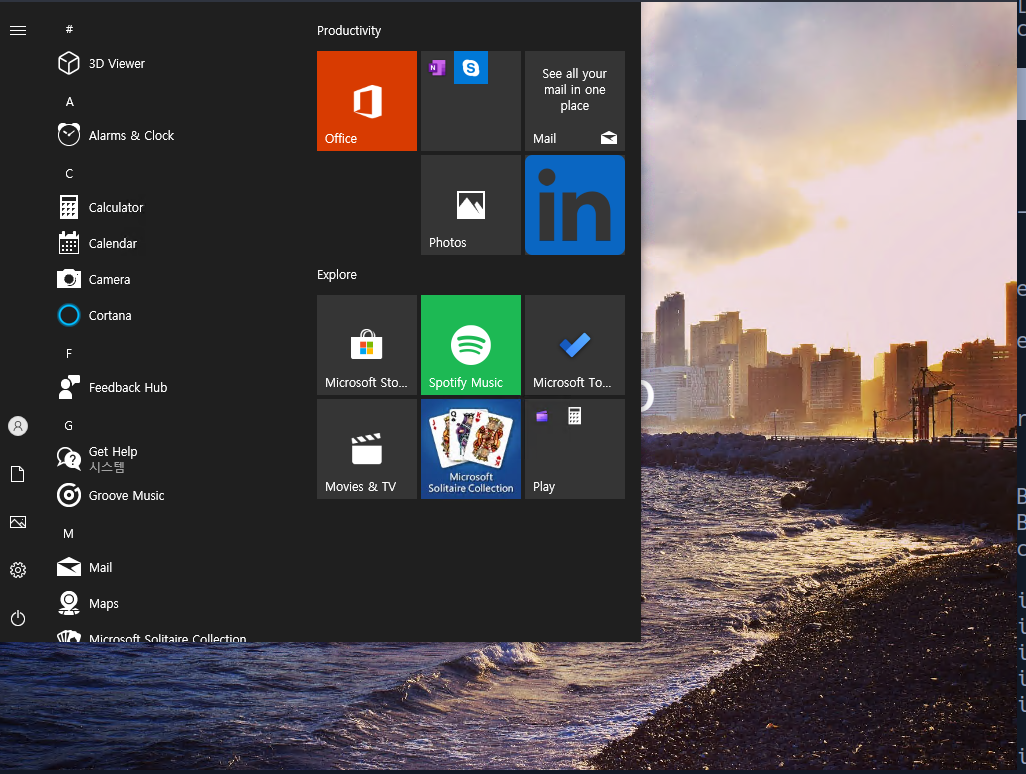
- if we can't run cmd i will look for explorer
- if we can't run explorer i will look for microsoft edge
- the reason I am thinking about Microsoft edge here cause we are already in one so lets try to open a new one and from it we can try the open dialog to run anything as that user
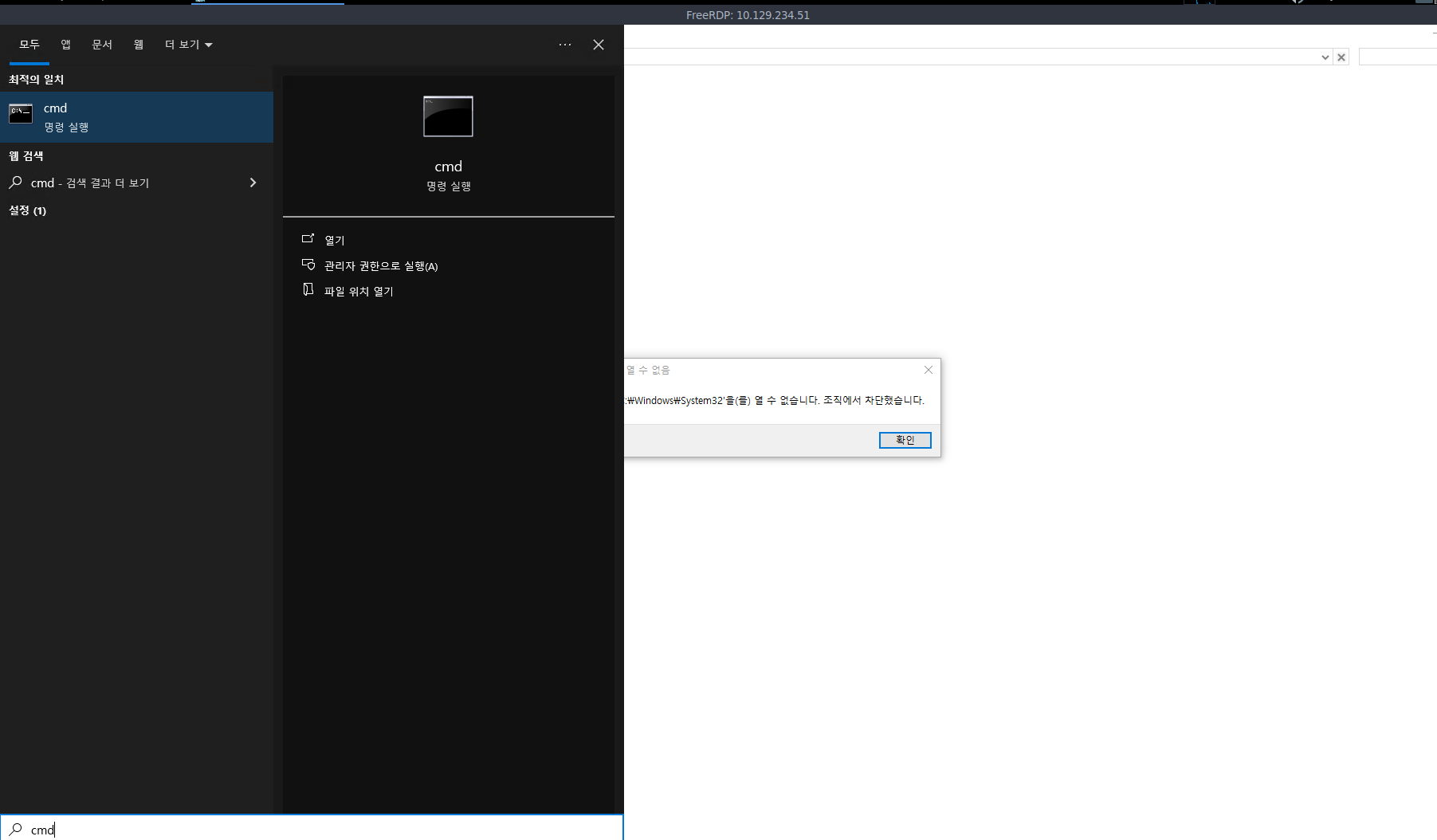 and as you can see when we search for cmd and click on it nothing happens but when we try open file location it returns an error lets do the and file explorer doesn't return anything back so lets try msedge
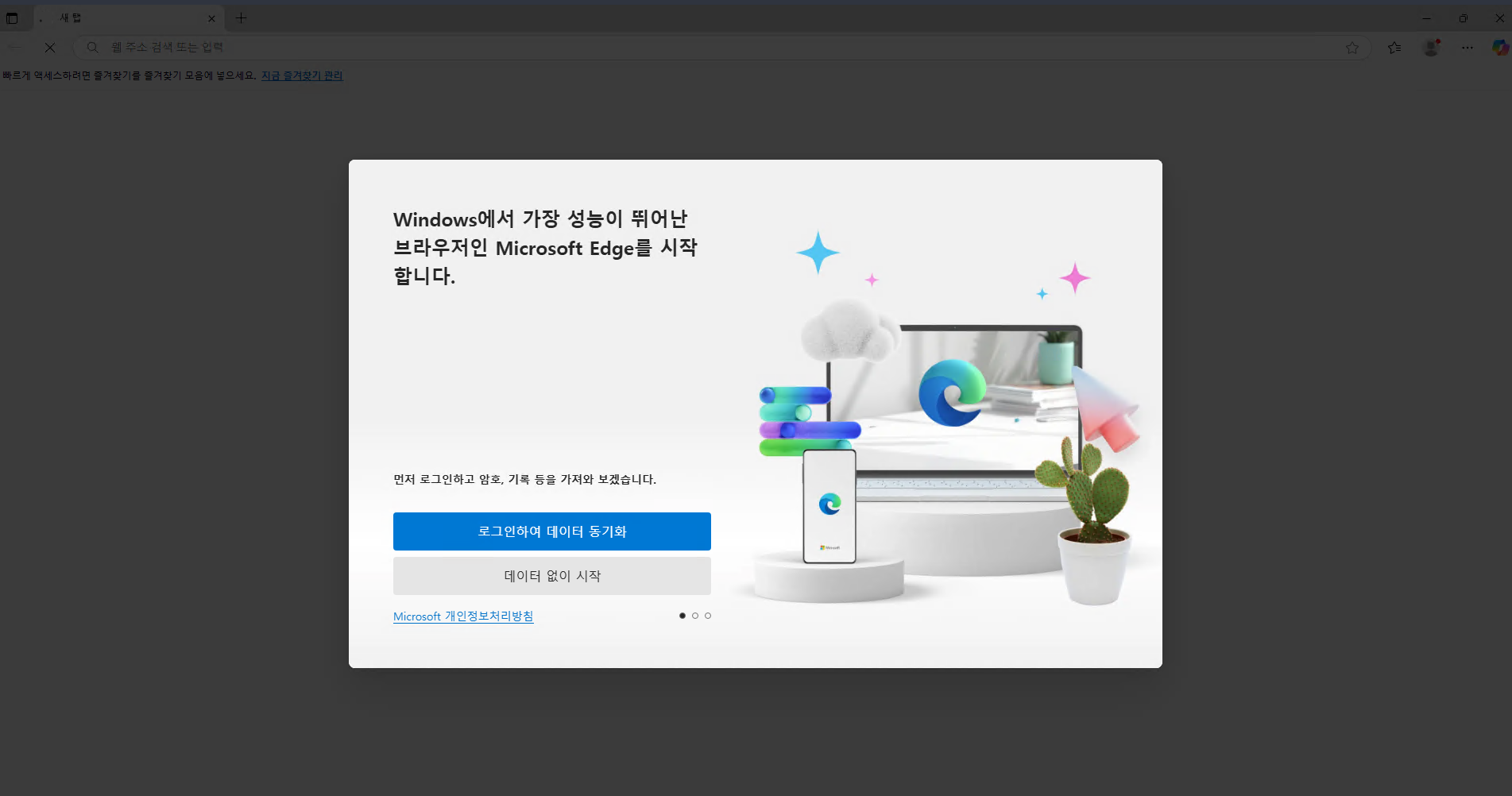 and microsoft edge actually works and there is a way to open the file explorer from microsoft edge or any browser instead of typing a normal URL like this http://something.com we do
 C:\ and it'll open a file explorer in the browser with the path C so lets try it
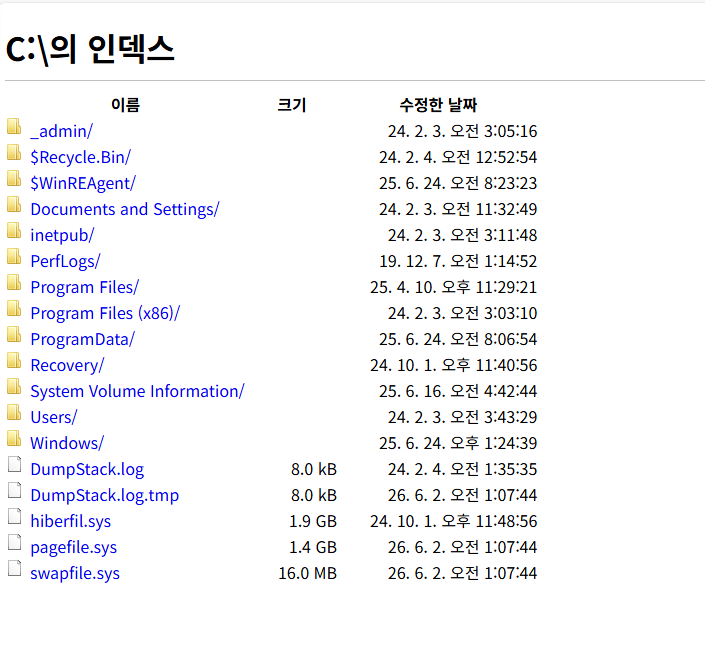 and it actually worked so lets look if we can get the user flag
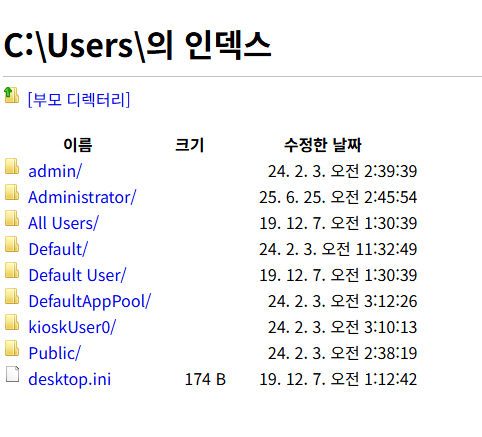 and we got only 3 user s admin and administrator and KioskUser0 so lets look for the user flag under that user
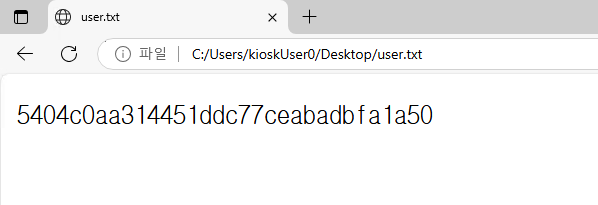 and we got the user flag
Lateral to Admin
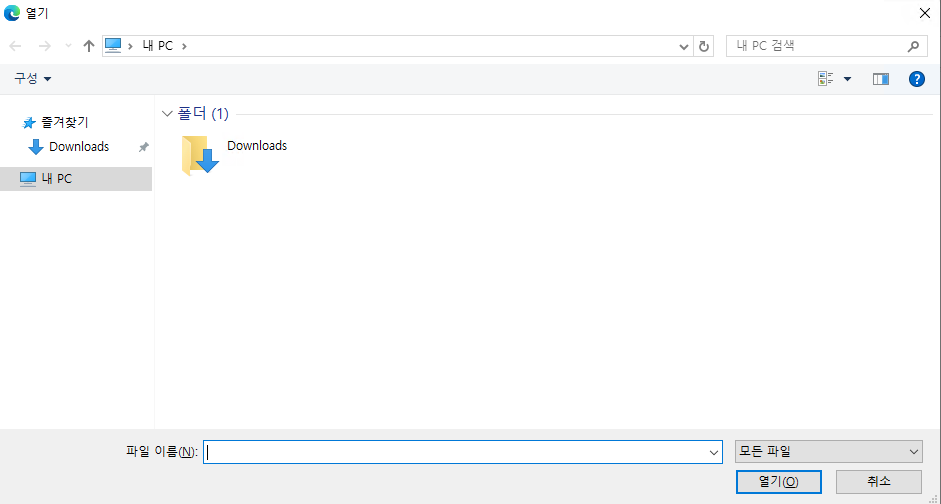 and by using the old way of opening an open dialog to open applications is apps like
 msedge and paint we can try to get cmd running
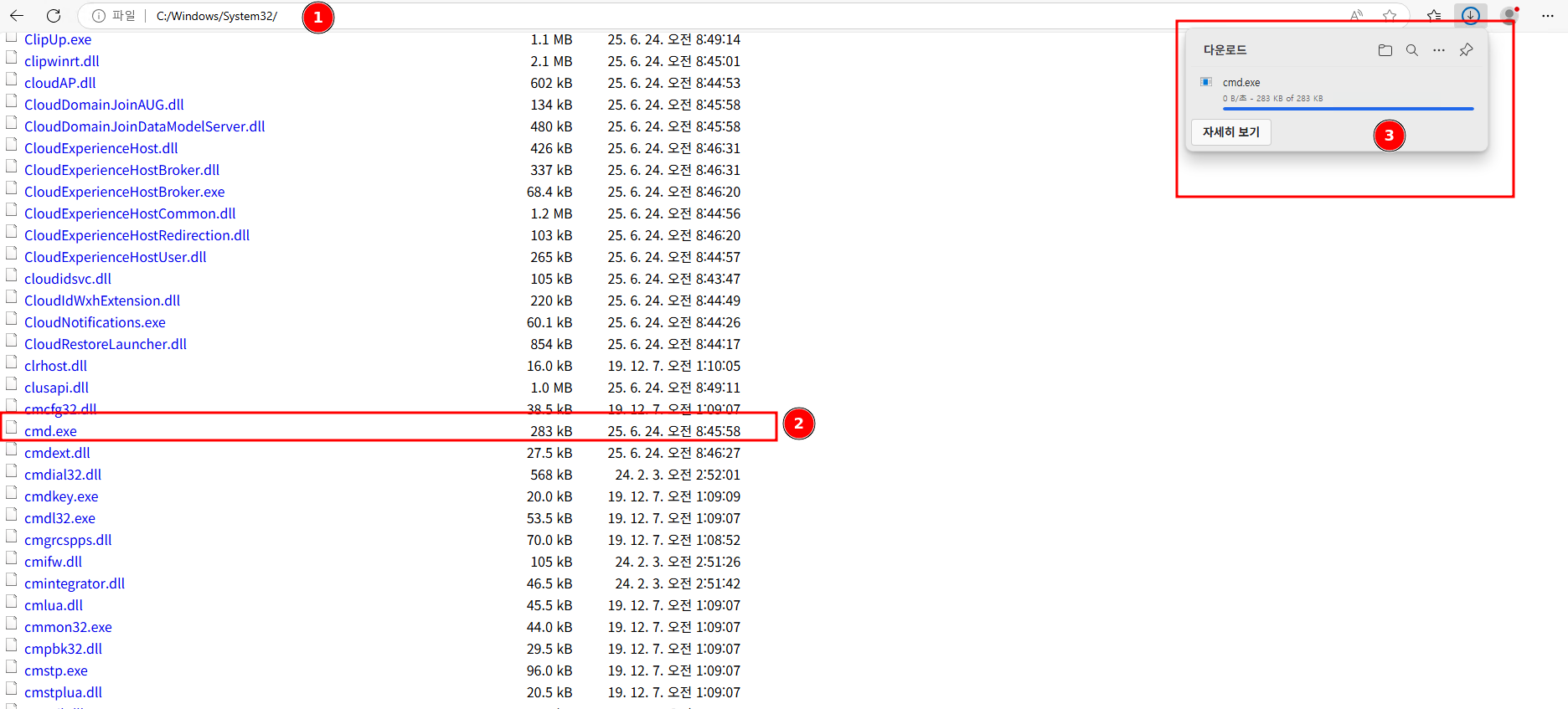 the open dialog way didn't work so I went back to using the windows file explorer and looking for cmd.exe and as you can see it is downloaded if we clicked on that cmd.exe now it might open cmd for us
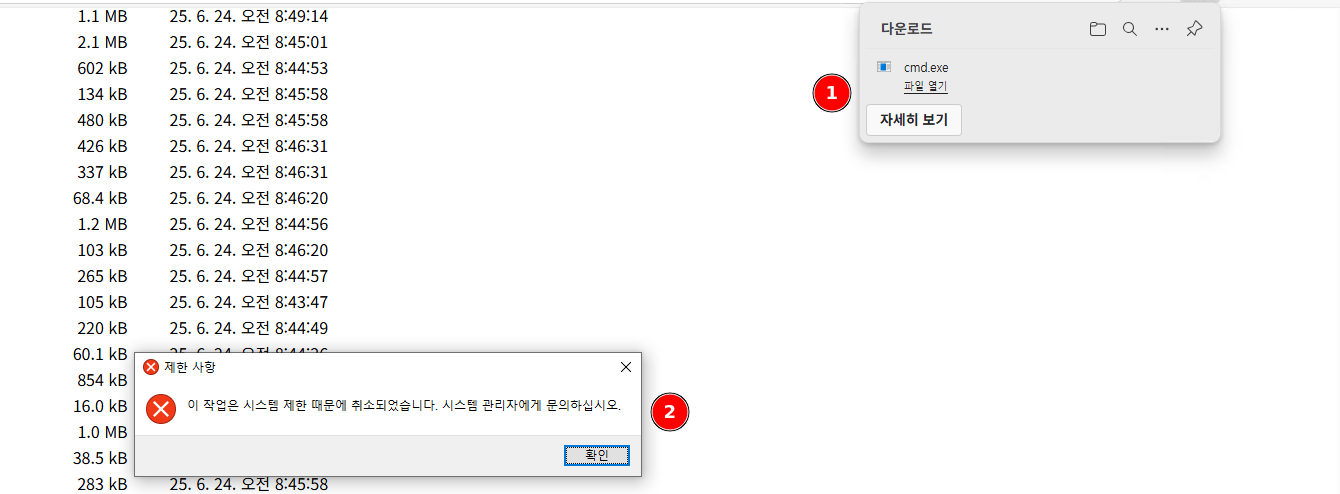 but clicking on it gives us this lets translate it and see what it says
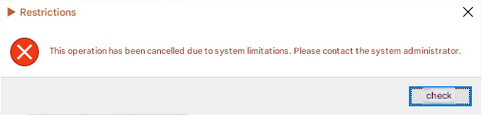 and it says that there is some limitation that is blocking us from running this usually it filters based on the executable name so lets see if we can rename it if we can rename it we'll do this
- change the file name to a name that doesn't exist and try to run it, if it doesn't run it means that the filter is whitelisted not blacklisted
- and because the filter is white listed we can name it
msedge.execause we know this name is allowed so lets see what we can doblacklisted means there is some apps specifically stated that we can not run and because there is no way they added
doesnotexistatallto that blacklist then it is a whitelist whitelisted means there is some apps only that we can run and this way is generally safer
 i did the same with
 powershell cause i like powershell more by clicking that name it got the exact same message meaning it is white-listed
and one of the exe files we know is permitted for sure is microsoft edge so lets name it to msedge and run it
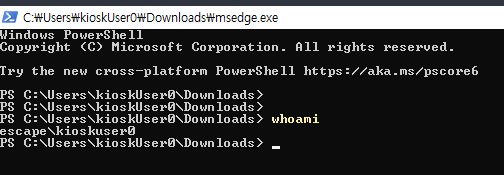 and as you can see it worked lets see what we can do here
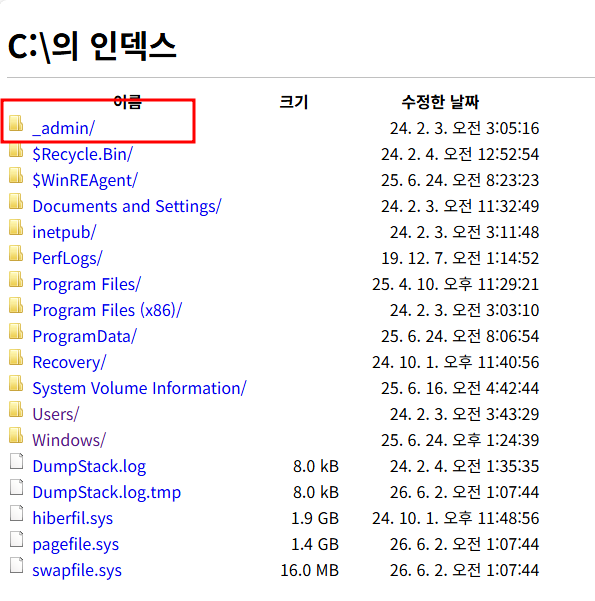 after running some commands to enumerate the privilege there not much we can do so i went back to the file system and i found this interesting folder
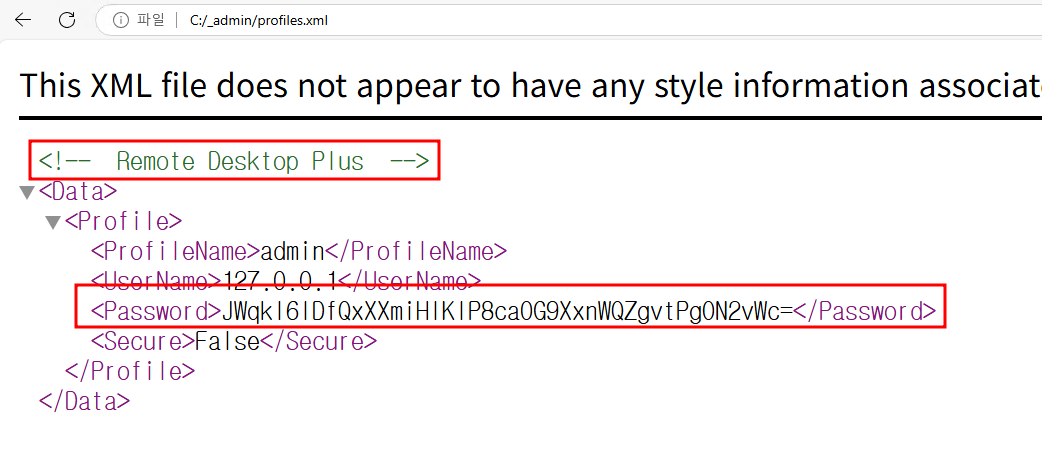 and it has a file called profiles.xml which looks like a setting storage for remote desktop plus so lets find the executable for this remote desktop plus and try to run it and see what we can do
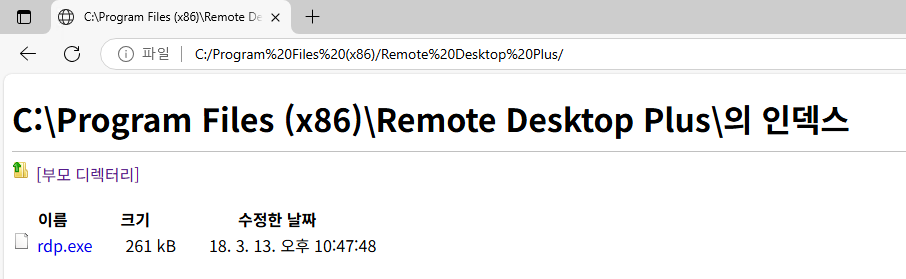 and after searching i found it is installed in one of two paths either
 Program Files or Program Files(x86) and that's where i found it so lets try to run it the same way as we did with powershell if it isn't permitted to run
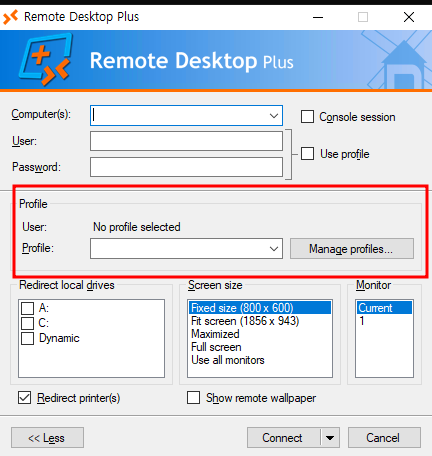 and we got this and remember the file name we found was profile.xml so we may be able to use to get a session
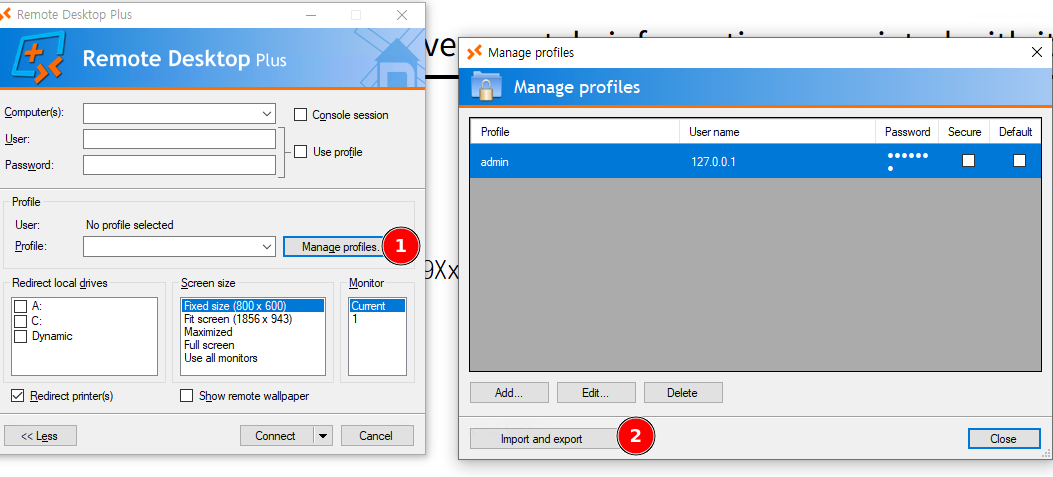 so i tried to import the profile but at the first glance the open dialog is still restricted to the download path so i had to download the profile.xml first and did this by going to the profiles.xml in edge and then
 ctrl+s and save it anyway after importing it we'll see that it imported the admin and its password but we can't see the password lets see if we can connect
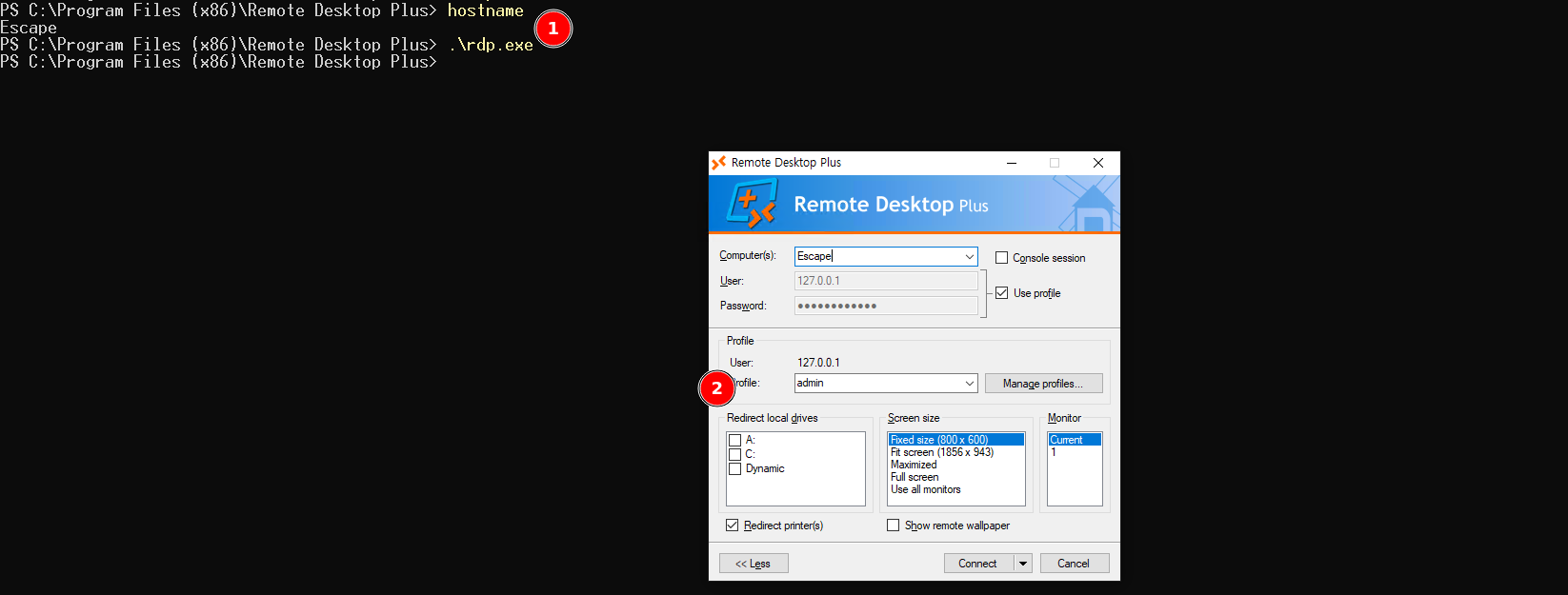
if you tried to open RDP using the old way by changing the name it won't work cause you can only download in downloads file and we already named a file called
msedgethere and you can't rename the powershell while it is running but i created a new folder and moved the rdp to it from downloads and rename it tomsedgeand run it still will fail
anyway when i tried to connect i got this system error
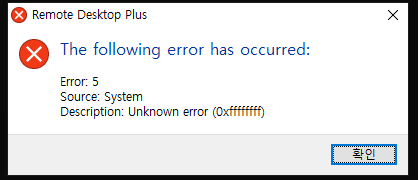 so i guess the only way is to find a way around this dotted password to get the password and try to RDP from our attack instead
after some search i found a utility from nirsoft that reveals the dotted password actual text all i needed to do is to download it to the system and i used http.server for that opened it from the powershell and then opened the remote desktop plus again and hovered the dotted text and back to the app i got it revealed lets try to login using RDP

when i tried to rdp back in
xfreerdp3 /v:10.129.234.51 /u:admin /p:Twisting3021I got this error
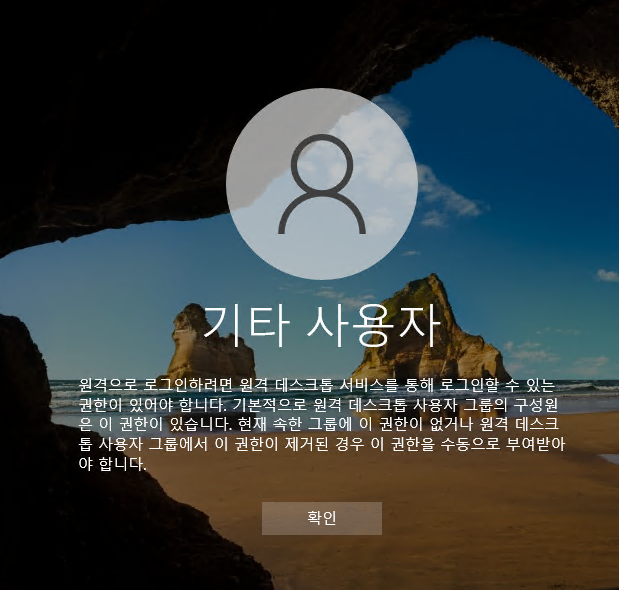 but i've got this lets take translate it
To log in remotely, you must have permission to log in through Remote Desktop Services. By default, members of the Remote Desktop Users group have this permission. If the group you currently belong to does not have this permission, or if this permission has been removed from the Remote Desktop Users group, you must grant this permission manually.
admin is usually permitted to RDP but not in this case anyway lets try runas from the powershell instead using the password we got
after runas.exe /user:admin powershell.exe and add password at prompt we've got shell as admin
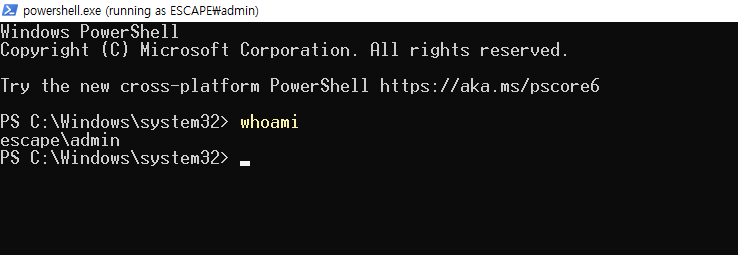
lets try to read the flag
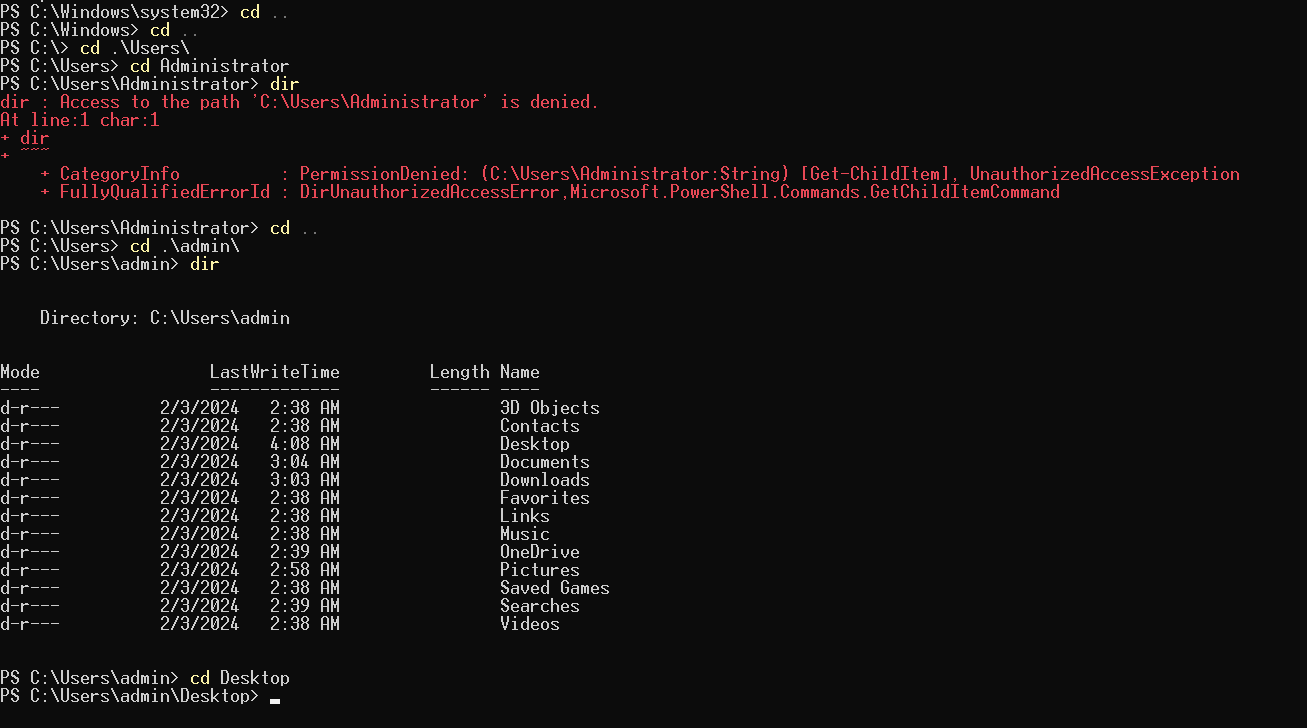 when i tried to read the flag i don't have access to administrator as admin cause we are not administrator
but when i used
when i tried to read the flag i don't have access to administrator as admin cause we are not administrator
but when i used whoami /groups to see what gorups am i part of Administrators group
so my guess is i can read administrator permissions-wise but i can't now because the UAC sees a different user so it needs me to click on yes to proceed but because this is shell we can't but there is a way to open UAC from powershell using this command Start-Process powershell -Verb RunAs and if i tried it
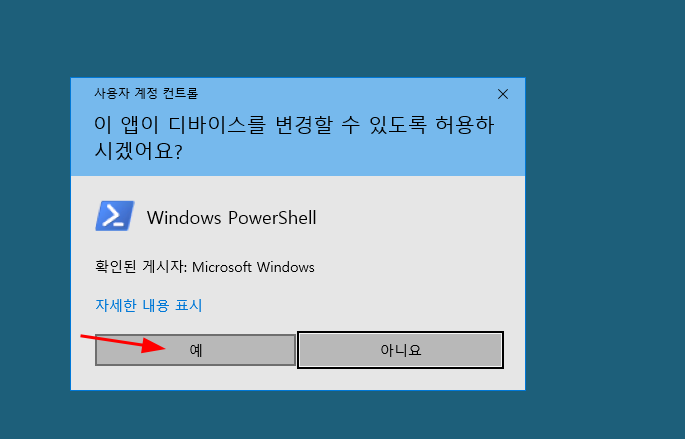 and as you can see we got it usually the UAC yes button is the one on the left or the one that isn't selected but default
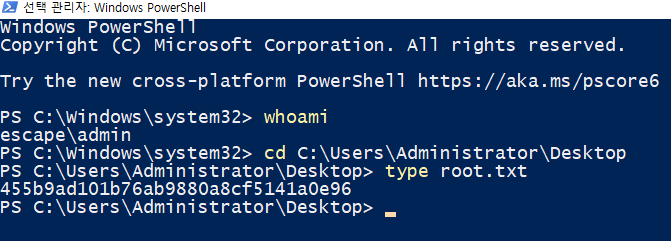 and as you can see we still admin user but now we can read flag